The Best MCPs for SEO and Content Marketing (Research, Publish, Measure)
I ran an SEO agency for sixteen years, so I know exactly where the billable hours go - and it's not the clever part. In today's post I'm sharing the content-marketing and SEO MCP stack I now run through Claude, organised by the phase of work where each one earns its keep, including seo-audit, the one I built to kill the grunt.
 Richard Baxter AI Ops & Marketing Engineer
 On this page
- Research and Topic Discovery
- Brave Search
- Firecrawl
- Google Trends MCP
- Supadata
- Context7
- SEO and Keyword Intelligence
- seo-audit
- DataForSEO
- Content Creation
- Gemini MCP
- Publishing
- WordPress MCPs
- Distribution and Outreach
- Gmail
- Analytics and Measurement
- Google Analytics MCP
- Plausible MCP
- Our In-House Pipeline
- The Content Marketing MCP Stack
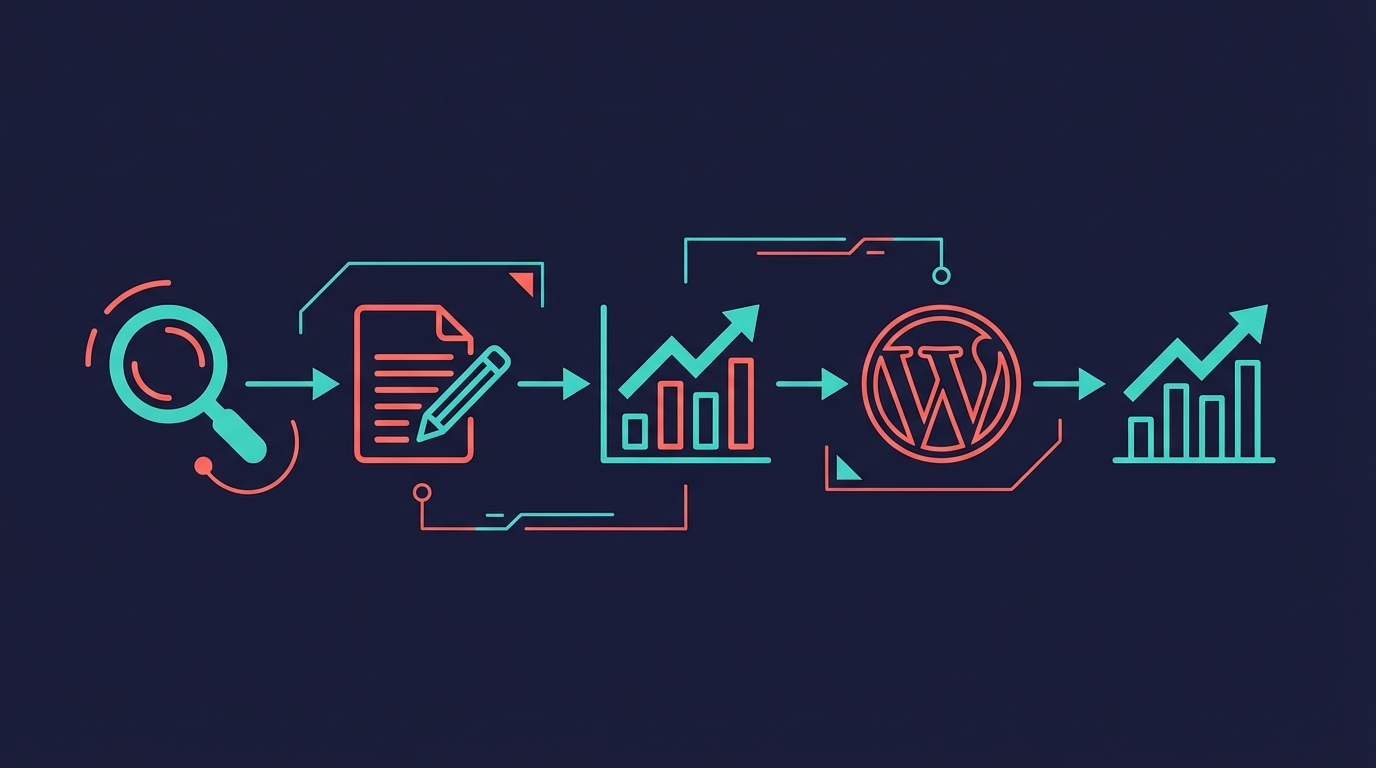
I founded an SEO agency, Builtvisible, in 2009, and sold it to Brave Bison in 2025. Sixteen years of technical SEO and content strategy teaches you exactly where an agency's hours go, and it's not the clever part. It's the grunt: the keyword research, the VLOOKUPs joining one export to another, the ranking pulls, the competitor spreadsheets, the quarterly decline audits, the Canva decks. Most of what a client pays for is data-wrangling that nobody enjoys and everybody bills for.
MCPs are quietly dismantling that layer. These are the MCPs for SEO and content marketing I run through Claude now, organised by the phase of work where each one earns its keep - and one of them, the one I ended up building, removes almost all of the grunt on its own.
Every MCP here runs inside Claude Desktop, so a Claude account is the common prerequisite. New to Claude? New accounts get a free week of Claude Code, and the same Pro or Max plan covers Claude Desktop.
This is the companion piece to my best MCPs for Claude Desktop guide. That one's the general-purpose toolkit. This article is the content-marketing version.
Quick Navigation
Brave Search | Firecrawl | Google Trends | Supadata | Context7 | seo-audit | DataForSEO | Gemini MCP | WordPress | Gmail | Google Analytics | Plausible | Our Pipeline | The Stack
Research and Topic Discovery
Before writing anything, I need to know whether a topic's worth the effort, who's already covered it, and what angle they've missed. This bit used to eat up a morning but I've got the base of the procedure down to maybe twenty minutes.
Brave Search
What it does: Provides real web search data to Claude. Ask a question and get your results with titles, descriptions, and URLs. No browser tabs required!
Brave Search is the first thing I reach for when starting a new piece. I'll type something like "what's currently ranking for [topic]?" and get back a structured list of titles, snippets, and URLs. No browser, no clicking through ten tabs. Claude picks through those results and tells me where the gaps are in what's already published.
The $5 of free credit Brave adds every month (about 1,000 searches) covers content-research use comfortably. And you dodge the noise of Google's increasingly ad-stuffed results pages, which is a nice bonus. I almost always pair it with Firecrawl so I can read the pages it surfaces.
GitHub: brave/brave-search-mcp-server - the official Brave server.
Firecrawl
What it does: Scrapes any URL and returns clean markdown. Handles JavaScript-rendered pages, strips nav and footer cruft, and gives you just the main content.
I use Firecrawl frequently. The workflow is dead simple: Brave Search turns up a competing article, I point Firecrawl at the URL, and I get clean markdown back. Claude reads through it, pulls out the structure, and tells me what they covered versus what they skipped. That gap analysis is how I pick my angle for pretty much every article I write.
Beyond article scraping, it'll extract structured data from product pages, crawl documentation sites, and handle JavaScript-heavy pages that would normally need a real browser. The free tier gives you 1,000 credits a month (a basic scrape is one credit), which would be hard to exhaust unless you were using it in your SaaS application.
GitHub: firecrawl/firecrawl-mcp-server
Google Trends MCP
What it does: Pulls currently trending topics and trending questions from Google Trends via the RapidAPI scraper.
I only discovered this one recently. Before, I'd manually check Google Trends to validate whether a topic had momentum or was dying off. Now I can ask Claude what's trending right now and which questions people are asking, and get actual trend data back.
It's not perfect. The RapidAPI dependency means you need a separate API key, and the data isn't as granular as the Trends interface itself. But for quick validation before committing to a 2,000-word article, it saves a solid 15 minutes of clicking around.
npm: @andrewlwn77/google-trends-mcp
Supadata
What it does: Extracts transcripts from YouTube videos. Feed it a URL, get the full text back.
So much of content marketing is repurposing what already exists. When I find a decent YouTube video on my topic, I'll pull the transcript through Supadata and treat it as research input. Not copying anything, obviously, but listening to how practitioners describe the thing, what words they reach for, what questions keep coming up.
It's brilliant for conference talks and product demos too. You get the full transcript as plain text, Claude can search it instantly, and you've saved yourself 45 minutes of watching a video at 2x speed while scribbling notes.
GitHub: supadata-ai/mcp
Context7
What it does: Looks up library and framework documentation. You give it a library name, it resolves the docs and lets you query them.
If you're writing technical content, this one's a lifesaver. I write about MCP servers and developer tools a lot, and I need accurate docs, not whatever Claude remembers from its 2024 training data. Context7 fetches the actual current documentation so I can get config options, API methods, and version numbers right without guessing.
It's got docs for thousands of libraries, and the query interface lets you ask pointed questions rather than wading through entire docs sites. Not something every content marketer needs, but if you cover anything technical, you'll wonder how you managed without it.
GitHub: upstash/context7
SEO and Keyword Intelligence
Research shows you what's out there. This is where you find out what people type into Google, whether you can realistically rank for it, and where your own pages are quietly winning or losing. If you came here hunting for the best SEO MCPs, this section is your answer - and one tool now does most of it at once, so I'll start there.
seo-audit
What it does: Fuses your Search Console history, a first-party crawl of your site, Google's index status for every URL, and DataForSEO's SERP, keyword and backlink data into one local database, then answers the questions you'd normally build a spreadsheet to answer.
This is the one I built to kill that grunt. I built Better Search Console first, a Search Console MCP with period-over-period comparison and a local sync so queries came back instantly. seo-audit is what it grew into once I stopped treating Search Console as a silo and joined it to everything else.
Here's what sixteen years of agency work taught me: the expensive part of SEO was never the thinking, it was the assembly. To answer "why is this page losing clicks," a junior analyst pulls the Search Console data, pulls the crawl, pulls the backlinks, pulls the SERP, and spends an afternoon stitching them together with VLOOKUPs before anyone can even look at the actual problem. seo-audit does that join on one key, in one query.
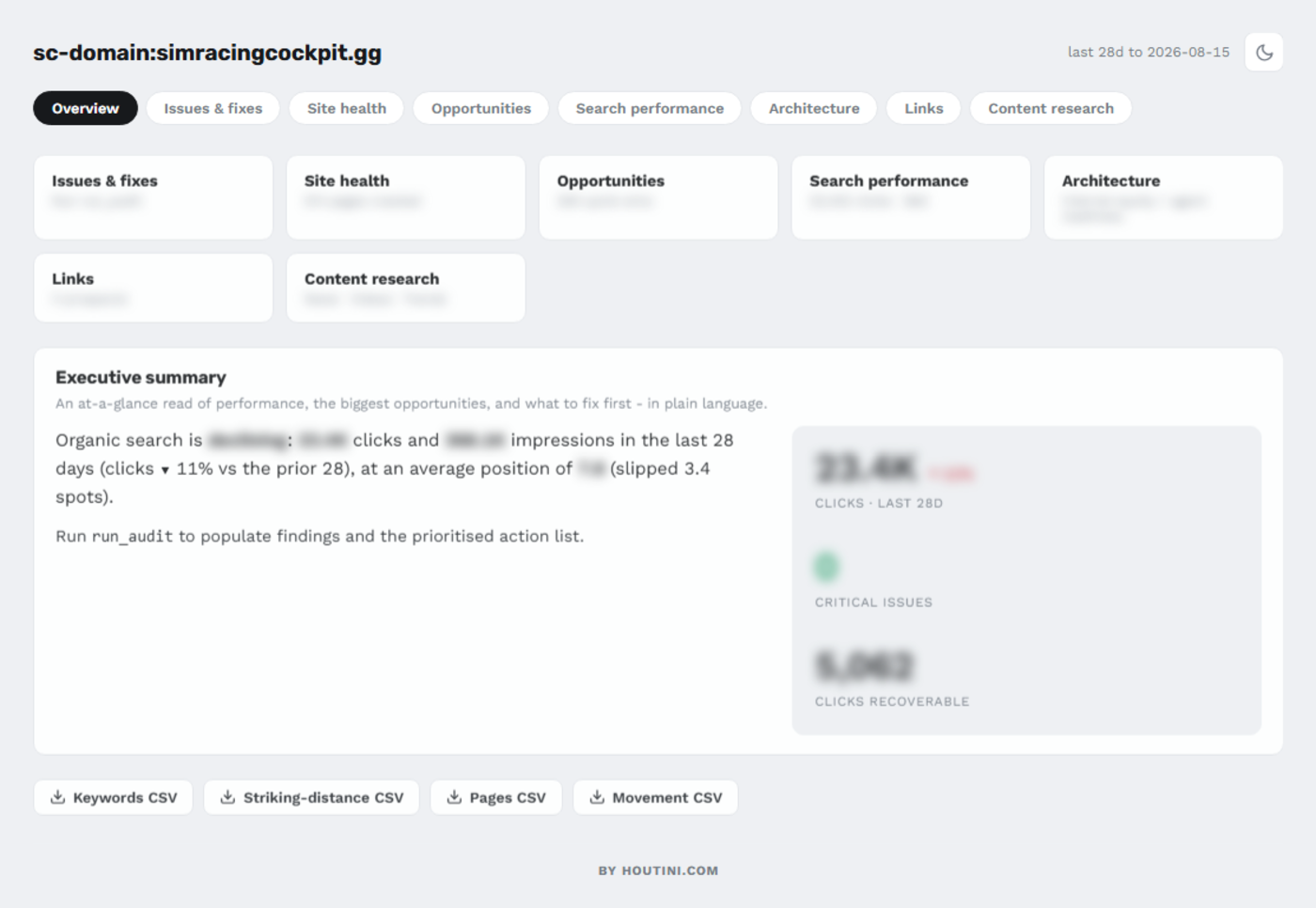
Mapped to the jobs I used to scope as billable hours:
Research and new keyword opportunities
It reads your Search Console for the queries sitting on page two, the ones a page already half-ranks for, and the topic gaps where competitors rank and you don't. That's the "what should we write next" deck, built from your own data instead of guessed at.
Ranking data
Your live positions from Search Console, joined to the live SERP so you can see who you're up against for each query, not just where you sit.
Competitor keyword strategy
Point it at a competitor's domain and it returns the keywords they rank for that you don't, ranked by opportunity. The competitor spreadsheet that used to take a day is a single call.
Your best content, and your declining content
It surfaces the pages carrying the most traffic and, more usefully, the ones quietly losing it. The decline audit an agency runs quarterly and bills for, run on demand.
The fixes, ranked
The crawl runs 99 technical checks and ranks the findings by the clicks they're costing you, so you fix the thing that matters rather than the longest list.
None of this is a model being clever. It's the assembly done in code, which is exactly the part that was never worth a person's afternoon. The judgment - which opportunity fits the business, which decline is worth chasing, what to write next - stays with you. That was always the part worth paying for.
seo-audit is under active development - it's on npm as @houtini/seo-audit-console - and I run it on this site every week. The full walkthrough is How to do a technical SEO audit with Claude, and it lives at /tools/seo-audit/.
GitHub: houtini-ai/seo-audit
DataForSEO
What it does: Provides SERP analysis data, keyword search volumes, competitor rankings, and YouTube search data. It's basically an API version of Ahrefs or Semrush.
This is probably the heaviest hitter in my whole MCP setup and there are three things I use it for constantly: pulling the current SERP for my target keyword, finding related keywords with actual search volume numbers, and checking what YouTube videos exist on the topic before I commit to writing about it.
The SERP data is where it really earns its money. You don't just get the organic results, you get People Also Ask questions, video carousels, related searches. I weave the answers to PAA questions in my writing for best topic coverage. I also use the Wikidata API to assist with generating structured data prepared for my articles too.
DataForSEO charges per API call, and costs add up if you're running broad keyword research. But for targeted SERP analysis on specific keywords you're about to write about, it's dramatically faster than manually checking in a browser.
GitHub: dataforseo/mcp-server-typescript
Worth knowing: DataForSEO is also one of the four data sources seo-audit joins for you, so if you reach for the all-in-one above, you're already running this underneath. The connector itself was rewritten to v3 in 2026, and the current setup guide is here.
Content Creation
The writing is mostly me and Claude working together directly. But there's one MCP that makes the creation phase a lot more capable than Claude is on its own.
Gemini MCP
What it does: Chat with Google's Gemini models, generate images, run deep research queries, and verify facts with Google Search grounding.
If I had to pick one MCP from this entire list, it'd be this one (no bias I promise). It packs three very different capabilities into one server, and I've built it to suit my needs:
First, research with grounding. When you turn on Google Search grounding, Gemini's responses are backed by current web results. Ask it "what's the current state of [topic] in 2026?" and you get cited, recent information rather than stale training data. This is a powerful assist and workaround to an LLM's knowledge cutoff and it helps catch the odd hallucination.
Second, image generation. Every article needs images. Gemini generates them as PNG or SVG, which (with the right prompt) are good enough for blog headers, concept diagrams, and architecture visuals. I used it to generate the hero image for the Desktop MCP article and it took about 30 seconds.
Third, deep research. Gemini's deep research mode reads through 20-odd sources and pulls together a synthesised report. I lean on it when I'm writing about something I don't know well enough yet, which happens more often than I'd like to admit.
GitHub: houtini-ai/gemini-mcp
Publishing
Writing the article is one thing. Getting it into WordPress with the right formatting, categories, featured images, and meta data is where most content marketers lose time.
WordPress MCPs
What they do: Read, create, update, and manage WordPress posts, pages, media, categories, and tags through the REST API.
I've been watching this space since mid-2025, and there are now three options worth knowing about:
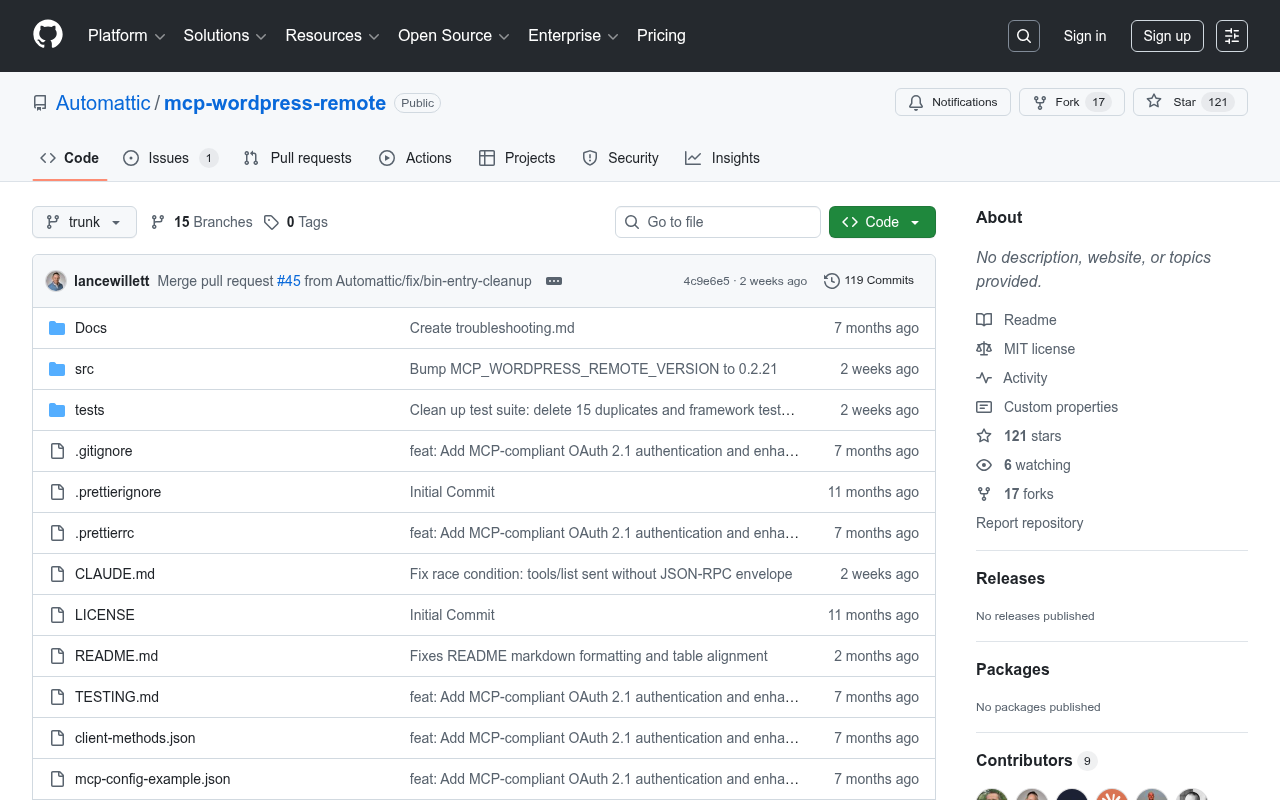
Automattic's official one (@automattic/mcp-wordpress-remote) comes from the WordPress.com team. Post CRUD, user management, site info, all through OAuth 2.1, JWT or application-password auth. The "blessed" choice, basically.
The Respira WordPress MCP (@respira/wordpress-mcp-server) is wild. Over 300 tools, WooCommerce support, page builder integration for Elementor, Divi, and Bricks, plus a duplicate-before-edit safety net so you don't accidentally trash a live page. If you're running a complex WordPress setup with a shop, this is probably where I'd start looking.
For simpler setups, there are lighter alternatives on GitHub - docdyhr/mcp-wordpress handles the basics of post management and site health monitoring.
A note on what we do instead: in-house, I've scripted our own publishing pipeline rather than using an off-the-shelf CMS MCP. This site runs on EmDash, a headless CMS on Cloudflare, and the workflow converts markdown drafts to its block format, uploads images through its REST API, and publishes as a draft for review; the WordPress sites I run elsewhere get the same treatment with Gutenberg JSON. The reason is control - I need specific block types, specific formatting rules, and integration with our AI detection tooling that no general-purpose MCP provides. But if you're not building a content production line, the public WordPress MCPs will get you 80% of the way there.
One more publishing shape worth knowing: if your site builds from a git repo - Astro, Hugo, Next - the official GitHub MCP turns article pull-requests into a conversation, which is how the non-article pages on this site are managed.
Distribution and Outreach
Publishing is only half the job. Getting eyeballs on content requires distribution.
Gmail
What it does: Search, read, and manage Gmail messages and threads. Download attachments. Compose and reply.
I mostly use this for outreach follow-ups. After publishing something that mentions someone's tool, I can draft a "hey, wrote about your project" email without leaving Claude. Takes about 30 seconds. No browser switch, no losing my train of thought.
The other thing it's handy for is scanning your inbox for opportunities you've been ignoring. Guest post invites, collab requests, PR pitches, they all pile up in Gmail and being able to search and summarise them without context-switching is useful.
GitHub: Part of Claude Desktop's official MCP ecosystem.
Analytics and Measurement
If you're not measuring what you publish, you're guessing. These two MCPs pull your traffic data straight into Claude so you can figure out what's working and what to write next.
Google Analytics MCP
What it does: Connects to GA4's reporting and admin APIs. Query sessions, events, user demographics, traffic sources by date range.
With the official GA MCP connected, you can just ask "which blog posts drove the most organic traffic last month?" and get numbers back. No more exporting CSVs from GA4's slightly maddening interface and pasting them in manually.
The query I run most often is traffic by landing page, filtered to organic. Dead simple, but it tells me exactly which articles are pulling their weight and which ones need work. Pair it with your seo-audit data and you can see both the search performance (impressions, clicks, position) and the on-site behaviour (bounce rate, time on page) for every article.
GitHub: googleanalytics/google-analytics-mcp
Plausible MCP
What it does: Connects to Plausible Analytics for privacy-friendly traffic data. Real-time stats, traffic breakdowns by source, device, and country.
If you use Plausible instead of GA4 (and plenty of content-focused sites do for privacy reasons - this site only uses Plausible), this MCP brings the same capability. Query your traffic, break it down by source, and generate reports - all without leaving Claude.
Plausible's interface is a lot cleaner than GA4's, and if GDPR compliance matters to you (it probably should), the privacy-first approach is a real selling point.
GitHub: alexanderop/plausible-mcp
Our In-House Pipeline
So those are the individual tools. But after a few months of using these individually, I found myself wanting to connect them. Manually running each step was still faster than the old way, but it felt like I was leaving time on the table.
That's basically what we've built at Houtini. Our content pipeline chains these MCPs together with some custom scripts:
- Topic research - DataForSEO + Brave Search + seo-audit to find opportunities
- Competitor analysis - Firecrawl scrapes the top 3 ranking articles, Claude identifies gaps backed with Gemini's opinion as an assist.
- Writing - Claude drafts the article following my tone of voice guide (derived from more than 100,000 words of my published writing)
- AI detection - I run ai-detect, my local DeBERTa detector, which scores every sentence for AI probability. Anything above 50% gets rewritten. I then edit the writing (as any creative should - AI can get you very close with the right tone of voice guidance but it is still AI). The setup is written up in how to run a free AI content detector locally.
- Image pipeline - Gemini MCP generates diagrams, Freeze CLI renders terminal screenshots, everything uploads through the CMS API automatically
- Publishing - Custom markdown-to-blocks converter, then REST API upload as draft for manual review
- Measurement - seo-audit + GA4 track performance, flagging articles that need updates
You don't need to build your own MCPs for any of this. I use the public ones listed above for steps 1-3 and 5.
The Content Marketing MCP Stack
Here's how I'd group these if you're setting up from scratch:
Start here (essential):
- Brave Search - $5 of free credit a month (about 1,000 searches), card required
- Firecrawl - 1,000 free scrapes/month
- Gemini MCP - research, images, and fact-checking in one server
Add when you're serious about SEO:
- DataForSEO - raw SERP and keyword data (and the engine under seo-audit)
- seo-audit - the all-in-one: research, ranking, competitor gaps and decline analysis
Add when you're publishing regularly:
- WordPress MCP - publish without leaving Claude
- Gmail - outreach and distribution
- Google Analytics or Plausible - measure and iterate
Add when you want trend intelligence:
- Google Trends MCP - see what's trending before committing
And when you outgrow this list, the official MCP registry at registry.modelcontextprotocol.io is the discovery path - thousands of servers indexed and searchable by the job you need done.
The ecosystem is still growing - it's very young and evolving all the time. The joy of all of this is there's no one right way to do any of it - the point is learning what the tools are and how they work so you can discover solutions that work best for you.
Related Articles
Continue reading.
- How-to GuidesHow to Connect Claude to Shopify with MCP (Dev MCP and Storefront Catalog)
- How-to GuidesHow to Use AI for Market Research with Claude
- How-to Guidesn8n MCP: How to Connect Claude Code to n8n and Use Its API Safely
- How-to GuidesHow to Run Qwen3-Coder-Next Locally: My vLLM Settings for Two 48GB RTX 4090s
- How-to GuidesHow to Build a Competitor Price Monitoring Pipeline with n8n
- How-to GuidesOpenCode vs Claude Code: Setting Up OpenCode Desktop on Windows