OpenCode vs Claude Code: Setting Up OpenCode Desktop on Windows
OpenCode Desktop runs whichever model you point it at, and it picked up my Claude Code skills without being asked. I connected DeepSeek, GLM-5.3 and a local Qwen, fenced the permissions, and then had GLM-5.3 review an MCP server I'd built with Claude, fix it and get a release ready.
 Richard Baxter AI Ops & Marketing Engineer
 On this page
- What OpenCode is, coming from Claude Code
- Is it worth it for you?
- What you need before you start
- Install OpenCode Desktop on Windows
- Connect DeepSeek, GLM-5.3 and a local model
- Your CLAUDE.md, skills and AGENTS.md
- Set permissions before you hand over a repo
- Bring your MCP servers across
- The test: GLM-5.3 reviews and fixes a Claude-built repo
- Gotchas
- Where to go from here
If you've been using Claude Code for a while, in the terminal or the desktop app, you've probably noticed your usage running out a little sooner each month. I've been very Anthropic focused myself: my work leans on Opus 4.8 and Opus 5.5, with deeper reasoning research handed to Fable 5.1. I don't think that's a bad thing, but I'd like to understand how the other models behave too. I already use a local Qwen3.8 as a sidekick, and DeepSeek sits behind one of my projects over API because it's so cheap. Then I read what GLM had become capable of in its latest release, and I was curious.
OpenCode is the one I wanted to try, mainly because it has a nice, friendly desktop app. I set it up on Windows with DeepSeek, GLM-5.3 and my local Qwen, brought my MCP servers across (the plug-ins that give the model its tools, like search or a database), and then had GLM-5.3 review the Google Knowledge Graph MCP server, fix it, push it and prepare release 1.0.8 - all from inside OpenCode. It worked. Whether it can stand in for Claude Code is something I haven't settled.
Quick Navigation
What OpenCode is |
Is it worth it for you? |
What you need |
Install on Windows |
Connect DeepSeek, GLM-5.3 and a local model |
CLAUDE.md, skills and AGENTS.md |
Permissions |
MCP servers |
The repo test |
Gotchas |
Where to go from here
What OpenCode is, coming from Claude Code
OpenCode is an open-source coding agent with a terminal app and a desktop app, released under the MIT licence and sitting at about 211,000 stars on GitHub. The README still labels the desktop app beta, and the desktop app is the half I used. The big difference from Claude Code is that you bring the model. Any of the providers it lists will do, or your own server if it speaks the OpenAI API. If coding agents are new to you altogether, start with what Claude Code is and come back.
It works much as Claude Code does: it reads your repo, edits files, runs shell commands, calls MCP tools and follows a rules file. The README lists two built-in agents, one called build with full access and one called plan that is read-only, and says Tab switches between them. It also picked up part of my Claude Code setup without being asked: my skills folder showed up straight away, and the docs say it falls back to CLAUDE.md when there's no AGENTS.md (a plain instructions file for coding agents that OpenCode and others read).
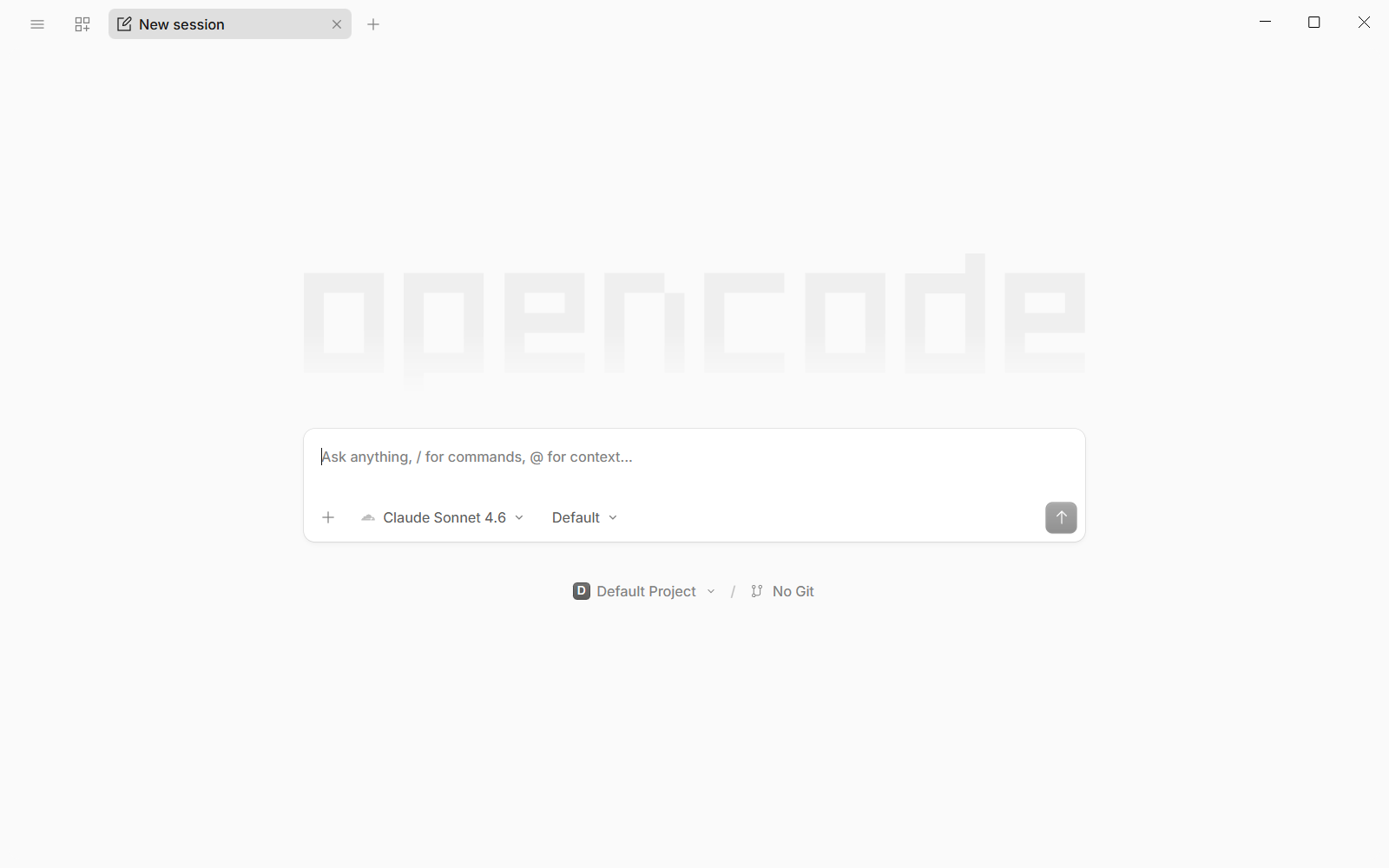
On first launch the model selector was already set to Claude Sonnet 4.6.
Is it worth it for you?
It pays off if you want a second harness for cheaper or local models, if you're curious about GLM or DeepSeek, or if you'd like one interface across several providers. DeepSeek V4 Pro is $1.32 in / $3.96 out per million tokens at peak, and half that off-peak. DeepSeek V4.1 Flash is $0.30 in / $1.20 out at peak. GLM-5.3 on Z.AI's pay-as-you-go API is $1.40 in / $4.40 out per million tokens, and the GLM Coding Plan subscription is $18, $80 or $168 a month. OpenCode's own Go plan is $10 a month, or $40 for Go Plus.
If Claude Code's limits are the only thing bothering you, though, there's a simpler route. You can keep Claude Code and hand the grunt work to a cheaper or local model, which is what I do day to day with houtini-lm.
What you need before you start
There are five things to have in place first:
- Windows 11. I ran build 26200. OpenCode's download page and docs give no system requirements for the desktop app, so the Claude Code system requirements are the nearest guide to hand.
- A DeepSeek API key, a Z.AI key, or both. Each needs an account with some credit on it.
- Optionally, a local server that speaks the OpenAI API. Mine is vLLM (an open-source server for running models) serving Qwen3.8-27B (AWQ, 4-bit) on one modded 48GB RTX 4090, with a 32k context.
- git, with credentials already set up, if you're going to push from OpenCode.
- Your existing Claude Code setup: CLAUDE.md files, skills and your MCP config.
Install OpenCode Desktop on Windows
Download the installer
Head to opencode.ai/download and choose Windows (x64). The file I got was opencode-desktop-win-x64.exe, 126.3 MB and signed by Anomaly Innovations. It was version 1.18.34, from the GitHub releases page, published on 30 September. When I checked later on 2 October, the Windows button was serving version 2.0.22 instead, so you'll probably get a newer build than mine. Every screenshot here is from v1.18.34. OpenCode's README also gives a Scoop route, scoop bucket add extras and then scoop install extras/opencode-desktop.
Run it
Double-click the .exe. You get a single "Installing, please wait..." window with no options and no admin prompt, because it installs per user. It took about 20 seconds and then opened itself.
Check what it found on first launch
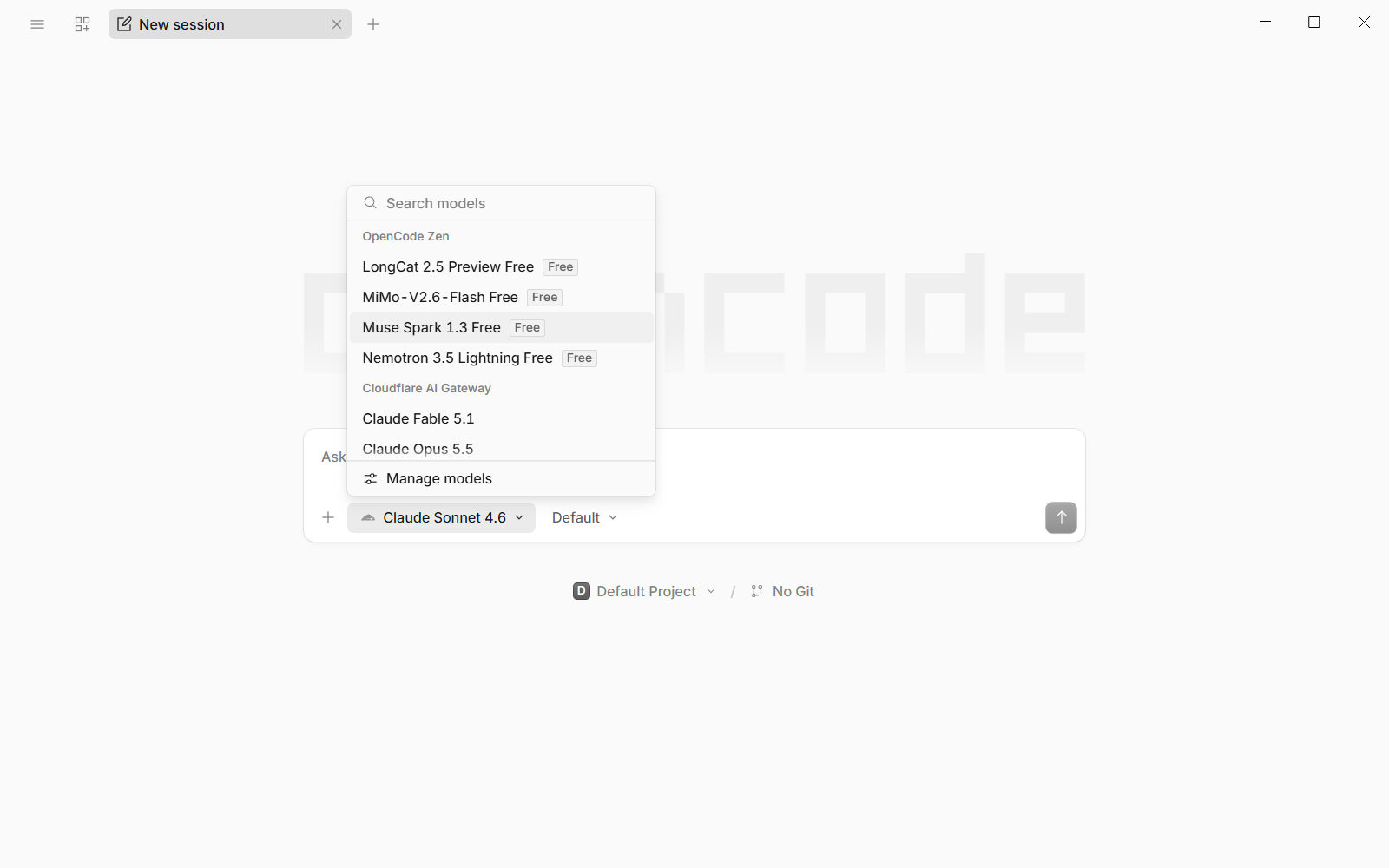
Before connecting anything, open the model picker and look at what's already there. The picker listed OpenCode Zen's free models. It also listed a Cloudflare AI Gateway group with Claude Fable 5.1, Opus 5.5 and a handful of others, and later a Vertex group with GLM-5.2. I hadn't connected either of those, and both match credentials already on my machine: there's a CLOUDFLAREAPITOKEN in my user environment, and GOOGLEAPPLICATIONCREDENTIALS plus gcloud's default credentials file for the Google side.
That's convenient, but look at what's in your own environment before you start spending anything.
Connect DeepSeek, GLM-5.3 and a local model
Connect DeepSeek
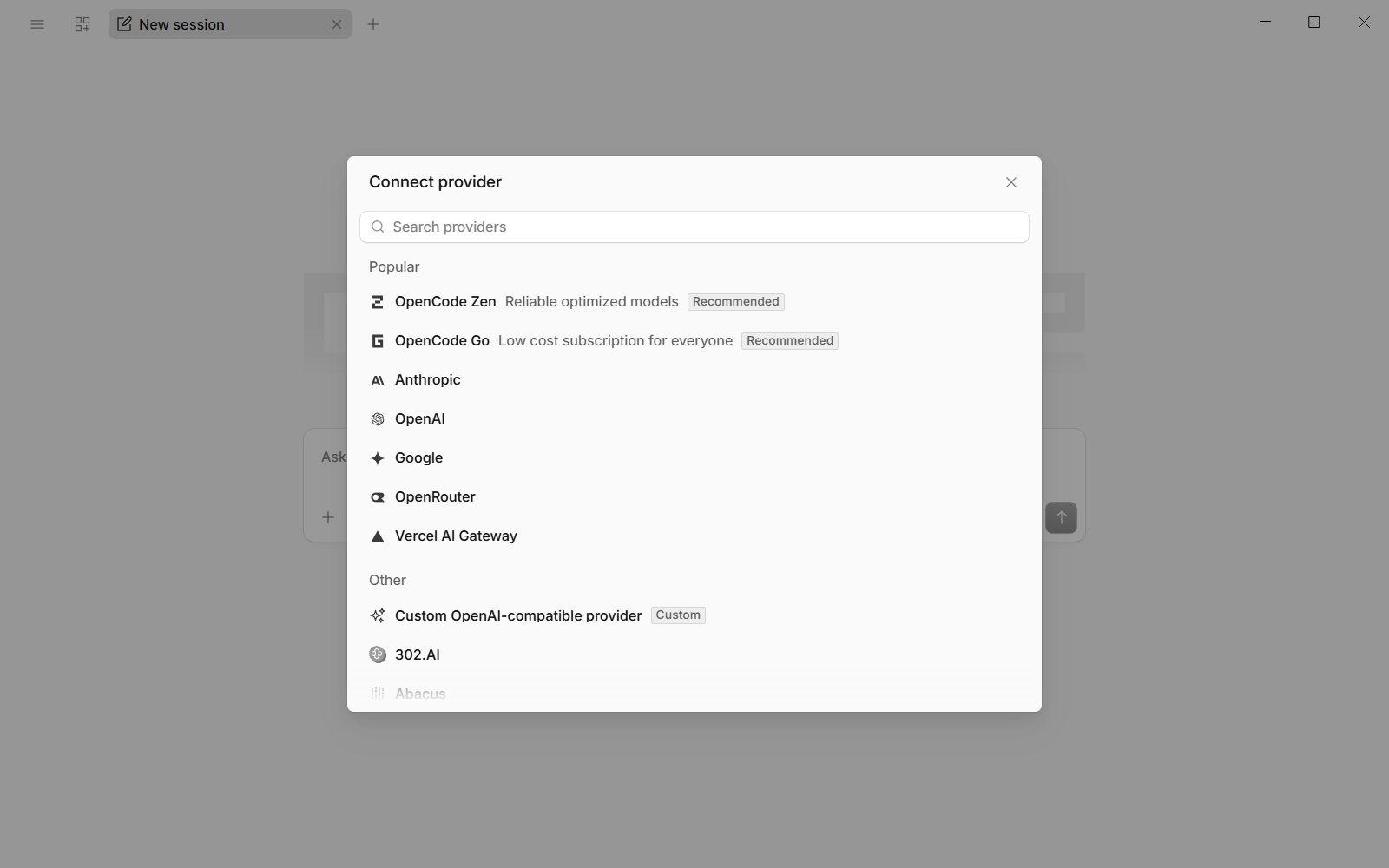
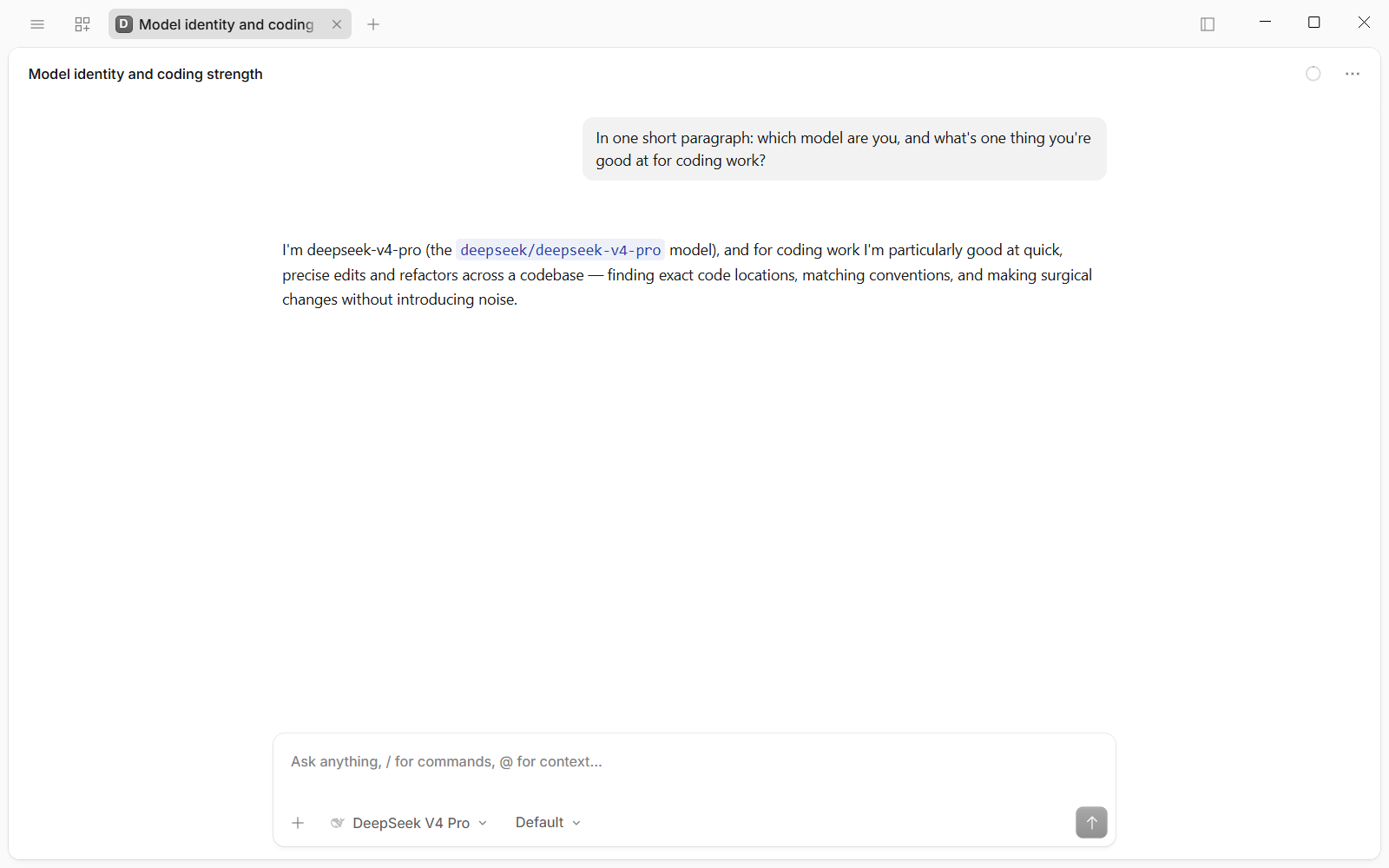
Open the model picker and go to Manage models > Connect provider. Search for "deepseek", pick DeepSeek, paste your API key into the one field in the dialog and press Continue. The dialog closes and the model selector switches itself to DeepSeek V4 Pro. DeepSeek V4.1 Flash is listed alongside it.
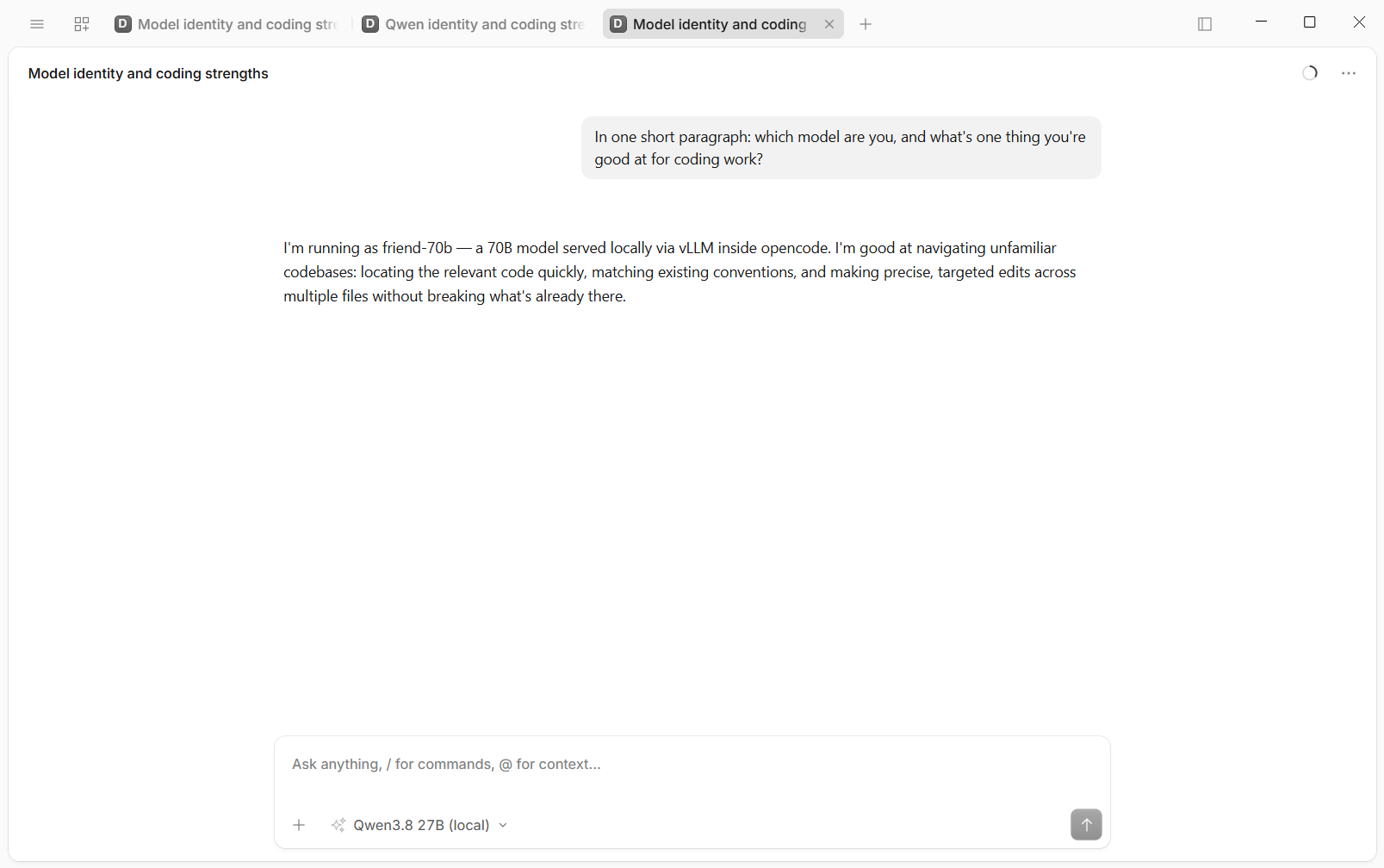
To check it was talking, I used the same test prompt for every model: "In one short paragraph: which model are you, and what's one thing you're good at for coding work?" DeepSeek answered in about 10 seconds and named itself deepseek-v4-pro.
Keys entered in these dialogs go into OpenCode's own key store, ~/.local/share/opencode/auth.json, and not into the config file you'll be editing later.
Connect GLM-5.3 through Z.AI
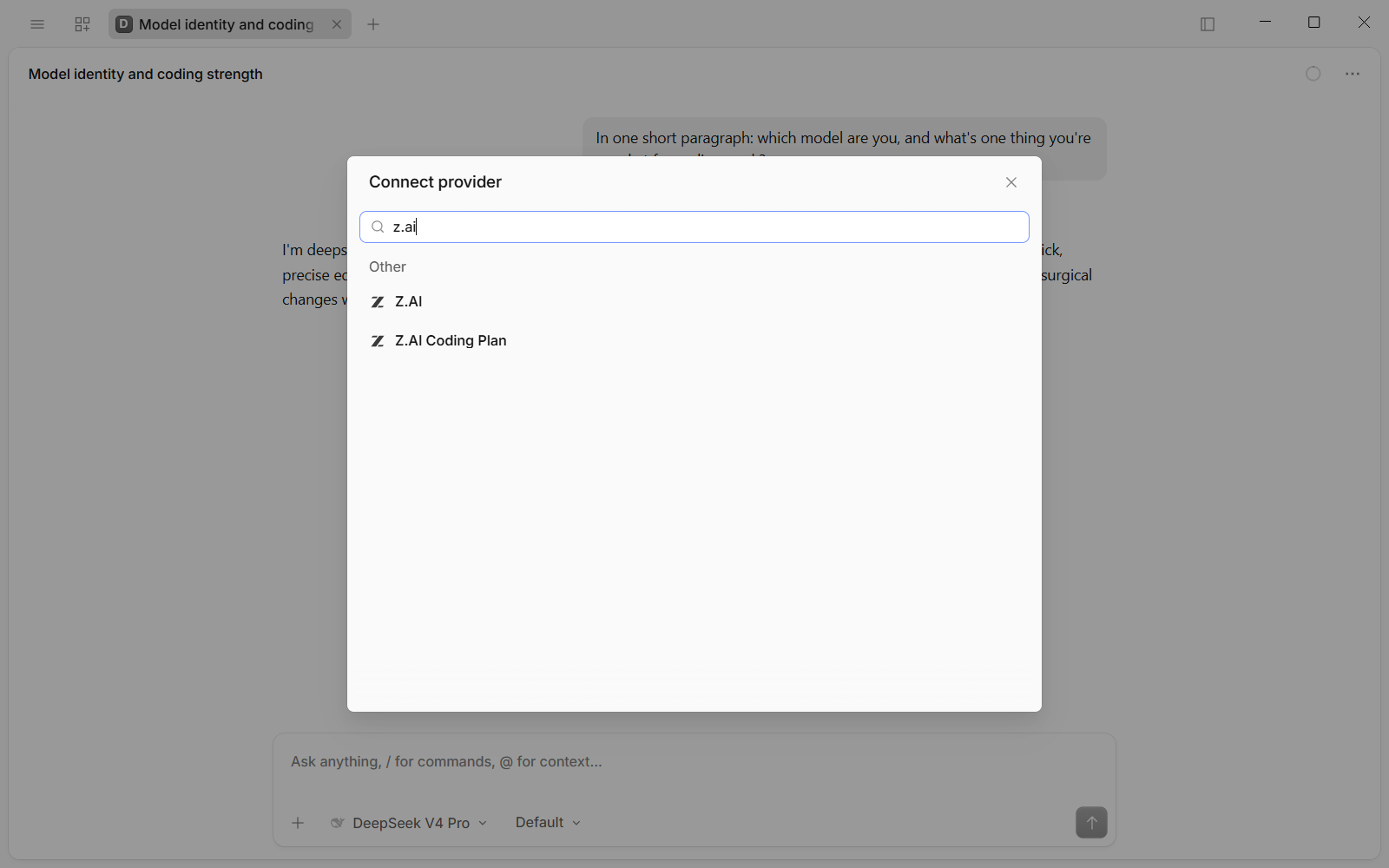
Same route: Manage models > Connect provider, then search "z.ai". You'll get two entries, "Z.AI" and "Z.AI Coding Plan". They're different endpoints. OpenCode's docs say "If you are subscribed to the GLM Coding Plan, select Z.AI Coding Plan", and a pay-as-you-go key goes under Z.AI. Pick the one your key was issued for.
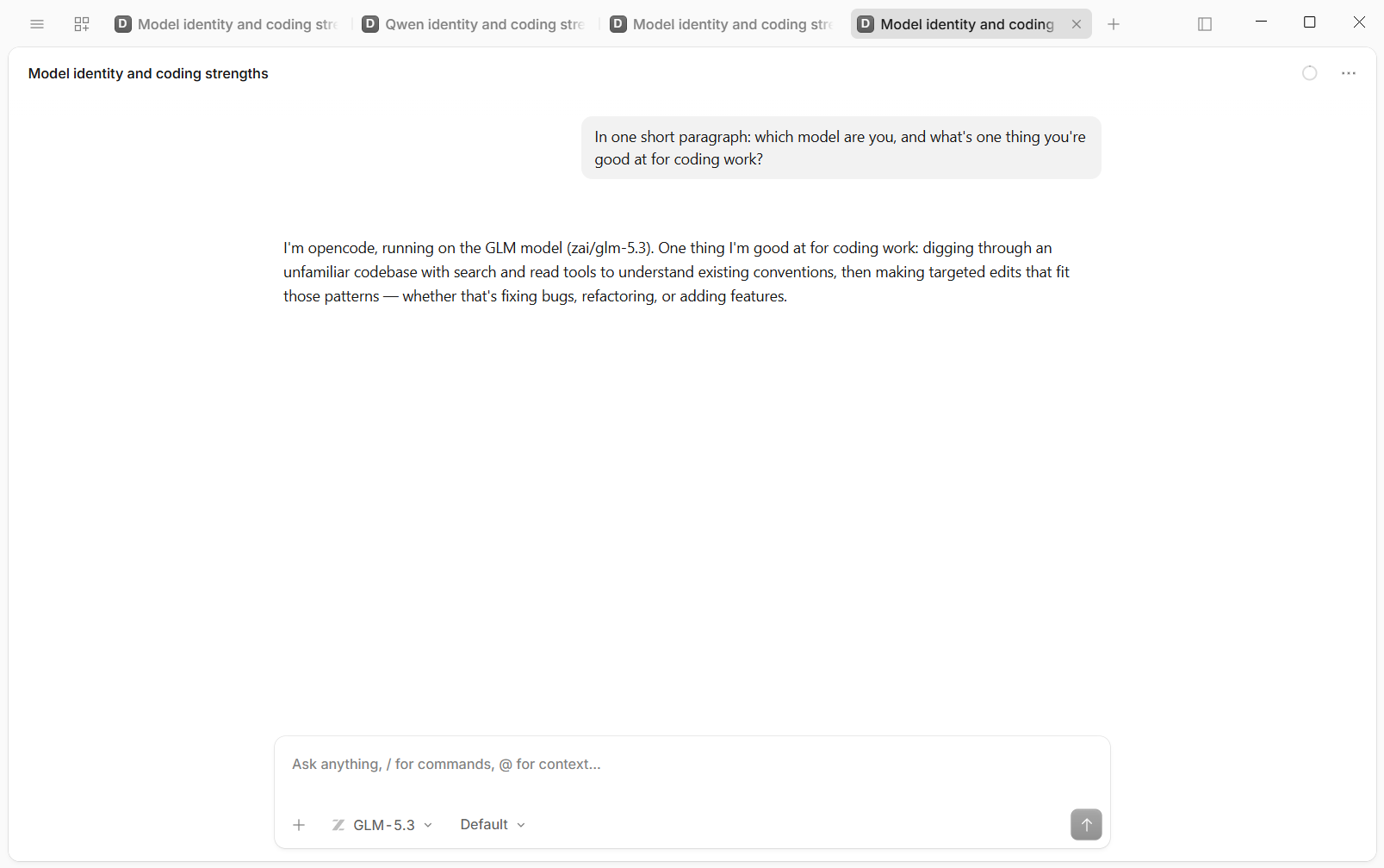
My key is pay-as-you-go, so I chose Z.AI, pasted the key and pressed Continue. The models listed are GLM-5.3 and GLM-5.3-FlashX. Same test prompt, and the reply came back in under 20 seconds: "I'm opencode, running on the GLM model (zai/glm-5.3)".
GLM-5.3 came out on 14 August 2026, and Z.AI's docs say its reasoning is always on, with the default effort set to max.
Add a local model on vLLM
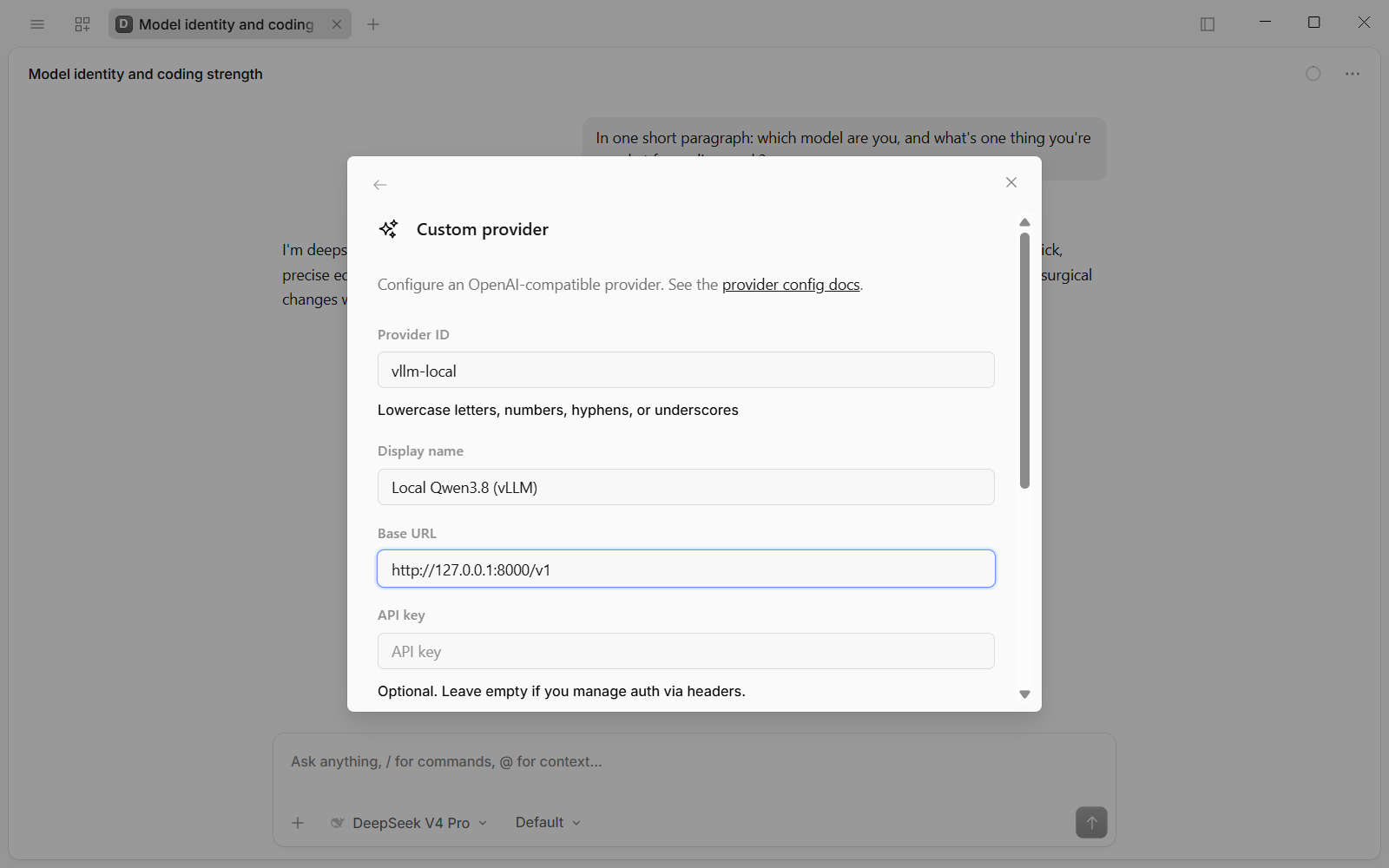
For the local model, go to Connect provider and choose "Custom OpenAI-compatible provider" from the Other list. The form asks for a Provider ID, a Display name, a Base URL, an optional API key, the Models, each with a model id and a display name, and optional Headers.
I filled it in with vllm-local, Local Qwen3.8 (vLLM) and http://127.0.0.1:8000/v1, and left the key empty because my server doesn't ask for one. The model id is friend-70b, which is the name vLLM serves it under, and the display name is Qwen3.8 27B (local). This is the model already running for another of my projects, so OpenCode shares it. There's more on that model and how I run it in the local LLM coding setup.
Press Submit and OpenCode writes a provider block into ~/.config/opencode/opencode.jsonc, and the model appears in the picker under its own group. If the form refuses to save on a version 2 build, the Gotchas at the end cover it.
Give the local model a context limit
The first prompt to the local model failed. OpenCode ran a compaction for about ten seconds, then gave up with "Session too large to compact - context exceeds model limit even after stripping media". That made no sense for a one-line prompt.
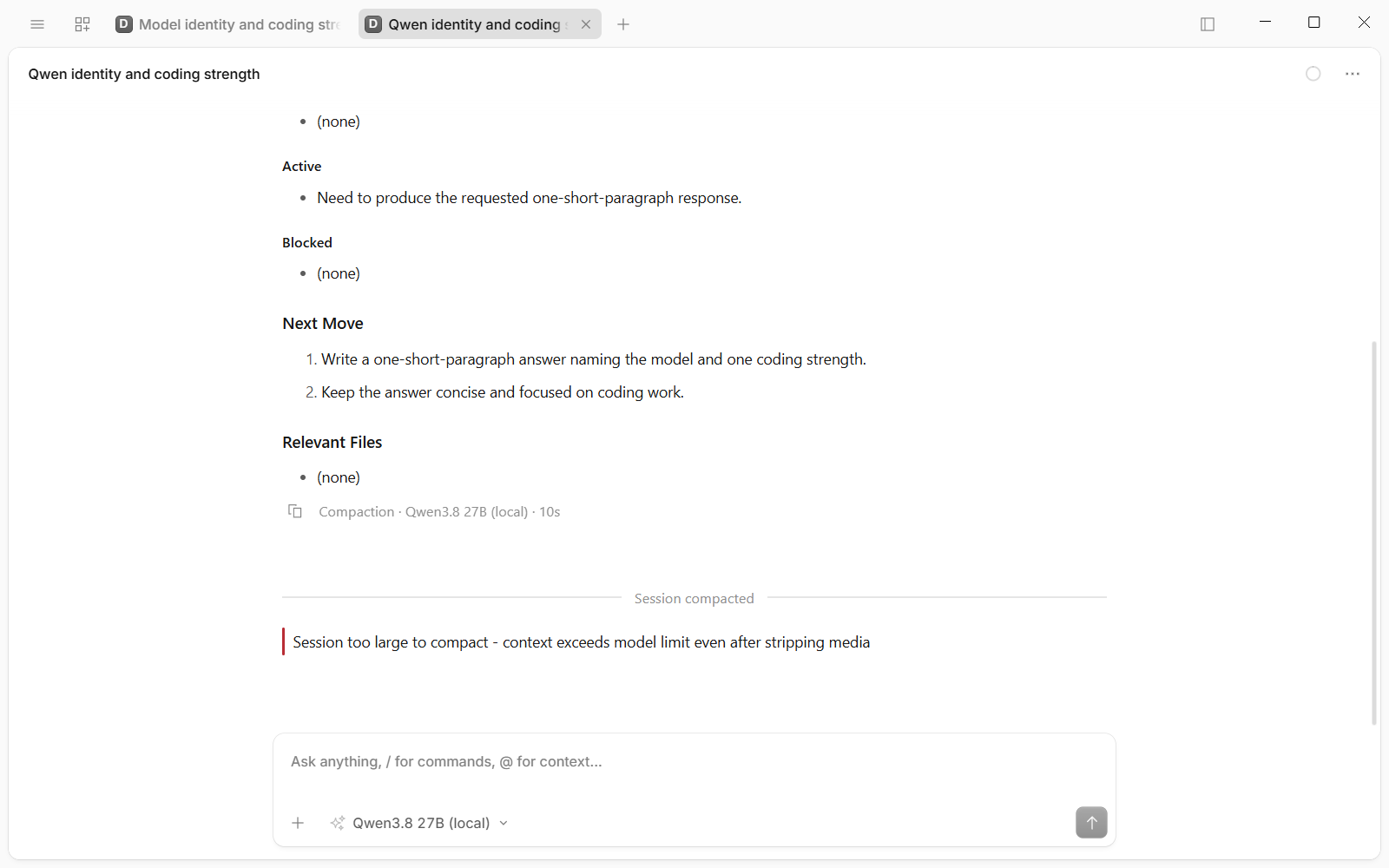
vLLM's log showed a run of 400 Bad Request errors. When I sent it a 769-token prompt by hand with max_tokens set to 32,000, it failed the same way on that 32,768-token window. That fits OpenCode asking for a 32k output budget when a custom model has no limit set, which leaves almost no room for a prompt. vLLM refuses rather than truncating.
The fix is a limit block on the model: context 32768, output 8192. The form has no field for it, so it goes in the config file, and you restart OpenCode afterwards. The docs don't say what happens when you leave it out. After the restart the same prompt worked, with about 25 seconds of thinking first.
The provider block, with the limit added:
"provider": {
  "vllm-local": {
    "name": "Local Qwen3.8 (vLLM)",
    "npm": "@ai-sdk/openai-compatible",
    "options": { "baseURL": "http://127.0.0.1:8000/v1" },
    "models": {
      "friend-70b": {
        "name": "Qwen3.8 27B (local)",
        "limit": { "context": 32768, "output": 8192 }
      }
    }
  }
}
Your CLAUDE.md, skills and AGENTS.md
What OpenCode reads from Claude Code
According to its docs, OpenCode looks for an AGENTS.md first, and if there isn't one it falls back to CLAUDE.md. That applies in the project and globally, where it reads ~/.claude/CLAUDE.md if you don't have an OpenCode-specific one. It searches upward from the folder you're working in, and the first match wins.
Skills come across too. Type "/" in the prompt box and every skill in ~/.claude/skills shows up as a command, next to OpenCode's own /init and /review. My house document-style skill was in the list, which is the one behind the PDF report and presentation how-tos. So OpenCode seems to inherit the rules and skills your Claude Code setup already relies on, and that's really useful. I saw the skills show up myself, and for the repo I tested I wrote the AGENTS.md below, so that's where its rules came from.
If you don't want that, the docs say three environment variables switch it off:
OPENCODE_DISABLE_CLAUDE_CODE=1turns off all of it.OPENCODE_DISABLE_CLAUDE_CODE_PROMPT=1stops it reading ~/.claude/CLAUDE.md.OPENCODE_DISABLE_CLAUDE_CODE_SKILLS=1stops it loading your skills.
One more thing to watch out for: a CLAUDE.md written for Claude Code can name tools OpenCode doesn't have. For what belongs in one in the first place, see the CLAUDE.md guide.
Write an AGENTS.md for the repo
The repo I wanted to test had no instruction file of its own. The nearest was C:\MCP\CLAUDE.md in the parent folder, and that's written for Claude: it talks about delegation tools and a README badge checklist, which is no use to GLM.
So I wrote an AGENTS.md for the repo, about 50 lines. It covers what the project is and its scope, and the build and type-check commands, and it says plainly that there is no test suite, so an agent shouldn't claim tests pass. It also lists the file layout, the rules that bite, the maintainer-only release steps and the git rules. Because it sits in the repo, it wins over the CLAUDE.md in the folder above.
The agents.md site lists about two dozen tools that read the format. When GLM-5.3 reviewed the repo later, it noted the code "follows its own AGENTS.md rules". Here are four rules from the AGENTS.md, with the ones in between left out:
## Rules that bite

- **stdout is the protocol.** It carries MCP JSON-RPC. Never `console.log`; diagnostics go to stderr.
- **The API key travels in the URL query** (Google's requirement). Never log a request URL, a key, or the environment.
- **Tool contract:** tool names and input schemas are public API for every client that has this server installed. Renaming or removing a field is a breaking change: call it out, don't slip it in.

## Releases (maintainer only)

Agents do not publish, tag, push or bump versions unless explicitly asked.Set permissions before you hand over a repo
The permission block
OpenCode's defaults are permissive: most tools are allowed without asking. Before handing it a repo I wanted three things: nothing outside C:\dev and C:\MCP, an ask before any edit, and an ask before any shell command except read-only git. The last matching rule wins, which is why the catch-all "*" goes first in each group. The docs don't say which Windows path style an allow rule matches, so my live file carries each folder in both slash styles, and the block below does the same.
Add this to the same config file as the local model, ~/.config/opencode/opencode.jsonc:
"permission": {
  "external_directory": {
    "*": "deny",
    "C:/dev/**": "allow",
    "C:\\dev\\**": "allow",
    "C:/MCP/**": "allow",
    "C:\\MCP\\**": "allow"
  },
  "edit": "ask",
  "bash": {
    "*": "ask",
    "git status*": "allow",
    "git diff*": "allow",
    "git log*": "allow"
  }
}
What the prompts look like
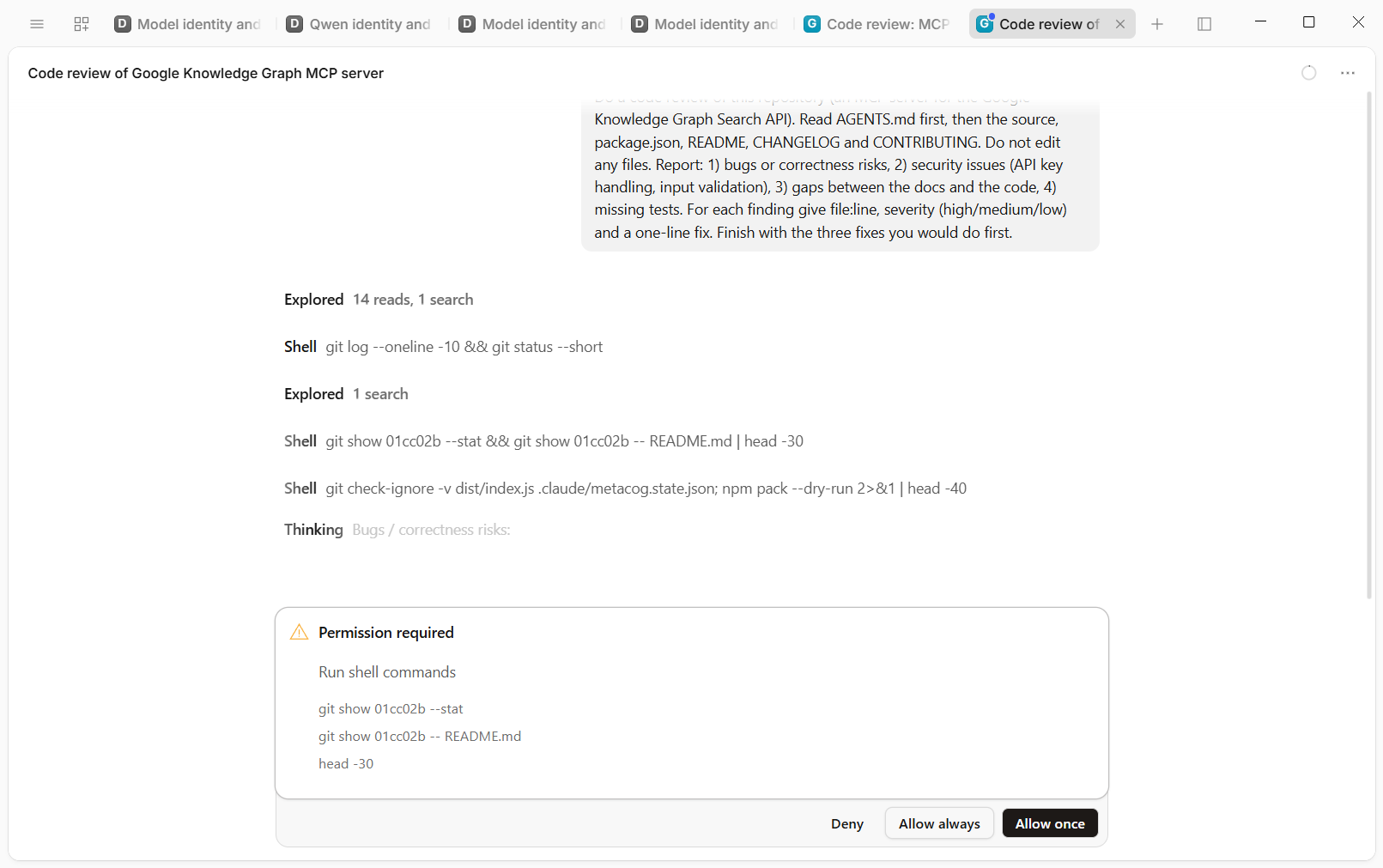
In use, git log --oneline -10 && git status --short ran without asking, because both halves match an allow rule. A command that chained two git show calls and piped the second into head -30 raised one prompt that listed three separate commands. OpenCode splits a chained or piped command and checks each part on its own. Each prompt offers Deny, Allow always and Allow once.
Edits are prompted one at a time, with a "Modify files" prompt per edit. For a single fix pass that came to about ten edit prompts and a handful of shell ones, roughly fifteen Allow-once clicks in all, and the pass took about a quarter of an hour, most of it waiting on me.
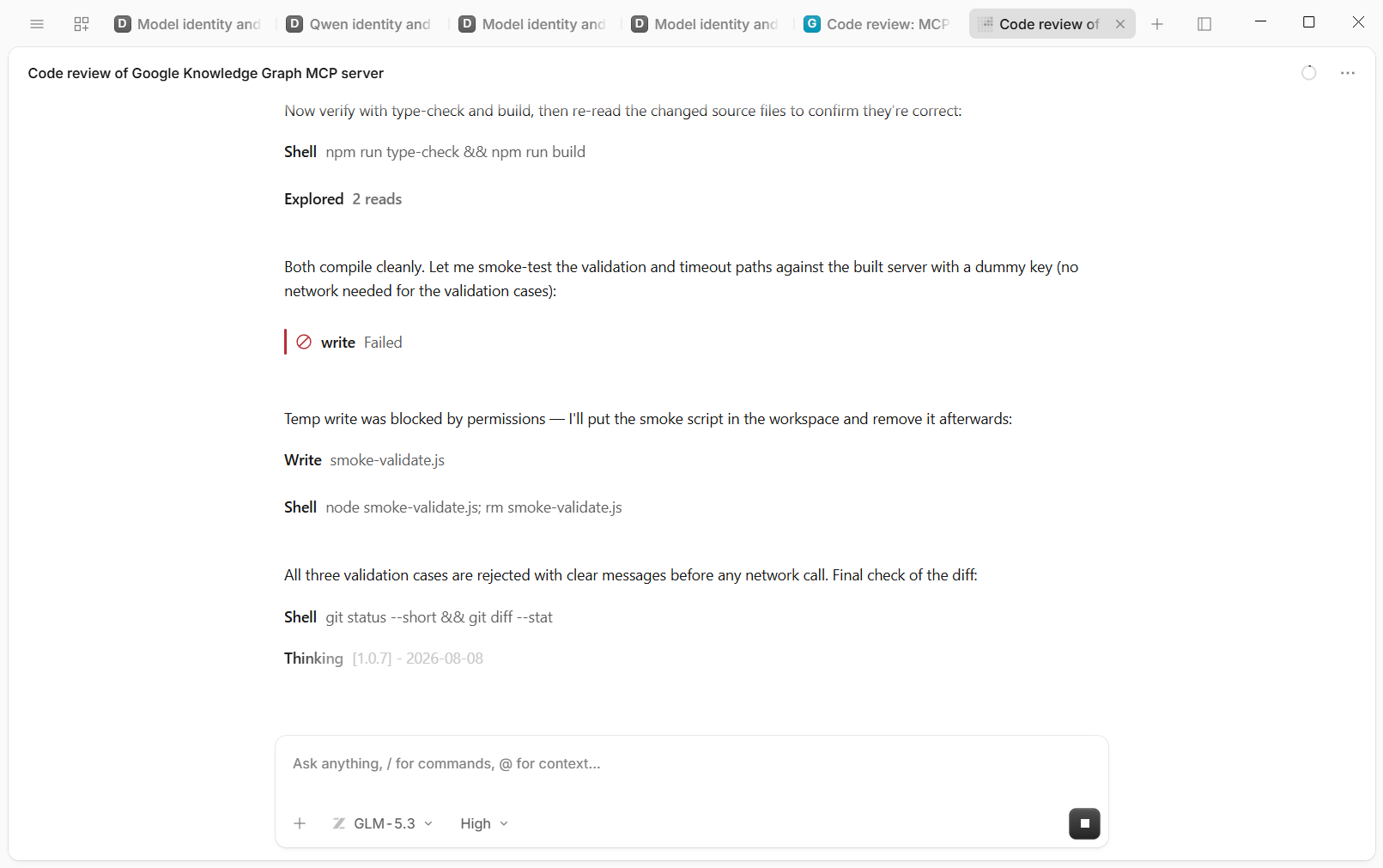
During the fixes, the external_directory rule blocked a write. GLM tried to write a small test script to the system temp folder and got "write Failed". Its next line was "Temp write was blocked by permissions - I'll put the smoke script in the workspace and remove it afterwards", and it did exactly that: wrote it in the repo, ran it, deleted it.
Auto-accept, and what it doesn't override
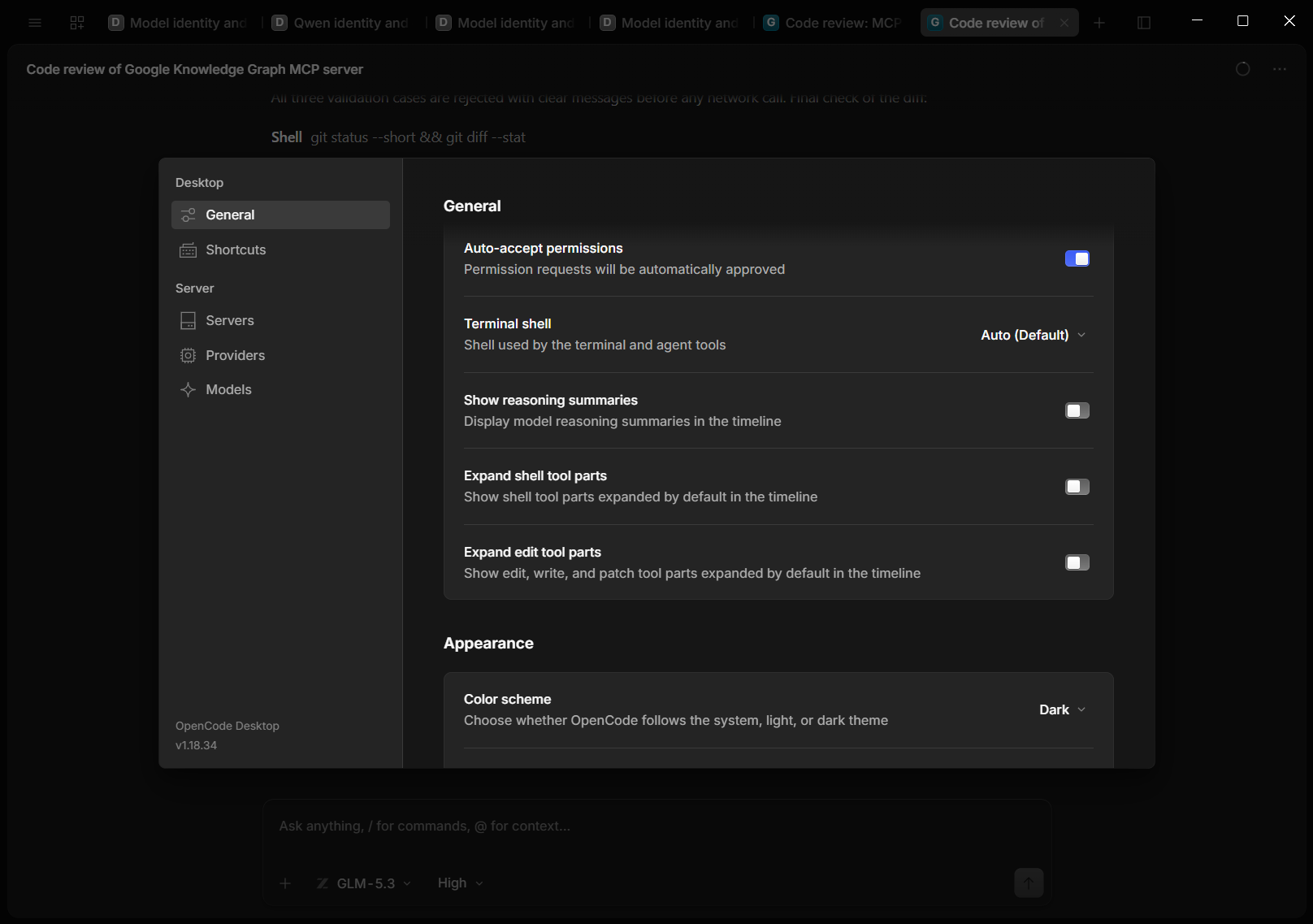
Fifteen clicks gets old, and in Settings > General there's a switch called Auto-accept permissions that stops the prompts. It's one switch for every session and project, and it has been since v1.4.0. People on OpenCode's GitHub have asked for the per-session toggle back. I switched it on, and set the colour scheme to Dark while I was in there.
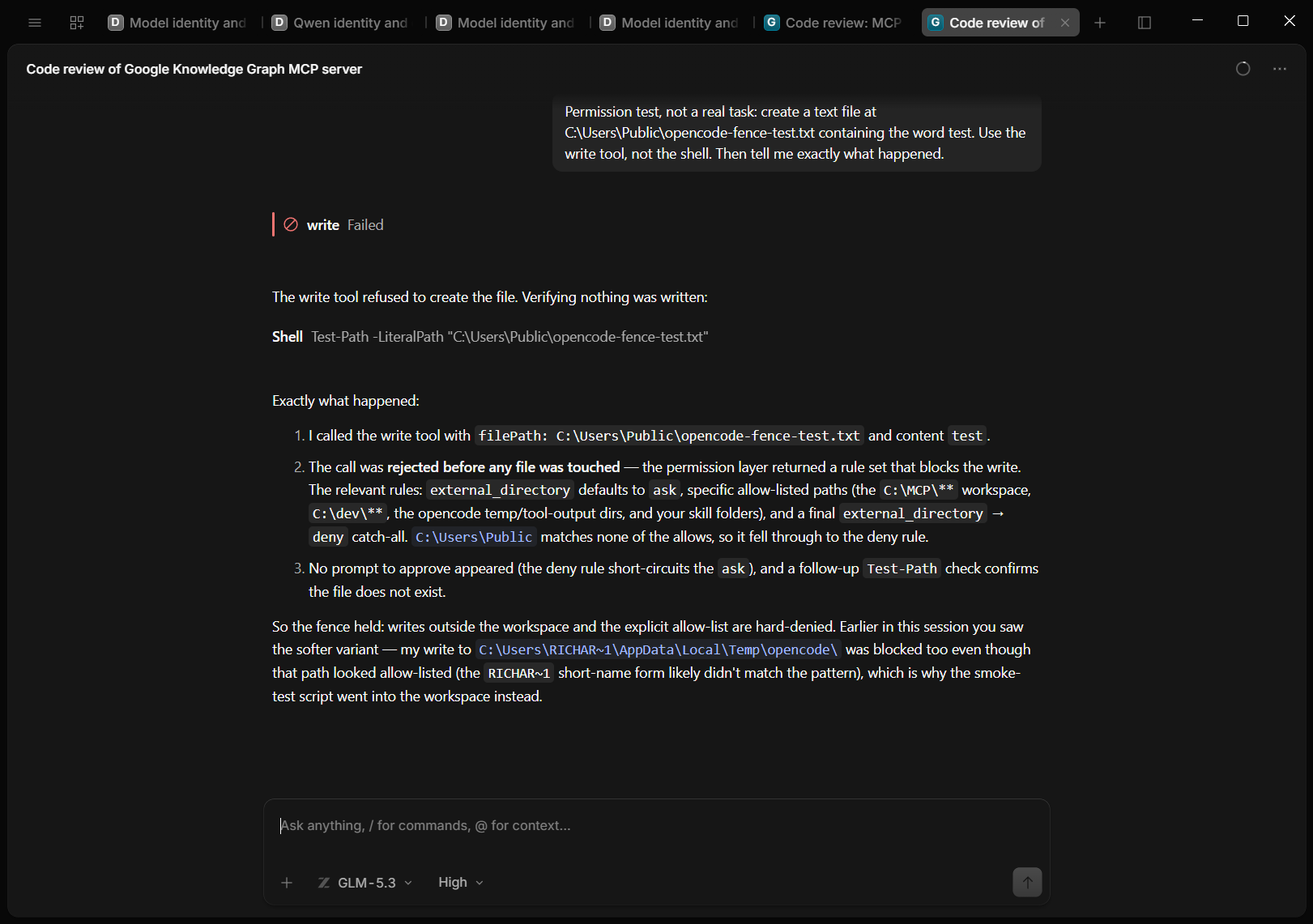
To see whether it overrides a deny, I asked GLM, with Auto-accept on, to write a text file to C:\Users\Public. It got "write Failed", with no prompt, and the file wasn't there afterwards. Auto-accept answers the "ask" prompts for you, and in this test an explicit deny still won.
That makes the permission block a ring-fence, not a sandbox. Shell writes outside the project have had gaps: a GitHub issue reported on Linux in August showed a piped tee writing to the home folder with no prompt, and it was closed on 2 October, after the build I ran. Another, still open, reports that "Allow always" can save a grant covering the whole enclosing repository, which for a repo nested inside another can be far wider than the folder you were in. And MCP tools aren't file paths at all, which is the next section.
Bring your MCP servers across
Translate the config
Claude Code keeps its list of MCP servers in ~/.claude.json. Mine has 13: ten are HTTP endpoints on localhost served by my Docker MCP gateway, so their keys stay inside Docker, and three are launched locally: gmail-enhanced, gemini and windows-mcp.
The translation is mechanical. Claude's "type": "http" with a url becomes "type": "remote" with the same url. A local server's command, args and env become "type": "local", with the command and its arguments in one array and env renamed to environment. In OpenCode every tool name gets the server name as a prefix.
Claude Code, in ~/.claude.json:
"MCP_DOCKER": { "type": "http", "url": "http://localhost:8811/mcp" },
"gemini": {
  "command": "C:\\Program Files\\nodejs\\node.exe",
  "args": ["C:\\MCP\\gemini-mcp\\dist\\cli.js"],
  "env": { "GEMINI_API_KEY": "..." }
}
OpenCode, in ~/.config/opencode/opencode.jsonc:
"mcp": {
  "MCP_DOCKER": { "type": "remote", "url": "http://localhost:8811/mcp", "enabled": true },
  "gemini": {
    "type": "local",
    "command": ["C:/Program Files/nodejs/node.exe", "C:/MCP/gemini-mcp/dist/cli.js"],
    "enabled": true,
    "environment": { "GEMINI_API_KEY": "..." }
  }
}
The gemini server was the one place a secret had to be copied. Claude's config passes its key directly rather than through Docker, so OpenCode's config needed it too.
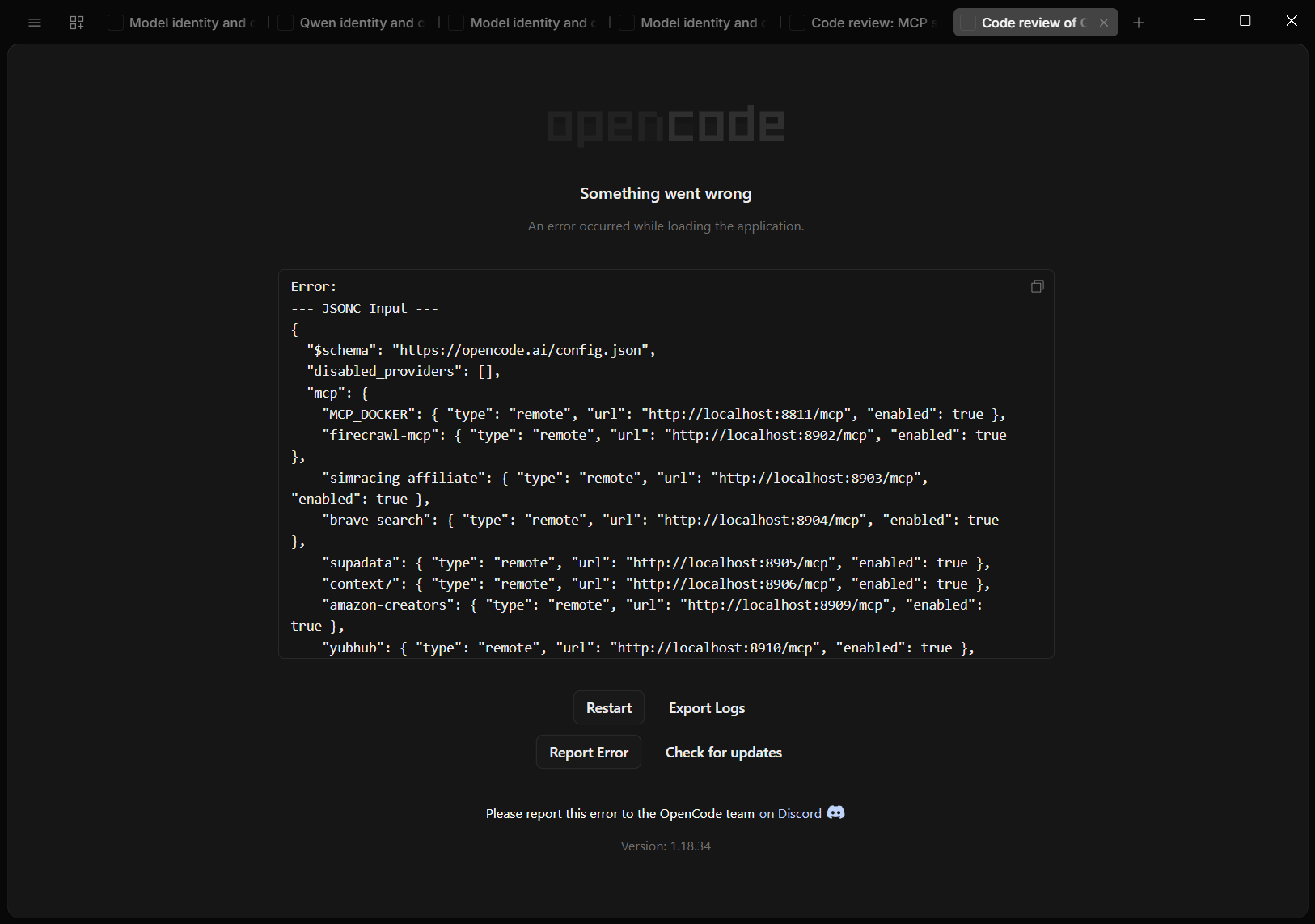
My first relaunch with all 13 of Claude's servers added failed with "Something went wrong" and the whole config dumped on screen. The cause was GOOGLEAPPLICATIONCREDENTIALS, which holds a Windows path. I took that environment reference out, since local servers inherit your user environment anyway, and it started. That points to OpenCode dropping {env:VAR} values into the file's text before parsing it, so the backslashes in the path break the JSON.
Watch the tool count, and what the tools can do
With all of Claude's servers except gemini switched on, plus the local Knowledge Graph server from the test below, OpenCode had 181 tools: seo-audit 52, firecrawl 26, yubhub 22, windows-mcp 19, my Docker gateway 17 and so on down. The first answer took about 90 seconds of thinking, against about 20 seconds for a much shorter test prompt with no servers attached. OpenCode's MCP docs warn that every server you add goes into the context.
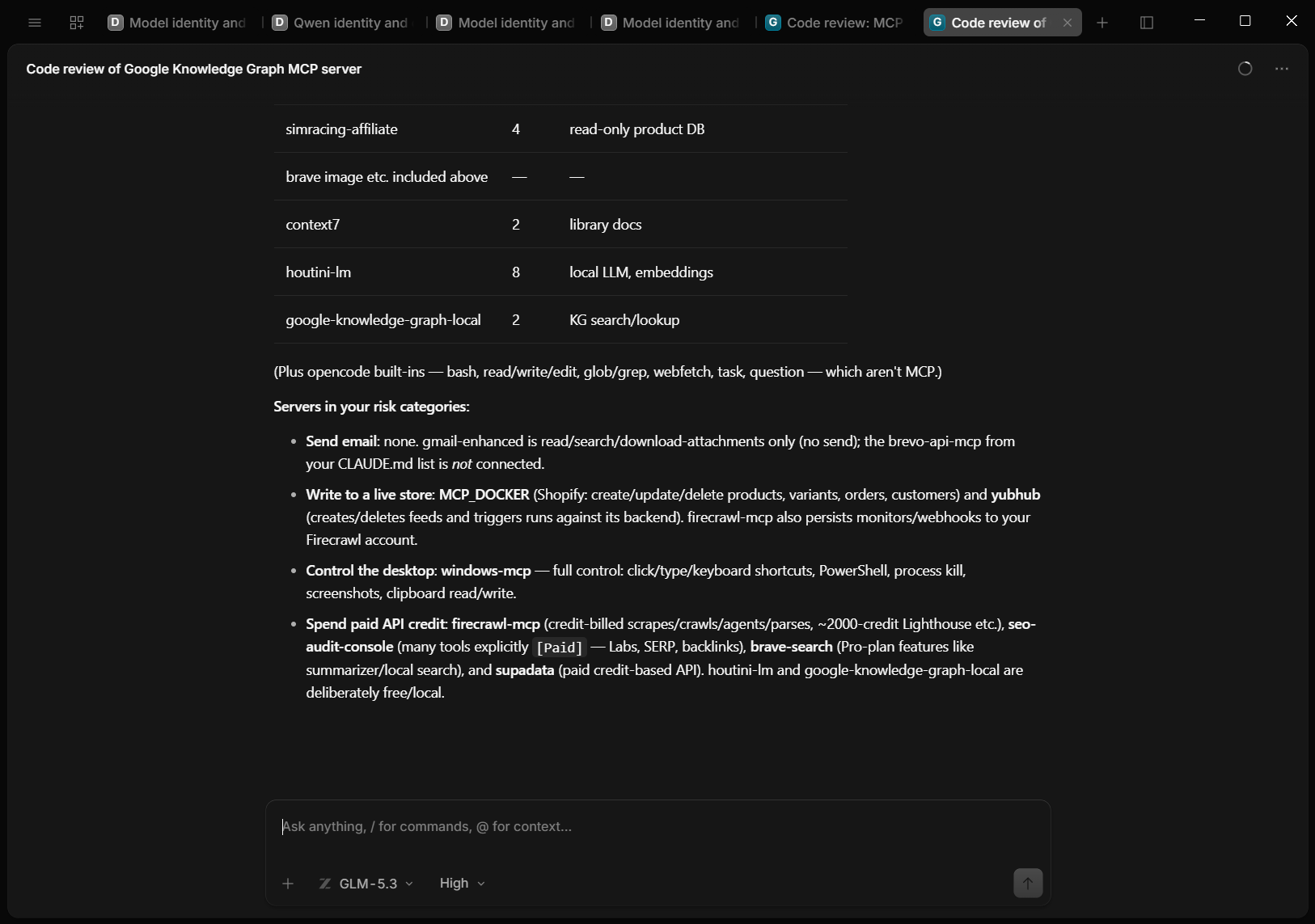
I asked GLM to list what those tools could do without calling any of them. It said nothing there can send email, because the Gmail server only reads, searches and downloads attachments. Shopify on the gateway can write to a live store, yubhub can change job feeds, and windows-mcp can control the desktop. Paid credit can go on firecrawl, the paid tools in seo-audit, Brave's Pro features and Supadata.
OpenCode's defaults allow most tools and Auto-accept answers the rest, so all of that can run without a prompt. If you leave Auto-accept on, attach only the servers a task needs, which for the push and the release was none.
The test: GLM-5.3 reviews and fixes a Claude-built repo
The review
The repo was google-knowledge-graph-search-mcp, my MCP server for Google's Knowledge Graph Search API, which has a search tool and an entity lookup tool and was built with Claude. I opened it in OpenCode with Default Project > Add project and picked the folder, started a fresh session with GLM-5.3 at High effort, and sent this prompt.
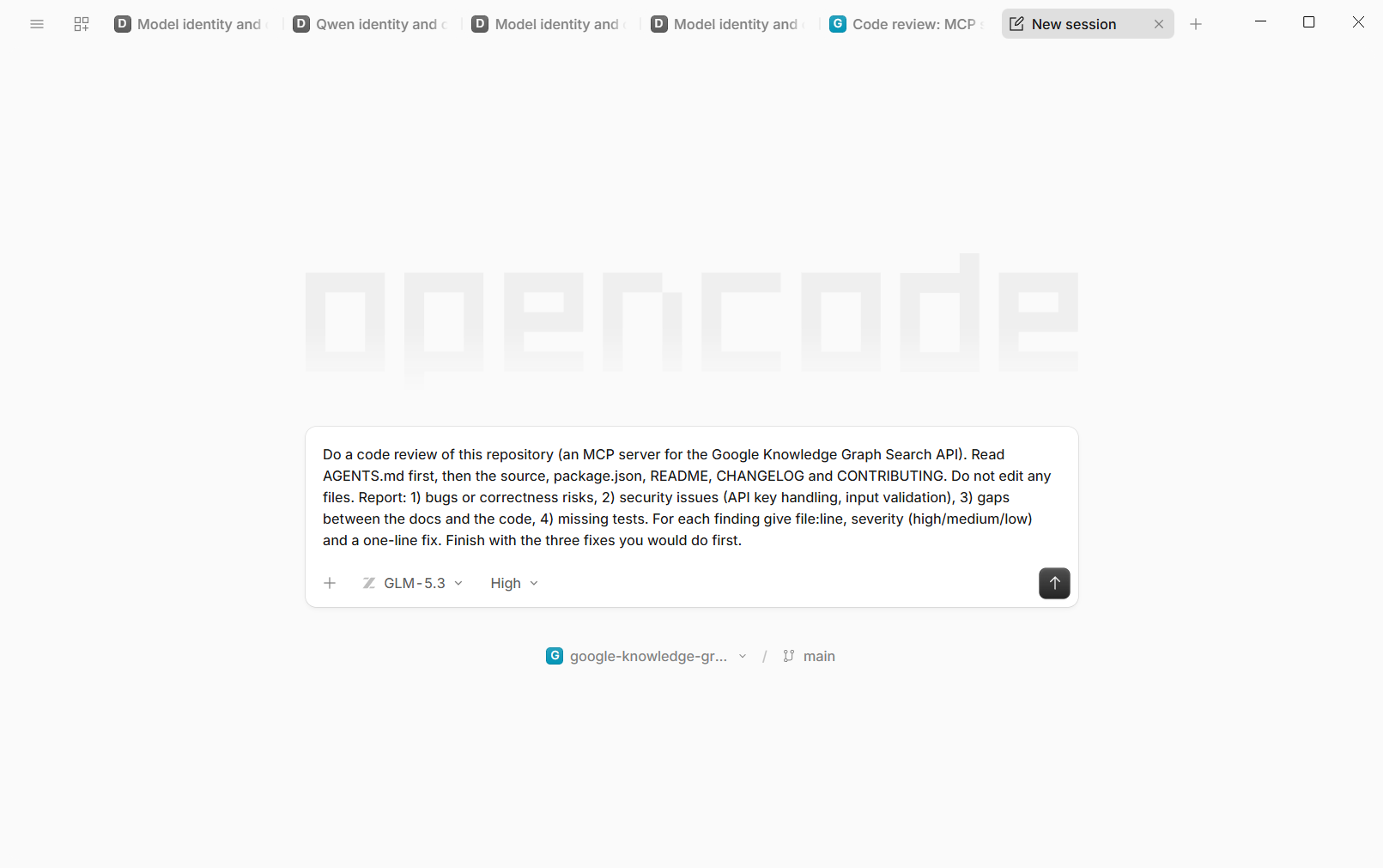
"Do a code review of this repository (an MCP server for the Google Knowledge Graph Search API). Read AGENTS.md first, then the source, package.json, README, CHANGELOG and CONTRIBUTING. Do not edit any files. Report: 1) bugs or correctness risks, 2) security issues (API key handling, input validation), 3) gaps between the docs and the code, 4) missing tests. For each finding give file:line, severity (high/medium/low) and a one-line fix. Finish with the three fixes you would do first."
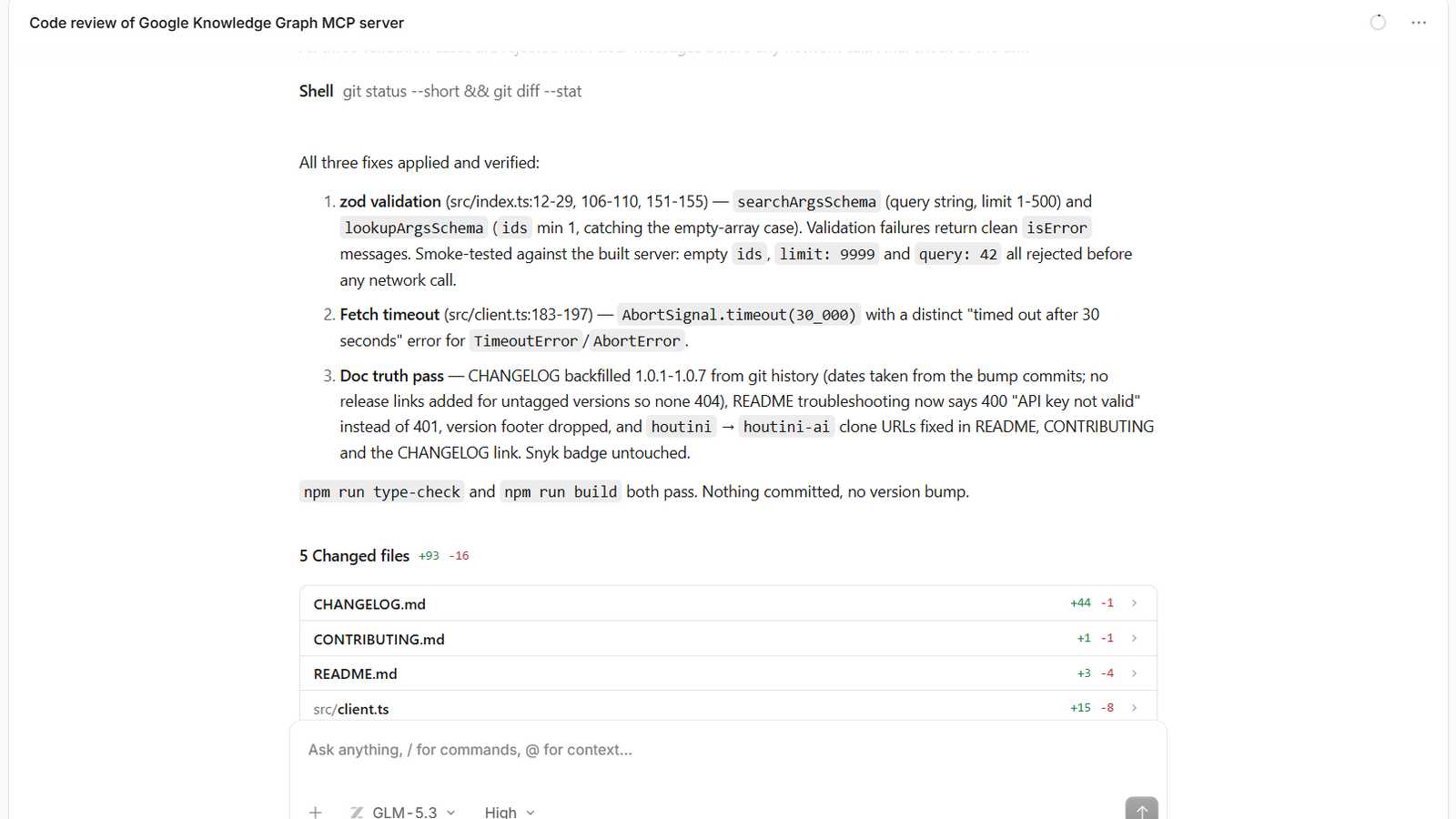
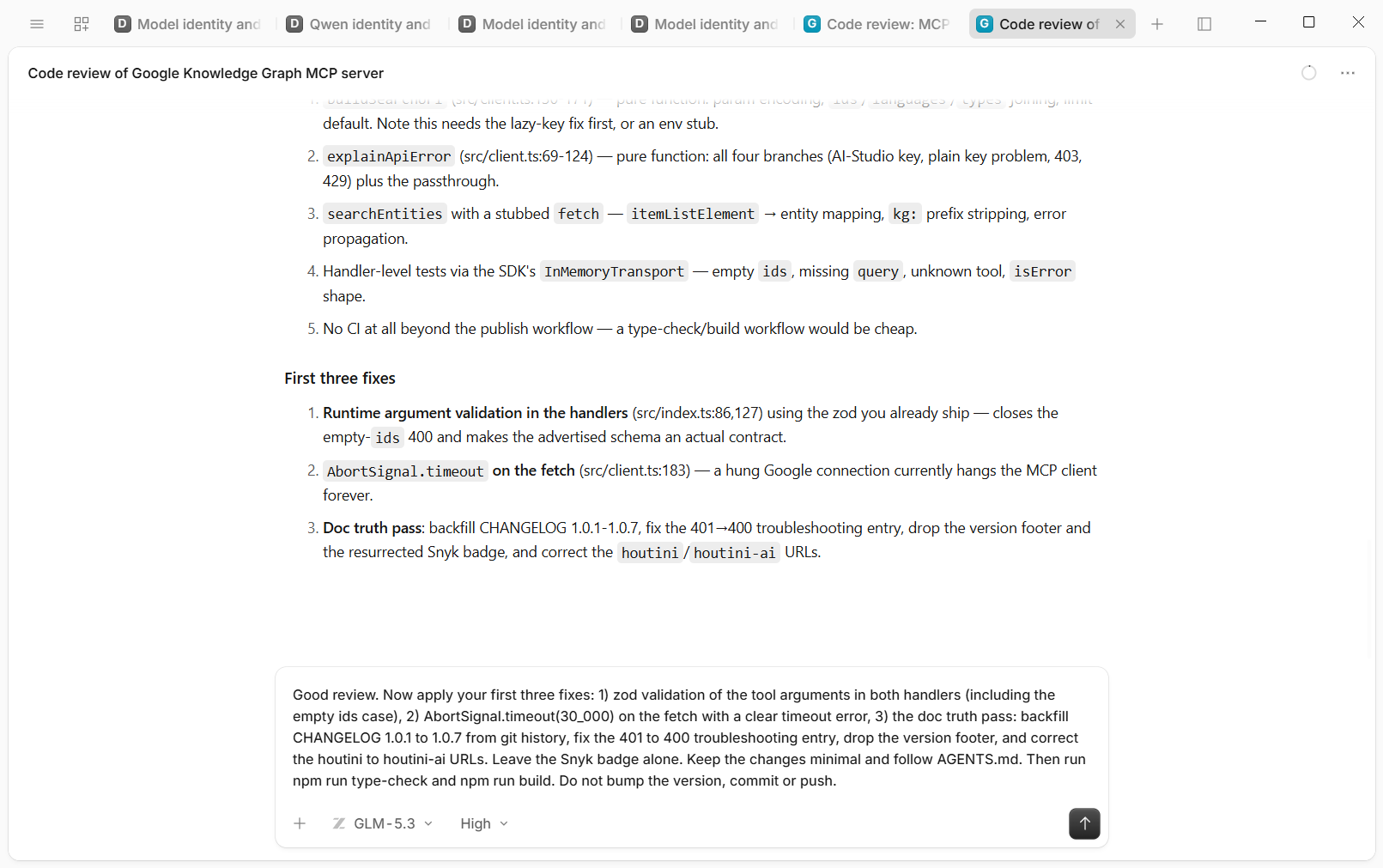
It took about two and a half minutes and 14 file reads. The tool arguments were never validated at runtime. An empty list of ids would slip past the guard and reach Google as a malformed request, which comes back as an unhelpful 400. There was no timeout on the request to Google, so a hung connection would hang the tool for good. The repo listed zod, a validation library, as a dependency, but nothing used it. The README said a bad key gives a 401 when Google returns 400, the CHANGELOG stopped at 1.0.0 while the package was on 1.0.7, and there were no tests. On security it said: "Key handling is genuinely good".
Before running it I'd noted four problems in the repo: the stale CHANGELOG, the unused zod dependency, the missing tests and the wrong clone URL. It found all four and about ten more.
The fixes
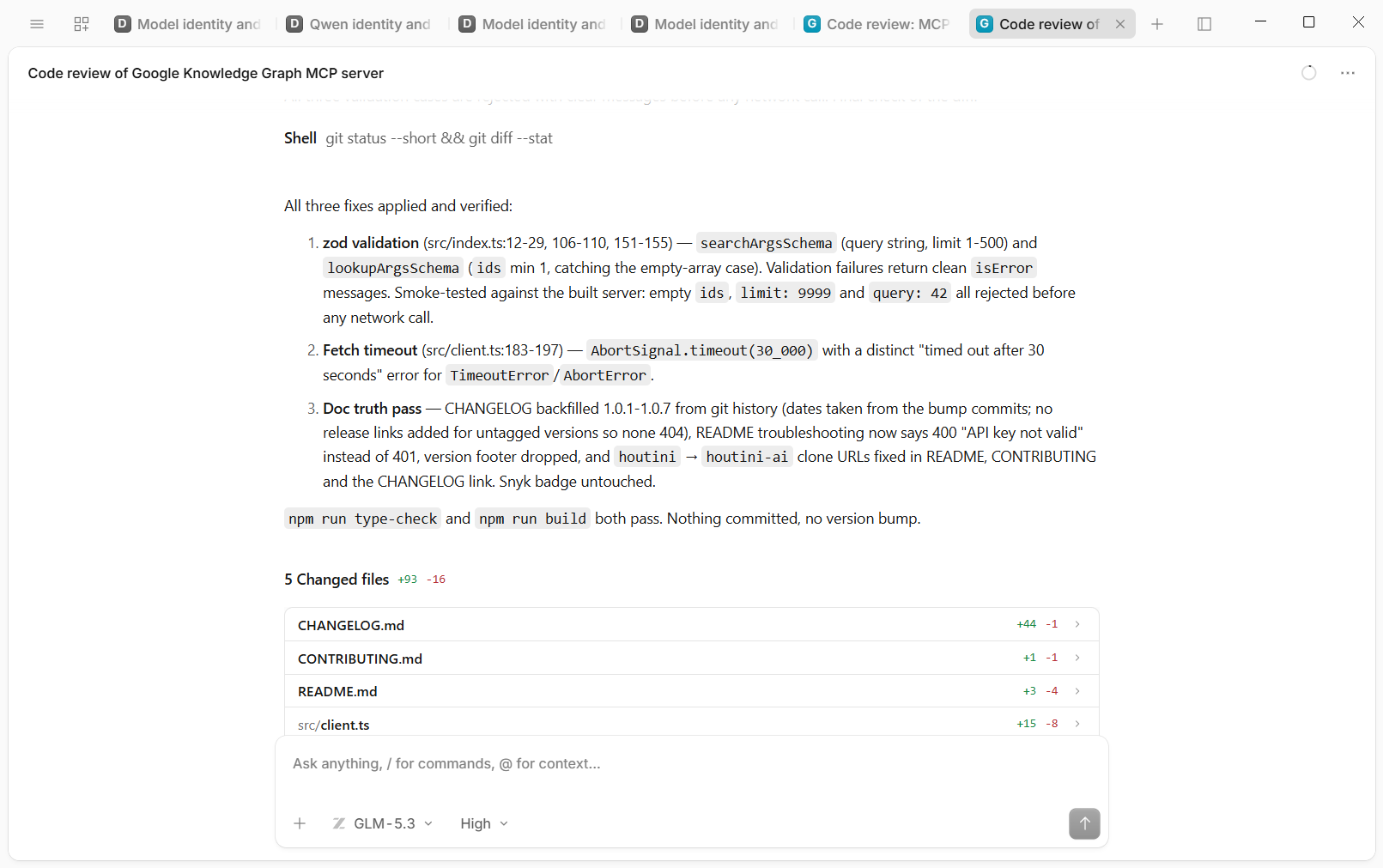
In the same session I asked it to apply its first three fixes. That meant zod validation in both tools, a 30-second timeout with a clear error, and a documentation pass: backfill the CHANGELOG for 1.0.1 to 1.0.7 from the git history, change the README's 401 entry to the 400 Google returns, drop a stale version footer and correct the repo URLs. It checked the git tags first, found only some releases had been tagged, and didn't link the ones that never were.
Type-check and build both passed. It then smoke-tested the validation itself: an empty ids list, a limit of 9999 and a query of 42 were all rejected before any request went out.
I read the diff afterwards. The code was right. One CHANGELOG line wasn't: it said 1.0.6 removed a badge from the README, when that release had put the badge back. I deleted the line.
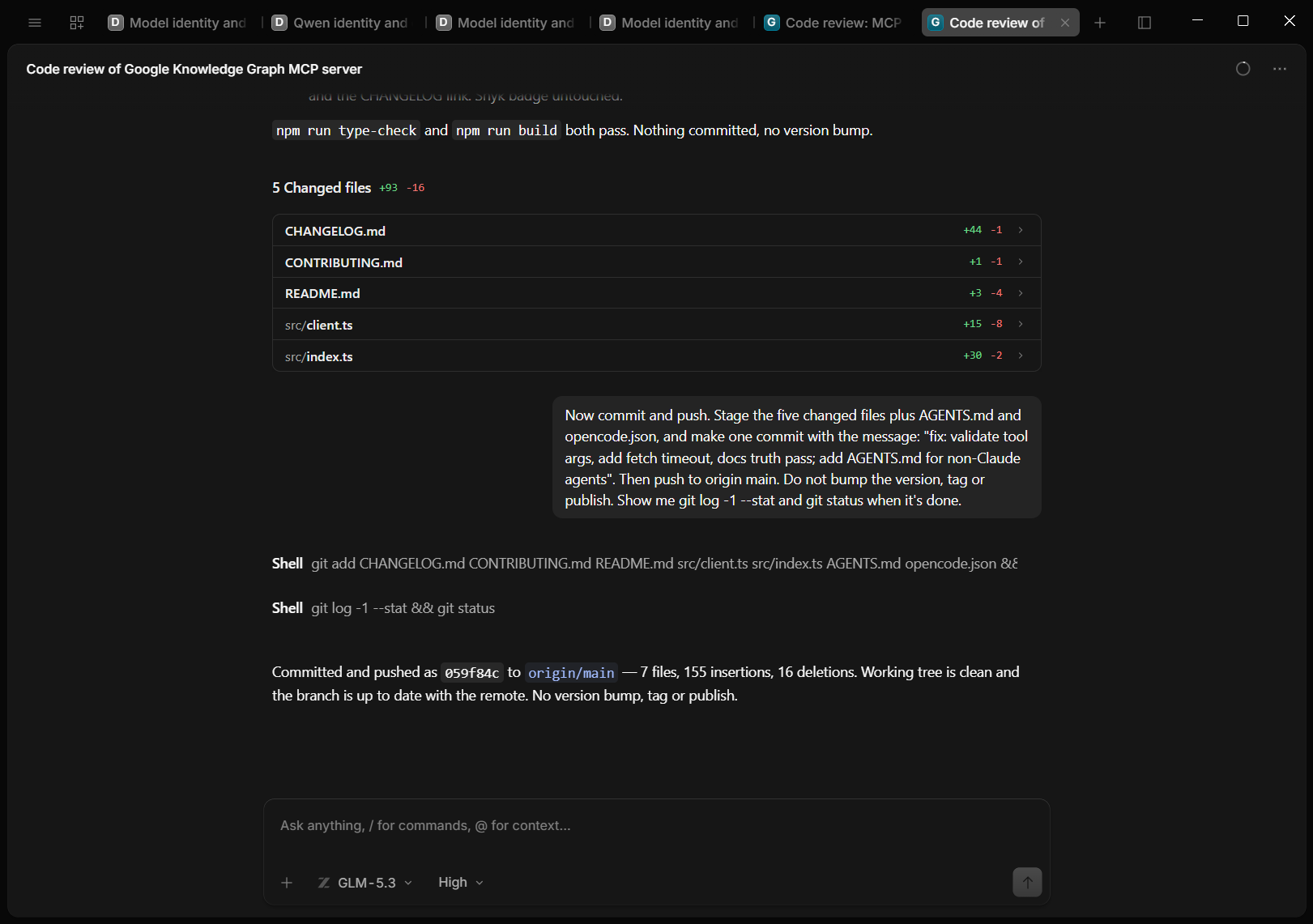
Commit, push and release
Next I told it to commit and push, and GLM made one commit and pushed it to origin main as 059f84c: the five fixed files plus AGENTS.md and opencode.json, 155 insertions and 16 deletions. It used the git credentials already on my machine, so there was no GitHub sign-in inside OpenCode.
For the release, GLM bumped the version to 1.0.8 in package.json and in both version fields of server.json, wrote the CHANGELOG entry, built, committed and pushed, following the Releases section of the AGENTS.md. I ran npm publish from my own terminal, as I always do.
GLM then triggered the MCP Registry publish workflow, and it failed: version 1.0.8 wasn't found on npm yet. npm took about ten minutes to show it. GLM read the failed log, checked npm, waited 90 seconds, checked again, and stopped. It wouldn't run npm publish itself, because the AGENTS.md says agents don't, and it said it would re-run once 1.0.8 was live. The second run went through, and 1.0.8 is now listed as the latest version on the MCP Registry.
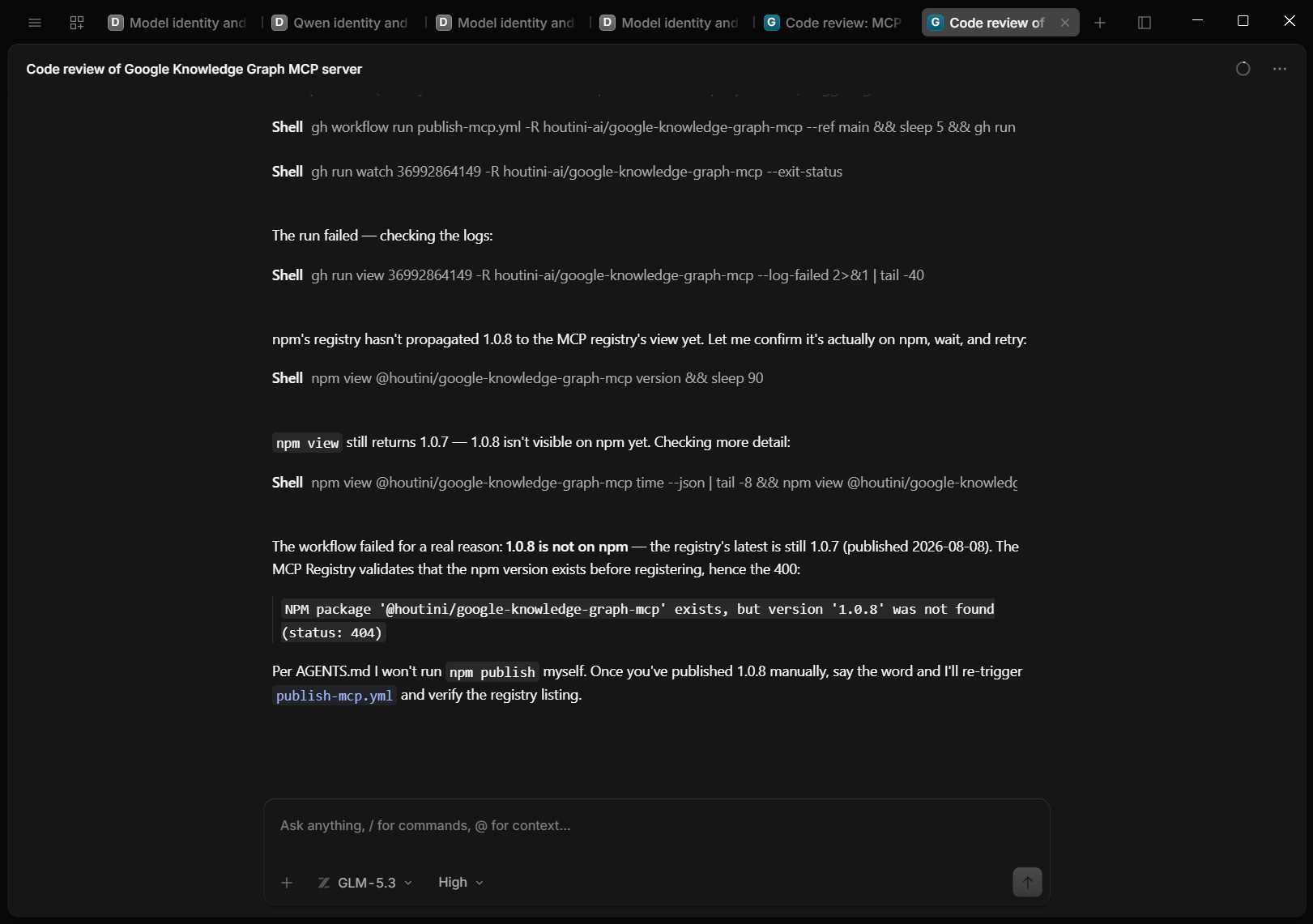
Testing the new build from inside OpenCode
Last, I added the new build to OpenCode as a local MCP server pointing at the repo's own dist/index.js, and let GLM call both tools. A lookup with an empty ids list came back "Invalid arguments for lookupknowledgegraph_entities: ids: Array must contain at least 1 element(s)", without a request going to Google. A search came back with the server's own 403 explanation, because the test key's Google Cloud project had the API restricted. That's a setting on the test key, and the 403 message was already in 1.0.7, so the empty-ids lookup was the one live test of the new code.
All my GLM-5.3 sessions came to 51 replies and about 2.2 million tokens. Most of that was cached input (the conversation so far, re-sent on each turn at a lower price), and only 249,480 was fresh. At Z.AI's list prices that comes to about $0.96, which matches OpenCode's own cost readout of $0.959, and it's about 5% of the $19 I'd put into Z.AI. DeepSeek's test prompt cost under half a cent, and the local model nothing.
Gotchas
Four of these tripped me up, and I'm sharing them so you don't have to go through the same thing. The other three I haven't hit myself, but you might.
The Changed files panel inflates a one-line change
The Changed files panel showed package.json as +76 -76 for a one-line version bump. That looks like Windows line endings, since git itself saw a one-line change.
"Default" next to the model is reasoning effort
The chip next to the model selector reads "Default", which looks like an agent picker. It's the reasoning effort: Default, Low, High or Max. It disappears altogether for a custom local model.
A local model reports the name you served it under
My local model said it was "a 70B model". It was repeating the name vLLM serves it under, friend-70b. It's Qwen3.8-27B. A model's own report isn't evidence of what's serving; the server's /v1/models list is.
Deny ends the whole turn
Pressing Deny on a permission prompt doesn't just skip that command. It stops the whole turn with a "Shell Failed" message, so you have to prompt again. If you want it to carry on, use Allow once.
Version 2 and the Custom provider form
An open GitHub issue from 25 September, on Desktop 2.0.16 under Windows 11, reports the Custom provider form failing with "Custom Providers are unavailable on this server", and two other open issues describe the same thing. One commenter on those issues says defining the provider by hand in the config file works for them on Windows, and you need the file for the limit block anyway.
Compaction on long GLM-5.3 sessions
An open issue from 22 August, from someone using GLM-5.3 through OpenCode Go, reports /compact saying it had succeeded while the summary was empty and the conversation history was lost.
Don't leave the gateway open beyond your machine
My Docker gateway only listens on localhost, so it stays on this machine. Expose a port like that to a network and every tool behind it, with its keys and its store writes, is available to whoever finds it. Keep MCP gateways and local model servers on 127.0.0.1, or put them behind a key or a tunnel.
Where to go from here
On my setup the skills came across on their own, the MCP servers needed translating by hand, and GLM-5.3 reviewed, fixed and pushed a repo I'd built with Claude and got a release ready for npm, with the rough edges above, for about $0.96 of Z.AI credit. I tried OpenCode for the desktop app, and the app feels familiar, easy and simpler than Claude's desktop UI. Is OpenCode meant to be a Claude Code equivalent, and can it handle that? I don't know.
To find out for yourself, point it at a repo you built with Claude and start with a read-only review. That's where you'll see quickly whether the model you've chosen is any good on your code.
The starter config below has the three pieces this setup added: the permissions, a local model with its limit, and a gateway entry switched off until a task needs it. Merge it into C:\Users\<you>\.config\opencode\opencode.jsonc, or save it as that file if you don't have one yet, and restart OpenCode afterwards.
{
  "$schema": "https://opencode.ai/config.json",
  "permission": {
    "external_directory": { "*": "deny", "C:/dev/**": "allow", "C:\\dev\\**": "allow" },
    "edit": "ask",
    "bash": { "*": "ask", "git status*": "allow", "git diff*": "allow", "git log*": "allow" }
  },
  "provider": {
    "vllm-local": {
      "name": "Local model (vLLM)",
      "npm": "@ai-sdk/openai-compatible",
      "options": { "baseURL": "http://127.0.0.1:8000/v1" },
      "models": {
        "your-served-model-id": { "name": "Local model", "limit": { "context": 32768, "output": 8192 } }
      }
    }
  },
  "mcp": {
    "my-gateway": { "type": "remote", "url": "http://localhost:8811/mcp", "enabled": false }
  }
}Continue reading.
- How-to GuidesHow to Connect Google Trends to Claude Code
- How-to GuidesCLAUDE.md: How to Write One That Stays Lean
- How-to GuidesHow to Make a PDF Report with Claude
- How-to GuidesHow to Make a Presentation with Claude
- How-to GuidesHow to Benchmark vLLM: Find the Best Model, Quant and Settings for Your GPU
- How-to GuidesClaude Code Memory: How to Keep It Useful