MSI PRO MAX EDGE AI+ review: local LLMs vs two 4090s
MSI lent me its PRO MAX EDGE AI+, a small AMD desktop for running AI models at your desk, and I tested it against my dual RTX 4090 rig. It writes at about a third of the rig's speed, but it's quiet, uses a fraction of the power and costs about a third as much.
 Richard Baxter AI Ops & Marketing Engineer
On this page
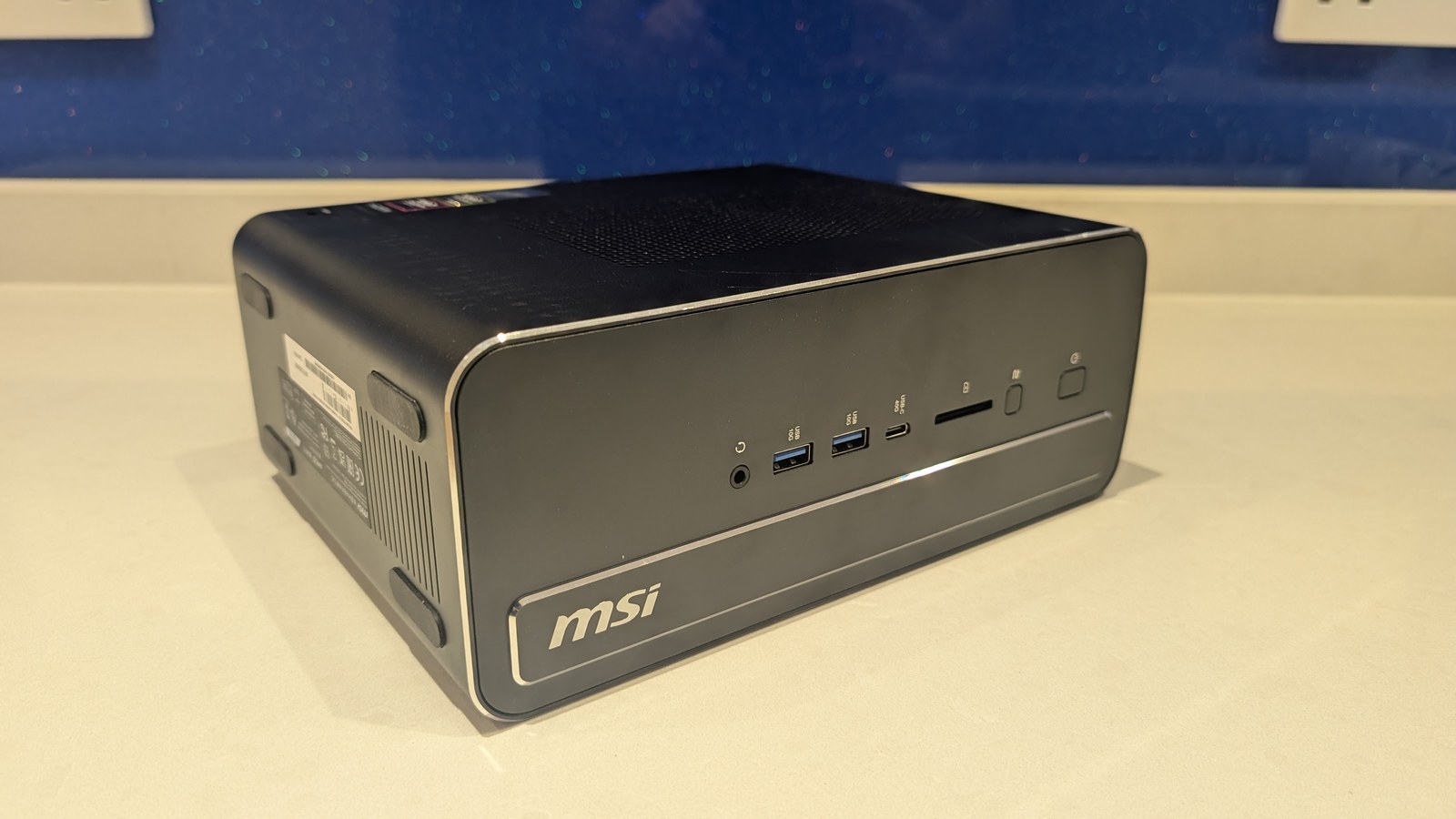
AI servers tend to be power-heavy, noisy, hungry machines, and certainly not the type of device you want in a quiet office. MSI sent me their new AI desktop PC that uses the AMD Strix Halo as its brain. I've been doing a series of tests with it, and in today's first article, we're going to look at the performance of the device compared to my dual 4090 48 GB per card LLM setup.
The first thing that really strikes me about this machine, and the first time that you create a task for an LLM, a local LLM on the machine to carry out for you, is there's no fan noise and no heat. That's hugely different to my GPU rig, where you give it a task and off it goes, and you can barely sit in the office with the fan noise.
The MSI PRO MAX EDGE AI+ is a lot slower than my GPU rig. It falls furthest behind when you give it a long prompt to read, or when several people share it at the same time. It writes answers at about a third of my rig's speed, but it's quiet, uses a fraction of the power and costs about a third as much - for offloading the token-heavy busywork, I think this is the future of desktop computing with AI.
The test: a Strix Halo mini PC against two 4090s
In this first of three articles, what I wanted to do was sort of closely repeat the testing I did on my own machine with similar or the same models on similar or the same quants, just to get a sense of what's the difference between a standard sort of GPU rig that's been set up for AI versus a far lower budget but self-contained unit like this.
I do think, as a spoiler, that this is probably the future of desktop computing in the office and to a large extent at home.
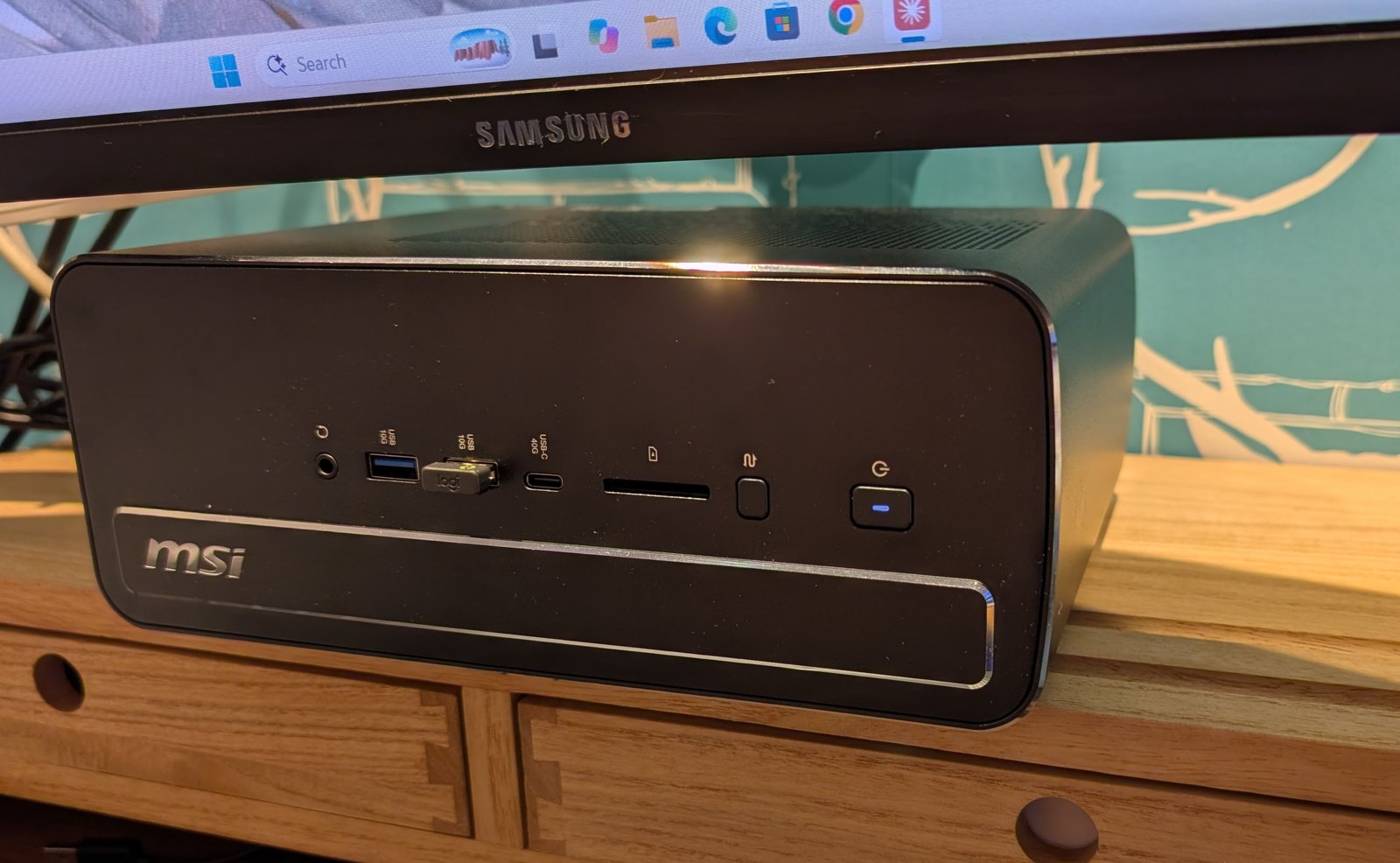
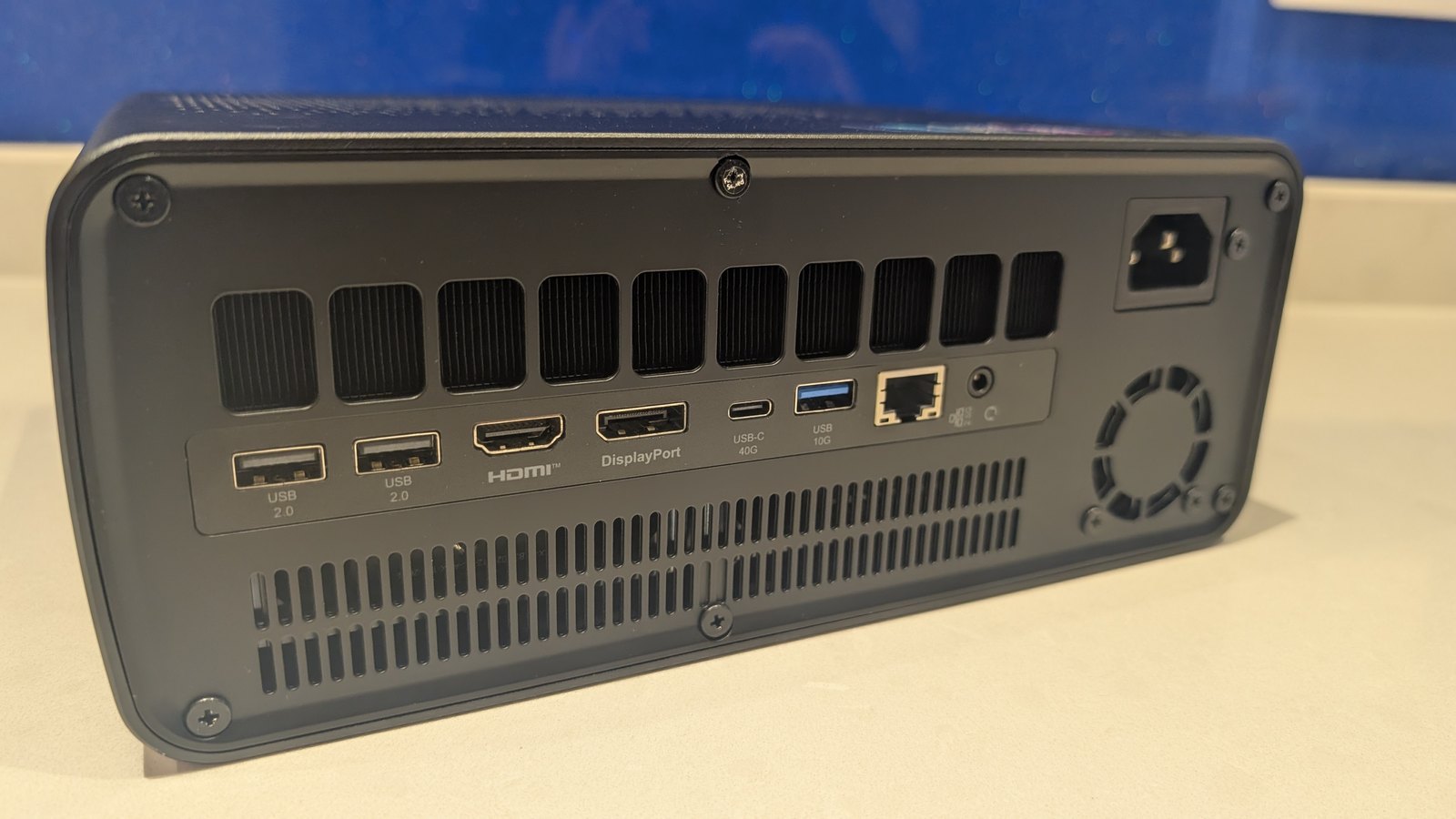
The MSI is built around the AMD Ryzen AI Max+ 395 (codename Strix Halo), which has 16 cores and a Radeon 8060S GPU on the same chip. There's 128 GB of LPDDR5X memory in the box, and it's unified memory (one pool shared by the CPU and the GPU). The BIOS gives 96 GB of that pool to the GPU, which means there's 96 GB to load models into. The box came set that way from MSI, and I didn't change it. It runs Windows 11, which is left with 31.6 GB, so at first glance the machine looked like it had 32 GB of RAM. The GPU can reach past that 96 GB, though, and llama.cpp (a program that loads a model and serves it) listed it at 114,507 MiB. AMD says the GPU on a 128 GB machine set up like this can technically reach 112 GB in total, but that the highest performance comes from keeping the work within 96 GB.
A stock RTX 4090 has 24 GB of memory, and mine have been modded to 48 GB each. The rig runs vLLM 0.26.0 in Docker on WSL2, with each card capped at 330 W and its clock locked at 2200 MHz, from a 1,200 W power supply. vLLM is a model server, and on the rig it runs on NVIDIA's CUDA. The second card sits on a PCIe x4 link (a slot with a quarter of the lanes), which taxes the traffic between the two cards when a model is split across both of them. The benchmark runs were done on an Intel Core i7-14700F with 128 GB of RAM. The rig has its own write-up in the dual 4090 benchmark runbook.
Same models, different software
On Windows, the box can't run vLLM, because there's no CUDA on it, and Docker can't reach this GPU either. So it runs llama.cpp instead, here as an ordinary Windows program. I used its Vulkan build, Vulkan being the graphics interface it uses to reach the Radeon. The test tool was llama-bench on llama.cpp b12676, with every layer on the GPU and three repetitions per model. It reads a 16k-token prompt, then generates at empty, 4k and 16k context. On the rig the numbers come from vLLM, measured the way I describe in how to benchmark vLLM. So the models are the same, or close to it, and the software underneath them isn't.
MSI lent me the box for this review, and it goes back to MSI.
gpt-oss-120b on the box and on the rig
It's a fast, small form factor desktop PC that happens to be able to support quite large open weight models, with gpt-oss-120b being at the top of the pile for today's testing.
gpt-oss-120b has 117 billion parameters, about 5 billion of them active for each token. The MXFP4 file I ran is 63.4 GB on disk. That doesn't fit on one 48GB card, so the rig splits it across both, which means each card holds part of the model and the two pass work between them over that x4 link. The box doesn't have to do any of that, because its 96 GB is one pool.
So, how fast does it write an answer? That's generation speed, and on gpt-oss-120b the box writes at 55.0 tok/s, dropping to 52.4 with 4k of context and 47.2 with 16k. MSI's own lab measured 46.84 tok/s, about 15% under my 55.0. MSI ran it in LM Studio and Ollama at Q4_K_M and I ran it in llama-bench at MXFP4, so the software and the quant are both different. The rig does 151.2 tok/s on the same model, which puts the box at 0.36x, and 0.34x once there's 16k of context loaded.
The coding model
Qwen3-Coder-Next is the coding model in this test. It's 80B in total with 3B active, and I ran it at Q8, which is 8-bit quantisation (storing each of the model's numbers in fewer bits, so the file gets smaller). Even at 8-bit the file is 84.81 GB. The box writes at 43.2 tok/s with it, and 39.7 at 16k context. With each card at its 330 W cap, the rig runs the AWQ 8-bit version across both of them at 101.6 tok/s, so the box manages 0.43x of it.
Did it do real work at that speed? It did! I pointed opencode, a coding agent, at the model on the box and gave it a two-function task with tests. It finished with 14 tests passing in 80 s end to end, and nothing left the machine.
| Model | Box: generation (tok/s) | Rig: generation (tok/s) | Box: prompt reading (tok/s) | Rig: prompt reading (tok/s) | Box: 4 users, total (tok/s) | Rig: 4 users, total (tok/s) | Box as a share of rig, generation |
|---|---|---|---|---|---|---|---|
| gpt-oss-120b (117B, ~5B active) | 55.0 | 151.2 | 781 | 5,498 | 82.2 | 351.1 | 0.36x |
| Qwen3-Coder-Next (80B, 3B active) | 43.2 | 101.6 | 843 | 5,866 | 79.0 | 254.5 | 0.43x |
| Qwen3.6-27B (dense; one rig card) | 13.3 | 47.4 | 333 | 2,270 | - | 167.5 | 0.28x |
_Box: MSI PRO MAX EDGE AI+, llama.cpp Vulkan. Rig: two RTX 4090 48GB (modded) on vLLM, 330 W per card. Prompt reading measured on a 16k-token prompt. Box 27B at Q4_0, rig 27B at AWQ 4-bit._
Six models, and why the 80B beats the 27B
I ran six models on the box in all, from LFM2.5-24B-A2B at 119.2 tok/s down to Nemotron-Super-49B at 7.5.
| Model | Type | Active / total parameters | Quant | Generation (tok/s) | Generation at 16k context (tok/s) | Prompt reading (tok/s) | First token after a 16k prompt (s) |
|---|---|---|---|---|---|---|---|
| LFM2.5-24B-A2B | MoE | ~2B / 24B | Q4_K_M | 119.2 | 95.2 | 1,762 | 9.1 |
| Qwen3.8-35B-A3B | MoE | ~3B / 35B | Q4_K_M | 75.6 | 65.5 | 1,210 | 13.2 |
| gpt-oss-120b | MoE | ~5B / 117B | MXFP4 | 55.0 | 47.2 | 781 | 20.5 |
| Qwen3-Coder-Next | MoE | ~3B / 80B | Q8_0 | 43.2 | 39.7 | 843 | 19.0 |
| Qwen3.6-27B | dense | 27B | Q4_0 | 13.3 | 12.4 | 333 | 48.1 |
| Nemotron-Super-49B | dense | ~50B | Q4_K_M | 7.5 | 6.7 | 139 | 114.8 |
llama-bench, llama.cpp b12676 Vulkan, every layer on the Radeon 8060S, three runs per model, November 2026.
Turns out the bigger model is the faster one. Qwen3-Coder-Next, at 80B, writes at 43.2 tok/s against 13.3 for Qwen3.6-27B, which is 3.2x. It reads prompts 2.5x faster as well, at 843 tok/s against 333. How does an 80B model beat a 27B one?
Mixture of experts
It comes down to mixture of experts (MoE). A MoE model only uses a small part of itself for each token it writes (its active parameters). Coder-Next uses about 3B of its 80B, and gpt-oss-120b about 5B of its 117B. A dense model uses everything it has for every token, so Qwen3.6-27B works through all 27B each time. So generation speed follows the bytes touched per token, not the parameter count. Every MoE model I tried cleared 40 tok/s, and both of the dense models were in single figures or low double figures.
The cleanest pair to look at is Coder-Next and Qwen3.8-35B. Both have about 3B active parameters. Coder-Next at 8-bit writes at 43.2 tok/s and Qwen3.8 at 4-bit writes at 75.6. The 8-bit model is close to half the speed, because it moves about twice the bytes for each token.
The dense end
The dense models are where it gets slow, and the best I got from Qwen3.6-27B was 13.3 tok/s at Q4_0, with a 48.1 s wait for the first word after a 16k-token prompt. MSI measured 12.58 tok/s on the 27B in its lab, so we're within about 6% of each other. Nemotron-Super-49B managed 7.5 tok/s, and a 16k-token prompt takes 114.8 s before anything comes back. Not ideal!
That's down to memory bandwidth (how quickly the chip can pull bytes out of memory). AMD lists the chip's memory as 256-bit LPDDR5X. lhl's Framework Desktop testing measured Strix Halo at about 215 GB/s of GPU memory bandwidth, out of 256 GB/s theoretical. Every token a dense model writes has to drag the whole model through that.
So on this box I'd pick a mixture-of-experts model over a dense one of similar quality, every time. There's more on Qwen3-Coder-Next on the rig in its own write-up.
Where the 4090s pull away
Writing the answer is only half of it. The other half is prompt processing (the model reading your prompt before the first word comes back), which I'll call prompt reading from here.
On gpt-oss-120b the box reads at 781 tok/s against 5,498 on the rig, 0.14x. Coder-Next is 843 against 5,866 tok/s, 0.14x again. The dense 27B against a single rig card is 333 against 2,270 tok/s, 0.15x.
All that reading is done before the reply starts, and how long it takes is the time to first token (the gap between sending a prompt and seeing the first word of the reply). With a 16k-token prompt that's about 20 s on the box and about 3 s on the rig, for both gpt-oss-120b and Coder-Next. I think that matters more in use than the writing speed does. Long documents and agent sessions send big prompts, over and over, and it's the wait you'd notice rather than the words arriving a bit slower.
Batch size, flash attention and Halogen
I didn't sweep batch size or flash attention, so the prompt-reading figures are at the harness defaults. I did ask for flash attention on the Coder-Next server, and the Vulkan backend turned it off for that model. All my figures for the box are from llama.cpp as well. There's another server called Halogen, which Alex Ziskind describes as a very narrow target, built only for this chip and the model he ran on it. Ziskind ran it on AMD's own Ryzen AI Halo, which has the same chip and 128 GB as the MSI. In his runs on Qwen3.8 Flash Next, Halogen wrote at 51 tok/s against 26.6 on llama.cpp, and the time to first token on a 133k-token prompt fell from 8.1 minutes to 71 seconds. Jim's Garage ran Halogen on an MSI PRO MAX EDGE AI+ and on a Minisforum MS-S1 Max built on the same chip, and got 63.6 tok/s from the MSI and 63.3 from the Minisforum. That tells me the chip sets the speed, whichever box it's in, so I'd expect more from this one than my llama.cpp numbers show.
Four users at the same time
I ran four streams at the same time, the way four people sharing the box would use it. gpt-oss-120b gave 51.5 tok/s to one stream and 82.2 in total across four, which is 20.8 each. Coder-Next gave 41.2 to one and 79.0 across four, 20.1 each. The rig's four-stream totals are 351.1 tok/s on gpt-oss-120b and 254.5 on Coder-Next. With four users, the box is at 0.23x and 0.31x of the rig. The rig also gets more out of the extra streams: four of them come to about 2.3x one stream on gpt-oss-120b, where the box gets about 1.6x. For Coder-Next it's about 2.5x on the rig and about 1.9x on the box. I'd treat the box as a machine for one or two people at a time, not a team's shared server.
Ten minutes flat out: heat, noise and power
A benchmark run is over in a few minutes, and I wanted to see what the box does when it's held flat out. So I gave it 10 minutes of back-to-back four-stream generation on Coder-Next. That came to 24 rounds and 49,152 tokens, at a mean of 79.1 tok/s. The first fifth of the run averaged 79.0 and the last fifth 79.2, so there was no drop at all. The lowest single round was 77.8, and about 88 GB of GPU memory was in use.
PCWorld's review saw no throttling in a 40-second recording, and said that was no substitute for a longer sustained-load test. It also read 165 W at the wall under a heavy CPU and graphics load, and found the fans clearly audible under prolonged load. Mine is the longer test, on a different load.
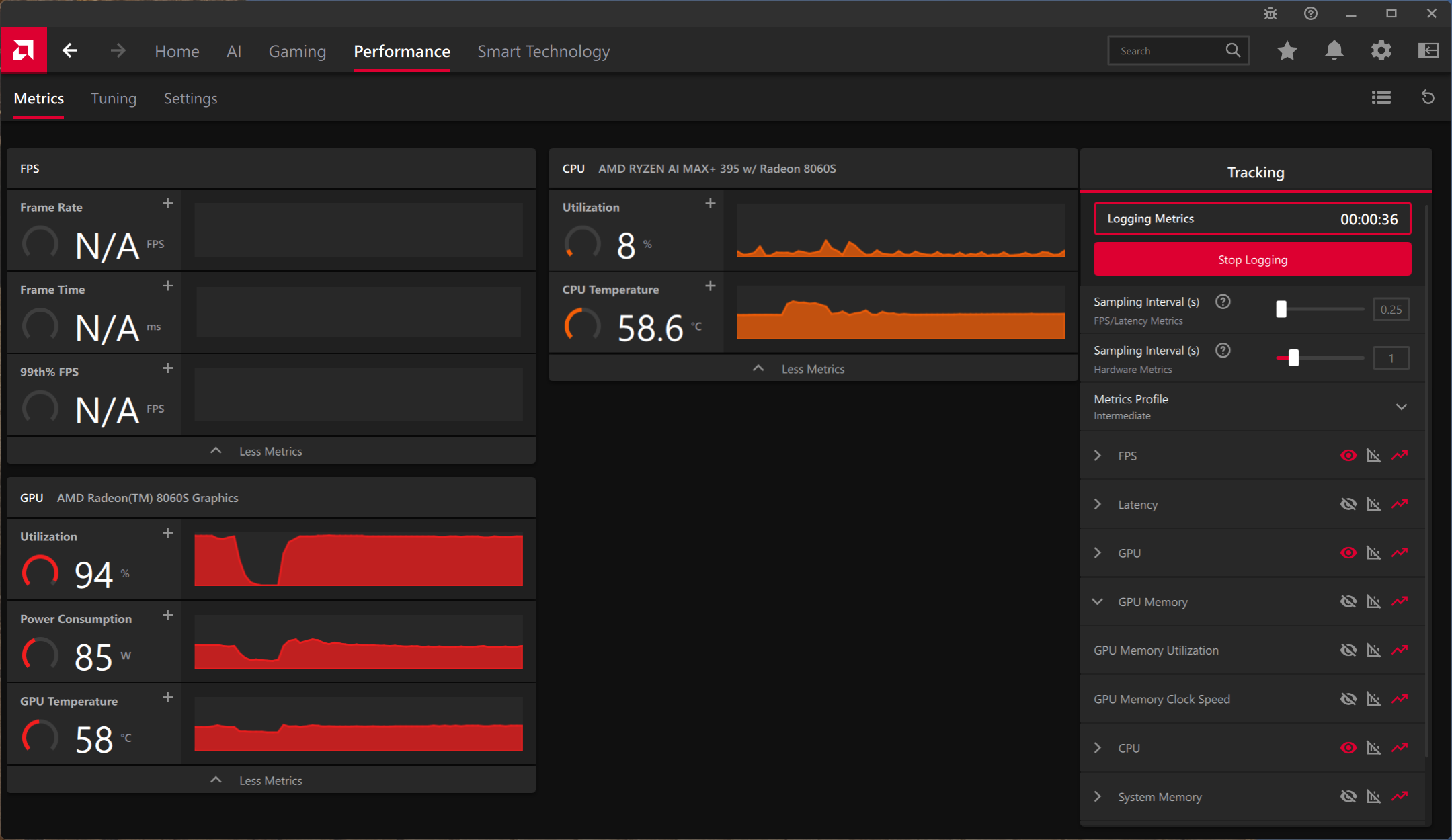
During a trading-research run, AMD's own software showed the Radeon at 94% utilisation, 85 W and 58 °C, with the CPU at 8%. Over two days of benchmarks and agent work the machine didn't crash or throttle, and no benchmark failed. The speed comes from the AMD chip, but the box kept it cool and steady, and I think MSI deserve the credit for that.
I put a watt meter on the mains line for this box, and it never asked for more than about 118 watts when it was absolutely flat out. The exact reading was 118.5 W, on 24 Nov 2026.
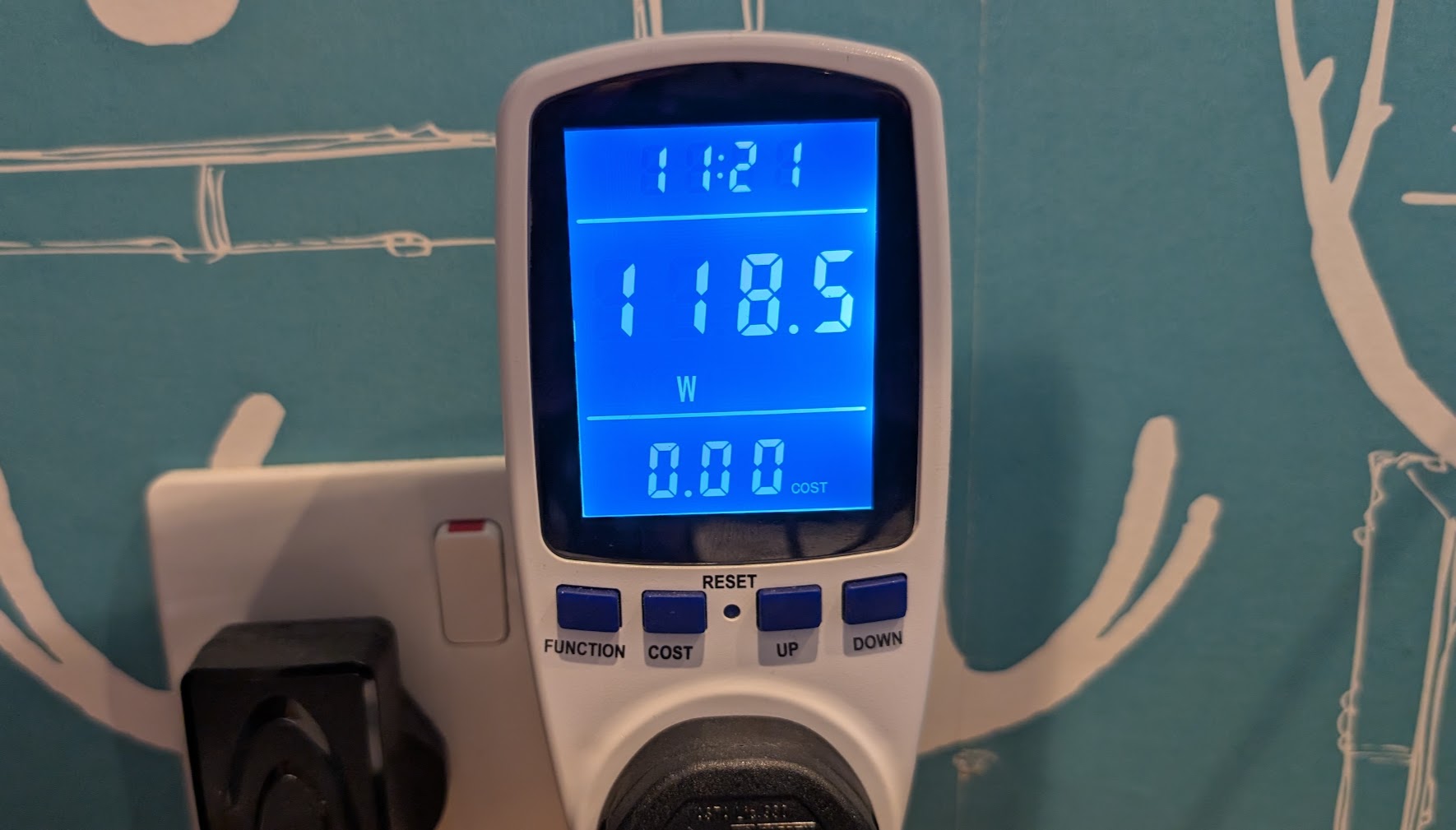
I've never metered the rig at the wall, so the only comparison I can make is with its two GPU boards. They averaged about 328 W between them on gpt-oss-120b, and that's before the CPU, the RAM and the power supply's losses. So the whole box, at the wall, draws about a third of what the rig's two GPUs alone draw.
Next to a GPU rig
On a hot day, the office gets really, really hot, and this is my home office, not my work office. To have a GPU rig in the middle of a room with, say, 30 to 60 busy people, it would be extremely distracting.
My rig also gave me seven blue-screen crashes over two days. I traced them to power spikes of 500-600 W at the cards' unlocked boost clock. They lasted microseconds, but they were tripping the power supply's over-current protection. The 330 W cap alone didn't catch them, which is why the clocks are locked at 2200 MHz now.
When I say no fan noise, I mean next to the rig. MSI rates the box at 22 dB idle and 40 dB at full load, so the fans are in there and they do spin. The box has a switch on the front for Silent, Balanced and Performance modes. I ran my tests in Balanced mode, I think. MSI's thermal test was in Balanced mode too, and it measured 28.7 dBA during a one-hour burn-in at 25 °C.
What it costs against a GPU rig
On 25 Nov 2026, Overclockers UK had the MSI with 128 GB and a 2 TB drive at £4,399.99 including VAT, and the NVIDIA RTX PRO 6000 Blackwell Workstation Edition card at £15,299.99. I'll come back to the card. TechRadar's review gives MSI's list price for the box as £5,999.
So it is an expensive box, and that makes me ask the question, well, is it actually a useful everyday PC? And again, the answer is yes, absolutely.
As for my rig, I think a conservative estimate to replace the dual 48GB 4090 workstation would be £13,000 to £14,000. That's about three times the price of the box.
Memory for the money
Both machines have 96 GB for models. The rig's is two 48 GB pools joined over PCIe, and the box's is one pool. Worked out per pound, that's about 22 GB per £1,000 on the box against about 7 GB per £1,000 on the rig, about 3x. Memory is what decides whether a model loads at all, so for me that's the number to look at first.
The faster route
It isn't running at the same token speed as a bigger and more powerful device. But if you want faster token speeds, there's no choice but to buy something like an NVIDIA RTX PRO 6000 Blackwell, which was retailing for around £15,300 at Overclockers UK on 25 Nov 2026, and you haven't even put it in a decent PC yet.
That card has 96 GB of memory, the same amount the box gives its GPU. On its own it costs more than three times the whole MSI, and it can draw up to 600 W, which brings the heat back with it.
What else you could buy for this money
I haven't used any of the other machines here, so for those I've gone on what each retailer or maker listed in its UK store on 25 Nov 2026: the price, and whether it's in stock.
| Machine | Chip | Memory | UK price, 25 Nov 2026 | Availability |
|---|---|---|---|---|
| MSI PRO MAX EDGE AI+ | AMD Ryzen AI Max+ 395 | 128 GB | £4,399.99 | In stock (Overclockers UK) |
| Gigabyte AI Atom | NVIDIA GB10 (DGX Spark) | 128 GB | £5,199.95 | Pre-order (Overclockers UK) |
| HP Z2 Mini G1a | AMD Ryzen AI Max+ PRO 395 | 128 GB | £5,303.99 | Out of stock (HP Store UK) |
| Mac Studio, M5 Ultra | Apple M5 Ultra | 96 GB | from £5,499 | Listed (Apple UK) |
| ASUS Ascent GX10 | NVIDIA GB10 (DGX Spark) | 128 GB | £6,499.99 | In stock (Overclockers UK) |
| Framework Desktop | AMD Ryzen AI Max+ PRO 495 | - | £6,799 / £7,449 | Listed (Framework UK) |
| NVIDIA DGX Spark | NVIDIA GB10 | 128 GB | £8,299.99 | Out of stock (Overclockers UK) |
| MSI EdgeXpert | NVIDIA GB10 (DGX Spark) | 128 GB | £8,299.99 | Out of stock (Overclockers UK) |
| GMKtec EVO-X2 | AMD Ryzen AI Max+ 395 | 128 GB | - | 128 GB in stock (GMKtec UK) |
Prices including VAT from each retailer's or maker's UK store on 25 Nov 2026.
Of the other AMD machines, the HP Z2 Mini G1a is out of stock at HP's UK store. Framework has moved its Desktop to the newer Ryzen AI Max+ PRO 495. At Overclockers UK, the MSI is the only machine in the Strix Halo category.
Apple's Mac Studio with the M5 Ultra starts at £5,499, but that's with 96 GB of memory rather than 128 GB. The other four are DGX Spark machines, which use NVIDIA's GB10 chip with 128 GB of memory, and I've covered them in my beginner's guide to AI mini PCs. Of those four, only the ASUS Ascent GX10 is in stock at Overclockers UK, and the Gigabyte AI Atom, the nearest to the MSI's price, is a pre-order. MSI makes one of them too, the EdgeXpert, and the box I've been testing is its AMD machine.
A machine for every desk
I think it solves quite an important problem, which is, how do you get a powerful enough machine on every desk in the office that can do useful things for you, perhaps predefined processes that you've built with larger frontier models, but can be run by a smaller local model for free at reasonable cost?
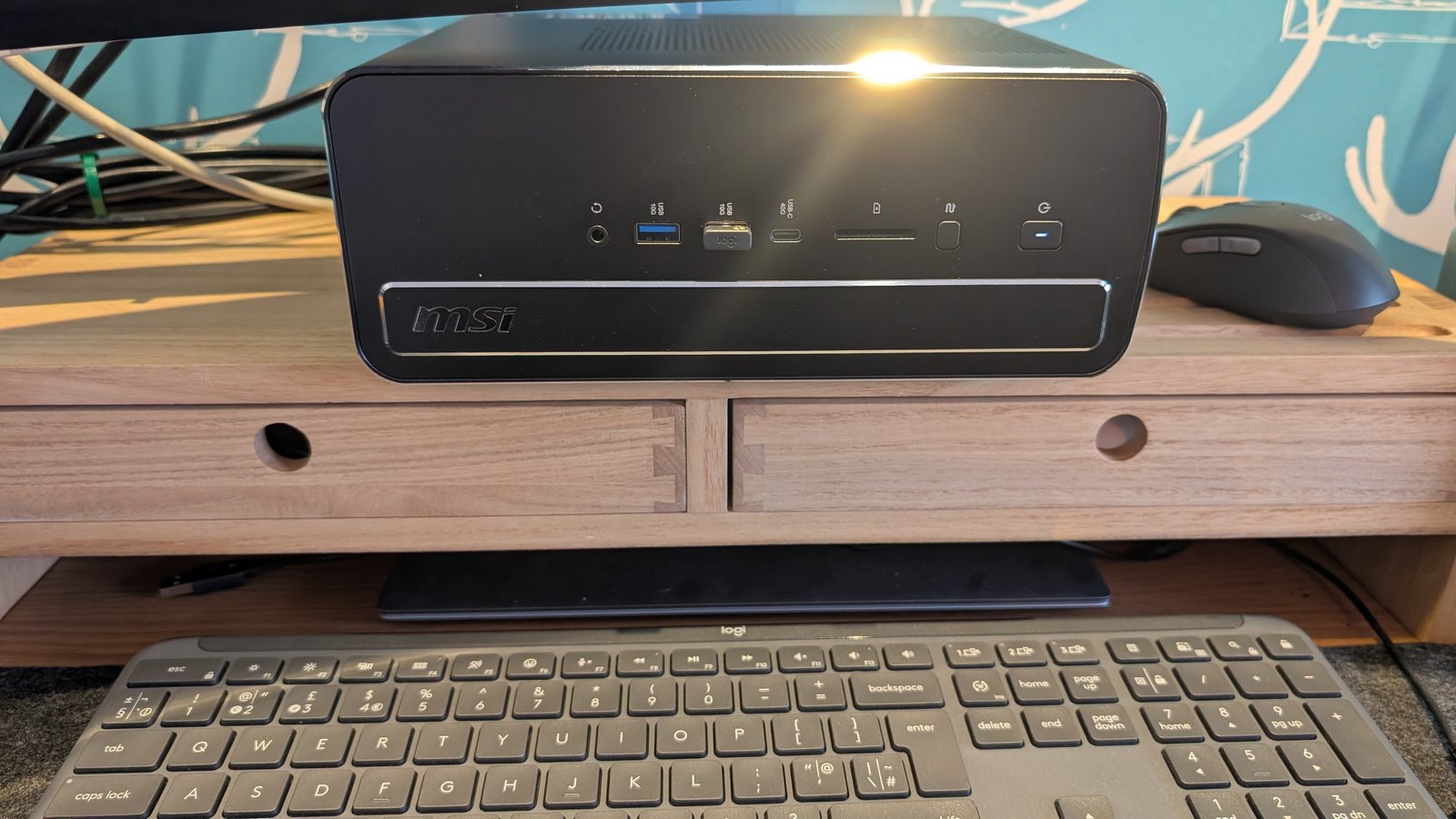
That's how I've been using it. Claude Code configured llama.cpp and the machine for me, and then the local model did the actual work, which is ideal from a token and cost point of view. The way I set that up is in my local LLM coding setup guide.
It's also a Windows machine, so it slots in with the rest of the network, and everyone can run Office or their software of choice and carry on as they were. Getting going was quick, too: it took one working day to get from unboxing to an 80B model serving, on stock Windows, with no driver work beyond the AMD driver.
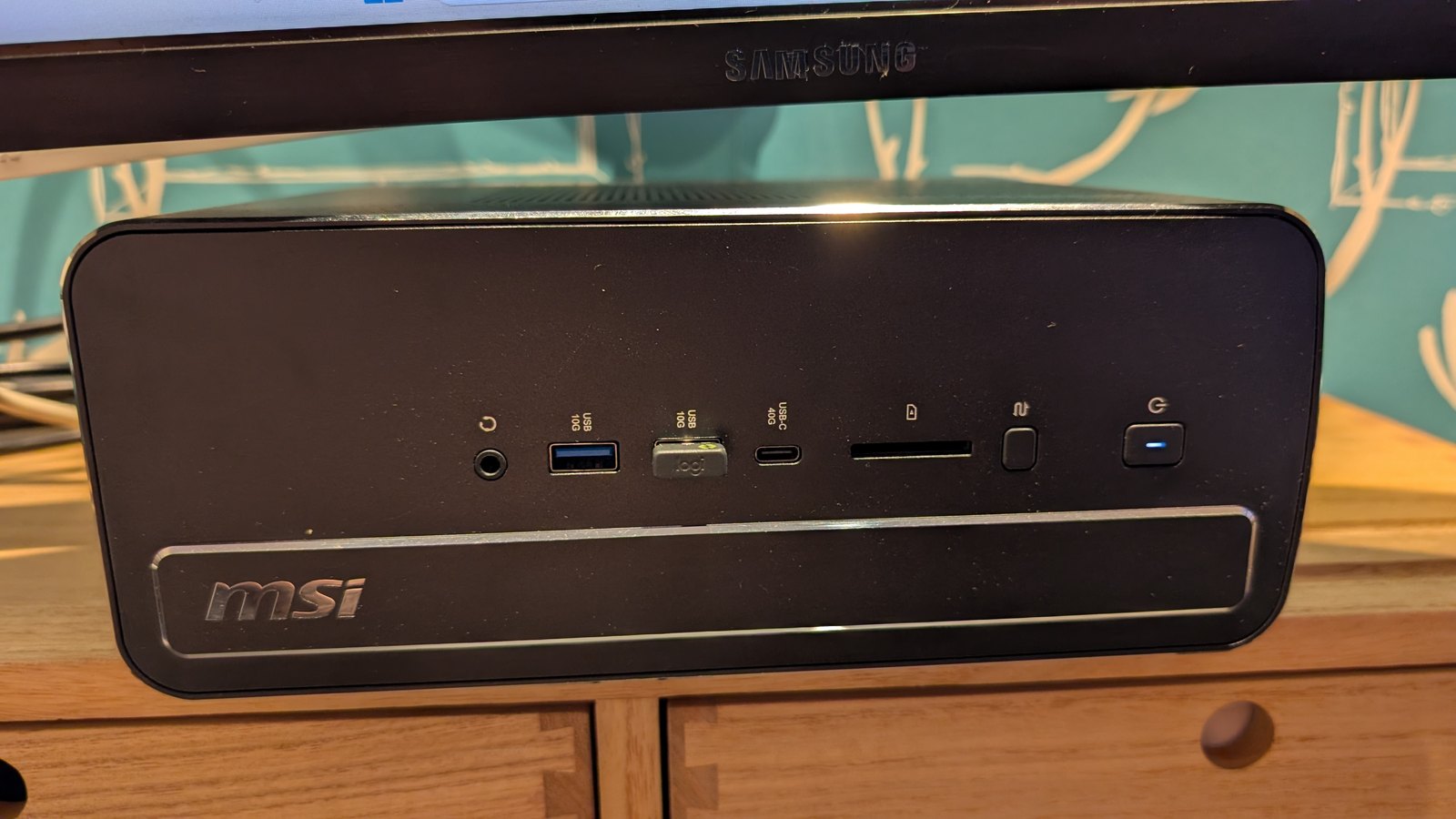
The work behind the next two articles ran on this box as well: overnight trading research on a paper portfolio, and situation updates built from my own email, with nothing leaving the machine.
If you have a Strix Halo machine of your own, the benchmark harness is public and you can run the same tests on it. And if you're still choosing between machines, I'd read the best PCs for local AI next.
The verdict
The quietness, low power use and Windows performance are what really stand out to me. As Houtini scales, we'll inevitably have the issue of where to put AI compute. The MSI PRO MAX EDGE AI+ solves this problem nicely - build your strategy with a frontier model ready to execute locally. I appreciate these machines are running at around a third of the token speed of a big noisy GPU laden device, but then they're a third of the price and use a fraction of the power. I'm very much of the mind we'll see these boxes on many company desks in the near future.
Continue reading.
- Local AIvLLM settings for a pair of RTX 4090s: the flags I run for twelve local models, and why
- Local AIKV Cache Explained: Why a Local LLM Won't Load on Your GPU
- Local AILLM Inference Optimization: What Made Two RTX 4090s Faster
- MCPA WebMCP Chatbot That Drives the Website: YubHub's Job Finder
- MCPWebMCP explained: what the agent-ready web means for marketers
- AI at WorkAI isn't taking the jobs, it's taking the boring bits