Claude for Excel: From Beta First-Impressions to GA - What Works, What Still Bites, and a Workbook You Can Steal
Claude for Excel went GA on May 7, 2026 as part of the Claude for Microsoft 365 suite. The Beta-era chat-history problem is fixed, the permission-edits issue still bites by default, and Microsoft 365 Copilot now embeds Claude as a model choice. Three workflows from a real PIM data audit, plus a downloadable workbook + prompt library you can fork.
Need to use Claude in Excel? You've got the spreadsheet. You've got the data. You probably know exactly what you want it to do. Who wants to spend an hour figuring out which formula syntax Claude understands, what its limits are when the workbook gets messy, and whether it's any better than Copilot at the things that take you all day?
This is that hour, compressed. The original version of this article was a Beta first-impressions piece written on the day Claude for Excel launched. Three months on, the product is generally available, it's part of a bigger suite, and several of the things I complained about have been fixed. The article has been rebuilt to reflect what's true today, with the original hands-on PIM data audit preserved as the practitioner anchor.
I'm very bullish on the importance of implementing AI tool use in the workplace, and Anthropic agrees.

Anthropic announced their Excel plugin in February 2026 and shipped it to General Availability on May 7, 2026 . On launch day I tested it against a real PIM product data audit to see how it worked, whether it was any good, and whether I'd trust it in a live workflow. Here's how I got on, with the May 2026 updates folded in.
What's changed since this article was first published
Three product shifts matter, and they change how to read the rest of the piece.
First, it's GA now. Claude for Excel exited beta on May 7, 2026, alongside Claude for PowerPoint and Claude for Word. The "proceed with caution because this is Beta" framing in my original verdict no longer applies. Claude for Outlook is still in public beta on all paid plans.
Second, the session-persistence problem I complained about has been fixed. Conversations are now tied to the file. Close the sidebar or the workbook, reopen it the next day, and the conversation history is still there. This was my biggest complaint in February. It's resolved.
Third, Microsoft 365 Copilot customers can now use Claude as a model choice inside Copilot for Excel and PowerPoint. The Copilot-vs-Claude comparison I made earlier is more complicated now - they're not just rival add-ins, you can run Claude through the Copilot sidebar if you're already paying for that.
The rest of this article keeps the original first-impressions story (the hands-on data audit is still the most useful test of what the tool can do), updated with the May 2026 reality.
What you get across the suite now
For context, the Microsoft 365 integration as of May 2026 covers four apps, with shared context across all of them:
- Claude for Excel (GA) - what this article is about. Ask about any cell, update assumptions without breaking formulas, build models from scratch.
- Claude for PowerPoint (GA) - build slides in your template, edit selections, generate charts and diagrams.
- Claude for Word (GA) - edit with tracked changes, respond to comment threads, write using company styles.
- Claude for Outlook (Beta) - triage your inbox, draft replies that wait for your approval, find time across calendars.
One conversation carries between all four. Adjust an assumption in Excel, the chart in PowerPoint updates, the number in your Word memo updates. The cross-app context is the bigger product story; the rest of this article stays focused on Excel.
Installation
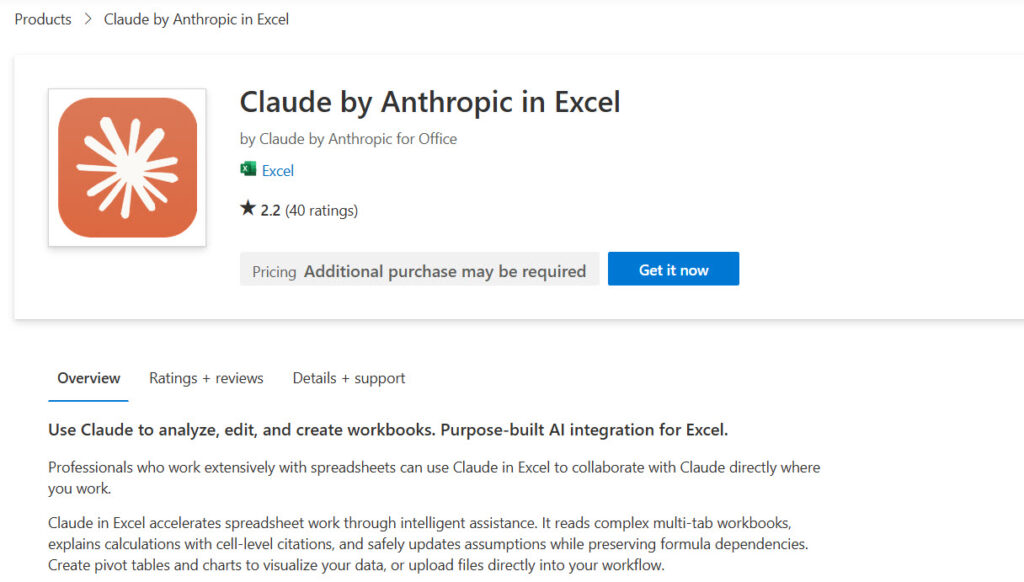
You install the connector through the Microsoft AppSource Marketplace . The single listing covers Excel, PowerPoint, and Word; Outlook is a separate listing . You'll need to sign in with your Microsoft account.
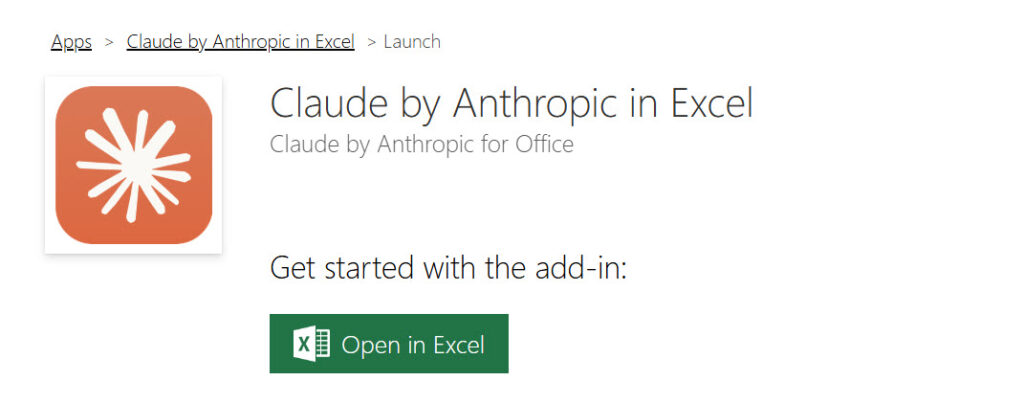
Click Open in Excel. A pane opens automatically. Connect to Anthropic from there. Straightforward.
If you open a new spreadsheet later, just hit the Claude button in the toolbar. Subscription-wise, Claude for Microsoft 365 is available on all paid Claude plans (Pro, Max, Team, Enterprise) and via Microsoft Foundry, Amazon Bedrock, or Google Cloud Vertex AI for enterprise customers routing through their existing LLM gateway.
Putting it to work
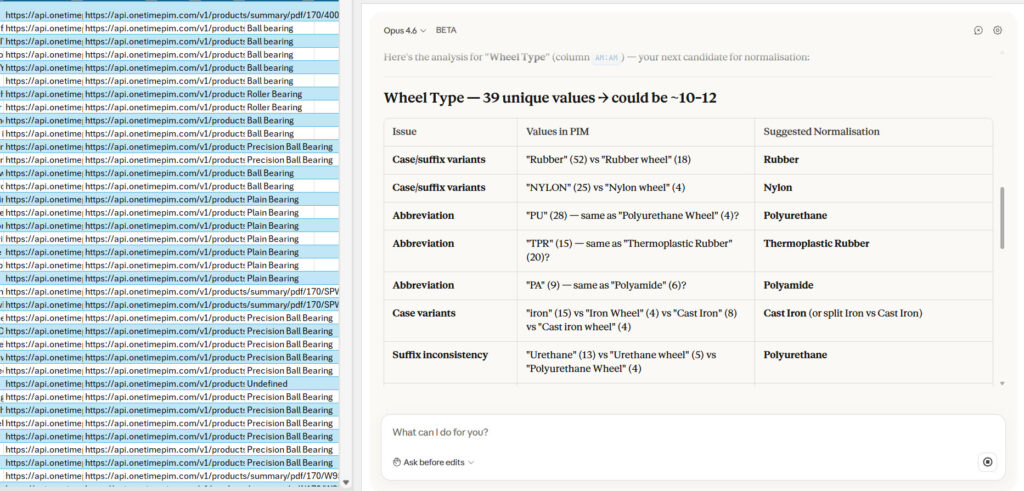
I'm currently auditing a large PIM product data spreadsheet with a huge number of product attributes. I'd already audited the file manually, so I was armed with a solid context to analyse how close and how accurate Claude's approach to the data might be. I created a new, unaudited version to spot the difference.
Where it was good (and still is)
Claude correctly identified a group of columns with very inconsistent data naming. That was actually the reason I was auditing the data in the first place, so we were off to a decent start.
It gave me a clear list of columns to investigate. Off I went to correct them.
One thing worth highlighting in the workflow: when you ask Claude questions about specific cells or formulas, it will provide answers with cell references when that's useful. The citations are clickable, so you can head straight to the intended destination. For a large workbook with multiple tabs that's very helpful. You're not left guessing or scrolling.
It handled my fairly large data set without any performance issues. No crashes, no timeouts. Copilot in Excel has a bit of a reputation for struggling with longer spreadsheets and royally screwing your data up, so this was good. The accuracy held throughout - as I checked each answer, Claude got a 10/10 for the audit work itself.
And here's the bit that's changed since I wrote the first version: Microsoft 365 Copilot customers can now use Claude as the underlying model inside Copilot for Excel and PowerPoint. If you're already paying for Copilot, you don't have to abandon it - you can switch the model to Claude for the kinds of tasks where Claude pulls ahead. The comparison is no longer "Claude vs Copilot." It's "which model is doing the work inside whichever sidebar you happen to be using."
Where it was less good
Claude was a little too keen to make changes directly, without asking permission first. When you're working in Claude Desktop or Claude Code, Sonnet and Opus will ask you if it's ok to allow MCP access for a particular service. The same instinct didn't transfer to Excel by default.
There's a fix, and I missed it on first run. Anthropic's documentation describes an overwrite protection feature, and an "Ask Before Edits" mode that you have to toggle on via the document icon in the sidebar. As of May 2026 this is still opt-in, not the default. The feature exists, you can enable it, and you should as the first step of any workflow that touches real data. The default behaviour is still my one substantive complaint about the product.
As an aside, and unlike Copilot in Excel, Claude doesn't require you to enable auto-save (although mine is on anyway). Your files don't need to live in OneDrive, which means a huge number of people can actually use the connector who wouldn't otherwise.
The chat history problem (now fixed)
In February, my chat history wasn't saved between sessions. Close Excel or restart, and your conversation with Claude was gone, even if you were mid-audit. I left that section in this article because it's part of the story.
As of the May 7 GA release, this is no longer the case. From Anthropic's announcement :
Conversations persist with each file, so you can close the sidebar, reopen it the next day, and pick up where you left off using your keyboard or your voice.
The session-logging option in settings (the "Claude Log" tab that tracks actions taken each turn) is still there as an audit trail. Between the two - persisted conversation plus a turn-by-turn log - I'm now confident letting Claude work on a spreadsheet without losing the thread when I close it. This was a beta problem. It got solved.
The chart: time saved across the three workflows
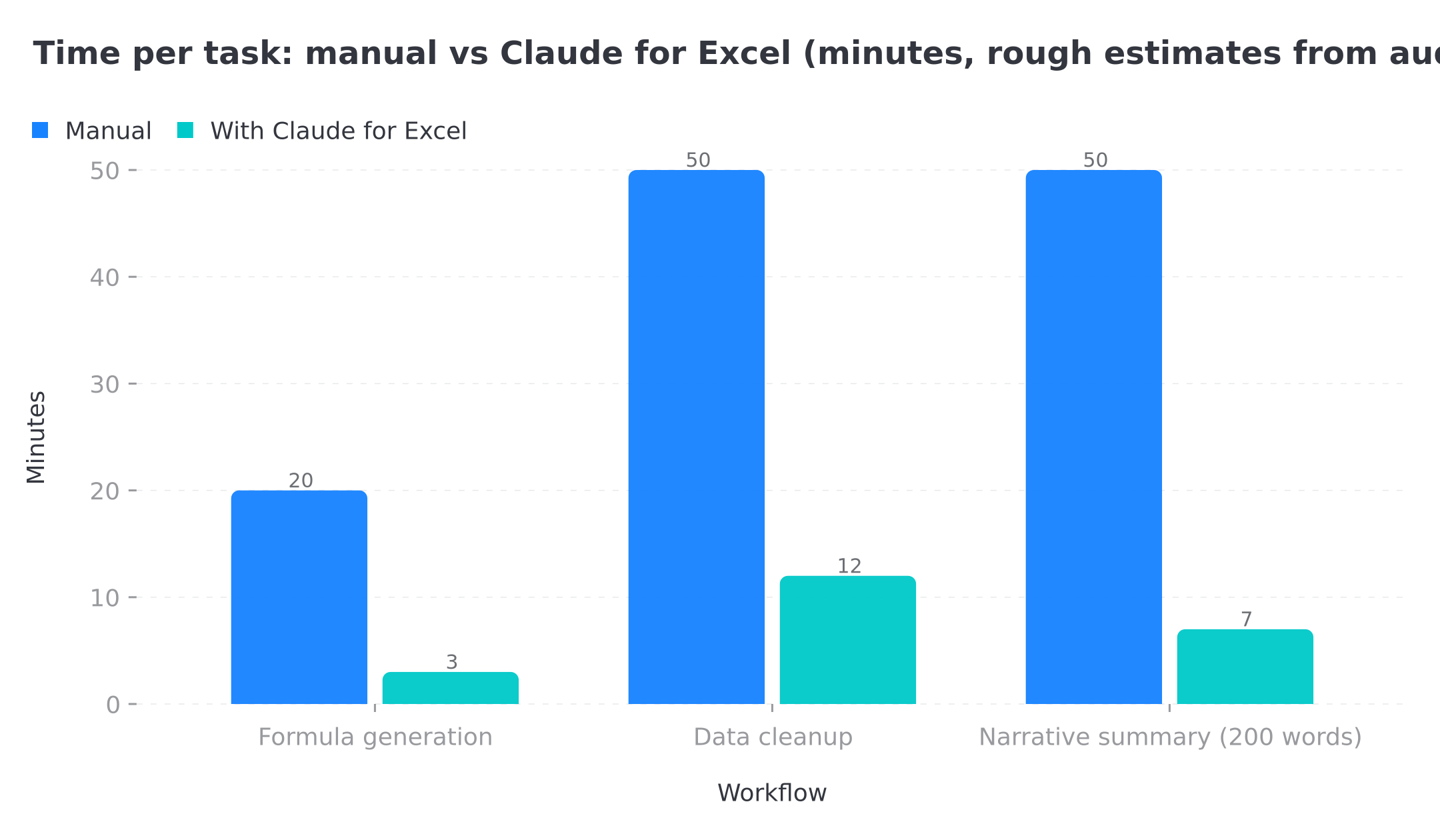
*Rough time estimates from audit testing - your mileage will vary depending on the size of the workbook and how cleanly the source data is structured. The pattern holds: it's the cleanup-and-narrative workflows where the time saved compounds, not the one-off formula questions.*
A useful prompt for data audits
If you're running a similar audit, this is the prompt I keep coming back to. It does most of the work. The bit that matters is the column descriptions in plain English - Claude doesn't see your workbook with the intuition you have about what each column *means*. Telling it explicitly turns 60% of formula generation from "wrong type, wrong direction" into "right first time."
You are working in this Excel workbook on the sheet "[sheet name]".
The data range is [A1:F500] with these columns:
  A: [column name + what it actually contains]
  B: [column name + what it actually contains]
  ...

Task: [one sentence on what you want Claude to do  - e.g. "find columns with
inconsistent naming and flag them for review"]

Return:
1. The answer, with cell references where useful.
2. A short explanation of how you got there.
3. A note on which rows or values might cause problems (empty cells, text where
   numbers should be, dates in mixed formats  - whatever applies to this data).

Important: do not edit any cells without asking me first. If you think a change
is needed, describe it and wait for my confirmation.
That last paragraph is the workaround for the default-permissions problem. Until "Ask Before Edits" mode is the default, including the explicit "wait for my confirmation" line in the prompt is the most reliable way to stop Claude from running ahead.
The downloadable workbook
I've built a companion workbook that exercises this prompt across three workflows: formula generation against an inventory dataset, data cleanup on a deliberately messy export, and narrative summary from twelve months of revenue data. Five tabs, sample data, the prompts baked in, MIT-licensed.
**Download claude-for-excel-workflows.xlsx** (15KB, MIT-licensed)
The workbook is the artefact. The prompts are the recipe. Fork it, adapt the column names, point it at your real data.
Verdict (post-GA)
Claude for Excel is very capable at spotting patterns and answering questions about your data. It's nice to be able to talk to your data, and accuracy held up across my audit. It beats anything I've experienced with Copilot in Excel by default, and Gemini in Google Sheets, which is a pretty upsetting experience for users locked into Microsoft or Google ecosystems hoping for a native AI option.
Now that the extension is GA, the "wait until it's out of beta" caveat is gone. My remaining advice is narrower: turn on "Ask Before Edits" mode as the first step of any workflow that touches real data, and always have a backup. The default behaviour is the one thing I'd change, for now.
Other teams are seeing similar results. Bain's Head of Private Equity AI Practice told Anthropic : "Claude in Excel allows my teams to build an initial version of complex models faster, enabling them to focus on refining the model, pressure testing inputs and assumptions, and exploring more scenarios and trade-offs." Citadel's Head of Core Engineering: "Our investment professionals live in data and analytical models, and Claude for Excel meets them there."
I asked Claude to build a dashboard, which is promising in principle, but the output added no real utility to my particular use case.
Where could this idea take us?
When an extension like this matures further, beyond permissions-based editing as the default, in my opinion the real win would be MCP support. Could it fetch the latest data from Data Commons via MCP to enrich a financial model with live economic indicators? What about pulling in Gemini's input for analysis with our Gemini MCP , or live market data through the Financial Modeling Prep MCP for a real-time portfolio summary?
The other adjacent workflows worth thinking about: feeding Gmail context into Claude so an Excel-based monthly report can pull in customer comments from your inbox, or running an automated workflow through tax receipts via Docling that lands cleaned data straight into a Claude-for-Excel-aware budget workbook.
As an early prototype, it all makes sense and it's a solid error checker. As a GA product, it's the most accurate AI-in-spreadsheet experience I've tested. Beyond that, I'd love to see MCP support land next.
Software companies have nothing to fear here. This integrates with Microsoft Excel. It doesn't replace it.
One more thought: now that the same suite covers Word, PowerPoint, and Outlook, the "build tables and bring in research to support a narrative" use case I floated in the original article has its own home. Triage the email in Outlook, draft the brief in Word, build the supporting analysis in Excel, turn it into the deck in PowerPoint. The context follows you.
Related Posts
Continue reading.
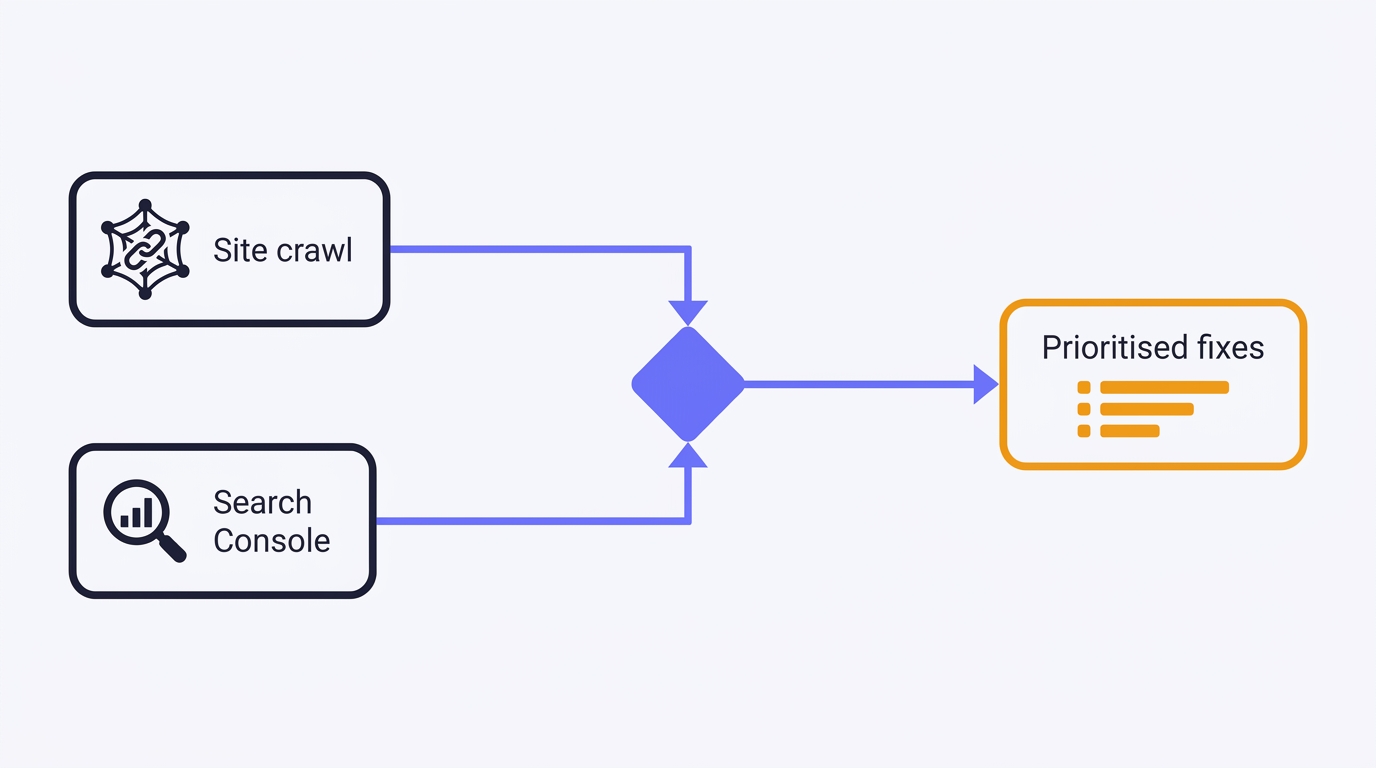
How to Do a Technical SEO Audit with Claude
A full technical SEO audit run by conversation in Claude Desktop: Search Console history and a first-party crawl merged into one prioritised, fix-writing report. The setup, the twelve prompts, the priority model, and the honest limits - walked through on a real site.
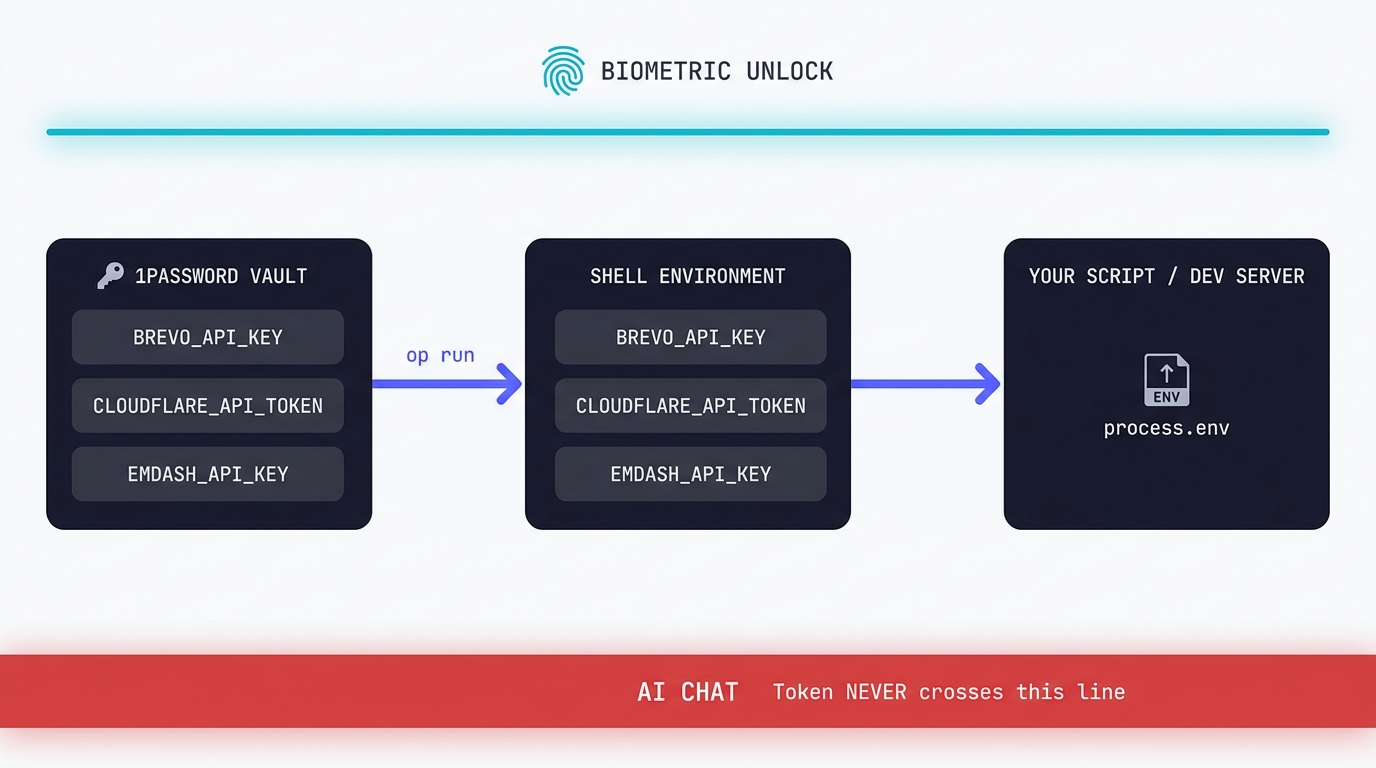
Claude Code API Key Security: A Guide to Token Hygiene
The simplest possible setup that keeps your production tokens out of AI chat windows. 1Password CLI, op run, and the conversational discipline that makes the rest of it work.
Swapping the Engine: How to Run Claude Code on Local Silicon for Zero Pennies
Claude Code's real power isn't the Anthropic model sitting behind it, it's the agentic : the file-system access, the tool use, the way it chains tasks together without you babysitting every step. I figured this out the expensive way. I ran…

A Beginner's Guide to Claude Computer Use
I've been letting Claude control my mouse and keyboard on and off to test this feature for a little while, and the honest answer is that it's simultaneously the most impressive and most frustrating AI feature I've used. It can navigate…

A Beginner's Guide to AI Mini PCs - Do You Need a DGX Spark?
I've been running a local LLM on a variety of bootstrapped bit of hardward, water-cooled 3090's and an LLM server I call hopper full of older Ada spec GPUs. When NVIDIA, Corsair, et al. all started shipping these tiny purpose-built AI…
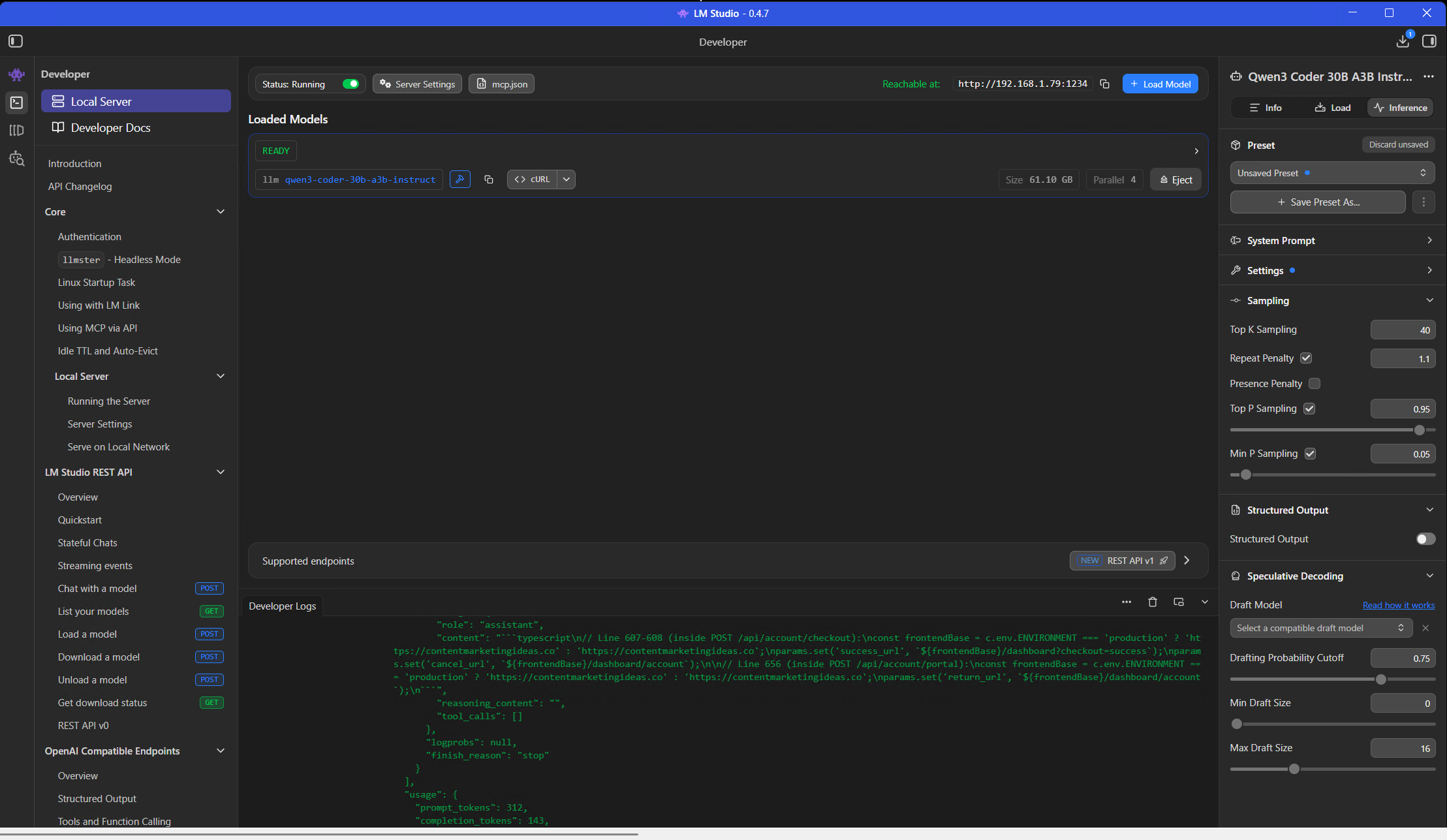
Using a Local LLM to Audit Your Codebase - What Qwen3 Coder Next Catches (and Misses)
I ran a local copy of Qwen3 Coder Next on a machine under my desk. It pinned down a race condition in my production code that I'd missed. It also told me, with complete confidence, that crypto.randomUUID() doesn't work in Cloudflare…