How to Plan and Begin Your First AI-Assisted Coding Session
You don't need to know how to code to build something with AI - but the calm ten minutes you spend planning before you start is what keeps your first session from spiralling. Here's the whole thing, gently: what the tools are in 2026, how to plan, and exactly what your first session looks like.
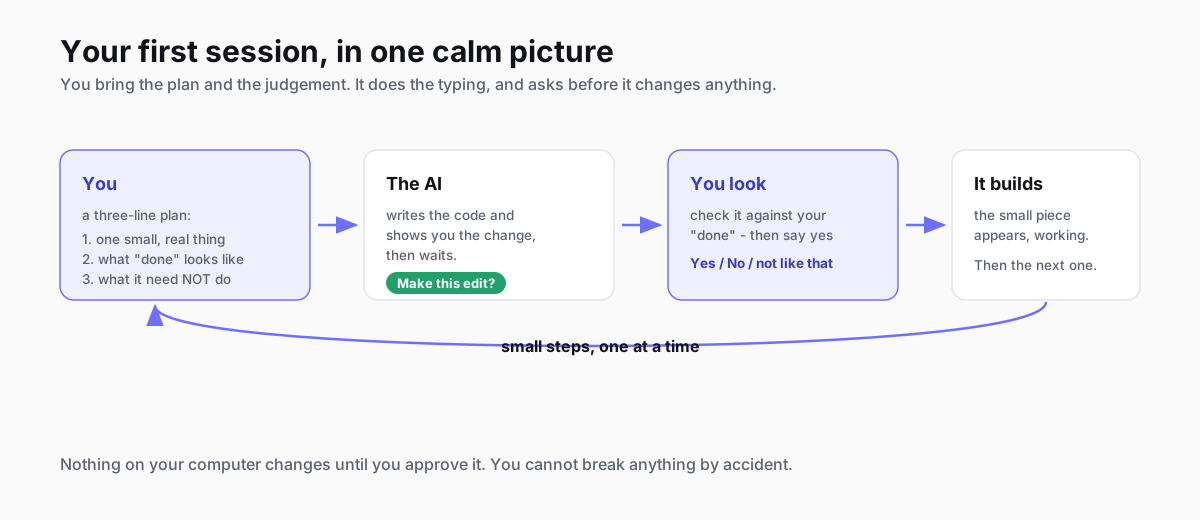
You've watched someone describe an app out loud and watched the AI build it, and some part of you thought: I'd like to do that, and another part thought: that looks like the cockpit of a plane, and I have never flown a plane. Both of those thoughts are reasonable. Here's the good news, and I mean it plainly: you do not need to know how to code to have a good first AI-assisted coding session. What you need is a small plan and a calm hour, and the plan is the part almost nobody tells you about.
Most beginner guides are a forty-minute video that drops you straight into the tool. This one does the opposite. We'll spend the first bit on what these tools are in 2026 (less scary than they look), then on the ten minutes of planning that make the difference, and only then on opening anything. By the end you'll have done a real first session - built one small, working thing - and known the whole time what was going on. It costs you an hour and a free account; you need nothing else.
Quick Navigation
What the tools are |
The ten-minute plan |
Setting up |
Your first session |
When it goes sideways |
Where to go next
What AI-assisted coding means now
Strip away the jargon and it's this: you describe what you want in plain English, and an AI writes the code, shows you what it's about to do, and waits for you to say yes. You're the person deciding what gets built and whether it's right. You are not the person typing semicolons. That's worth sitting with for a second, because it's the bit that changes everything - your job in this is judgement, not syntax.
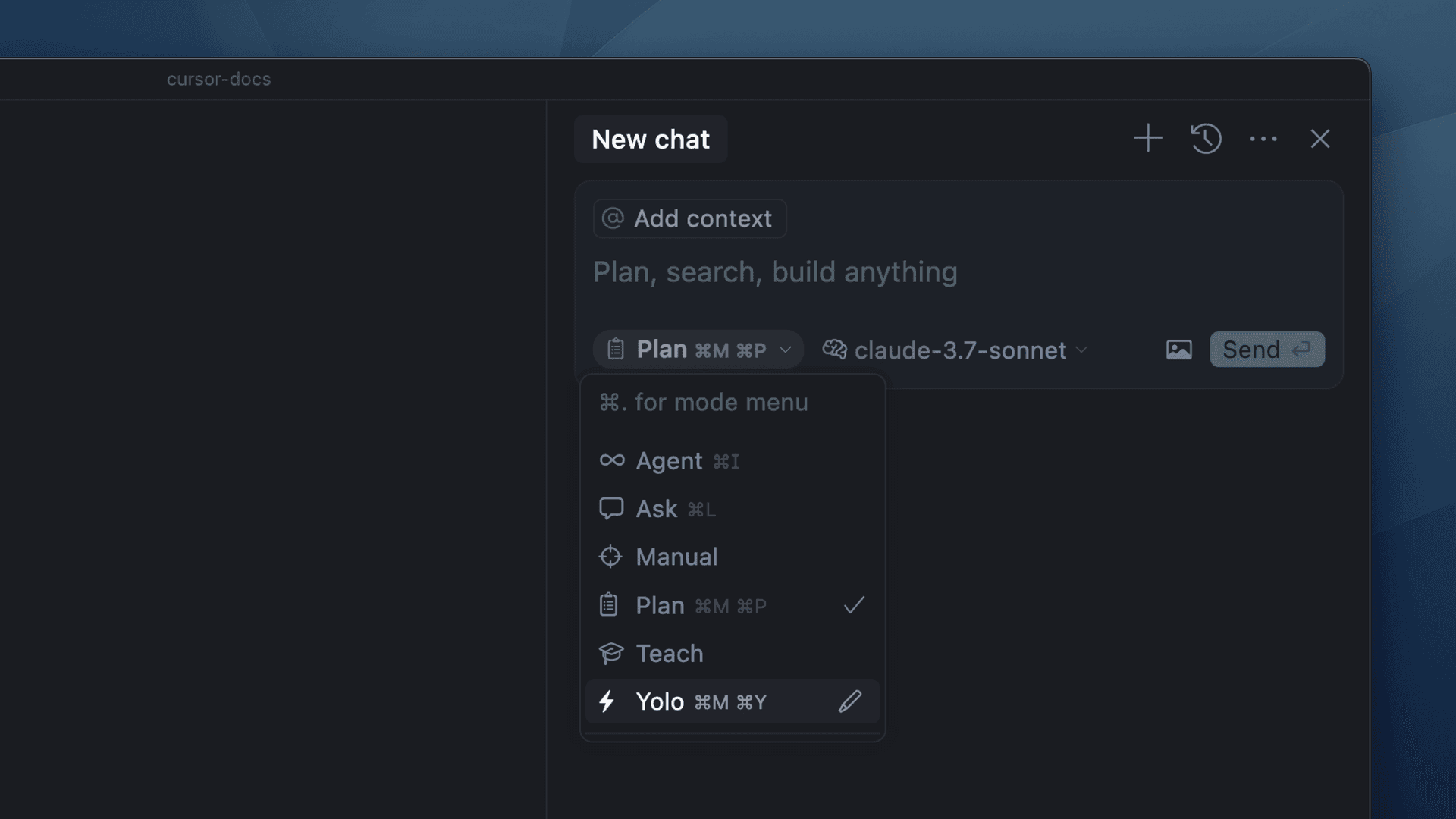
In 2026 there are two doors most beginners walk through, and they have different personalities:
- Cursor is a friendly code editor - it looks like a normal writing app with your files down one side - and the AI sits inside it, helping as you go. The phrase people use is "you drive, the AI assists." It's the softer landing if screens full of text make you nervous, and its free tier is plenty for a first project.
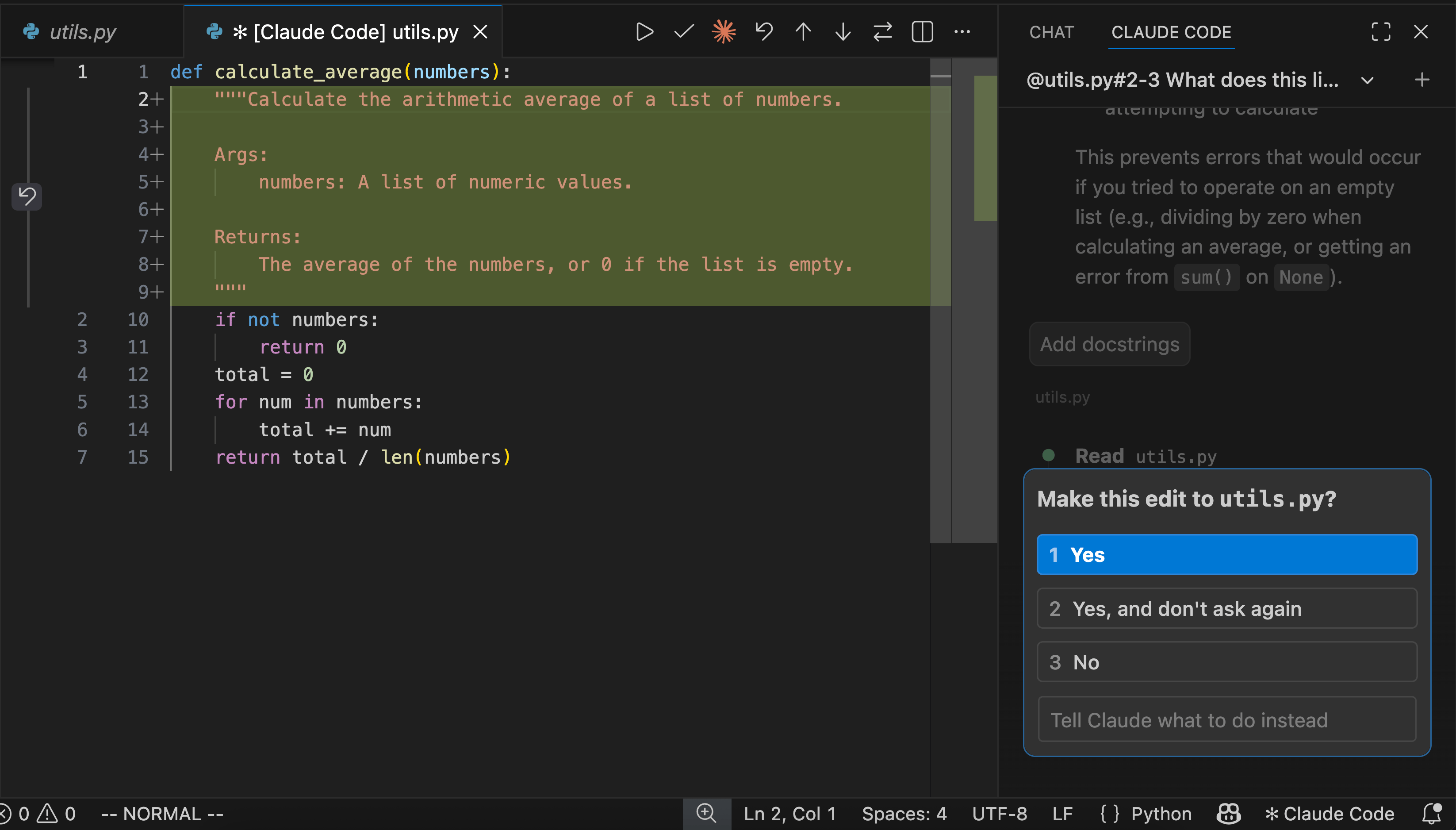
- Claude Code runs in the terminal (yes, the black window - we'll make friends with it), and it's more of an autonomous teammate: "the AI drives, you supervise." You give it a task and it goes off and does it, checking in with you. It's a little more grown-up, and it's where a lot of people end up once they're comfortable.
You can't pick wrong here. If you want the gentlest possible start, open Cursor. If the idea of a capable, patient assistant you delegate to appeals more than a tool you steer, Claude Code is a fine first choice too - plenty of complete beginners start there and are absolutely fine. The one thing both share, and the reason this is safe to try, is that neither of them changes a file without showing you first and waiting for your nod. You can't break anything by accident. Nothing happens that you didn't approve.
The ten-minute plan
Here's the part that separates a good first session from a frustrating one, and it happens before you open a single tool. You spend ten minutes deciding what you're building. It sounds like the boring bit; it's the bit that saves your afternoon.
The instinct, when you finally have a magic tool that builds things, is to type "build me a website" and see what happens. Don't. A vague request gets you vague, wandering results, and worse, it gets them confidently - the AI will happily build something, just not the thing you had in your head, and you'll spend an hour untangling the gap. A small, clear plan closes that gap before it opens.
Your plan doesn't need to be a document. For a first project it's three short answers, written in a note:
- One small, real thing. Not "an app." Something you could describe to a friend in a sentence: "a page that shows today's weather for my town," "a script that renames all my holiday photos by date." Small and real beats ambitious and vague every single time on your first go.
- What "done" looks like. How will you know it worked? "The page loads and shows the right temperature." "The photos come out named 2026-07-24-1.jpg and so on." One concrete thing you can check with your own eyes.
- What it does NOT need to do. This one feels odd and it's the most useful of the three. "It doesn't need to look pretty. It doesn't need to work for anywhere but my town." Saying what you're not doing stops the AI, which is endlessly eager, from gold-plating corners you don't care about.
That's a plan. Three sentences. If you want to see how this same habit grows up into the thing professionals hand their AI - it's called a PRD, and it's the single highest-leverage document in AI-assisted building - here's the proper version with a template . For your first session, the three sentences are enough.
Setting up
Setup is gentler than the tutorials make it look, because the tools have quietly made it easier over the last year.
- Pick your door from the two above. For the softest start, that's Cursor; if you'd rather delegate than steer, it's Claude Code. Either is a free account to begin.
- Install it and sign in. Both walk you through it - you download the tool and it signs you in through your browser, no keys to copy or paste. (If you find an older guide telling you to run a long
npm installcommand, you've hit a stale tutorial; the current installers are a single download. Follow the official get-started page and you'll be fine.) - Make a folder for your project. One empty folder on your computer, named for the thing you're building. This is your project's home, and pointing the tool at it is the whole of "setup." That's it - there is no step two.
You don't need to install a programming language, learn Git, or understand what a terminal is first. Those are things you'll pick up naturally, later, because you wanted to - not hurdles standing between you and starting.
Your first session
Now the steady part. There's a rhythm that the people who build with these tools all use, and it has a reassuring shape: look, plan, build a little, check. You don't rush to "build the whole thing"; you move in small, visible steps, and you look at each one.
- Start by letting it look around. Open the tool in your project folder and, before you ask for anything to be built, ask it to understand the situation. On an empty project that's as simple as telling it your three-sentence plan and asking, "what's the simplest way to build this?" Let it think out loud. You're not committing to anything yet - you're getting it and you on the same page.
- Ask for the smallest first piece. Not the finished thing - the first brick. "Let's start by just getting a page to appear that says hello." It'll write the code and show you exactly what it wants to add. Read it if you like, or don't - either way, say yes.
- Look at the result with your own eyes. Run it, open it, check it against your "done" sentence. This is the most important habit in the whole practice and it's the easiest: don't take the AI's word that it worked. Look. If the page appears, wonderful. If it doesn't, that's fine too, which brings us to the next bit.
- Then the next small piece. Now add the real content. "Now make it show the real weather for my town." Same loop - it proposes, you approve, you look. You'll feel the rhythm click into place after two or three rounds, and it's a lovely feeling: you're directing, it's building, and you can see it working.
Two small tools make this even easier, and they're worth knowing on day one. Most tools have a plan mode (in Claude Code it's a read-only mode where it researches and proposes without touching anything) - lovely for when you want to see its thinking before it acts. And there's always a way to start the conversation fresh if it wanders off; you lose nothing but a confused thread. Use both freely. They're there so you can relax.
When it goes sideways
It will get something wrong. Not might - will, at some point, and probably in your first hour. This is completely normal, it is not you, and - this is the important part - it is safe. You approved every change, so nothing happened you can't see, and you can always undo.
When it happens, the move is not to panic or to start over. It's to tell the AI plainly what you're seeing: "the page is blank" or "that error appeared, what does it mean?" It'll read the situation and fix it, and you'll learn something in the exchange, because it explains as it goes if you ask it to. A wrong turn with an AI that can explain itself is one of the better ways to learn there is - far better than a tutorial that never breaks, because the breaking is where the understanding lives.
The only real mistake at this stage is expecting it to be perfect and giving up when it isn't. Treat the wrong turns as part of the process, because they are, and you'll be fine.
Where to go next
The shape is what to carry off this page: a small plan, a steady loop of look-build-check, and the refusal to take "it works" on trust. That shape is the whole practice - everything else is detail you'll pick up as you want it.
When you're ready for the next rung, the plan is where it grows: learning to write a proper PRD is the single biggest upgrade to how well the AI builds for you. And when you want to see the full loop that a daily practitioner runs - plan, environment, build, check, deploy - here's my whole workflow, from PRD to shipped . If you don't have Claude Code yet and want to start there, you can try a free week and give it your three-sentence plan.
Whichever door you pick, go and build the small, real thing. One calm hour gets you further than you'd expect.
Continue reading.
- AI WorkflowsDynamically updating infographics and content (so you don't have to)28 Aug 2026
- AI WorkflowsHow to Write a PRD an AI Can Build From (with a template)24 Jul 2026
- AI WorkflowsHow I work with Claude Code: PRD to deploy24 Jul 2026
- AI WorkflowsFrom Chat to Deploy: How to Fully Understand Claude, AI Assistants and Claude Code20 Jul 2026
- ExplainerWhat is a Marketing Engineer (and do you need one)?31 Aug 2026
- Case StudiesThe parts Shopify Plus B2B doesn't do (and how we built them)28 Aug 2026