From Chat to Deploy: How to Fully Understand Claude, AI Assistants and Claude Code
I started in the chat box like everyone else. Three years later the boring parts of my work run themselves, from PRD to deploy. This is the ladder, stage by stage, with a starter task for each rung.
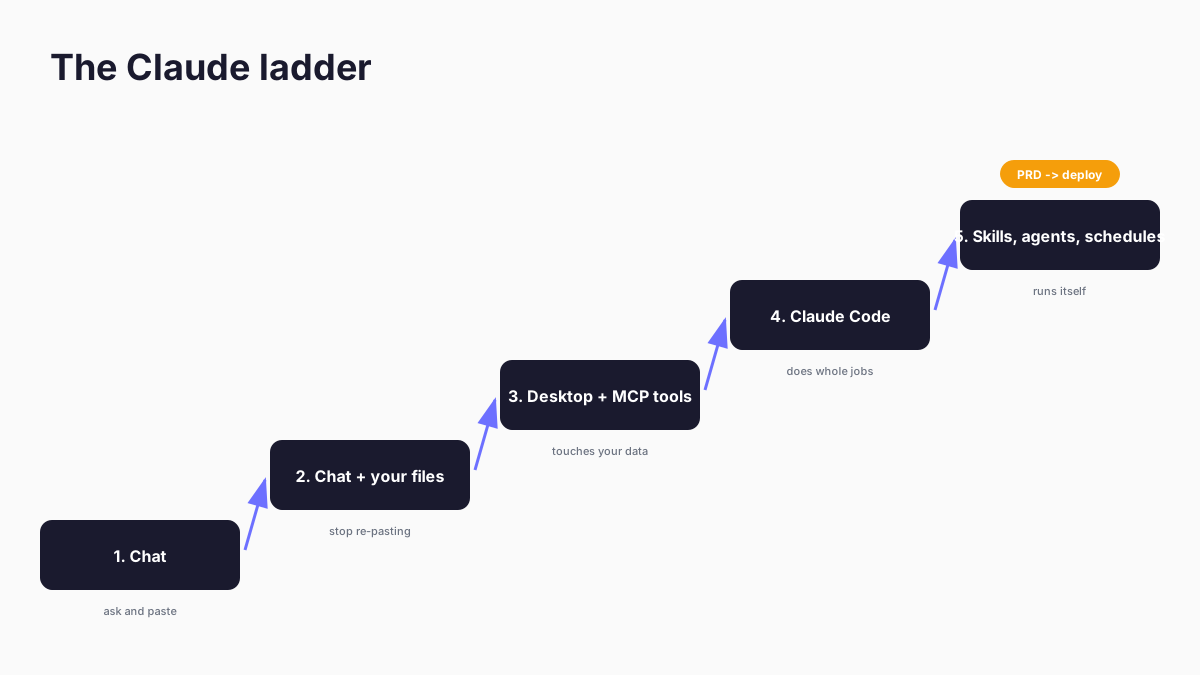
I recently looked back through my earliest Claude conversations, and they were all the same shape: paste something in, ask a question, copy the answer out. Three years on, the machine I'm typing this on runs research fleets, publishes articles through a 24-gate editorial pipeline, and ships software from PRD (product requirements document - the written spec a build starts from) to deploy without me touching the middle. Nothing about me changed. I just kept noticing the moment each stage stopped being enough.
That ladder is what this article is. Not a feature tour - a map of the stages, what each one unlocks for ordinary repetitive work (office admin, development, research, procedures you repeat), one completely simple task you can hand Claude today at each rung, and the ceiling that tells you it's time to climb.
Quick Navigation
The chat box |
Connecting your data |
Claude Code |
Skills and agents |
What still goes wrong |
Where to start
The chat box is where everyone starts
There's no shame in the chat box. I lived there for a long time, and most of the working world is there right now: the CEO has tried Copilot, the marketing lead runs a ChatGPT subscription, and somebody in finance has built a brilliant little automation nobody else knows exists. Chat is a fine place to start because it teaches you the single most important habit: describing work clearly enough that someone else could do it.
What chat is good for, today, with no setup at all:
- Office: paste a messy export from your accounts system and ask for a clean summary table with the three numbers your boss cares about. Thirty seconds of pasting saves the hour of formatting.
- Research: paste two supplier quotes and ask what's different between them, line by line.
- Development: paste the error message. The whole error message. You'd be surprised how far that one habit gets you.
- Writing: draft the awkward email, then ask for it shorter and less apologetic.
Projects (Claude's saved workspaces with attached files) stretch this further - upload the documents you refer to every week and stop re-pasting them. I ran my consulting research this way for months - the same brief, voice guides and client documents loaded once instead of re-pasted into every conversation.
The ceiling arrives quietly. You notice you're spending more time moving information in and out of the chat than you'd spend on the thinking. Claude can't see your files, your inbox, your analytics - so you become the courier. The moment you catch yourself pasting the same spreadsheet in for the fourth week running, you've outgrown the rung.
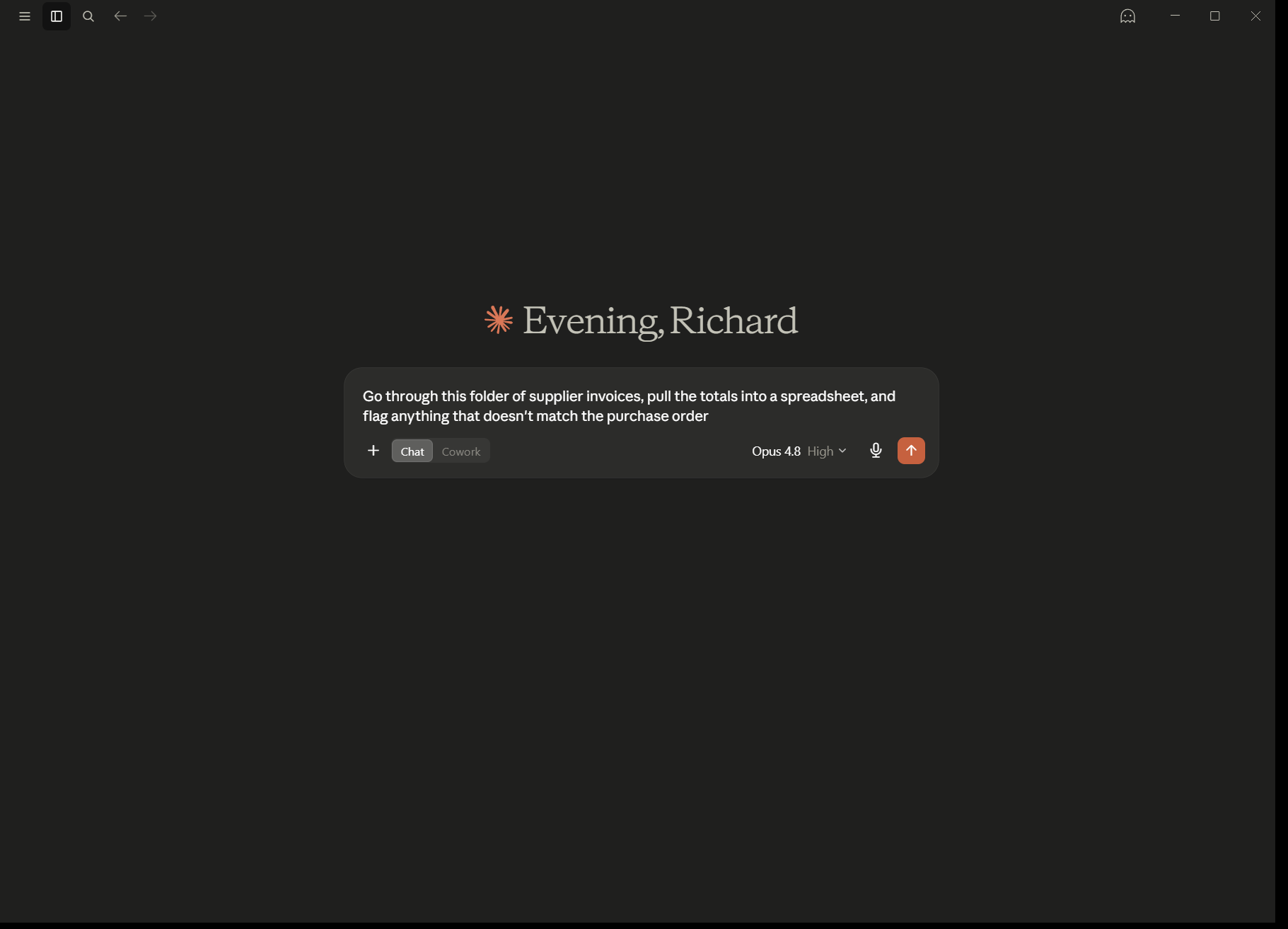
The day Claude touched my actual data
The moment this all changed for me was connecting my first MCP server. MCP (Model Context Protocol - Anthropic's standard for wiring Claude into your real tools and data) is the point where the assistant stops being a very clever pen pal and starts being able to look things up itself.
Mine was Google Search Console (Google's free tool showing which searches bring people to your site), because I'm an SEO consultant by trade and I was fed up exporting CSVs. I connected Claude Desktop to my search data and asked, in plain English, which pages had lost traffic since the last algorithm update. It queried the data, ranked the losers, and suggested where to look first. No export. No pivot table. It still earns its keep weekly - this week it surfaced a cluster of searches landing on entirely the wrong article, sitting at position 21 where nobody clicks. I ended up building that connector properly and publishing it, and I've written a step-by-step guide to the Search Console setup if you want the same starting point.
If the term MCP is new, my explainer on what an MCP server is covers the mechanics. The short version: each server gives Claude a set of tools (search my analytics, read this database, fetch this page), and you approve what it's allowed to touch.
Starter tasks at this rung:
- Office: connect your email or calendar connector and ask for a triage of the week - what needs a reply, what's noise. Claude drafts; you send. ( Claude in Excel belongs at this rung too, if your life is spreadsheets.)
- Research: connect a web-search connector and ask for a comparison of three tools you're evaluating, with sources you can click.
- Marketing: the Search Console route above. It usually pays for the learning curve in the first session.
The catch: it's still a conversation. One question, one answer, you steering every step. Powerful for looking things up; clumsy for doing a whole job. When you find yourself giving Claude a sequence of ten instructions one message at a time, the conversation has become the bottleneck.
Claude Code is the whole game
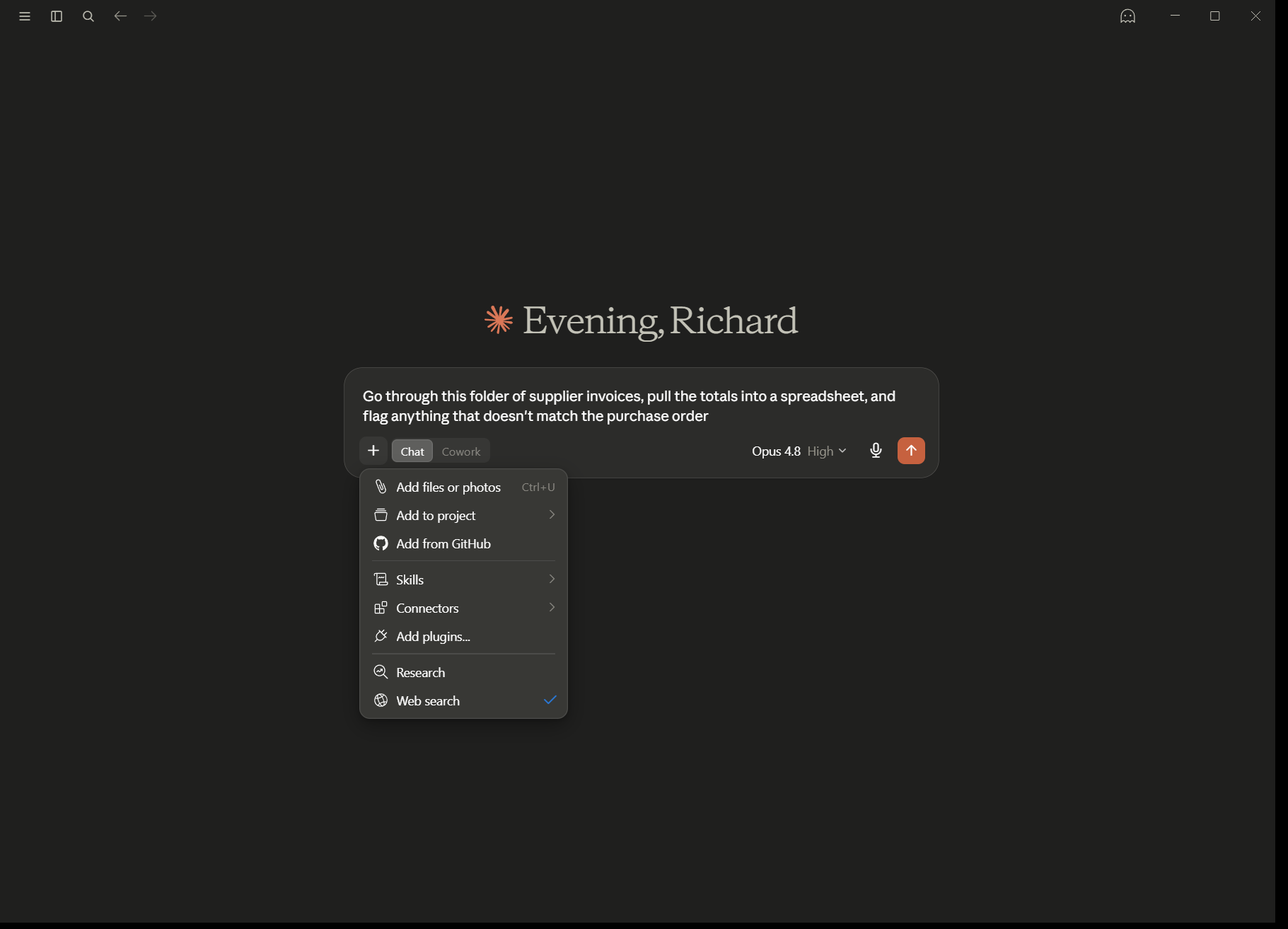
Claude Code is by far the most powerful way to use Claude, and the name undersells it badly. Yes, it writes software. But what it really is: Claude with a working directory, real tools, and the ability to check its own work - in an app you can use without ever opening a terminal. Point it at a folder and it can read the files, make changes, run the result, see the errors, and fix them. Chat gives you an answer. Claude Code gives you a finished thing it has already tested. That loop is the whole difference.
The honest surprise for me was how much non-coding work that loop swallows. My days are office admin, research and publishing more than they are programming, and Claude Code took over the repetitive parts of all three:
- Office: "Go through this folder of supplier invoices, pull the totals into a spreadsheet, flag anything that doesn't match the purchase order." It reads the files itself. No pasting.
- Research: "Read these five reports and build me a comparison table with page references I can check." The receipts matter - you review, it assembles.
- Development: the famous part. I write a PRD describing what I want, and Claude Code takes it from spec to implementation to tests to deploy. The site you're reading works this way: article pipelines, image handling, the publishing checks, most of it built and maintained through Claude Code sessions.
- The repetitive anything: if you do a task the same way twice a month and it involves files, it's a candidate.
You don't need a developer background. You need a folder, a clear description of done, and the willingness to read what it did before you trust it. The system requirements are modest - an ordinary laptop is fine.
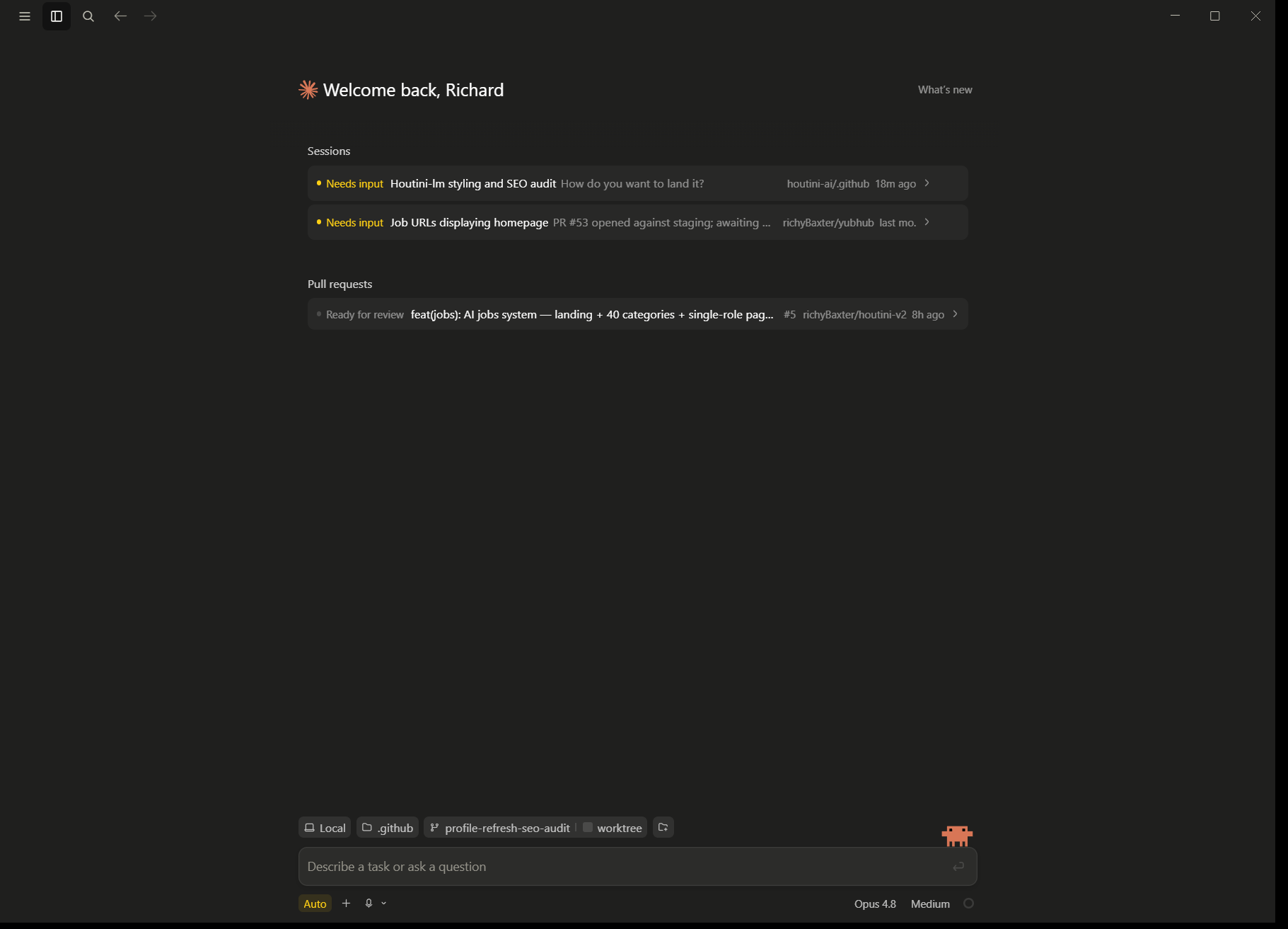
If you don't have a Claude account yet, sign up here and you'll get a free week of Claude Code - the fastest way to understand everything in this article is to give it one real task from your own backlog.
The ceiling here is subtler: one Claude, one context (its working memory for the session), you steering. For a single job at a time, that's plenty. The next rung is what happens when you stop steering.
Teach it once: skills, agents and scheduled runs
This is the rung where the work starts running itself, and it's built from three simple ideas.
Skills are procedures you write down once. A skill is a markdown file describing how you do a thing - your monthly report format, your code review checklist, your editorial rules. Claude loads it when the task matches. Writing one feels like training a new colleague, except the training sticks. My publishing pipeline runs on a stack of these: voice rules, fact-check procedure, formatting gates. The first draft of a skill takes twenty minutes. You'll revise it forever, and that's the point - every correction you make once never needs making again.
Agents are Claude delegating to more Claudes. Big jobs get split: one agent sweeps a codebase, another gathers sources, a third checks the claims (each a full Claude with its own tools, not a lesser copy). Each works in its own context and reports back. My rule for when to split comes from an unexpected place - running large models across two graphics cards with vLLM taught me that you never split a model that fits on one card - measured over PCIe, the coordination tax costs each card up to a third of its throughput. Same law for agents: never split a task that fits one context. The value of a fleet isn't speed. It's that each worker keeps a clear head.
Scheduled runs close the loop. A procedure plus a trigger equals a job that happens without you. This afternoon one background job pulled 3,762 rows of Search Console data and another crawled 1,637 pages of this site, while the editorial work carried on in a different window. The boring middle of PRD-to-deploy is mostly this rung doing its quiet work while I review the ends.
The result, in practice: earlier today one pipeline on this machine rewrote a 4,000-word article, ran it through 24 editorial checks, and published it - while two research agents gathered sources for the next one. My involvement was the brief and the final read. That's it. That's the stage the chat box eventually leads to, and the strange part is how ordinary it feels once you're here. Where this rung's ceiling is, I can't tell you yet - the tooling is moving faster than my map of it.
What still goes wrong
The trade-offs are real, and knowing them in advance is most of the defence.
Context runs out. Claude's working memory is large but finite, and long jobs degrade as it fills. Connected tools eat it too - one recent benchmark measured roughly 33,000 tokens of overhead before the first word of input, most of it tool definitions. The craft of the upper rungs is mostly deciding what Claude needs to see, and keeping the rest out of the room.
Agents multiply cost as well as capability. Every extra worker is extra spend, and an over-eager fleet can burn a day's budget on a task one careful session would have handled. One developer I know burned through a $25,000 cloud bill in a month because nobody told him about routing the boring work to a cheaper model. Start with one Claude. Split when a job visibly doesn't fit, not before.
Verification is still your job at the edges. Claude Code checking its own work catches most errors, but "the tests pass" and "this is what the business needed" are different claims. I review everything that ships with my name on it. The automation moved my effort to the two ends - the brief and the review - it didn't remove it.
Local models aren't a shortcut to the top rungs. I run a serious local setup and I'm a believer, but small models get lost in exactly the kind of multi-step work this article is about. My model-testing page has the receipts. Learn the ladder on Claude first; add local hardware when you know what you'd use it for.
Where to start, whatever your day job looks like
Start one rung above wherever you are today.
If you're in the chat box: create a Project, upload the three documents you reference most, and run next week's real questions against them. Cost: ten minutes.
If you're comfortable in chat: connect one MCP that touches data you care about - Search Console if you run a website, the file connector if your life is documents. Then ask a question you'd normally build a spreadsheet to answer.
If you've connected data: install Claude Code, point it at a folder of real work, and hand it one repetitive task with a clear definition of done. Read the result before you trust it. This is the rung where most people's understanding of AI assistants quietly reorganises itself.
If you're already there: write your first skill. Pick the procedure you explain most often, write it as a markdown file, and let Claude load it. You'll know within a week whether the automation rungs are for you.
If you lead a team and want the strategic view of what this looks like across a business rather than a desk, the piece I wrote for managing directors and CEOs picks up where this one stops. For everyone else: the ladder took me three years mostly because nobody handed me the map. With the map, the first three rungs are a weekend.
Continue reading.
- AI WorkflowsDynamically updating infographics and content (so you don't have to)28 Aug 2026
- AI WorkflowsHow to Plan and Begin Your First AI-Assisted Coding Session24 Jul 2026
- AI WorkflowsHow to Write a PRD an AI Can Build From (with a template)24 Jul 2026
- AI WorkflowsHow I work with Claude Code: PRD to deploy24 Jul 2026
- ExplainerWhat is a Marketing Engineer (and do you need one)?31 Aug 2026
- Case StudiesThe parts Shopify Plus B2B doesn't do (and how we built them)28 Aug 2026