Content Marketing Ideas: What It Is, How I Built It, and Why I Use It Every Day
Content Marketing Ideas is the tool I've built to relcaim the massive amount of time I have to spend monitoring my sources for announcementsm ,ew products, release - whatever. The Problem with Content Research in 2026 Most front line…

One quick note before you read on. Since I first wrote this, I've rebuilt Content Marketing Ideas into something far simpler: a single free page where you type a topic, pick which AI model does the thinking, and get eight ideas straight back, no signup. What follows describes the earlier, heavier version, and the thinking behind it still holds - but if you just want the tool, it's at contentmarketingideas.co , and I've written up how the eight models compare separately.
Content Marketing Ideas is the tool I've built to reclaim the massive amount of time I have to spend monitoring my sources for announcements, new products, releases - whatever.
The Problem with Content Research in 2026
Most front line content marketing workflow follows the same loop. You read a lot, you notice patterns, you get ideas, you write. The reading part is obviously important - you can't skip building authority and still produce work that matters. But the way most of us do it is horrifically inefficient.
Welcome ContentMarketingIdeas.co
The latest addition to the family monitors your site and your favourite sources of information and sends you a regular ideas email with content that would suit your site and work well in the industry you write for.
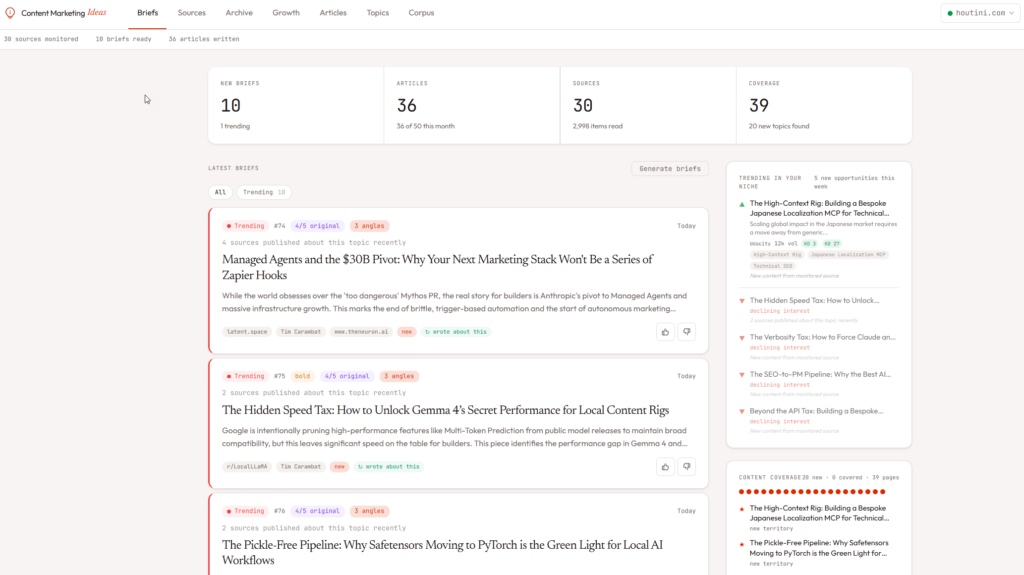
I'm someone who's been building content research tools since 2015 . I built the SEOgadget Content Strategy Generator back when Google Spreadsheets and XPath scraping were considered cutting edge. So this isn't my first attempt at solving this problem. Briefs, in the image above are your daily / weekly content ideas based on topics that are trending or clear content gaps between you and your competitors or just a contrarian take on an industry wide discussion.
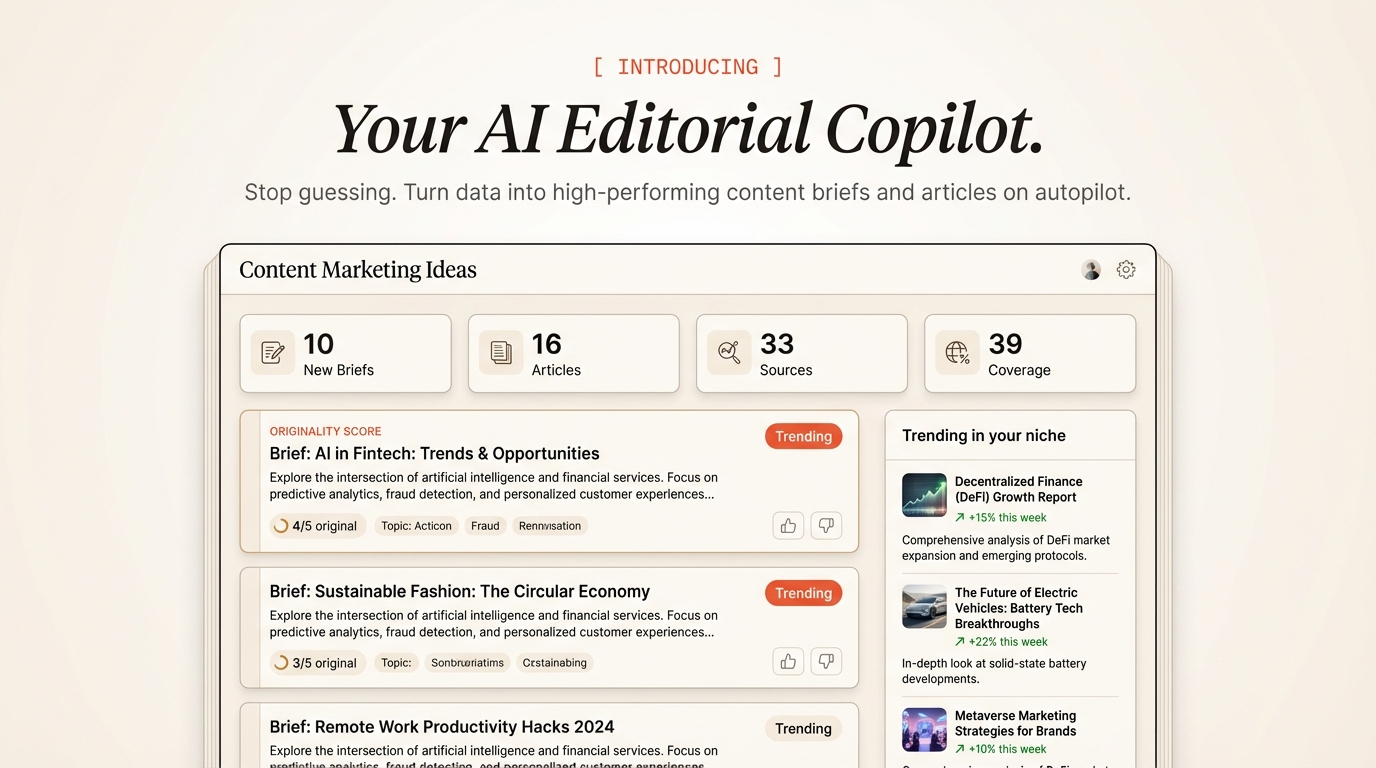
What's Content Marketing Ideas?
It's a source monitor that thinks editorially. You give it the feeds you already read - YouTube channels, RSS feeds, subreddits, podcasts, news keywords - and it watches them continuously. When it spots something worth writing about, it doesn't just flag the article. It synthesises a brief with a thesis, an editorial play, a content gap analysis, and alternative angles.

Think of it like having a research assistant who reads everything you'd normally read, but who also checks your search console data, knows what you've already published, and frames every idea as "here's what you should write and why" rather than "here's what happened."
Each brief has a thesis statement, an editorial play explaining how to position the piece, a gap analysis showing what's missing from the existing coverage, and even alternative angles rated as obvious, bold, or contrarian. There's an originality score too - how novel is this angle compared to what's already out there.
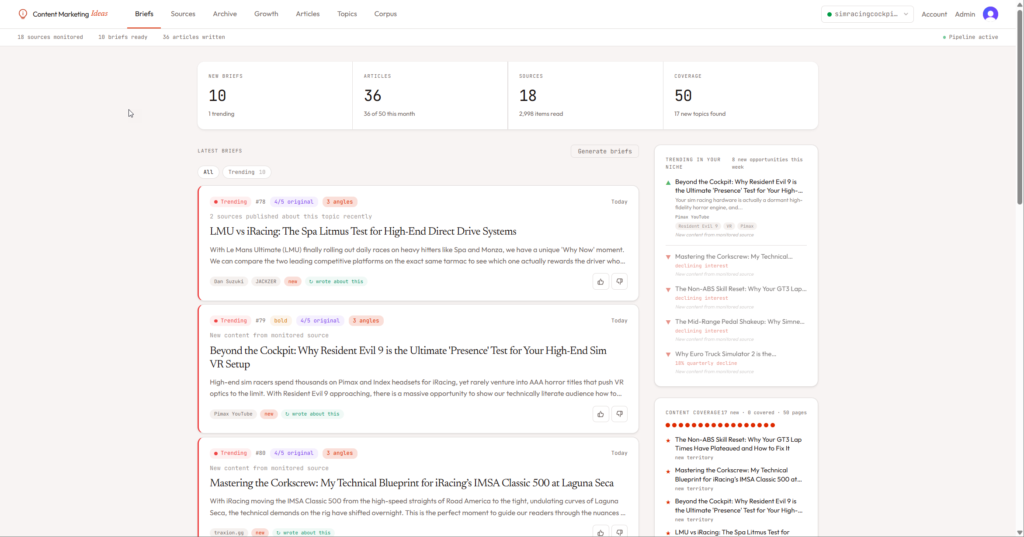
A brief might say: “The intersection of LLM inference and edge computing is underserved. Three sources covered the Cloudflare announcement, but none addressed the practical implications for solo developers running production workloads. Bold angle: frame this as the death of the centralised inference model.”
That's the kind of output I was building manually in my head every morning. Now the system does it and I just decide which briefs to act on.
Getting Started
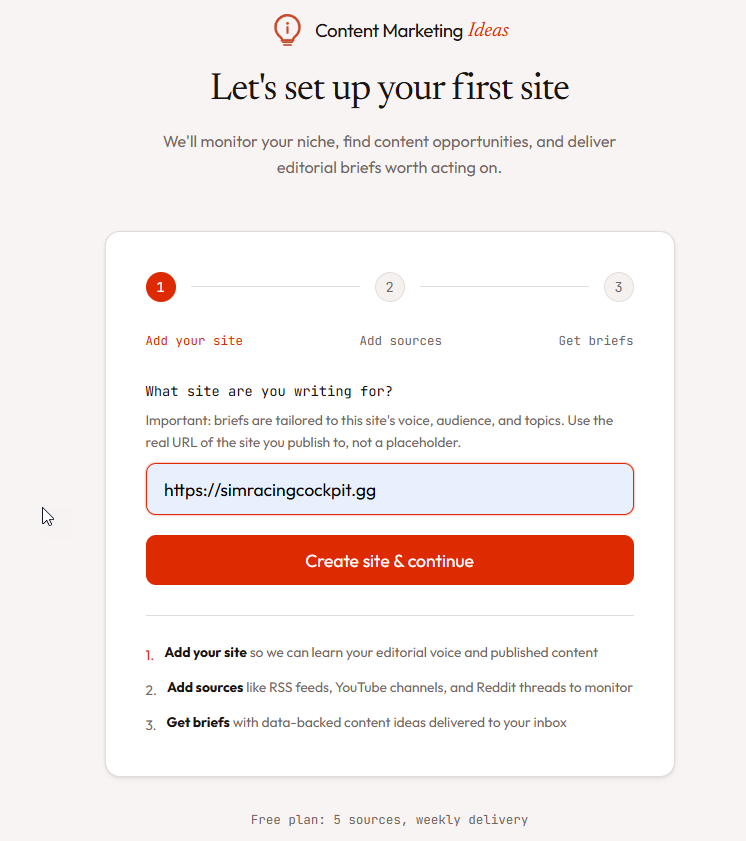
Sign up at contentmarketingideas.co , add your site URL, and start pasting source URLs (image below). The system auto-detects whether a URL is an RSS feed, YouTube channel, subreddit, or podcast. Paste a URL, hit detect, confirm the source type, and you're monitoring.
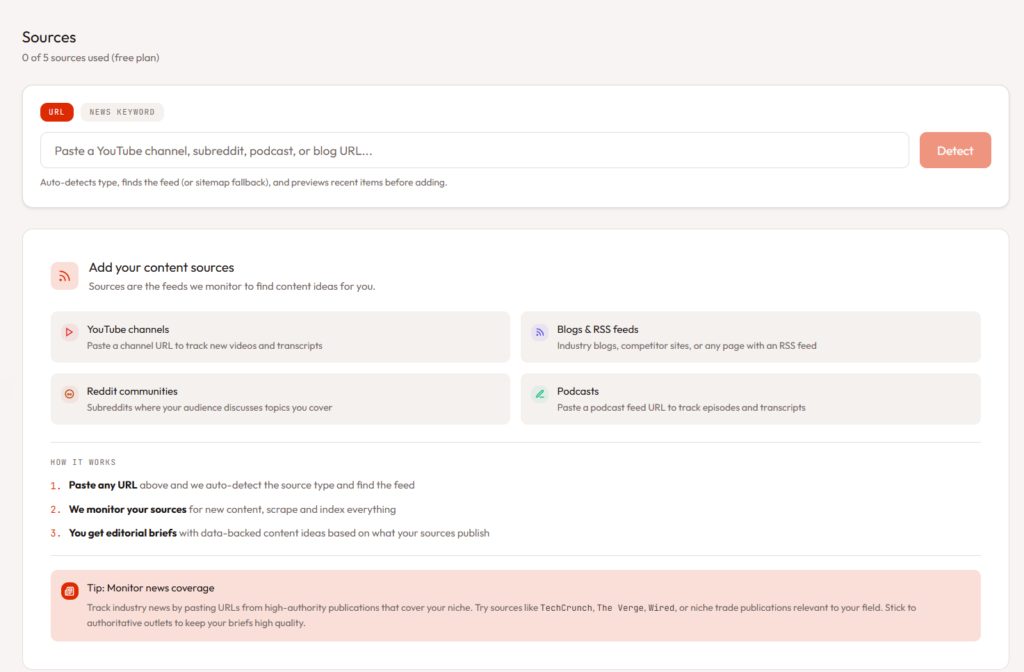
The free tier gives you 5 sources and weekly delivery - enough to evaluate whether the briefs are useful. If you want daily delivery, articles, and the full Topic Explorer, that's the Pro plan at $39.99/month.
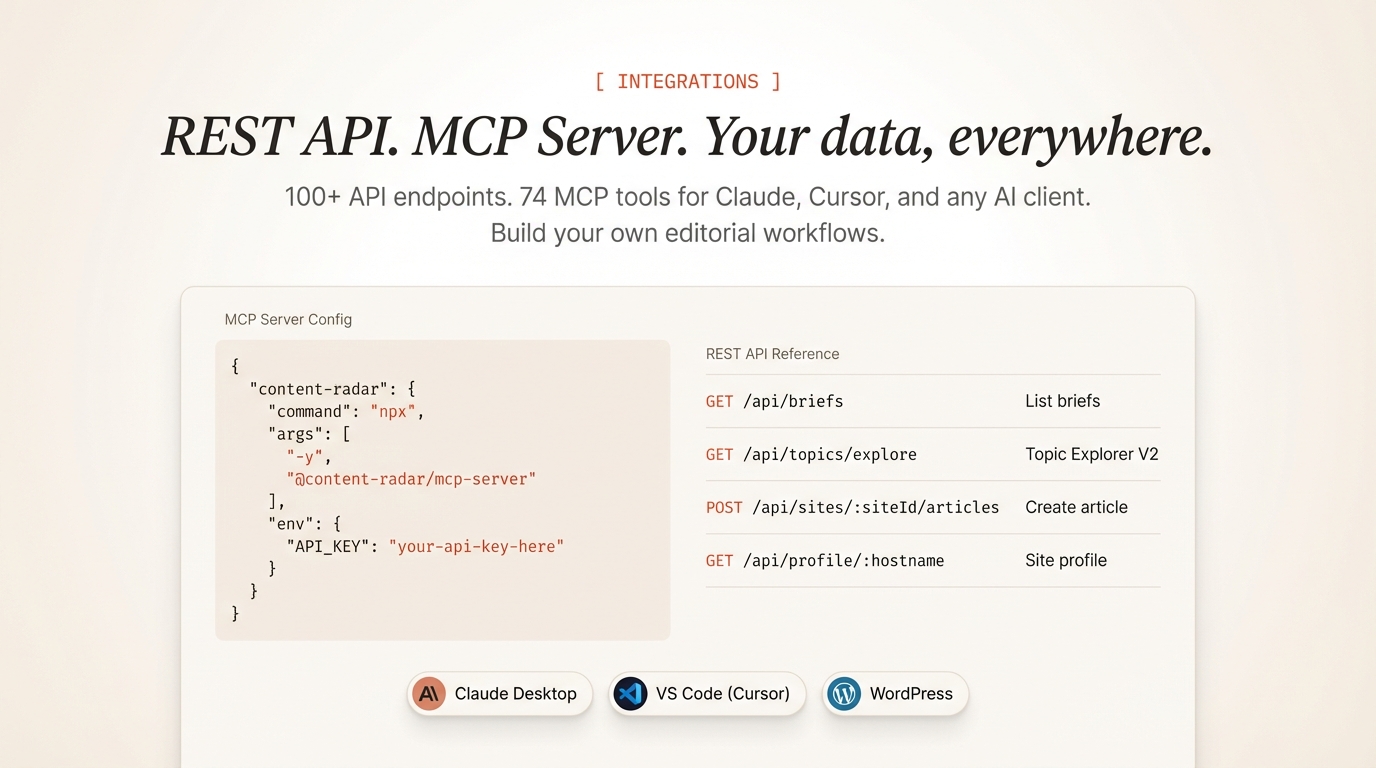
If you're the kind of person who lives in Claude Desktop or Cursor, there's an MCP server you can install with one line:
{
  "mcpServers": {
    "contentmarketingideas": {
      "command": "npx",
      "args": ["-y", "@houtini/contentmarketingideas"],
      "env": {
        "CMI_API_KEY": "YOUR_API_KEY"
      }
    }
  }
}
59 tools. Manage sources, read briefs, generate articles, check coverage - all from your AI assistant.
Core Features
Source Monitoring Across Five Formats
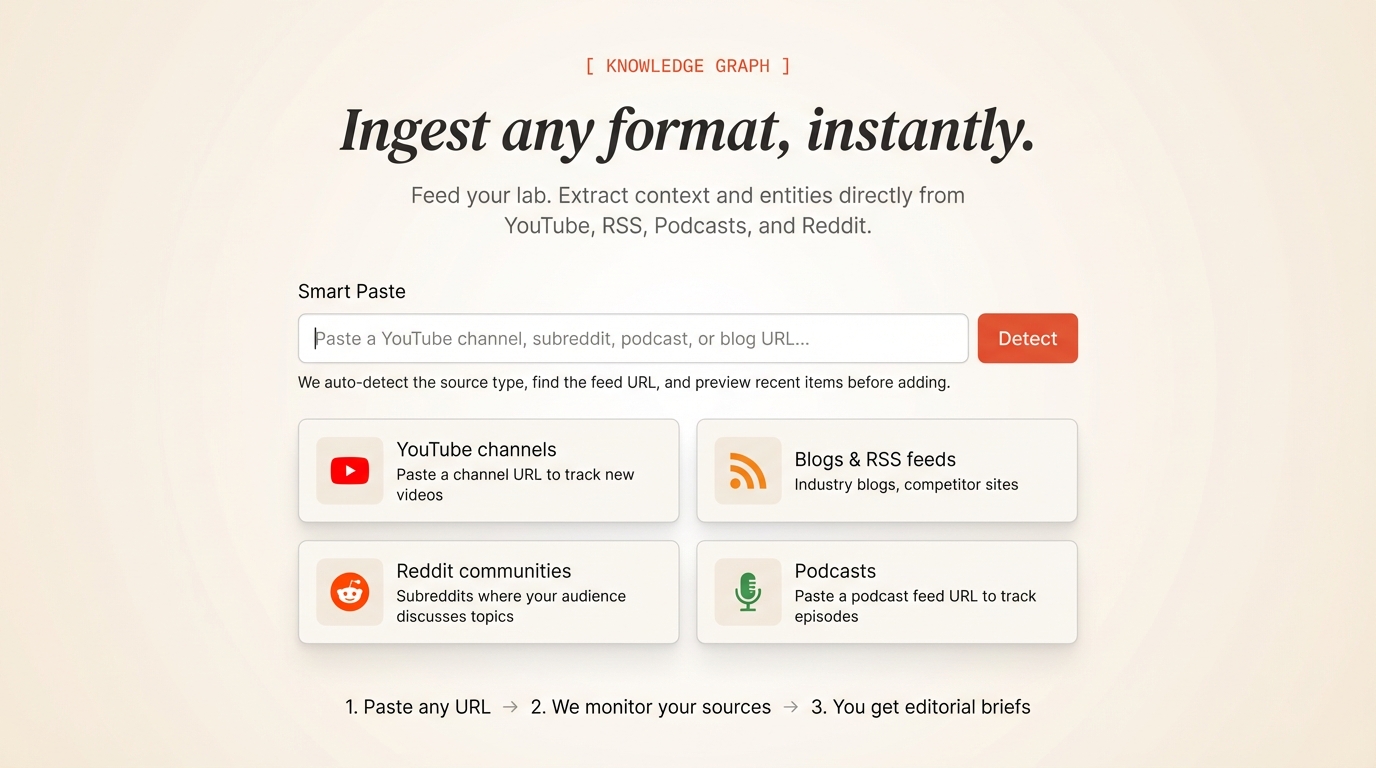
You can monitor RSS feeds, YouTube channels, Reddit communities, podcasts, and news keywords. Paste any URL and the system auto-detects the type, finds the feed URL, and starts pulling content. I've got about 30 sources across my two sites and it catches things I'd have missed scrolling manually.

The bit that most people miss is the news monitoring. You can add a keyword like "MCP server" and it'll pull from Google News RSS - high-authority publications reporting on your topic. I use this for houtini.com to catch AI tool announcements from outlets I don't subscribe to.
Editorial Briefs, Not News Summaries
This is the core of the product and the thing I'm most opinionated about. Every content tool I've tried - BuzzSumo, Clearscope, the lot - gives you data. Trending topics, search volumes, keyword difficulty. Useful data, to be fair. But data isn't an editorial brief.
A brief from Content Marketing Ideas has a thesis ("here's the argument"), an editorial play ("here's how to frame it"), a gap analysis ("here's what competitors missed"), and three alternative angles. It also pulls in your own published content to show what you've already written on the topic, and suggests internal links.
The briefs are generated by Gemini, cross-referenced against your corpus and search console data, and enriched with keyword volumes, People Also Ask questions, entity relationships from Wikidata, and competitive coverage data from DataForSEO and Brave Search. A lot of machinery behind each brief.
Topic Explorer
This one changed how I think about content planning. The Topic Explorer treats every topic as a first-class entity with a lifecycle - covered, trending, gap, declining, or emerging. It pulls from your briefs, your corpus, your GSC data, and Wikidata to build a map of your editorial territory.
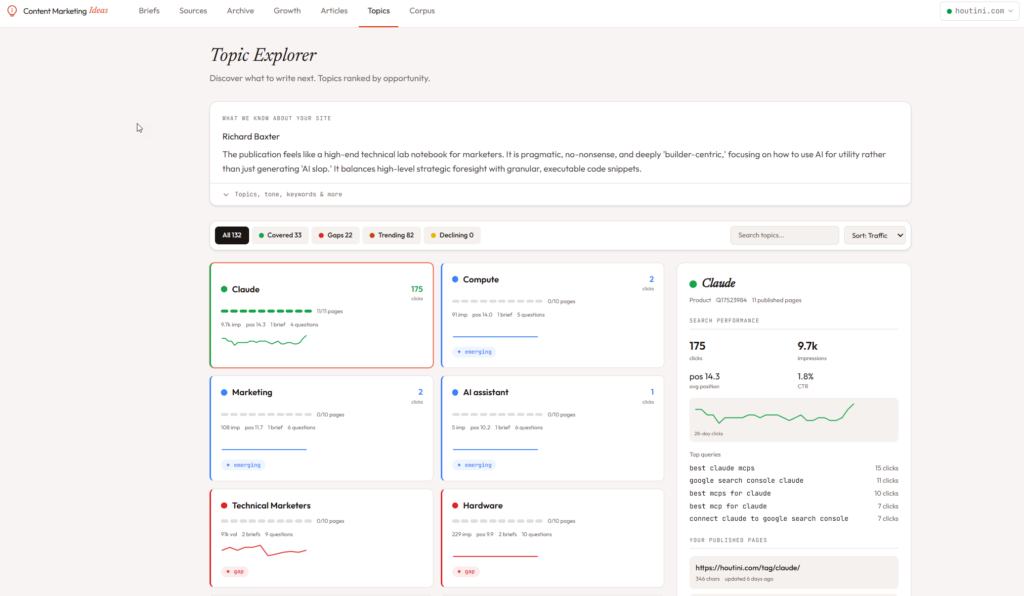
I can see at a glance that "Claude" has 175 clicks and 9.7k impressions, that I've published 7 pages on it, and that my average position is 14.3. I can also see that "Marketing" is a gap - 2 clicks, position 38 - meaning my audience is searching for it but I haven't covered it well. The sparklines show 28 days of trend data so I can spot whether a topic is growing or dying.
The clusters group related topics together. "AI assistant" and "Claude" and "LLM" end up in the same cluster, which makes sense for planning a content hub around that theme.
Voice-Matched Article Generation
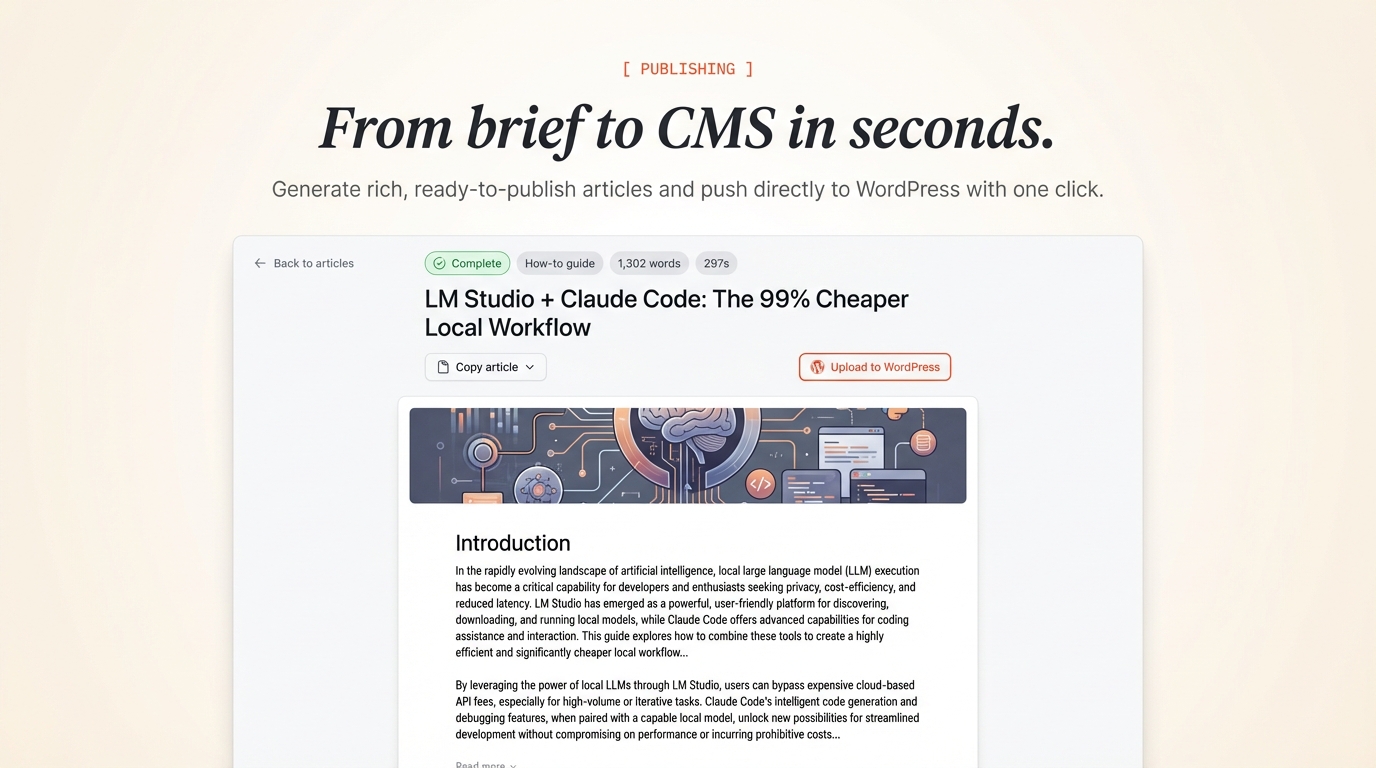
This is the feature that took the longest to build, and honestly, the one I'm least satisfied with. The system generates full articles from briefs - you click "Write article" and get a 1,300-1,800 word draft in about 90 seconds. But here's the interesting bit: it writes in your voice.
I built 16 statistical analysers that measure your published content and produce a deterministic writing style guide.
The articles are decent starting points. They're not finished copy - I always edit them, add my own examples, sharpen the opinions. But they capture the rhythm and structure of my writing better than anything else I've tried, and that's a huge head start compared to a blank page.
Google Search Console Integration
Connect your GSC account and the system pulls in daily search performance data. This feeds into the brief generation - the system can now detect declining queries (topics you're losing ground on), cannibalization (multiple pages competing for the same query), and opportunities (high-impression, low-position queries you could improve).
The daily data also powers the sparklines in the Topic Explorer. If you're not connected to GSC, the system still works, but you're missing the most valuable signal input. I've written a setup guide for GSC with Claude Desktop if you want the background on how search console data works with AI tools.
Content Marketing Ideas is at contentmarketingideas.co . The MCP server is open source at @houtini/contentmarketingideas on npm. If you want to see the full API and developer docs , there are 100+ REST endpoints alongside the 59 MCP tools.
Related Articles
Continue reading.
- StrategyThe 26%: what the companies actually making money from AI do differently26 Aug 2026
- ExplainerWhat is a Marketing Engineer (and do you need one)?31 Aug 2026
- AI WorkflowsDynamically updating infographics and content (so you don't have to)28 Aug 2026
- Case StudiesThe parts Shopify Plus B2B doesn't do (and how we built them)28 Aug 2026
- Local AIvLLM settings for a pair of RTX 4090s: the flags I run for twelve local models, and why26 Aug 2026
- AI ToolsWhich AI model pitches the best content ideas?23 Aug 2026