

I’ve been letting Claude control my mouse and keyboard on and off to test this feature for a little while, and the honest answer is that it’s simultaneously the most impressive and most frustrating AI feature I’ve used. It can navigate software it’s never seen before just by looking at the screen – but it does it at roughly a tenth of the speed you’d manage yourself. I wrote this because nobody else seems to be covering both sides – the impressive bits and the bits that’ll waste your afternoon.
Why This Matters
I’ve maintained three different Selenium test suites over the years, and they all had the same problem. You wire up selectors for a week, somebody redesigns the checkout page, and every test breaks because a div shifted three pixels left. Traditional RPA tools like UiPath are worse – you map out every UI element by hand, and a single redesign torches the lot. Browser automation at least works reliably, but only on the web, and only when you can dig into the HTML.
Claude Computer Use can help. It doesn’t read the DOM or hunt for div#submit-btn – it “looks” at the actual screen, spots the button that says “Submit,” and clicks it. No selectors, no element mapping. The OSWorld benchmark puts numbers on this: Claude went from under 15% accuracy on desktop automation tasks in 2024 to over 72% with Sonnet 4.6 – which is getting close to what a human scores on the same test.
The catch is speed – it’s brutally slow (and token heavy probaby). But if you’re already neck-deep in the Claude ecosystem, setting up MCP servers in Claude Desktop or using Claude Code for development, computer use plugs a gap that genuinely nothing else can reach.
To be fair if you;re neck deep in Claude Code then you won;t be interested in (yet another) control surface from Claude. There _ said it. We’ve got cli, Chrome, mcps, skills – why do we need this, exactly?
What Claude Computer Use Really Is
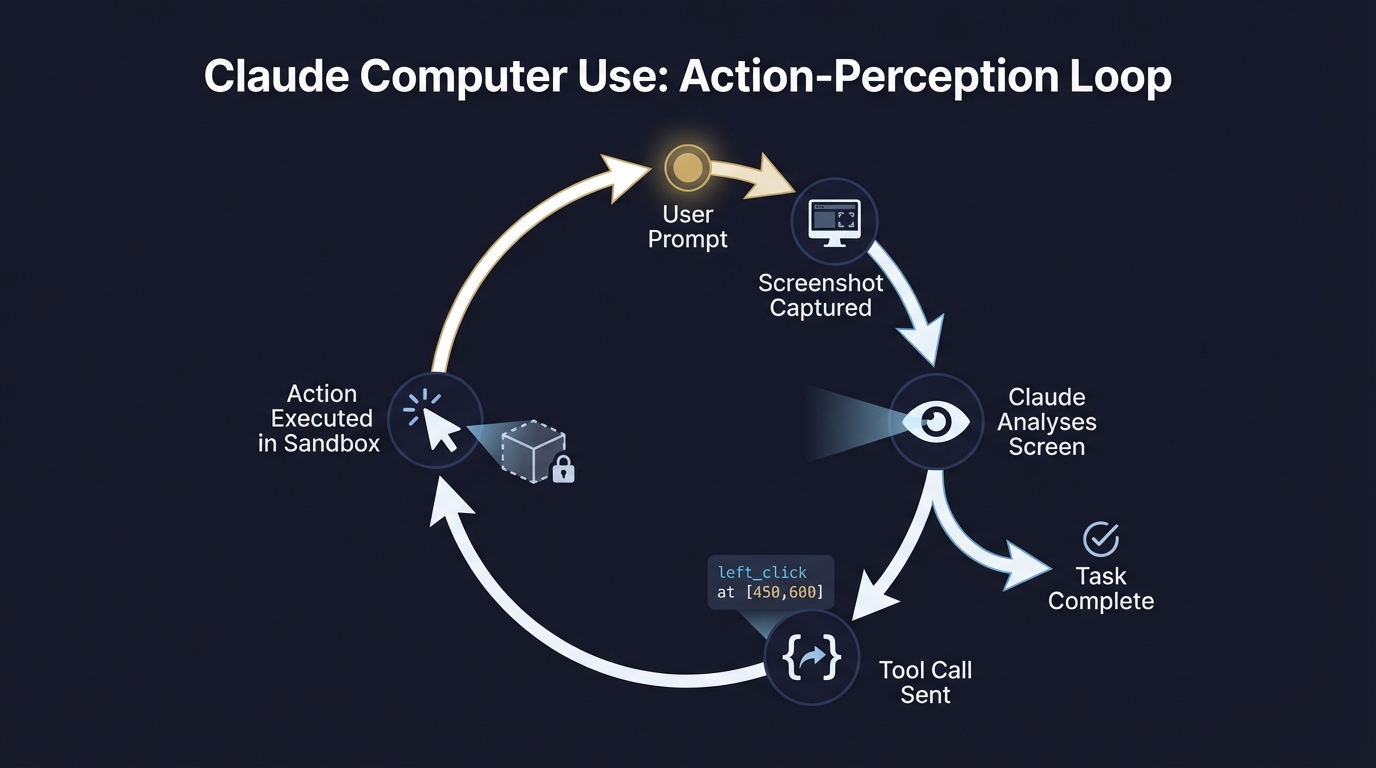
Strip it down and you get three things: screenshots of a display (this is a hard problem to solve but not impossible – it’s the window capture, for those who have tried), mouse control (clicking, dragging, scrolling), and keyboard input (typing and shortcuts). It sees pixels on a screen, decides what to do, and then it fires back a structured action – “move to 450, 600 and click.” Your app executes that, takes a fresh screenshot, and sends it back so Claude can check what actually happened. It’s like someone in the meeting said, “what if we want Claude to take over an 1980’s Apricot?
That’s all; a screenshot, action, verify, repeat. No magic – not thought to go nuts deep into the Windows subsystem. If a click misses or a dropdown doesn’t open, Claude spots it in the next screenshot and has another go. At your expense.
Anyway; “Claude Computer Use” now means two quite different things. There’s the raw API tool for developers, and there’s the consumer product built into Claude Desktop. I’ll cover both – which one you want depends on what you’re building.
How It Works: The Screenshot Loop
The actual sequence is simple. You send a prompt with the computer use tool attached, Claude examines the screen, and it fires back something like {"action": "left_click", "coordinate": [450, 600]}. Your app executes that click in a sandbox, grabs a fresh screenshot, and sends it back. Claude checks what happened – did the dropdown open? Did the page change? – and picks the next move. Loop ends when the task’s done – or when Claude gets stuck and gives up.
It’s not free, either, obviously. Every one of those screenshot round-trips burns tokens. System prompt overhead is 466-499 tokens, the tool definition adds 735 tokens, and then every screenshot image burns through vision tokens on top of that. So, a 20-step task with screenshots at each step is substantially more expensive than a regular text conversation.
One subtle gotcha: coordinate scaling. The API constrains images to a maximum of about 1,568 pixels on the longest edge, which means Claude analyses a downscaled version of your screen. If your environment is 1920×1080, Claude’s click coordinates are calculated against a smaller image – and you need to scale them back up before executing the actual click. Mess up that scaling and Claude misses every click target – even when he’s picked the right button. This is the wrong tool for the job, and I expect it won’t work for even the most useless of human computer operators the future invents.
API vs Cowork
The API Route (For Builders)
Building a product or shipping automation to users? You want the API. You enable the beta header (computer-use-2025-11-24 for Opus 4.6 and Sonnet 4.6), spin up a Docker container or VM with a virtual display, and wire up the tool loop yourself. Anthropic’s reference implementation on GitHub is the fastest way to get something running – it includes a containerised Linux environment, tool implementations, the agent loop, and a web interface.
Everything’s (and everyone, too) on you with this route – the sandbox, the permissions, the safety rails. More control, more responsibility.
The Cowork Route (For Desktop Users)
Not building a product? Just want Claude doing tasks on your machine? That’s Cowork. It lives inside the Claude Desktop app on macOS (Windows support is coming but isn’t fully baked yet), and you’ll need a Pro ($20/month) or Max plan. Toggle “Computer use” on in Settings > General, grant the screen recording and accessibility permissions macOS asks for, and that’s it. You could have just used Desktop with a few MCPs – you could even just use Claude code in the UI (which is excellent). But for the sake of something – you have yet another way to feel you might be doing this wrong.
Some better news: There’s Dispatch – you text Claude from your phone, and it runs the task on your desktop while you’re out. One catch: your Mac can’t sleep. I’ve seen a few people buy Mac Minis specifically for this, just sitting at home running Dispatch jobs all day. But of you have Claude Code and the Claude app – you know this has been a thing for a while. Anyhoo.
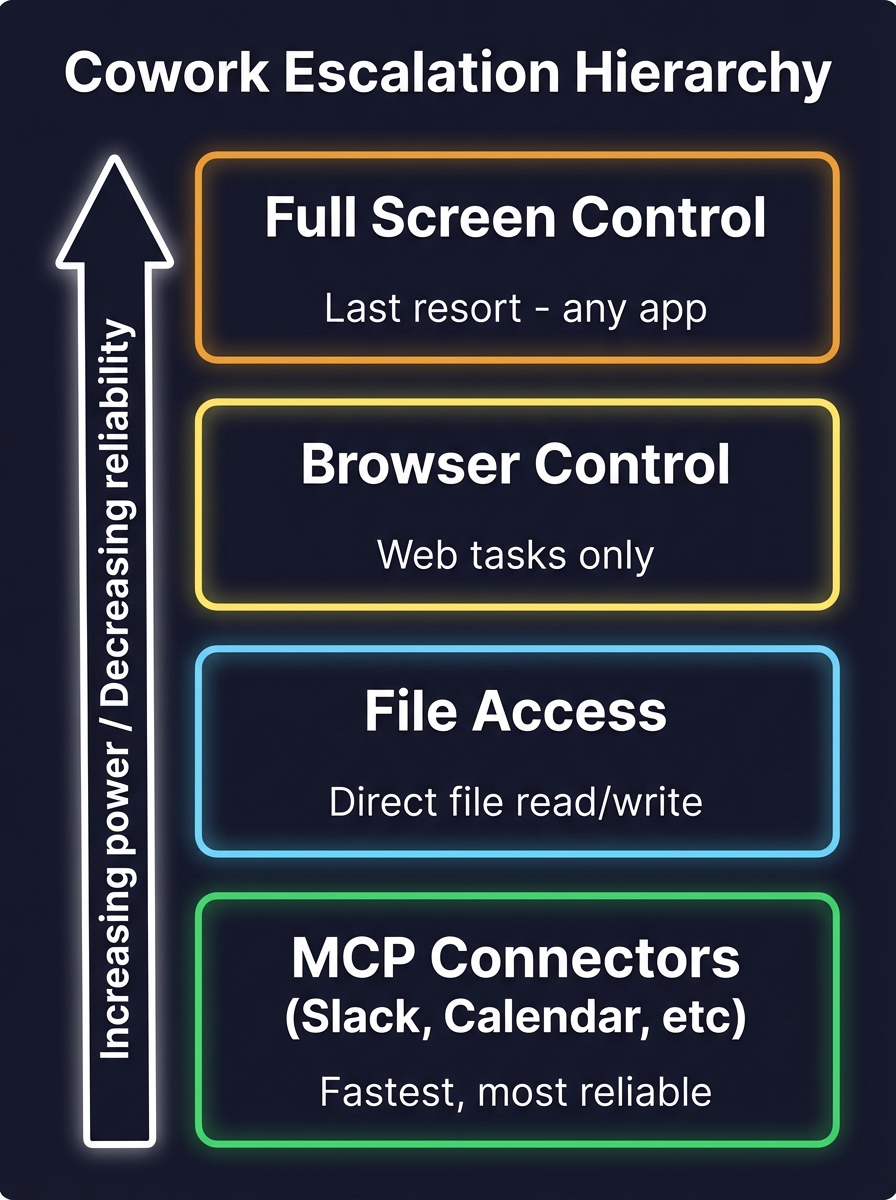
Haven’t got Claude Desktop running yet? My beginner’s guide to Claude Desktop walks through the whole setup. And if you’re wondering about the MCP ecosystem that Claude uses before falling back to screen control, I’ve written about the best MCPs for Claude Desktop – those connectors are the first rung on the ladder. You’re better off learning this properly, trust me.
What I Actually Use It For
I’ll be honest – I don;t use this tool. I use Claude Code in Terminal and Claude Code in the Desktop UI. I test MCPs in Claude Desktop and I offload small LLM tasks to Hopper, my Qwen3 running sidekick. I have no plans to investigate this feature nor use Cowork.
So, actually, none of this is about another feature – it’s about an emerging clarity I get from my occasional trawl of LinkedIn types showing off they’ve “written a script that predicts their wife’s ovulation cycle”. I so tired of the “wow, look at this thing it can do a thing!”. It’s time to grow up and work hard on getting utility from this stuff before it inevitably becomes unaffordable.
Related Posts

A Beginner’s Guide to Claude Computer Use
I’ve been letting Claude control my mouse and keyboard on and off to test this feature for a little while, and the honest answer is that it’s simultaneously the most impressive and most frustrating AI feature I’ve used. It can navigate software it’s never seen before just by looking at the screen – but it … <a title="Content Marketing Ideas: What It Is, How I Built It, and Why I Use It Every Day" class="read-more" href="https://houtini.com/content-marketing-ideas-what-it-is-how-i-built-it-and-why-i-use-it-every-day/" aria-label="Read more about Content Marketing Ideas: What It Is, How I Built It, and Why I Use It Every Day">Read more</a>
A Beginner’s Guide to AI Mini PCs – Do You Need a DGX Spark?
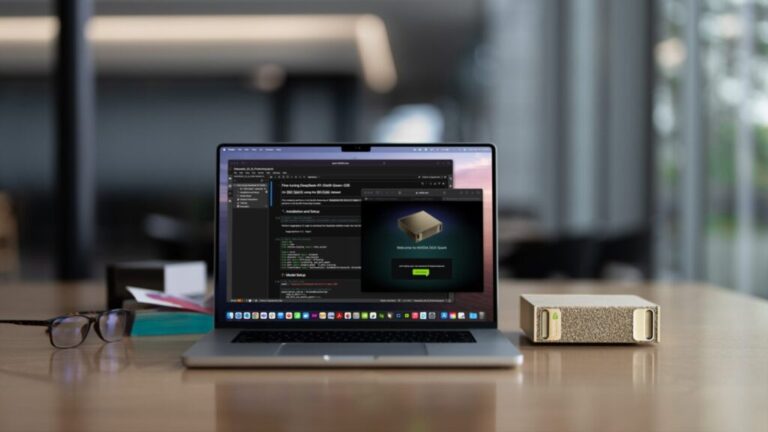
I’ve been running a local LLM on a variety of bootstrapped bit of hardward, water-cooled 3090’s and an LLM server I call hopper full of older Ada spec GPUs. When NVIDIA, Corsair, et al. all started shipping these tiny purpose-built AI boxes – the DGX Spark, the AI Workstation 300, the Framework Desktop – I … <a title="Content Marketing Ideas: What It Is, How I Built It, and Why I Use It Every Day" class="read-more" href="https://houtini.com/content-marketing-ideas-what-it-is-how-i-built-it-and-why-i-use-it-every-day/" aria-label="Read more about Content Marketing Ideas: What It Is, How I Built It, and Why I Use It Every Day">Read more</a>
Content Marketing Ideas: What It Is, How I Built It, and Why I Use It Every Day
Content Marketing Ideas is the tool I’ve built to relcaim the massive amount of time I have to spend monitoring my sources for announcementsm ,ew products, release – whatever. The Problem with Content Research in 2026 Most front line content marketing workflow follows the same loop. You read a lot, you notice patterns, you get … <a title="Content Marketing Ideas: What It Is, How I Built It, and Why I Use It Every Day" class="read-more" href="https://houtini.com/content-marketing-ideas-what-it-is-how-i-built-it-and-why-i-use-it-every-day/" aria-label="Read more about Content Marketing Ideas: What It Is, How I Built It, and Why I Use It Every Day">Read more</a>

Are Claude Skills Just an Alternative to Reading a Book or is there more than that?
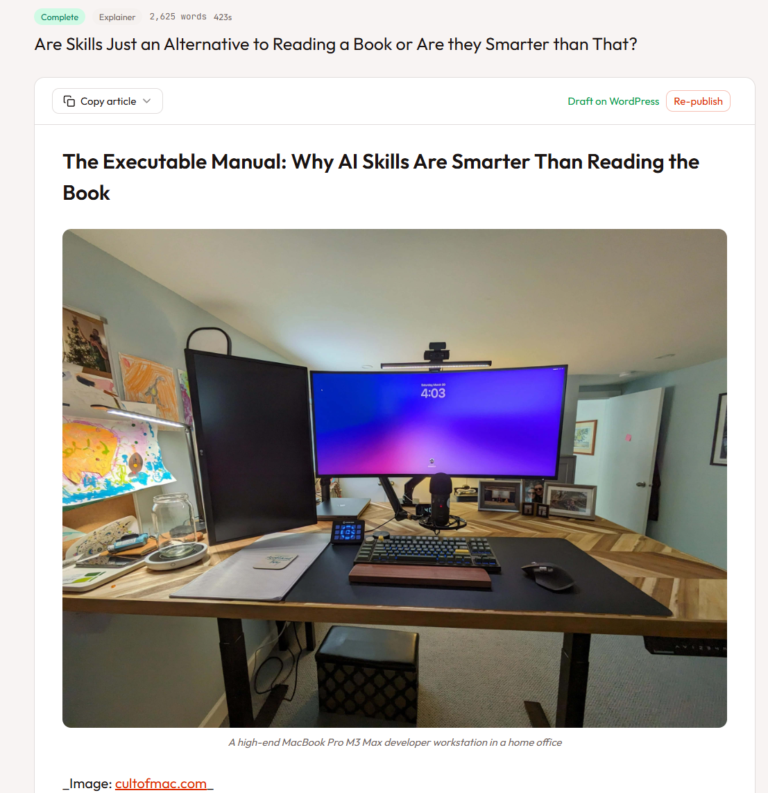
I’ve too long treating skills like magic incantations of a topic that really, I don’t fully understand. I strated out not really thinking about skills or embracing them. I still don’t, fully, becuase most of what I do is command line, terminal, etc etc – I’m on top of computer use! BUT – I have … <a title="Content Marketing Ideas: What It Is, How I Built It, and Why I Use It Every Day" class="read-more" href="https://houtini.com/content-marketing-ideas-what-it-is-how-i-built-it-and-why-i-use-it-every-day/" aria-label="Read more about Content Marketing Ideas: What It Is, How I Built It, and Why I Use It Every Day">Read more</a>
Using a Local LLM to Audit Your Codebase – What Qwen3 Coder Next Catches (and Misses)
I run a local copy of Qwen3 Coder Next on a machine under my desk. It pinned down a race condition in my production code that I’d missed. It also told me, with complete confidence, that crypto.randomUUID() doesn’t work in Cloudflare Workers. It does. That tension – real bugs mixed with confident nonsense – is … <a title="Content Marketing Ideas: What It Is, How I Built It, and Why I Use It Every Day" class="read-more" href="https://houtini.com/content-marketing-ideas-what-it-is-how-i-built-it-and-why-i-use-it-every-day/" aria-label="Read more about Content Marketing Ideas: What It Is, How I Built It, and Why I Use It Every Day">Read more</a>
How to Make SVGs with Claude and Gemini MCP
SVG is having a moment. Over 63% of websites use it, developers are obsessed with keeping files lean and human-readable, and the community has turned against bloated AI-generated “node soup” that looks fine but falls apart the moment you try to edit it. The @houtini/gemini-mcp generate_svg tool takes a different approach – Gemini writes the … <a title="Content Marketing Ideas: What It Is, How I Built It, and Why I Use It Every Day" class="read-more" href="https://houtini.com/content-marketing-ideas-what-it-is-how-i-built-it-and-why-i-use-it-every-day/" aria-label="Read more about Content Marketing Ideas: What It Is, How I Built It, and Why I Use It Every Day">Read more</a>