

I’ve been running a local LLM on a variety of bootstrapped bit of hardward, water-cooled 3090’s and an LLM server I call hopper full of older Ada spec GPUs. When NVIDIA, Corsair, et al. all started shipping these tiny purpose-built AI boxes – the DGX Spark, the AI Workstation 300, the Framework Desktop – I had to find out whether any of them would make my cobbled-together server look as ridiculous as it probably is.
Quick Navigation
Jump directly to what you’re looking for:
What’s Going On Here | Two Camps | Why 128GB Matters | The DGX Spark | Alternatives | Who Needs One | Gotchas
What’s Going On?
NVIDIA brought out this tiny gold box at CES 2025 – Project DIGITS, they called it, though the name obviously didn’t stick. By mid-2025, they’d renamed it to the DGX Spark and started shipping units to early developers. ASUS had their version out within months. Dell followed. Corsair went a completely different direction with AMD silicon.
The pitch from all of them is the same, roughly. Run your own AI models, on your own hardware, without paying someone else for GPU time by the hour. That’s the promise, anyway.
But here’s what you might not know – there are two quite different types of machine being lumped together under the “AI PC” banner, and they’re built for different people doing different things.
Two Camps, Two Operating Systems
Camp one is NVIDIA’s GB10 platform – the DGX Spark, the ASUS Ascent GX10, the Dell Pro Max GB10. All of them use the same Grace Blackwell chip and they all run Ubuntu 24.04. They’re purpose-built inference servers. You can plug a monitor in, sure, but most people end up running them headless. SSH in from your laptop, pull a model, serve it across your network. (This is nowhere near as difficult as it sounds).
Camp two runs on AMD’s Strix Halo chip. The Corsair AI Workstation 300 and the Framework Desktop both pack AMD’s Ryzen AI Max+ 395, and crucially, they run Windows. These are desktop computers – proper ones – that happen to have massive unified memory pools. Browse the web on one monitor while a 70B model runs inference in the background in your Ollama/LM Studio/vLLM of choice.
This divisiion matters from a practicality point of view. Cupboard server that every device on your network can query? Camp one. Compact workstation that doubles as your daily driver and also happens to run enormous models? Camp two.
Why 128GB Is the Only Spec That Matters
I suspect it confuses a lot of people shopping for these machines.
None of these AI mini PCs are actually faster than a decent desktop GPU. Not even close, frustratingly. My 3090 with its 24GB of VRAM would absolutely demolish the DGX Spark on any model that fits in that 24GB – we’re talking three to four times faster on token generation, sometimes more than that.
So what’s the point?
A 70B parameter model needs roughly 40-50GB of memory once you’ve quantised it down to Q4. With a 120B model, you’ll need at 70-80GB. DeepSeek V3 at 671B parameters – that’s several hundred gigabytes. Consumer grade stuff can’t even load the thing, let alone run it. Even the new RTX 5090 with 32GB (whis as a side not isn;t the goldne LLM solution you think it is) has to spill into system RAM once you go past about 30B parameters, and performance absolutely tanks when that happens.
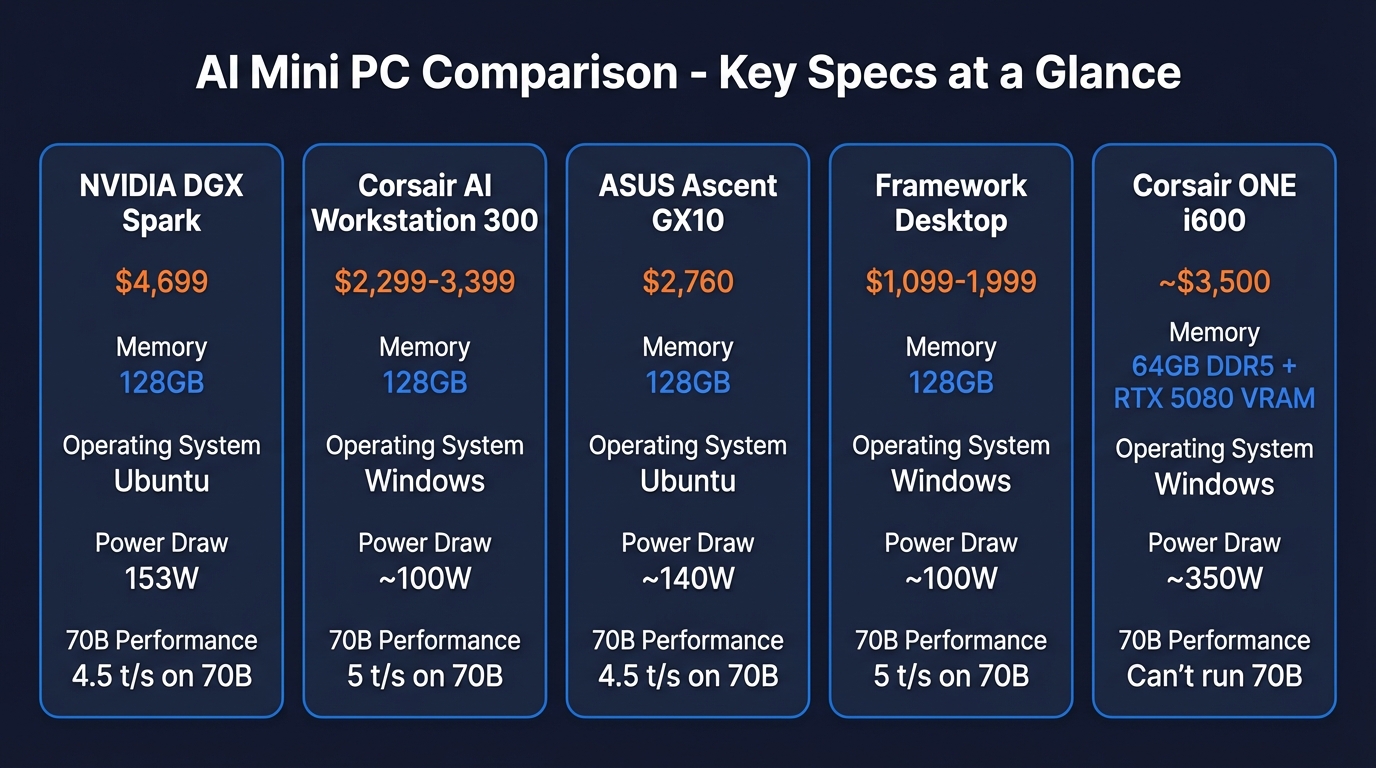
The DGX Spark and the Strix Halo machines both have 128GB of unified memory. 128GB of addressable memory – that’s the whole pitch, really. Not clock speed, not TFLOPS. Just raw memory capacity to hold bigger models. If your models fit comfortably in 24GB of VRAM – and honestly, most people running local LLMs are using 7B or 14B models that do – a regular desktop with a decent GPU is faster and cheaper. Full stop. The 128GB boxes only make sense once you’re trying to load models that physically won’t fit into a desktop GPU’s memory – and even then, you’ll want to check the benchmarks before spending four grand. You’d need some punchy RTX pro GPUs to get close – budget around £12k to get over that 128gb vram threshold.
What the DGX Spark Looks Like
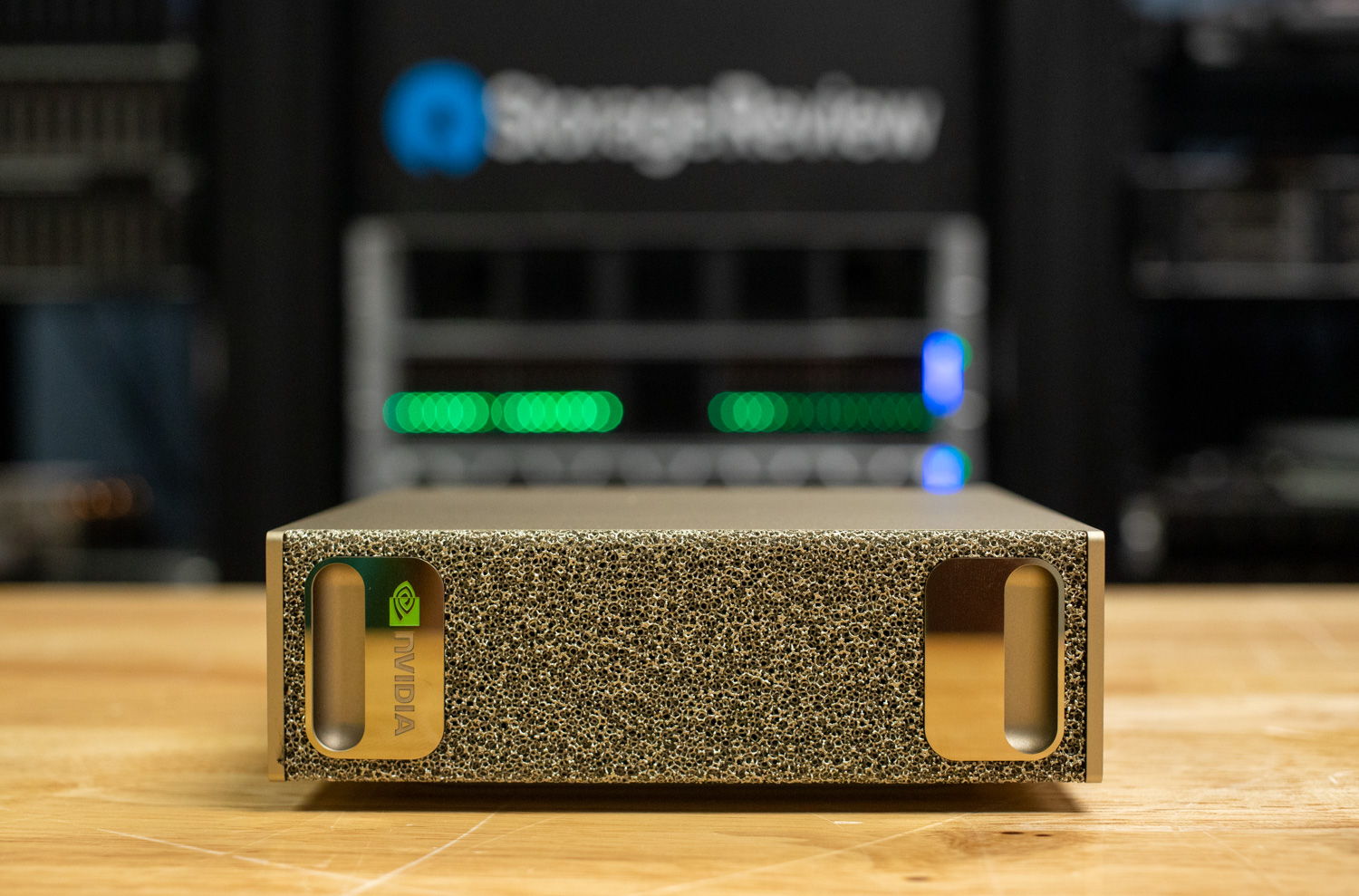
I was expecting something bigger, honestly. The Spark is this gold metal box about the size of a thick hardback book – 150mm square, maybe 50mm tall. Weighs about 1.2kg. Open-cell metal foam covers the front and back for airflow. And round the back you get three USB-C ports, HDMI, ethernet, and a proprietary connector that lets you chain two Sparks together for 256GB combined.
No power LED anywhere on it, which is maddening. Timothy Carbat from AnythingLLM reviewed one and said he literally had to feel the vents for warm air to confirm the thing was running. He’d had the thing running on his desk for a couple of weeks by then – proper daily use, not just benchmarking. Not ideal.
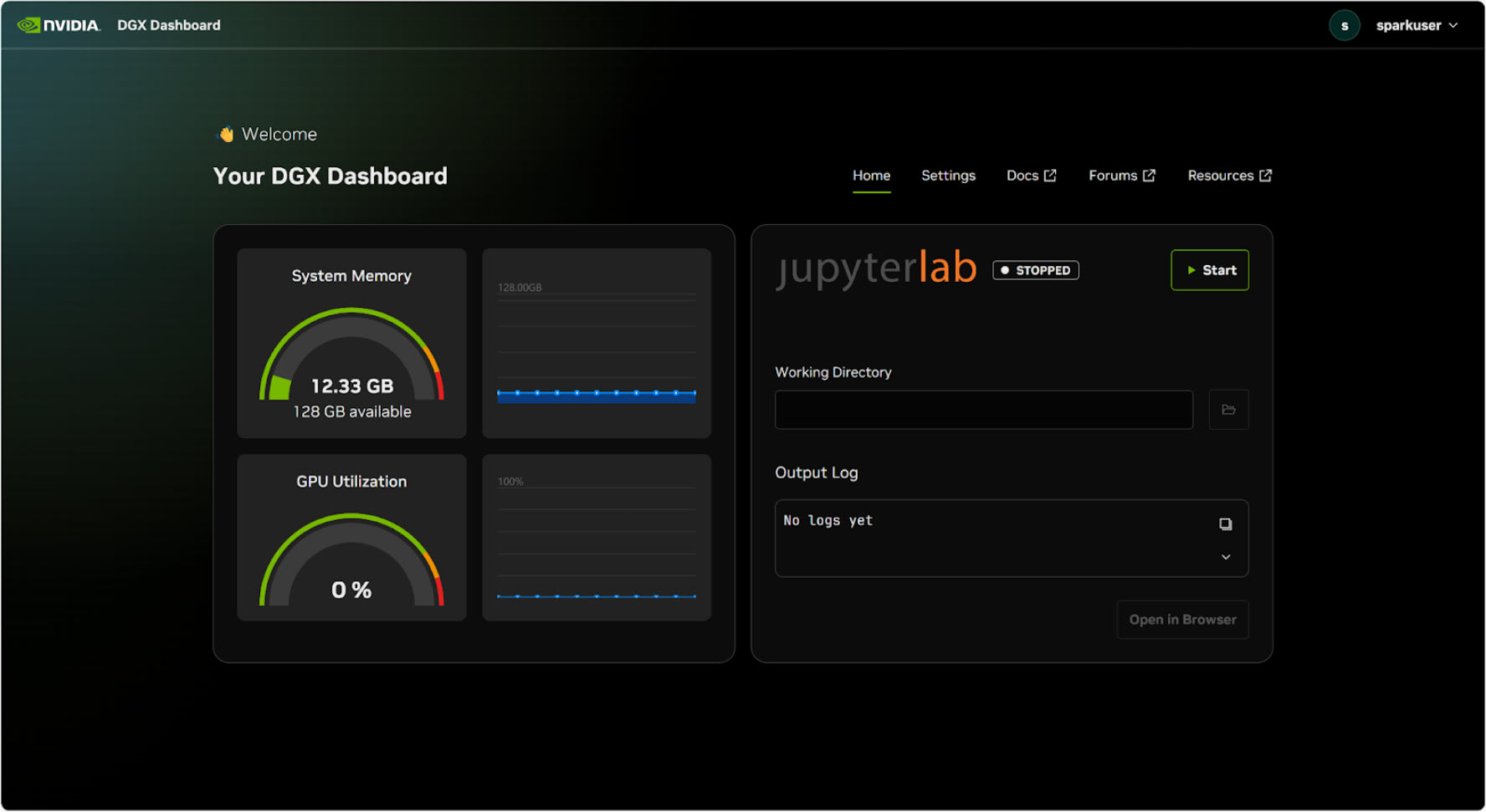
Boot it up and you’re looking at Ubuntu 24.04 with NVIDIA’s DGX Dashboard – web-based, shows you GPU utilisation, memory usage, thermals at a glance. They’ve pre-loaded Ollama and LM Studio so you can start pulling models immediately. CUDA 13 and nvidia-smi are there out of the box, the whole toolkit ready if you want to go deeper.
From what I’ve read on Reddit and the NVIDIA forums, almost everyone ends up yanking the HDMI cable after day one and going headless (it’s not a workstation, it’s a server!). Plug ethernet into your router, SSH in from wherever you are, run ollama pull llama3.3:70b, and suddenly every laptop and phone on your network can hit the same model through the API. Carbat described it as “the home lab use case where people have been chaining Mac Minis together”. Don’t buy a mini for anything. Ugh.
At the wall, you’re looking at 141 to 153 watts under sustained inference. Benchmarks land around 30 tokens per second on a 12B model. On Llama 3.3 70B it drops to roughly 4.5 tokens per second for generation, but prompt processing hits 283 tokens per second (quite fast!) – which starts to matter a lot with long conversations and fat context windows.
They’re strong in LLM model training. Carbat fine-tuned Gemma 3 4B with 504 training samples in 4.3 minutes on the Spark. Same job took 17 minutes on a Google Colab T4. That’s a 4x improvement in iteration speed, and if you’re someone who fine-tunes models regularly, the compounding time savings are hard to ignore.
What Else Your Money Could Buy
$4,699 for a DGX Spark is, well, a lot of money for a box that size. And the benchmarks suggest some of the alternatives are, surprisingly competitive. Plus I expect to see gen 1 DGX Sparks on ebay for $500 in 2 years time.
Corsair AI Workstation 300

This is the machine that makes the Spark a really hard sell for anyone who isn’t specifically married to NVIDIA’s developer ecosystem. The 128GB configuration gives you 96GB allocatable as VRAM – same as the Spark, exactly. Runs Windows. You can use it as your actual daily PC, which is a genuine advantage over the Spark’s Ubuntu-only setup.
And in decode benchmarks (the bit that determines how fast tokens actually appear on screen) the Strix Halo chip edges out the Spark across multiple model sizes.
The Spark’s real advantages come down to tensor cores (matters if you’re training or fine-tuning), the CUDA software ecosystem (15 years of tooling versus AMD’s still-maturing ROCm), and a 200Gig ConnectX-7 networking card that’s worth roughly $2,000 as a standalone part. Though frankly, 99% of home users will never push past even 1Gig ethernet serving models to their local network. They’re going to be using it for inference, let’s be honest.
The 128GB version showed up on Amazon at $2,299 originally, and at that price I thought it looked like an almost bargain for what was inside. Then LPDDR5X supply went sideways. Tom’s Hardware started calling it the “RAMpocalypse,” and suddenly you’re looking at $3,399 for the same machine. Still cheaper than the Spark, but the gap has narrowed.
ASUS Ascent GX10
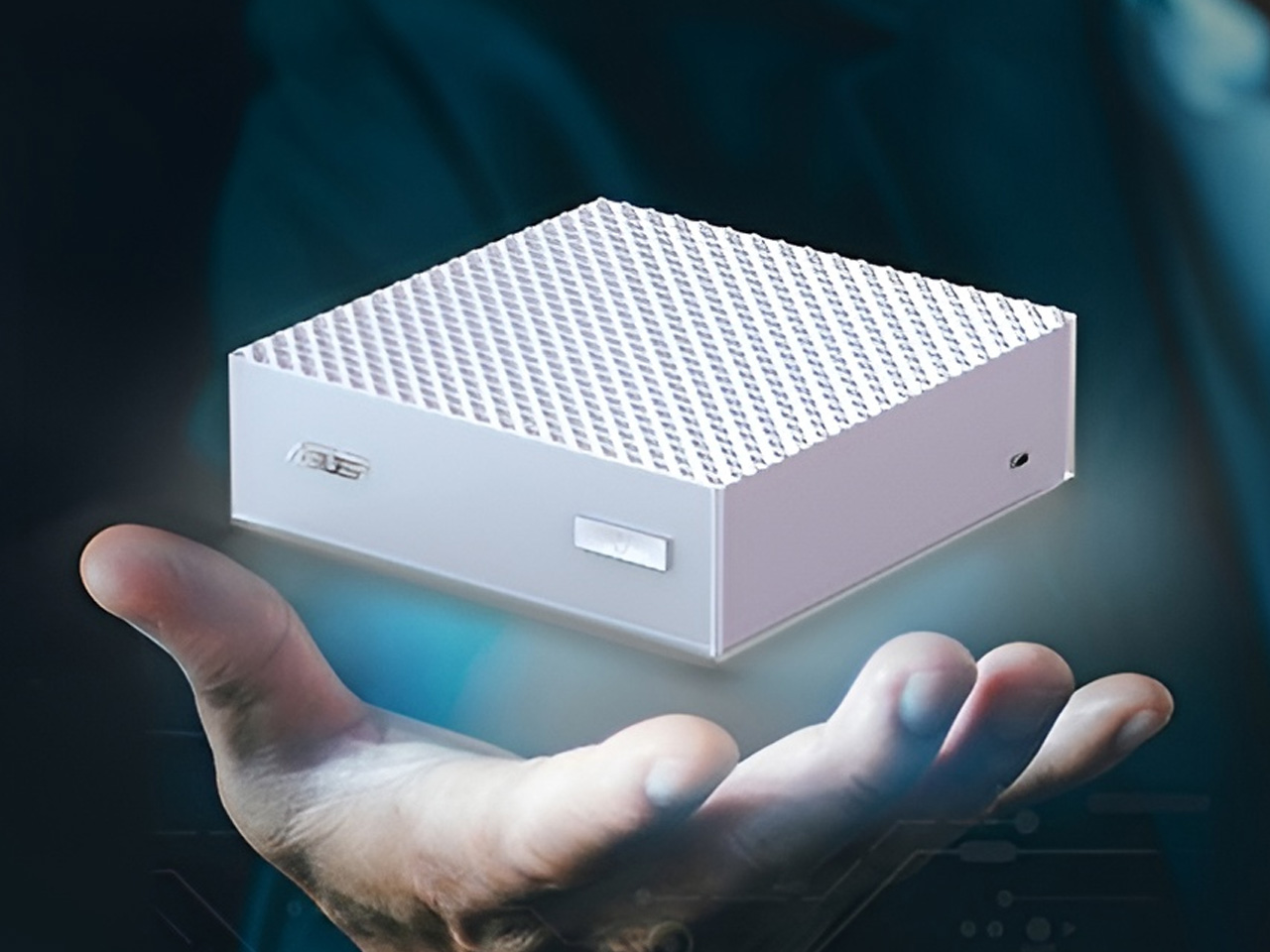
Same GB10 silicon as the DGX Spark, but at around $2,760 it’s currently the cheapest route into NVIDIA’s AI ecosystem with 128GB of unified memory. If training and fine-tuning matter to you more than just pulling models and running inference, this is probably the entry point that makes the most sense on budget.
Framework Desktop
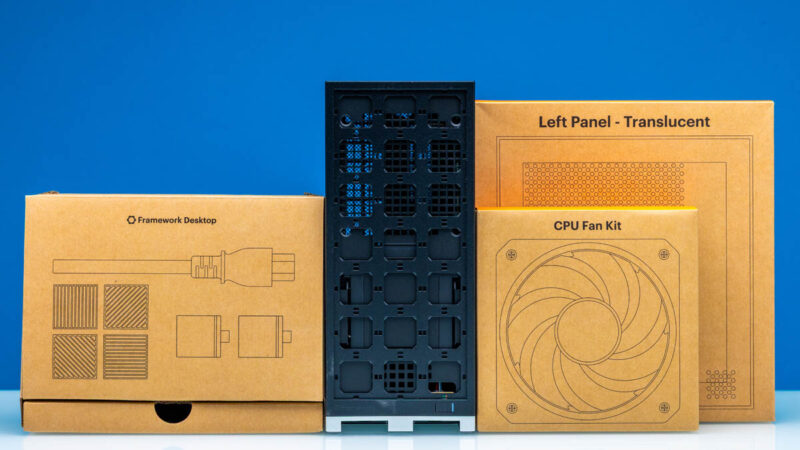
Framework’s modular desktop packs the same Strix Halo chip as the Corsair. Starts at $1,099 for a mainboard-only kit – bring your own case, PSU, and storage – and tops out at $1,999 for a complete 128GB build. I haven’t found anything else that gets you 128GB of usable AI memory for under two grand.
Corsair ONE i600
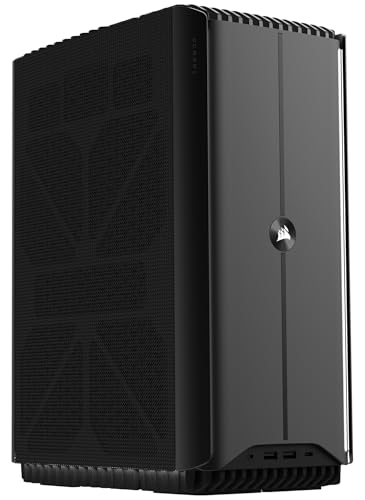
Completely different animal from the other three. The ONE i600 is Corsair’s compact liquid-cooled gaming PC – Intel Core Ultra 9 285K and an RTX 5080 crammed into a tiny dual-radiator chassis. It’s got 64GB of system RAM but the GPU only has its own VRAM for inference, so you’re limited to models that fit in whatever the 5080 carries. For anything up to about 30B parameters though, it’ll run rings around the unified memory boxes. Just don’t expect it to load a 70B model – that’s not what it’s built for.
Do you Need One?
I’ve been going back and forth on this. Probably not most people, at least not yet.
If you’re running 7B or 14B models and that covers what you need – grab a desktop with a 4090 or pick up two used 3090s for 48gb vram. A 4090 will outpace any of these 128GB boxes by a factor of three or four on models that fit in its 24GB – the benchmarks are pretty clear on that. I’ve written separately about the best PCs for running local AI models, where I go through the GPU options in more detail. There are “4090 D”s on ebay that have been reboarded to accomodate 48gB. I am so, so tempted – the boards come out of teh same factories as the NVIDIA cars, they swap over teh gpu chip and add better ram. A lot less sketchy than you’d think.
But the moment you want to run anything at 70B or above – Llama 3.3 70B, Qwen 72B, that kind of scale – your options suddenly narrow to these 128GB machines or a multi-GPU server build. The Framework Desktop at $1,999 gets you there for the least money. Corsair’s AI Workstation 300 costs more, obviously, but you’re getting a retail product with actual support and a warranty – and some people prefer that over a Framework DIY build, understandably. And the DGX Spark if you need CUDA for fine-tuning or you’re building against the NVIDIA stack and want your dev machine to match what’s running in production.
Personally, the always-on home server angle is what appeals to me – it’s basically what I built my 3090 rig for, except without the heat. Plug a Spark or an Ascent GX10 into your router and forget about it – headless Linux, ethernet in, API out. I’ve written about using LM Studio for exactly this kind of workflow, and about cutting Claude Code costs with a local LLM by offloading work to a machine like this.
One benchmark reviewer made the developer case better than I could: “$4,000 is a drop in the bucket to have your developers running on a functioning dev system that matches your production NVIDIA infrastructure.” If you deploy to NVIDIA hardware, developing on NVIDIA hardware avoids a whole class of “works on my machine” problems. Everyone else? I’d look at Strix Halo first and save a grand or two.
The Stuff Nobody Puts on the Product Page
I’ve been collecting the gotchas from reviews, Reddit threads, and the benchmark videos. A few stand out.
Every port on the DGX Spark is USB-C.
No USB-A anywhere. Carbat said he bought three adapters on day one. If you’re planning to use it as a desktop, budget for a USB-C hub or prepare for adapter chaos.
The power draw stacks up quietly.
That Spark pulls 44 watts sitting idle with nothing but a terminal open. Under sustained inference, 141 to 153 watts. An M4 Mac Mini, by comparison, sips about 8 watts at idle and barely touches 80 under load. Running one of these as a 24/7 home server adds maybe $15-20 per month to your electricity bill depending on your rates – not ruinous, but not nothing either.
Nobody running a home lab needs a 200Gig networking card, but the Spark comes with one anyway.
The ConnectX-7 inside the DGX Spark is a datacentre-grade part, easily worth $2,000 on its own. Most home networks top out at 1Gig – maybe 2.5Gig if you’ve been upgrading your switches lately. Nobody’s home network is going to need that kind of bandwidth for serving LLM tokens. The ASUS Ascent GX10 skips this card entirely, which goes a long way toward explaining why it costs $2,000 less.
Here’s a less fun observation: every machine on this list has gotten more expensive since launch.
The Spark debuted at $3,999, which already felt steep. It’s $4,699 now. The Corsair AI Workstation 300 has gone up too, from $2,299 to $3,399 at the 128GB configuration. LPDDR5X supply has been tight, and there’s no guarantee these prices have peaked. Honestly, if you’re not in a rush, waiting six months might save you a few hundred quid on any of these.
CUDA versus ROCm is a real gap, not a marketing one.
NVIDIA’s been building CUDA for something like 15 years now, and that head start really does make a difference in day-to-day use. Ollama, vLLM, llama.cpp, PyTorch, TensorRT – all of it works. AMD’s ROCm stack handles basic inference through Ollama without drama, but the moment you need specialised CUDA kernels for training or fine-tuning, you’ll feel the difference. For running pre-built models? Both camps are fine. Anything beyond that – custom kernels, quantisation-aware training, weird TensorRT optimisations – and you’ll hit ROCm’s edges pretty quickly.
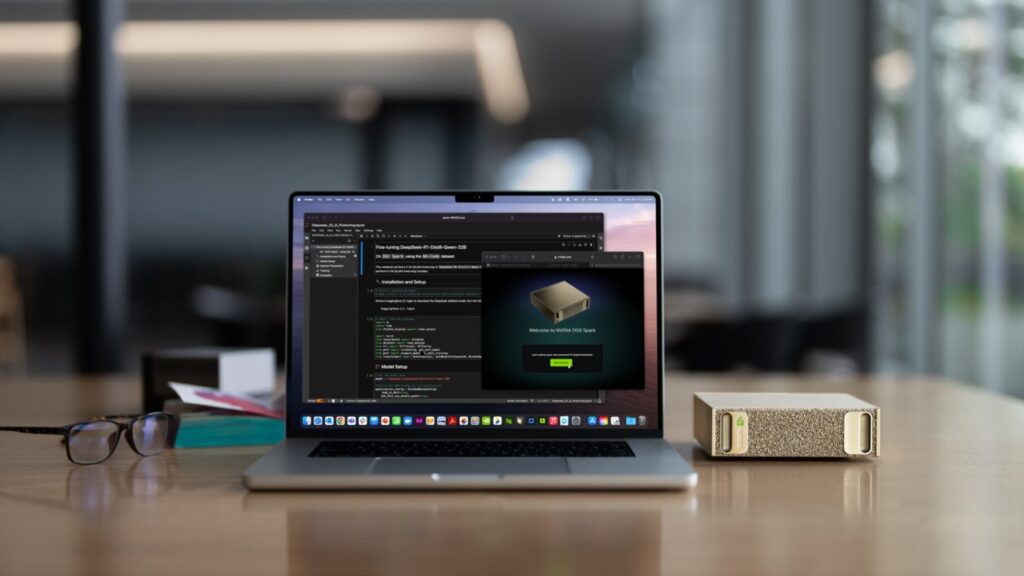
Six months ago, running a 70B model locally meant lashing together Mac Minis or wrestling with a multi-GPU server build. Now there’s a 1.2kg gold box that’ll do it while barely making a sound. I still think most people are better served by a solid desktop GPU – a used 3090 will cover the models most of us actually use on a daily basis. But if you’ve outgrown 24GB of VRAM and you’re tired of paying cloud API bills, the category finally exists. That’s something.
Related Posts
A Beginner’s Guide to AI Mini PCs – Do You Need a DGX Spark?
I’ve been running a local LLM on a variety of bootstrapped bit of hardward, water-cooled 3090’s and an LLM server I call hopper full of older Ada spec GPUs. When NVIDIA, Corsair, et al. all started shipping these tiny purpose-built AI boxes – the DGX Spark, the AI Workstation 300, the Framework Desktop – I … <a title="Are Claude Skills Just an Alternative to Reading a Book or is there more than that?" class="read-more" href="https://houtini.com/are-skills-just-an-alternative-to-reading-a-book/" aria-label="Read more about Are Claude Skills Just an Alternative to Reading a Book or is there more than that?">Read more</a>

Content Marketing Ideas: What It Is, How I Built It, and Why I Use It Every Day
Content Marketing Ideas is the tool I’ve built to relcaim the massive amount of time I have to spend monitoring my sources for announcementsm ,ew products, release – whatever. The Problem with Content Research in 2026 Most front line content marketing workflow follows the same loop. You read a lot, you notice patterns, you get … <a title="Are Claude Skills Just an Alternative to Reading a Book or is there more than that?" class="read-more" href="https://houtini.com/are-skills-just-an-alternative-to-reading-a-book/" aria-label="Read more about Are Claude Skills Just an Alternative to Reading a Book or is there more than that?">Read more</a>

Are Claude Skills Just an Alternative to Reading a Book or is there more than that?
I’ve too long treating skills like magic incantations of a topic that really, I don’t fully understand. I strated out not really thinking about skills or embracing them. I still don’t, fully, becuase most of what I do is command line, terminal, etc etc – I’m on top of computer use! BUT – I have … <a title="Are Claude Skills Just an Alternative to Reading a Book or is there more than that?" class="read-more" href="https://houtini.com/are-skills-just-an-alternative-to-reading-a-book/" aria-label="Read more about Are Claude Skills Just an Alternative to Reading a Book or is there more than that?">Read more</a>
Using a Local LLM to Audit Your Codebase – What Qwen3 Coder Next Catches (and Misses)
I run a local copy of Qwen3 Coder Next on a machine under my desk. It pinned down a race condition in my production code that I’d missed. It also told me, with complete confidence, that crypto.randomUUID() doesn’t work in Cloudflare Workers. It does. That tension – real bugs mixed with confident nonsense – is … <a title="Are Claude Skills Just an Alternative to Reading a Book or is there more than that?" class="read-more" href="https://houtini.com/are-skills-just-an-alternative-to-reading-a-book/" aria-label="Read more about Are Claude Skills Just an Alternative to Reading a Book or is there more than that?">Read more</a>
How to Make SVGs with Claude and Gemini MCP
SVG is having a moment. Over 63% of websites use it, developers are obsessed with keeping files lean and human-readable, and the community has turned against bloated AI-generated “node soup” that looks fine but falls apart the moment you try to edit it. The @houtini/gemini-mcp generate_svg tool takes a different approach – Gemini writes the … <a title="Are Claude Skills Just an Alternative to Reading a Book or is there more than that?" class="read-more" href="https://houtini.com/are-skills-just-an-alternative-to-reading-a-book/" aria-label="Read more about Are Claude Skills Just an Alternative to Reading a Book or is there more than that?">Read more</a>

How to Make Images with Claude and (our) Gemini MCP
My latest version of @houtini/gemini-mcp (Gemini MCP) now generates images, video, SVG and html mockups in the Claude Desktop UI with the latest version of MCP apps. But – in case you missed, you can generate images, svgs and video from claude. Just with a Google AI studio API key. Here’s how: Quick Navigation Jump … <a title="Are Claude Skills Just an Alternative to Reading a Book or is there more than that?" class="read-more" href="https://houtini.com/are-skills-just-an-alternative-to-reading-a-book/" aria-label="Read more about Are Claude Skills Just an Alternative to Reading a Book or is there more than that?">Read more</a>