

For fun, I thought I’d play with an MCP server for financial data, but getting it working in Claude as an MCP turned out not to be particularly straightforward. Not because the Financial Modeling Prep API is complex, not the MCP server I thought would be just plug and play – it’s all straightforward enough. But, getting Claude Desktop to talk to it properly and making it very easy to install led to a complete architectural rebuild.
The npm package I found looked perfect: financial-modeling-prep-mcp-server, comprehensive documentation, 250+ endpoints. Installed it, configured my API key, restarted Claude Desktop. Nothing. Port conflicts, stdout pollution, JSON parsing errors. Turns out the package uses HTTP transport, and Claude Desktop expects stdio. Completely incompatible.
So I rebuilt it. The result is @houtini/fmp-mcp, a stdio-based finance MCP server for AI that works in Claude Desktop. Seven core tools, TypeScript source, proper error handling, and most importantly: it talks the same language as Claude.
How to Get Real Time Finance Data into Your AI Assistant

If you like the look of my report, read on. This is a hands-on guide to accessing “AI” financial data in Claude Desktop using an MCP server. You’ll learn:
- How MCP servers make financial APIs “AI-native”
- Installing and configuring @houtini/fmp-mcp
- Technical bit: The HTTP vs stdio transport problem (and why it matters)
- Live demonstrations with real stock data
- Rate limiting, authentication, and error handling
- Production considerations for the free tier
What this doesn’t cover: Trading strategies, investment advice, or quantitative analysis. This is purely about infrastructure – getting financial data into Claude so you can build whatever analysis tools you need.
Prerequisites: Claude Desktop installed, Node.js for npx, and a Financial Modeling Prep API key (free tier works for testing). If you’re unsure about those requirements you can install Claude Desktop with my guide here, and you’ll need Desktop Commander too. The rest will pretty much look after itself. Just about.

Why Financial Data Needs AI Integration
As I understand it (this is no Bloomberg terminal!) Here’s a typical workflow for analysing financial data with AI:
- Fetch data from Financial Modeling Prep API
- Parse the JSON response
- Copy relevant bits into Claude
- Ask your question
- Repeat for each company, metric, or time period
It’s tedious. And it breaks the flow. You’re manually bridging two systems that should talk directly.
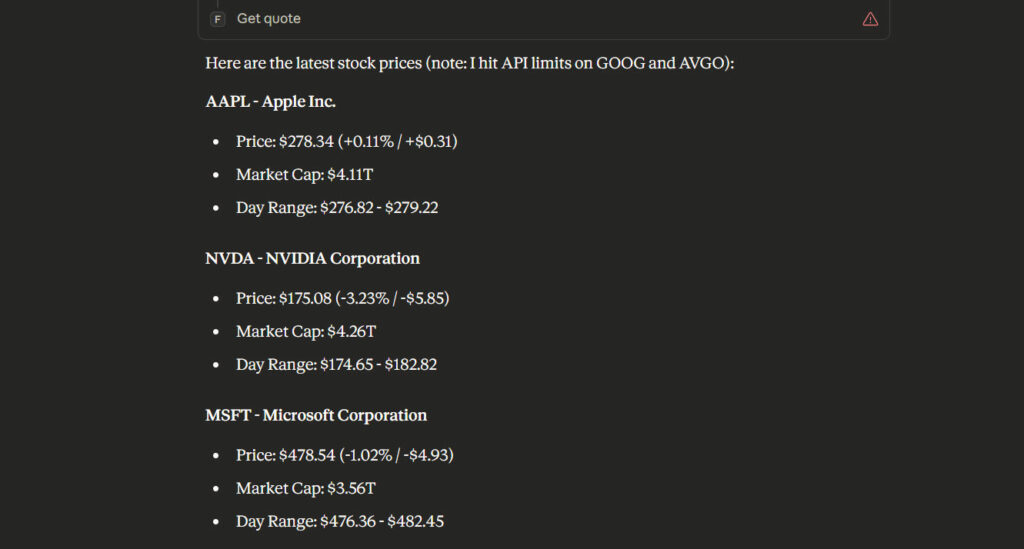
MCP servers solve this by making APIs directly accessible to Claude as tools. Instead of fetching data yourself, Claude calls get_quote("AAPL") and receives the response. It can compare multiple companies, aggregate data across time periods, and chain API calls without you copy-pasting JSON.
The Financial Modeling Prep API covers:
- 70,000+ securities across 60+ exchanges
- Real-time quotes, historical prices, trading volume
- Income statements, balance sheets, cash flow (quarterly and annual)
- Financial ratios, analyst ratings, insider trading
- News, economic indicators, technical analysis
Everything you need for fundamental analysis, but without the manual data wrangling.
The Journey: Why I Rebuilt the MCP Server
I started with financial-modeling-prep-mcp-server from npm. It looked perfect: comprehensive tool coverage, active development, good documentation. But it wouldn’t run.
Error 1: Port conflicts
Error: listen EADDRINUSE: address already in use :::8080
[FmpMcpServer] ❌ Server failed to start...
The server was trying to bind to port 8080. That’s fine for an HTTP server, but Claude Desktop doesn’t talk to HTTP servers – it expects stdio transport. JSON-RPC messages on stdin/stdout.
Error 2: Stdout pollution
Unexpected token 'F', "[FmpMcpServ"... is not valid JSONThe server was logging [FmpMcpServer] prefixes to stdout. MCP protocol expects pure JSON-RPC on stdout – any other text breaks the parser. Logs belong on stderr.
Error 3: Architecture mismatch
The package uses Smithery SDK for HTTP transport. It’s designed to run as a separate web service that MCP clients connect to over HTTP. Claude Desktop doesn’t support this pattern – it only supports stdio transport where the server runs as a subprocess and communicates via stdin/stdout.
Two options: hack around the HTTP requirement or rebuild with stdio. I rebuilt. Took about four hours, including debugging NODE_ENV=production blocking devDependencies (that one cost me an hour looking for missing @types/node).
The result: @houtini/fmp-mcp, built with @modelcontextprotocol/sdk using stdio transport. Seven core tools to start, room to add more.
Installation: Getting @houtini/fmp-mcp Running
Step 1: Get a Financial Modeling Prep API Key
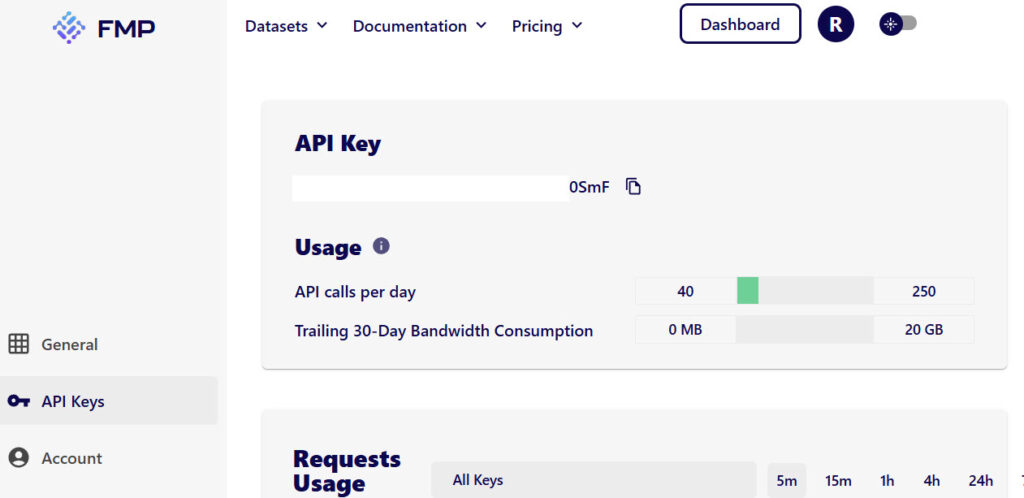
Sign up at financialmodelingprep.com. The free tier gives you 250 API calls per day – enough for testing, not enough for production work. You’ll need Starter ($19/month) for anything serious.
Step 2: Configure Claude Desktop
Open your Claude Desktop config file (if you”re not sure how to add an MCP server to Claude Desktop, read this guide)
- Windows:
%AppData%\Claude\claude_desktop_config.json - Mac:
~/Library/Application Support/Claude/claude_desktop_config.json
Add this to the mcpServers section:
{
  "mcpServers": {
    "financial-modeling-prep": {
      "command": "npx",
      "args": [
        "-y",
        "@houtini/fmp-mcp"
      ],
      "env": {
        "FMP_API_KEY": "your_api_key_here"
      }
    }
  }
}
Replace your_api_key_here with your actual API key from Financial Modeling Prep.
Step 3: Restart Claude Desktop
Close Claude Desktop completely (not just the window – quit the application). When you restart, it’ll launch the MCP server as a subprocess. You should see seven new tools available:
get_quote– Real-time stock quotessearch_symbol– Find tickers by company nameget_company_profile– Detailed company informationget_income_statement– Income statements (annual/quarterly)get_balance_sheet– Balance sheet dataget_cash_flow– Cash flow statementsget_stock_news– Latest stock news
Live Demonstration: Real Stock Data
Let me show you what this looks like in practice. I’ll fetch Apple’s current stock quote whilst writing this article:
Request: get_quote("AAPL")
Response:
{
  "symbol": "AAPL",
  "name": "Apple Inc.",
  "price": 278.34,
  "changePercentage": 0.1115,
  "change": 0.31,
  "volume": 28097229,
  "dayLow": 276.82,
  "dayHigh": 279.22,
  "yearHigh": 288.62,
  "yearLow": 169.21,
  "marketCap": 4112850094020,
  "priceAvg50": 267.4322,
  "priceAvg200": 228.80914,
  "exchange": "NASDAQ",
  "open": 277.795,
  "previousClose": 278.03
}
That’s real data from right now (the time of writing…). Apple trading at $278.34, market cap $4.1 trillion, up 0.11% today. I didn’t leave Claude, didn’t open a browser, didn’t copy-paste anything. Claude fetched it directly via the MCP server.
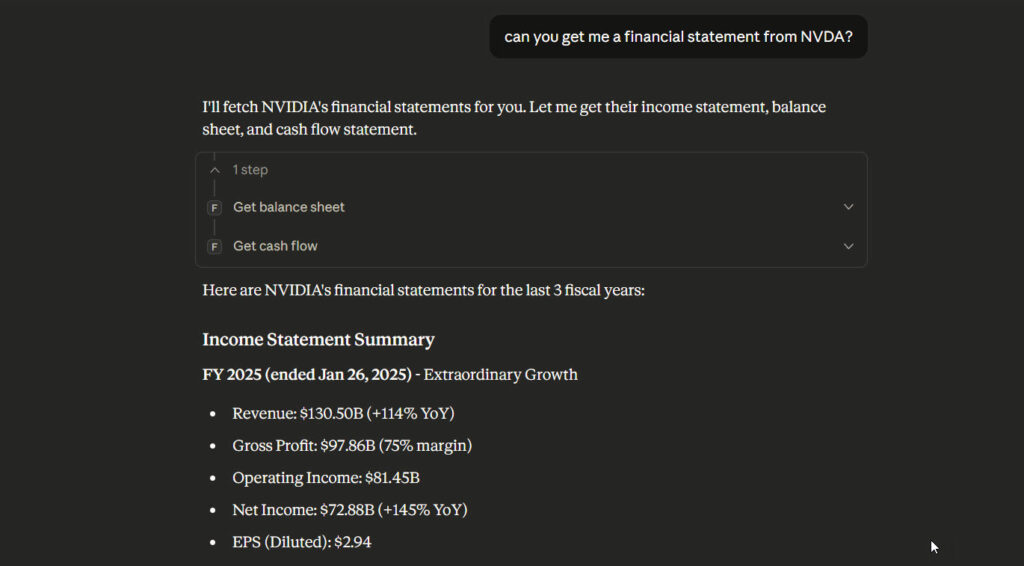
Here’s a more detailed example – Tesla’s company profile:
Request: get_company_profile("TSLA")
Response includes:
- Current price: $459.02
- Market cap: $1.48 trillion
- Industry: Auto Manufacturers
- CEO: Elon R. Musk
- Employees: 125,665
- Description: Full business overview
- Financial metrics: Beta 1.878, no dividends
- IPO date: June 29, 2010
This is the power of MCP servers. Claude can now ask questions like “Compare Apple and Tesla’s market caps” or “Show me the P/E ratios for FAANG stocks” and get answers directly from the API. No manual data collection.
The Architecture: How MCP Servers Work
Traditional API integration:
You → API → JSON → Parse → Claude → Answer
MCP integration:
You → Question → Claude → MCP Server → API → Claude → AnswerThe MCP server sits between Claude and the Financial Modeling Prep API. It handles:
- Authentication – API key management in environment variables
- Request formatting – Converting tool calls to API endpoints
- Response parsing – Structuring JSON for Claude
- Error handling – Rate limits, invalid symbols, network failures
The @modelcontextprotocol/sdk provides the infrastructure:
import { Server } from '@modelcontextprotocol/sdk/server/index.js';
import { StdioServerTransport } from '@modelcontextprotocol/sdk/server/stdio.js';

const server = new Server(
  { name: 'fmp-mcp-server', version: '1.0.0' },
  { capabilities: { tools: {} } }
);

const transport = new StdioServerTransport();
await server.connect(transport);
The key bit: StdioServerTransport. This sets up stdin/stdout communication. Claude Desktop launches the server as a subprocess, sends tool calls over stdin, receives responses on stdout. All JSON-RPC formatted.
The Gotchas: What Actually Goes Wrong
1. Rate Limiting (429 Errors)
The free tier gives you 250 API calls per day. Sounds reasonable until you realise that fetching a company profile, income statement, and balance sheet = 3 calls. Analyse 10 companies and you’ve used 30 calls. Do that 8 times and you’re done for the day.
The server will return:
{
  "error": "FMP API error: 429 Too Many Requests"
}
Solution: Upgrade to Starter ($19/month) for 300 calls per minute, or Premium ($49/month) for 750/min. The free tier is genuinely only for testing.
2. Authentication (403 Errors)
If you see:
{
  "error": "FMP API error: 403 Forbidden"
}
Your API key is either missing, invalid, or doesn’t have permissions for the endpoint you’re calling. Check:
- API key is in
claude_desktop_config.jsonunderenv.FMP_API_KEY - No typos in the key
- Your subscription tier supports the endpoint (some require Premium)
3. Data Quality Inconsistencies
Financial Modeling Prep aggregates data from multiple sources. Sometimes the numbers don’t match what you see on Yahoo Finance or Bloomberg. Market cap calculations vary (shares outstanding methodology), and methodology isn’t always consistent across endpoints.
Don’t rely on this for critical financial decisions without verifying the data. It’s excellent for analysis and research, less reliable for absolute precision.
4. Stdout Pollution Breaks Everything
If you’re building your own MCP server, never log to stdout. Use console.error() for logs, not console.log(). Stdout must be pure JSON-RPC messages. A single non-JSON line breaks the entire protocol.
I made this mistake initially. The server would start, Claude would try to parse the first message, and hit:
Unexpected token 'L', "Listening..."... is not valid JSONSwitched all logs to stderr, problem solved.
Production Considerations
Free Tier Limitations
250 calls/day is basically useless for production work. You can test the integration, verify the tools work, and build your analysis workflows. But for daily portfolio monitoring or automated research, you need Starter minimum.
Starter ($19/month):
- 300 calls/minute
- 5 years historical data
- US markets only
Premium ($49/month):
- 750 calls/minute
- 30+ years historical
- US, UK, Canada coverage
- Technical indicators, insider trading, earnings transcripts
Caching Strategy
The MCP server doesn’t cache responses. Every tool call = one API request. If you’re analysing the same companies repeatedly, consider caching at the application level or upgrading your FMP subscription for higher rate limits.
Error Handling
The server returns structured error messages:
{
  "error": "FMP API error: 429 Too Many Requests"
}
Claude will see this and can retry with exponential backoff or inform you about the rate limit. Better than silent failures.
What’s Next
The current server implements 7 core tools. The Financial Modeling Prep API has 250+ endpoints. By the time you read this I’ll have added these high-value additions:
- Market data: S&P 500 constituents, sector performance
- Analyst data: Price targets, earnings estimates, upgrades/downgrades
- Insider trading: Form 13F filings, insider transactions
- Economic indicators: GDP, unemployment, treasury rates
- Technical analysis: Moving averages, RSI, MACD
If you want to contribute or suggest tools, the GitHub repo is open: github.com/houtini-ai/fmp-mcp.
Key Takeaways
MCP servers make APIs AI-native. Instead of manual data collection and copy-pasting, Claude directly accesses financial data as tools. This changes how you interact with market data – from batch research to conversational analysis.
HTTP ≠ stdio. Claude Desktop expects stdio transport. HTTP-based MCP servers won’t work without architectural changes. If you’re building MCP servers, start with @modelcontextprotocol/sdk and StdioServerTransport.
The free tier is for testing only. 250 calls/day sounds generous but disappears quickly. Budget for Starter ($19/month) if you’re doing real work.
Data quality varies. Financial Modeling Prep is excellent for analysis and research, but verify critical numbers against primary sources. Methodology differences cause inconsistencies.
Update:
New functions added:
Market Data & Quotes
- get_quote – Real-time stock quotes (price, volume, change, etc.)
- search_symbol – Search for stock symbols by company name or ticker
- get_historical_chart – Historical price data with flexible intervals (1min, 5min, 15min, 30min, 1hour, 4hour)
Company Fundamentals
- get_company_profile – Detailed company information (description, industry, sector, CEO, etc.)
- get_income_statement – Income statements (annual/quarterly)
- get_balance_sheet – Balance sheet statements (annual/quarterly)
- get_cash_flow – Cash flow statements (annual/quarterly)
Financial Metrics & Ratios
- get_key_metrics – Key financial metrics (P/E, ROE, debt ratios, etc.)
- get_financial_ratios – Detailed ratios (profitability, liquidity, efficiency)
Market Movers & Performance
- get_market_gainers – Stocks with largest price increases
- get_market_losers – Stocks with largest price drops
- get_most_active – Most actively traded stocks by volume
- get_sector_performance – Current sector performance snapshot
Analyst Coverage
- get_analyst_estimates – Analyst financial estimates (revenue, EPS forecasts)
- get_price_target – Analyst price target summary
- get_analyst_ratings – Analyst ratings and upgrades/downgrades
Insider & Institutional Activity
- get_insider_trading – Recent insider trading activity
- get_institutional_holders – Institutional ownership (13F filings)
News & Calendar
- get_stock_news – Latest news articles for stocks
- get_earnings_calendar – Upcoming earnings announcements
- get_economic_calendar – Upcoming economic data releases
Economic Indicators
- get_economic_indicator – Economic data (GDP, unemployment, CPI, etc.)
Technical Indicators
- get_technical_indicator_rsi – Relative Strength Index
- get_technical_indicator_sma – Simple Moving Average
- get_technical_indicator_ema – Exponential Moving Average
Index Data
get_sp500_constituents – List of S&P 500 index constituents
Links
- npm package: npmjs.com/package/@houtini/fmp-mcp
- GitHub repository: github.com/houtini-ai/fmp-mcp
- Financial Modeling Prep: financialmodelingprep.com
- MCP SDK: github.com/modelcontextprotocol/typescript-sdk
- Claude Desktop: claude.ai/download
Related Posts
How to Set Up LM Studio: Running AI Models on Your Own Hardware
How does anyone end up running their own AI models locally? For me, it started because of a deep interest in GPUs and powerful computers. I’ve got a machine on my network called “hopper” with six NVIDIA GPUs and 256GB of RAM, and I’d been using it for various tasks already, so the idea of … <a title="AI in Finance: Using “Financial Modeling Prep” MCP for Real-Time Market Data in Claude" class="read-more" href="https://houtini.com/ai-in-finance-using-financial-modeling-prep-mcp-for-real-time-market-data-in-claude/" aria-label="Read more about AI in Finance: Using “Financial Modeling Prep” MCP for Real-Time Market Data in Claude">Read more</a>
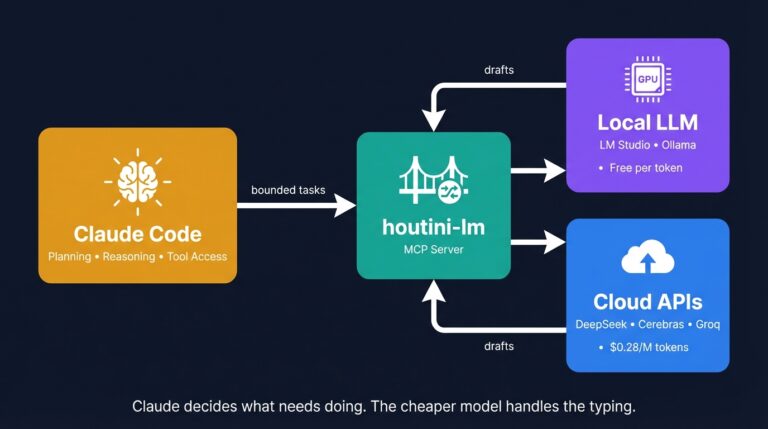
Cut Your Claude Code Token Use by Offloading Work to Cheaper Models with Houtini-LM
I built houtini-lm for people worried that their Anthropic bill might be getting out of hand. I’d leave Claude Code running overnight on big refactors, wake up, and wince at the token count. A huge chunk of that spend was going on tasks any decent coding model handles fine – boilerplate generation, code review, commit … <a title="AI in Finance: Using “Financial Modeling Prep” MCP for Real-Time Market Data in Claude" class="read-more" href="https://houtini.com/ai-in-finance-using-financial-modeling-prep-mcp-for-real-time-market-data-in-claude/" aria-label="Read more about AI in Finance: Using “Financial Modeling Prep” MCP for Real-Time Market Data in Claude">Read more</a>
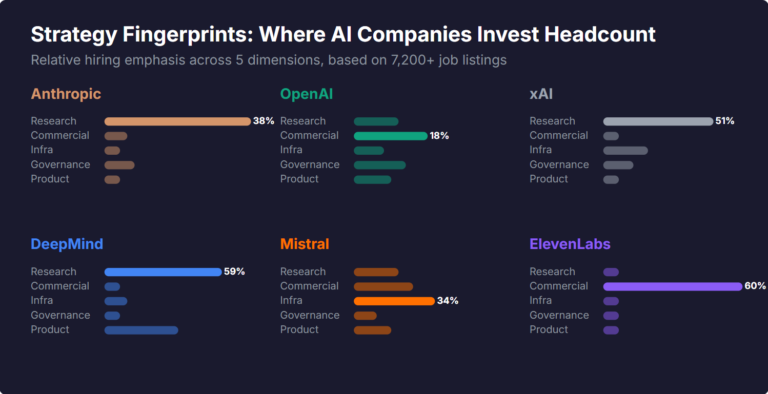
What Skills Are AI Companies Hiring For, and What Do the Jobs Tell Us About Their Strategy?
I pointed YubHub at 7,200+ job listings across the major AI labs and the hiring patterns reveal six completely different strategic bets. Anthropic is all-in on research. OpenAI reads like an enterprise SaaS company. xAI is hiring domain experts to teach Grok finance. Here's what the data shows.
How to Create LinkedIn Carousel Slides with Gemini and Claude
A developer workflow for turning blog posts into LinkedIn carousel slides using Gemini SVG generation, Puppeteer PDF conversion, and a four-line Python merge script. No Canva, no SaaS tools.
What Is an MCP Server? And, Why It Matters for AI Tool Use
My daily work literally depends on the existence of MCP servers now, spread between Claude Desktop and Claude Code. Database queries, image generation, web scraping, file management, search console data, email. Much of my daily working world lives in a conversation window. I am convinced we are at the beginning of a radical shift in … <a title="AI in Finance: Using “Financial Modeling Prep” MCP for Real-Time Market Data in Claude" class="read-more" href="https://houtini.com/ai-in-finance-using-financial-modeling-prep-mcp-for-real-time-market-data-in-claude/" aria-label="Read more about AI in Finance: Using “Financial Modeling Prep” MCP for Real-Time Market Data in Claude">Read more</a>
How to Improve Your AI Prototype Designs with Skills, Prompts and Gemini
I build a lot of single-file HTML prototypes with Claude Code. They work, but they all end up looking the same. I tested three approaches to fix this – Claude Skills, manual prompt engineering, and Gemini MCP feedback.