

I run a local copy of Qwen3 Coder Next on a machine under my desk. It pinned down a race condition in my production code that I’d missed. It also told me, with complete confidence, that crypto.randomUUID() doesn’t work in Cloudflare Workers. It does. That tension – real bugs mixed with confident nonsense – is what makes local LLM code review cool, but difficult but token-savingly useful if you know how to work with it.
The Case for a Cheaper Colleague
I’ve been building ContentMarketingIdeas.co – an editorial copilot SaaS – entirely through Claude Code. Opus writes the code, runs the tests, deploys the workers. Brilliant at that job. But every file it reads costs input tokens, and those tokens add up fast when you’re scanning eight workers with thousands of lines each.
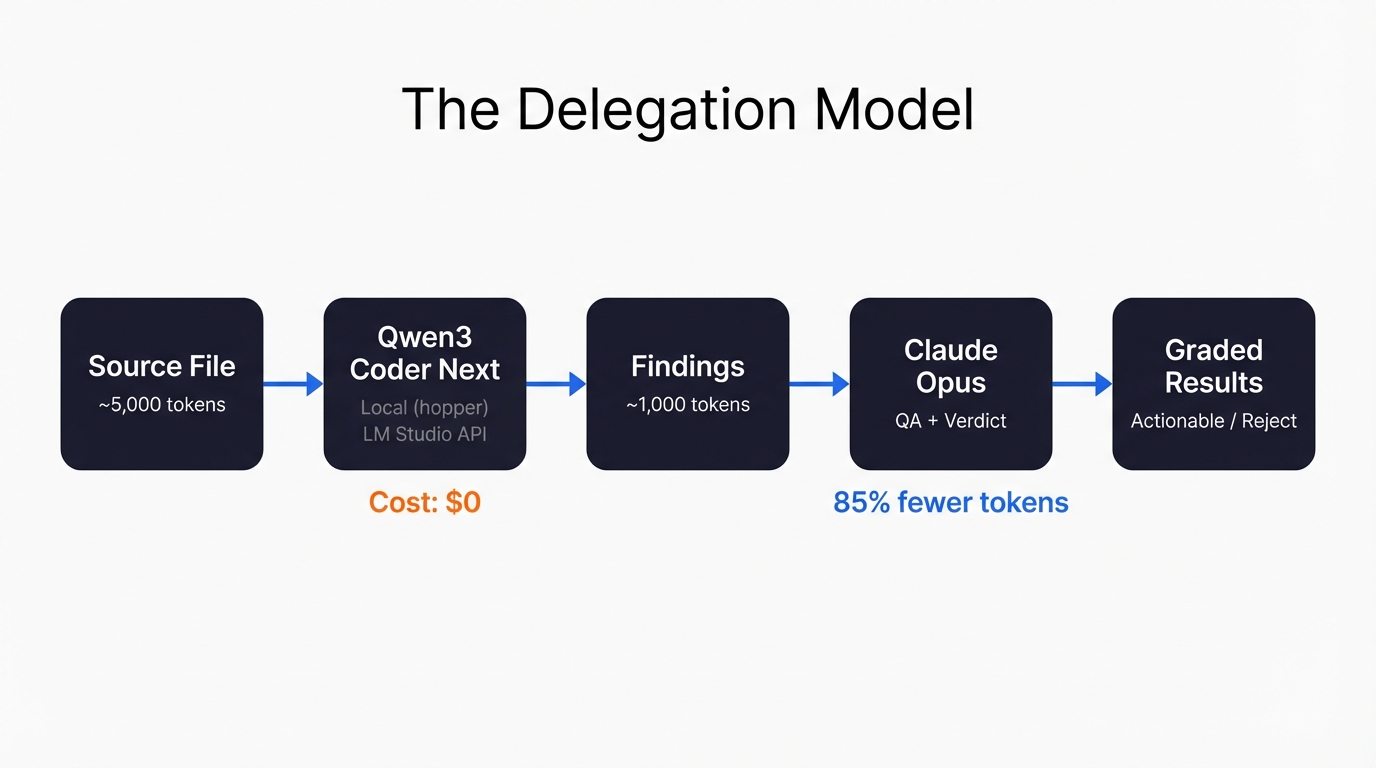
So I started wondering: could I get something local to do the initial scan? Not to replace Opus. More like a first pair of eyes – flag the obvious stuff, catch structural issues, spot things I’ve walked past because I’m too close to the code. Then Opus only needs to read Qwen’s 1,000-token summary instead of the full 3,500 to 10,000-token file. That’s roughly 85% fewer input tokens. Not bad.
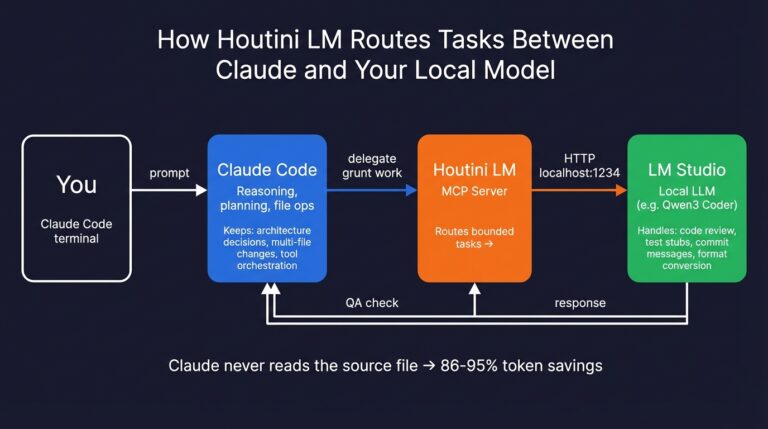
The machine running the local model is called hopper. Desktop with a decent 104gb GPU vram, and it sits dutifully next to my main workstation. LM Studio serves the model through an OpenAI-compatible HTTP API at http://hopper:1234, and Claude Code talks to it through houtini-lm – an MCP server I built specifically for this kind of delegation.
What ITested
Eight production files from my project. Real Cloudflare Workers code – API routes, queue consumers, enrichment pipelines, article production. Not toy examples. 67 API routes, 8 workers, D1 database, Queues, Vectorize, roughly 30 MCP tools. The kind of codebase where bugs hide in the seams between services.
One file at a time. Simple system prompt: “You are a senior TypeScript code reviewer. Review the following Cloudflare Worker code for bugs, security issues, performance problems, and code quality.” Full file in the user message. Temperature 0.2. No special instructions, no project context, no CLAUDE.md injected. Just the code and a role.
Then I QA’d every finding with Opus. Agree, disagree, partially agree – with reasoning for each. 74 findings across 8 files, each with a graded verdict. That’s the dataset.
The Numbers
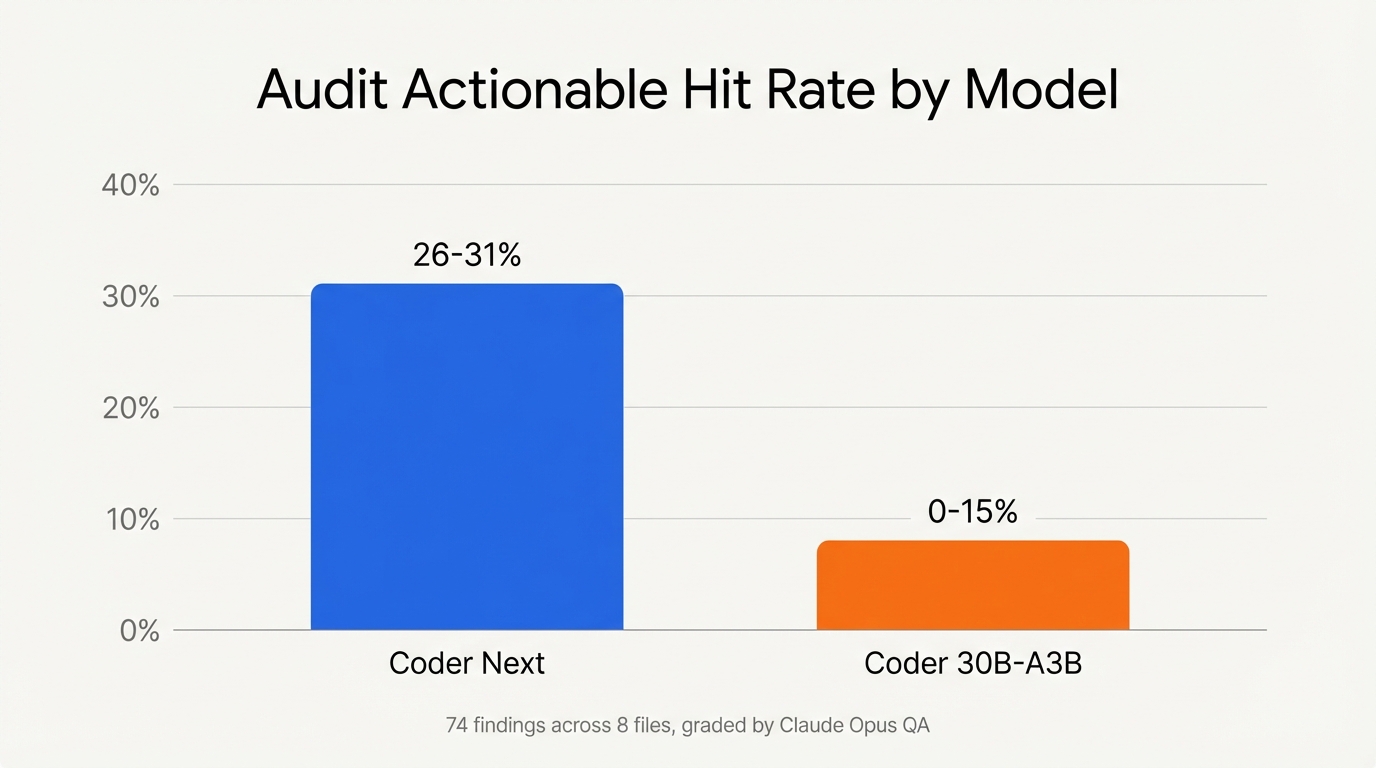
54 findings across 6 files from Coder Next. Of those, 14 to 17 were actionable – a 26 to 31 percent hit rate. Reasonable. Most static analysis tools land somewhere in that range for signal-to-noise (bear in mind this is code alerady written by Opus 4.6).
And then I ran 2 files through Qwen3 Coder 30B-A3B-Instruct – a different model with aggressive 3-bit quantization. Same prompt. Same files. 20 findings, 0 to 15 percent actionable. Closer to just noise.
| Metric | Coder Next | Coder 30B-A3B |
|---|---|---|
| Files reviewed | 6 | 2 |
| Total findings | 54 | 20 |
| Actionable hit rate | 26-31% | 0-15% |
| Factual error rate | 5.6% | 10% |
| Avg response time | ~55s | ~76s |
| Best finding | Race condition in Promise.all | None actionable |
The quantization killed it. Coder 30B-A3B produced generic textbook findings – “could lead to” speculation, flagging API keys “passed without validation” (nonsensical for wrangler secrets), and at one point explicitly admitting it was hallucinating: “Not directly shown… but assumed.” I laughed at that one. Model quality matters more than model size for code review. Aggressive quantization strips exactly the nuance you need – the ability to tell a deliberate design decision from an actual bug.
What It Found (The Good)
The standout: a race condition in my delivery worker. I had a counter tracking header images generated inside a Promise.all map. Multiple concurrent callbacks reading and incrementing the same variable. Classic async mutation bug – could exceed the per-delivery image cap. I’d looked at that code dozens of times and never noticed. Qwen caught it in 50 seconds.
Also caught: duplicate database queries in my enrichment worker (querying user_sites twice for the same data when one cached Set would do), unprotected JSON.parse calls in synthesis that could crash the worker on corrupted data, and an XSS vector in my markdown-to-HTML converter. That last one was a nasty security hole – I wasn’t escaping HTML before applying regex formatting, so link URLs could inject scripts.
Five fixes applied to the actual codebase from this audit. Real bugs, real patches, real commits.
What It Got Wrong (The Confident Nonsense)
Three factual errors across 54 findings – a 5.6% factual error rate. Coder Next told me crypto.randomUUID() isn’t available in Cloudflare Workers. It is – it’s a standard Web Crypto API. It claimed btoa() doesn’t exist in Workers. It does – Workers implement Web APIs, not Node.js APIs. And it flagged my D1 parameterized query pattern as SQL injection, when map(() => '?').join(',') with .bind(...ids) is literally the correct D1 approach.
The pattern is predictable: Qwen doesn’t know what runtime it’s reviewing code for. It assumes Node.js conventions and flags anything that doesn’t match. Once you know this blind spot, QA becomes fast – you learn to eyeball the runtime-knowledge findings and skip them. But if you’d blindly trusted the “Critical” severity labels, you’d have wasted time “fixing” things that weren’t broken.
The other consistent weakness: security severity inflation. Qwen marked things as Critical that were actually low-risk in context. Dynamic SQL column names from a Zod-validated schema? Not injection. System-generated UUIDs from a prior DB query? Not user-controlled input. It can’t distinguish trust levels, so everything looks dangerous.
Prompt Templates That Got the Best Results
Dead simple. No elaborate instruction sets, no few-shot examples, no chain-of-thought scaffolding. Two messages: a system role and the full file.
For audit:
System: "You are a senior TypeScript code reviewer. Review the following Cloudflare Worker code for bugs, security issues, performance problems, and code quality."
User: [full file content]
Temperature: 0.2
For fixes:
System: "You are a code fixer for TypeScript Cloudflare Workers. Given specific code and the issue, produce ONLY the corrected code. No explanations."
User: [exact code block] + [issue description] + [existing pattern to follow]
Temperature: 0.1
The fix prompt included an existing pattern from the same file – “follow this try/catch + console.warn pattern that’s already used at line 166.” That pattern-matching cue made the difference between a 95% grade (JSON parse guards) and a 50% grade (the duplicate query fix, where no pattern was provided and Qwen hallucinated the entire D1 API).
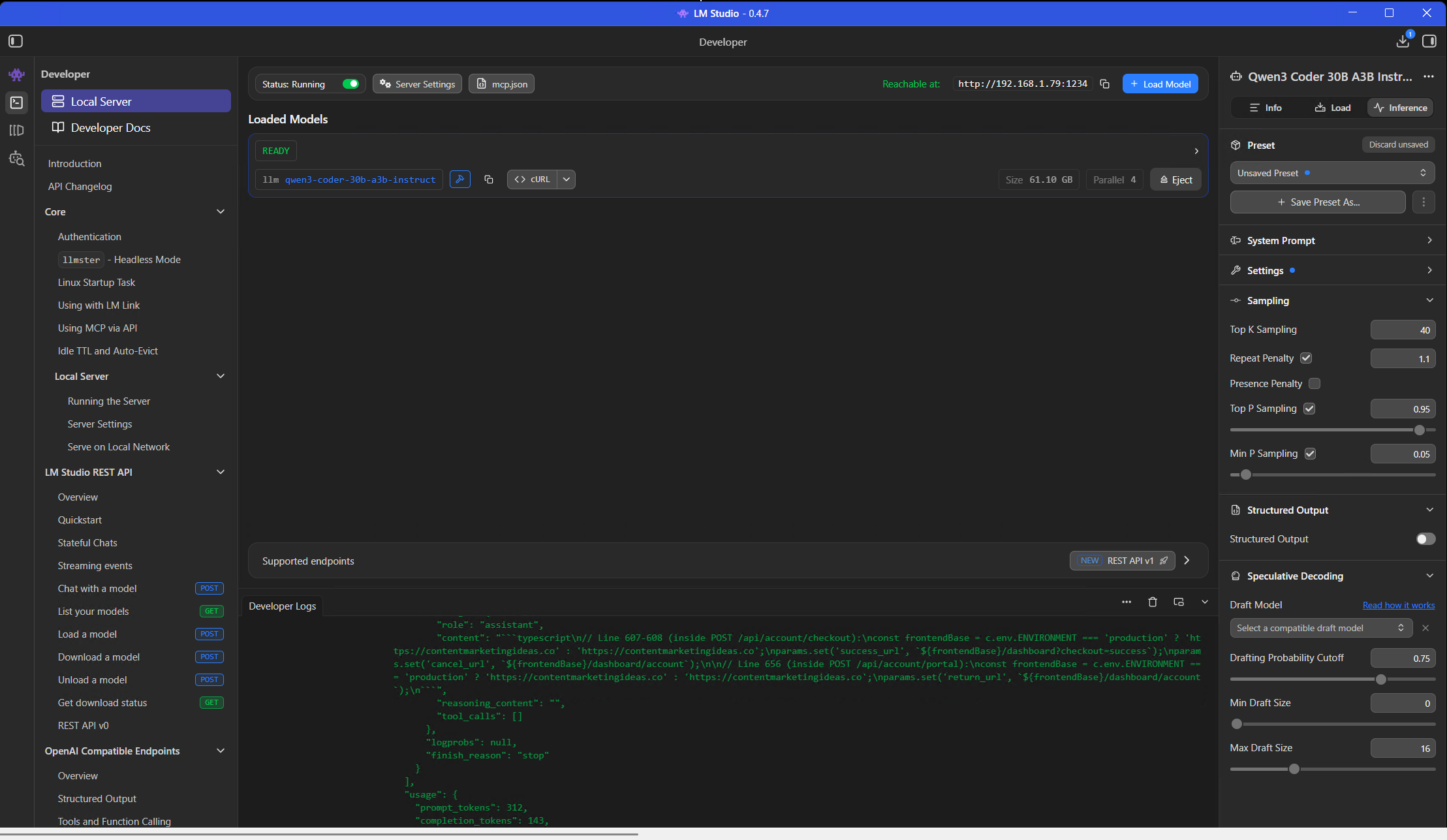
All default LM Studio settings. No custom sampling, no repeat penalty tuning, no context window adjustments. Downloaded the model, loaded it, started sending HTTP requests. That it worked this well on defaults is part of the point – you don’t need to be a prompt engineer or a quantization nerd to get useful results from this.
Can It Fix What It Finds?
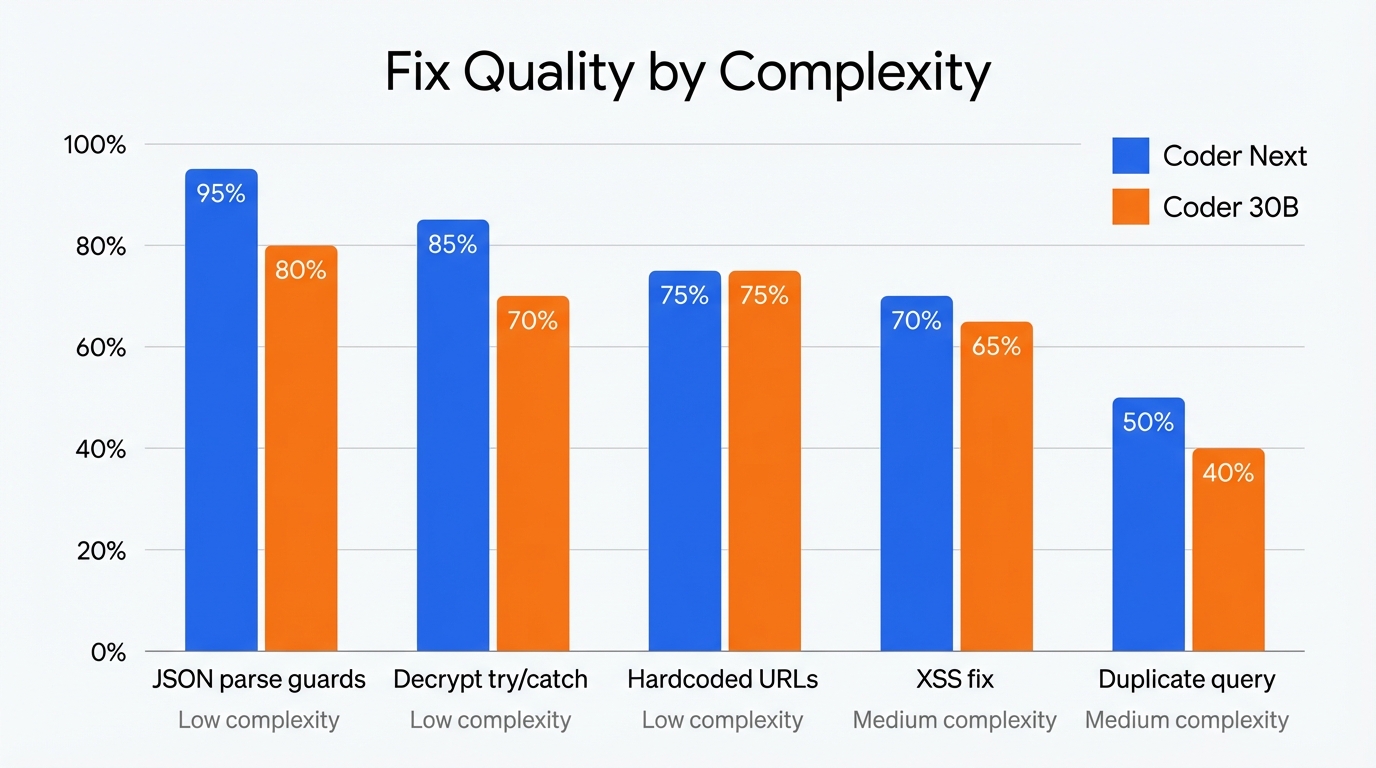
Sort of. I ran the same 5 fix prompts through both models – identical inputs, graded outputs. Fair fight.
| Fix | Complexity | Coder Next | Coder 30B | Winner |
|---|---|---|---|---|
| Duplicate DB query | Medium | 50% | 40% | Coder Next |
| XSS fix | Medium | 70% | 65% | Coder Next |
| Decrypt try/catch | Low | 85% | 70% | Coder Next |
| JSON parse guards | Low | 95% | 80% | Coder Next |
| Hardcoded URLs | Low | 75% | 75% | Tie |
Coder Next won every fix except the tie on hardcoded URLs. It was also 1.9x faster on average (10 seconds vs 19 seconds per fix). But the real insight is the complexity gradient: low-complexity mechanical fixes scored 75 to 95 percent. Medium-complexity fixes that required understanding the D1 API or Hono’s response patterns scored 50 to 70 percent, with production-breaking bugs in every output.
Both models hallucinated D1 API syntax. Coder Next invented for await (const row of db.query(...)). Coder 30B invented db.select(...). Neither is a real D1 method. Both used new Response(...) instead of Hono’s c.json() for error responses. The decrypt fix from Coder 30B had a scoping error that would fail to compile – appPassword declared inside a try block but used outside it.
Only one fix out of five was production-ready without manual editing: the JSON parse guards. That one scored 95% because it’s purely mechanical – copy the existing try/catch pattern, wrap the unprotected calls, add a console.warn. No API knowledge required.
The rule of thumb: if the fix is “add a guard clause following this existing pattern,” Qwen can do it. If the fix requires understanding the framework’s API surface, do it yourself or hand it to Opus.
The Token Economics
Here’s what the delegation model actually saved across the full experiment:
| Metric | Value |
|---|---|
| File tokens sent to Qwen (audit) | ~60,500 |
| File tokens sent to Qwen (fixes) | ~8,000 |
| Qwen output tokens | ~10,500 |
| Opus input for QA (Qwen summaries) | ~10,500 |
| Opus input avoided (raw files) | ~60,500 |
| Input token savings | ~85% |
| Opus cost saved | ~$0.91 |
| Qwen cost | $0 |
| Wall-clock time (all files + fixes) | ~15 minutes |
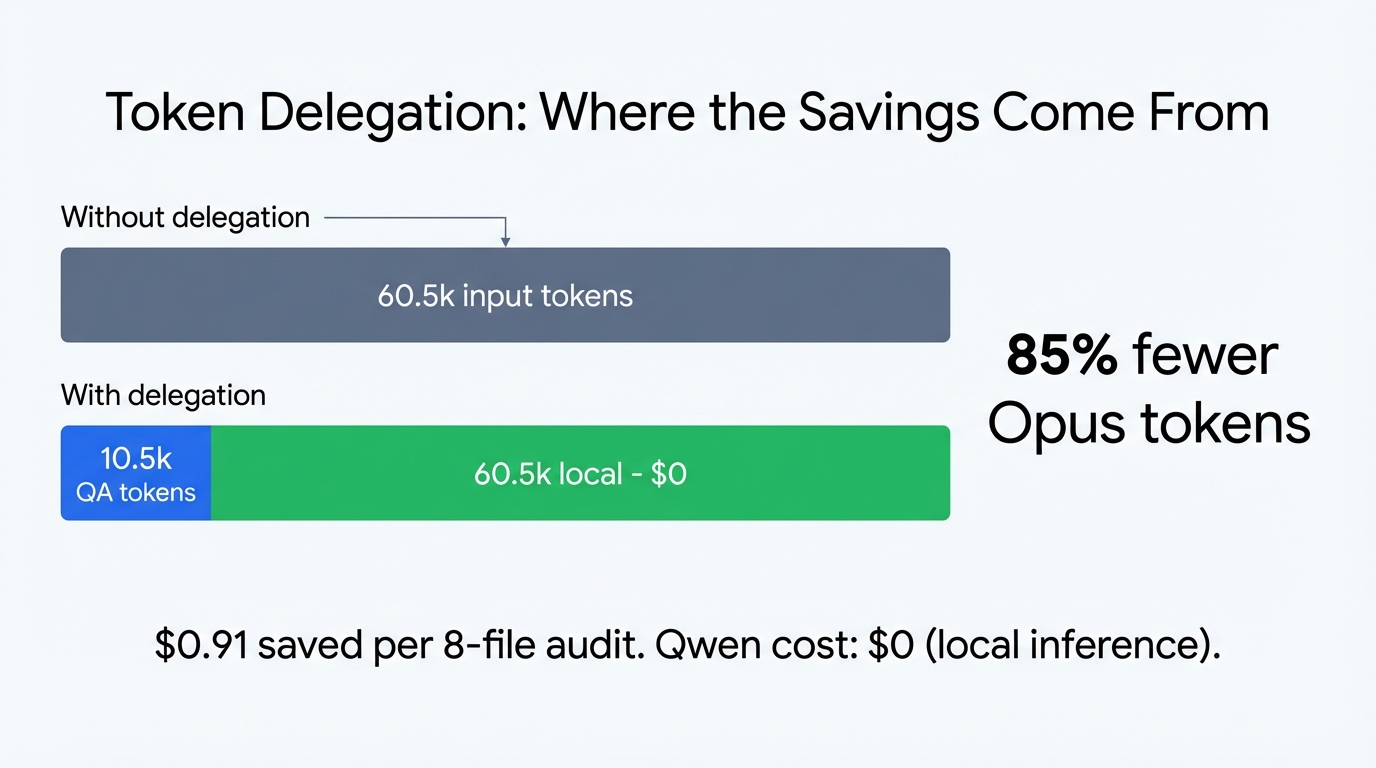
$0.91 saved. Not exactly retirement money. But this was 8 files – a full codebase review of 40 files at the same rate would save roughly $4.50 per pass, and if you’re running audits weekly or before every major deploy, that compounds. Honestly though, the bigger value isn’t the dollars. It’s the fresh perspective. Qwen found things I’d walked past because it doesn’t share my mental model of the code. It doesn’t know what I intended, so it questions everything. Sometimes that’s annoying (stop telling me console.log is bad in Workers!), sometimes it’s exactly what you need.
What Would Make This Better
Context. That’s the biggest gap. Qwen doesn’t know my project’s CLAUDE.md – the document that records every deliberate decision, every pitfall, every “we chose this on purpose” trade-off. Half the false positives would disappear if the model had that context. The other half are runtime knowledge gaps.
What would actually move the needle:
Runtime API awareness. A brief system prompt addendum: “This code runs on Cloudflare Workers. Web APIs (crypto.randomUUID, btoa, fetch, URL, TextEncoder) are available. Node.js APIs (Buffer, fs, path) are not.” That alone would eliminate the most embarrassing factual errors.
Trust level hints. Something like: “Variables named userId, briefId, siteId are system-generated UUIDs from prior database queries, not user-controlled input.” This would cut the security severity inflation in half.
Decision log injection. Feeding the relevant section of CLAUDE.md into the system prompt for each file. “maxOutputTokens is 8192 by design (session 13 cost optimization)” would prevent the model from flagging it as a risk.
The trade-off is context window – each addition eats into space for the actual code. But a 500-token preamble that prevents 10 false positives per file? Obviously worth it. Haven’t tested this yet. That’s next.
Mistakes I Made Along the Way
1. Trusting severity labels. Qwen marks things “Critical” that are low-risk in context. The SQL injection flag on a parameterized query. The “missing crypto API” on a standard Web API. I learned to read every Critical finding with skepticism and verify against the actual runtime documentation before acting.
2. Sending code snippets instead of full files. Early experiments with partial code produced worse results. The model needs to see imports, type definitions, and surrounding context to make good judgments. Full files, one at a time.
3. Expecting fixes from an auditor. Detection and remediation are different skills. Qwen is genuinely good at spotting structural problems – duplicate queries, missing error handling, race conditions. But asking it to write the corrected code is a different task with a much lower success rate, especially for anything beyond simple pattern matching.
4. Comparing models by volume instead of quality. Coder 30B produced 10 findings per file, same as Coder Next. The difference was entirely in quality – 0 to 15 percent actionable versus 26 to 31 percent. More findings doesn’t mean better review.
5. Not saving the raw prompts. I almost didn’t keep the JSON files with the exact prompts and responses. Having those replayable artifacts is what made the head-to-head comparison possible. Save everything.
So, the delegation model works. Local model for detection, frontier model for QA, your own judgment for anything above simple-complexity fixes. QA is non-negotiable – 6.8% factual error rate means you can’t skip it. But 85% token savings and a genuine race condition caught on the first pass? I’ll take that trade every time.
Related Articles
Using a Local LLM to Audit Your Codebase – What Qwen3 Coder Next Catches (and Misses)
I run a local copy of Qwen3 Coder Next on a machine under my desk. It pinned down a race condition in my production code that I’d missed. It also told me, with complete confidence, that crypto.randomUUID() doesn’t work in Cloudflare Workers. It does. That tension – real bugs mixed with confident nonsense – is … <a title="Using a Local LLM to Audit Your Codebase – What Qwen3 Coder Next Catches (and Misses)" class="read-more" href="https://houtini.com/using-a-local-llm-to-audit-your-codebase/" aria-label="Read more about Using a Local LLM to Audit Your Codebase – What Qwen3 Coder Next Catches (and Misses)">Read more</a>
How to Make SVGs with Claude and Gemini MCP
SVG is having a moment. Over 63% of websites use it, developers are obsessed with keeping files lean and human-readable, and the community has turned against bloated AI-generated “node soup” that looks fine but falls apart the moment you try to edit it. The @houtini/gemini-mcp generate_svg tool takes a different approach – Gemini writes the … <a title="Using a Local LLM to Audit Your Codebase – What Qwen3 Coder Next Catches (and Misses)" class="read-more" href="https://houtini.com/using-a-local-llm-to-audit-your-codebase/" aria-label="Read more about Using a Local LLM to Audit Your Codebase – What Qwen3 Coder Next Catches (and Misses)">Read more</a>

How to Make Images with Claude and (our) Gemini MCP
My latest version of @houtini/gemini-mcp (Gemini MCP) now generates images, video, SVG and html mockups in the Claude Desktop UI with the latest version of MCP apps. But – in case you missed, you can generate images, svgs and video from claude. Just with a Google AI studio API key. Here’s how: Quick Navigation Jump … <a title="Using a Local LLM to Audit Your Codebase – What Qwen3 Coder Next Catches (and Misses)" class="read-more" href="https://houtini.com/using-a-local-llm-to-audit-your-codebase/" aria-label="Read more about Using a Local LLM to Audit Your Codebase – What Qwen3 Coder Next Catches (and Misses)">Read more</a>
Yet Another Memory MCP? That’s Not the Memory You’re Looking For
I was considering building my own memory system for Claude Code after some early, failed affairs with memory MCPs. In therapy we’re encouraged to think about how we think. A discussion about metacognition in a completely unrelated world sparked an idea in my working one. The Claude Code ecosystem is flooded with memory solutions. Claude-Mem, … <a title="Using a Local LLM to Audit Your Codebase – What Qwen3 Coder Next Catches (and Misses)" class="read-more" href="https://houtini.com/using-a-local-llm-to-audit-your-codebase/" aria-label="Read more about Using a Local LLM to Audit Your Codebase – What Qwen3 Coder Next Catches (and Misses)">Read more</a>
The Best MCPs for Content Marketing (Research, Publish, Measure)
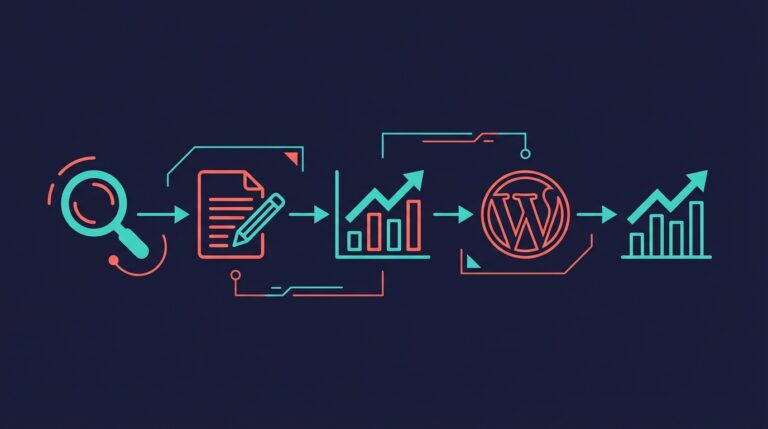
Most front line content marketing workflow follows the same loop. Find something worth writing about, dig into what’s already ranking on your site, update or write it, run it through SEO checks, shove it into WordPress, then wait to see if anyone reads it. Just six months ago that loop was tedious tab-switching and copy-pasting. … <a title="Using a Local LLM to Audit Your Codebase – What Qwen3 Coder Next Catches (and Misses)" class="read-more" href="https://houtini.com/using-a-local-llm-to-audit-your-codebase/" aria-label="Read more about Using a Local LLM to Audit Your Codebase – What Qwen3 Coder Next Catches (and Misses)">Read more</a>
How to Set Up LM Studio: Running AI Models on Your Own Hardware
How does anyone end up running their own AI models locally? For me, it started because of a deep interest in GPUs and powerful computers. I’ve got a machine on my network called “hopper” with six NVIDIA GPUs and 256GB of RAM, and I’d been using it for various tasks already, so the idea of … <a title="Using a Local LLM to Audit Your Codebase – What Qwen3 Coder Next Catches (and Misses)" class="read-more" href="https://houtini.com/using-a-local-llm-to-audit-your-codebase/" aria-label="Read more about Using a Local LLM to Audit Your Codebase – What Qwen3 Coder Next Catches (and Misses)">Read more</a>