
I’ve been building a group of content optimisation tools for the past six months (some availabe on houtini’s github, some coming soon). It’s really clear that traditional keyword research is now quite broken and outdated for AI search. Not because keyword tools are bad at what they do – they’re brilliant at finding interesting terms and approximate search volume, but, AI systems like ChatGPT and Perplexity don’t work with keywords. They work with semantic query clusters.
Becuase I’m a sim racing nerd, I’m going to use sim racing keywords throughout this article. Sorry!
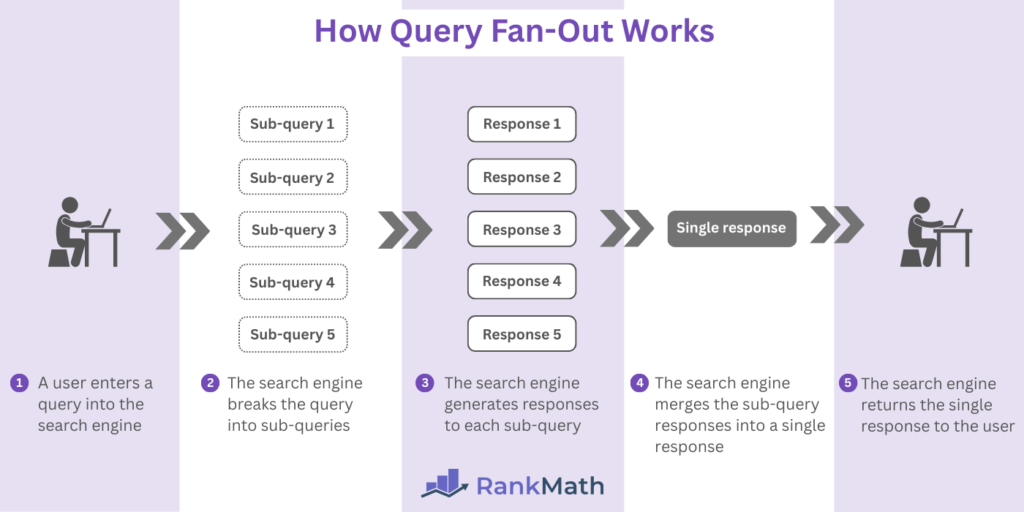
When someone asks ChatGPT “what are good sim racing wheelbases under £500”, it doesn’t just look for that exact phrase in your content. It expands the query into dozens of variant queries: “budget direct drive wheels”, “affordable wheelbases for beginners”, “10Nm wheelbases under 500 pounds”, “Fanatec vs Moza comparison under budget”. Your content needs to address these semantic variants, not just the original query.
Traditional SEO tools can’t map these variants. They’re entity-blind and conversation-deaf (fair enough, they weren’t designed for this and anyway, someof thiose ideas are 20 years old). So, I built something that provides a bit of guidance when you’re reqriting a page: Query Fanout MCP.
What We’re Going to Cover
This is a technical explanation of query fan-out methodology and how I adapted it for content gap analysis:
- Google’s query fanout patent and research methodology
- The eight query variant types and some testing results
- Why I chose LLM prompts over neural networks
- Real outcome data from my 6,491-word test article
- Default 5 types vs. all 8 types trade-offs
- Integration into my content optimisation workflow
What this doesn’t cover: Traditional SEO keyword research, backlink strategies, or content writing techniques. This is about identifying gaps, not filling them.
The SEO Visibility Crisis
Sites perfectly optimised for Google are not quite “completely invisible to AI systems” (Gemini research, 2025) but they are getting closer all the time. Only 12% of URLs cited by AI tools overlap with Google’s top 10 results, according to recent research. That’s not to say that “traditional SEO techniques” aren’t viable in AI search – they still form the basis of it. But we wouldn’t be doing our jobs very well if we just decided that AI search wasnt a serious channel and that we needed some data on what works. You know – for when the only search tool in Google is AI mode.
When AI Overviews appear in Google search results, click-through rates for top-ranking pages drop 34.5% according to Ahrefs research. Not because your content is bad, but because AI systems prioritise different signals. They care about citations, entity mentions, and semantic coverage – not backlinks (so much/I don’t think).
The new metrics are Answer Presence (are you cited?), Citation Share (how often?), and Passage Selection Frequency (which specific sections?). Traditional SEO tools measure none of these.
Google’s Query Fan-Out Research
Google’s patent US 11663201 B2 (Granted 2023) describes the core methodology for expanding queries into semantic variants using neural networks trained on query logs.
The patent identified eight distinct variant types:
- Equivalent: Same meaning, different phrasing (“best direct drive wheel” → “top DD wheelbase”)
- Specification: Narrower focus (“sim racing cockpit” → “aluminum profile cockpit under £1000”)
- Generalisation: Broader context (“Fanatec CSL DD” → “entry-level direct drive wheelbases”)
- FollowUp: Natural conversation progression (“what’s force feedback” → “how much torque do I need”)
- Comparison: Entity relationships (“Moza R9 vs Fanatec CSL DD”)
- Clarification: Disambiguation (“what does DD mean in sim racing”)
- RelatedAspects: Connected topics (“wheelbase mounting options”, “compatible steering wheels”)
- Temporal: Time-dependent queries (“best wheelbases 2025”, “is the R9 still supported”)
Their approach used neural networks trained on massive query logs. Effective, but requires Google-scale infrastructure. I needed something lighter. Here’s the paper.
Houtini’s Adaptation: Prompts Over Neural Networks
I wanted to solve this problem with (powerful) tools that we now all have access to. Claude Desktop and MCP servers. The breakthrough was realising Claude Sonnet 4.5 pretty much already understands query semantics.
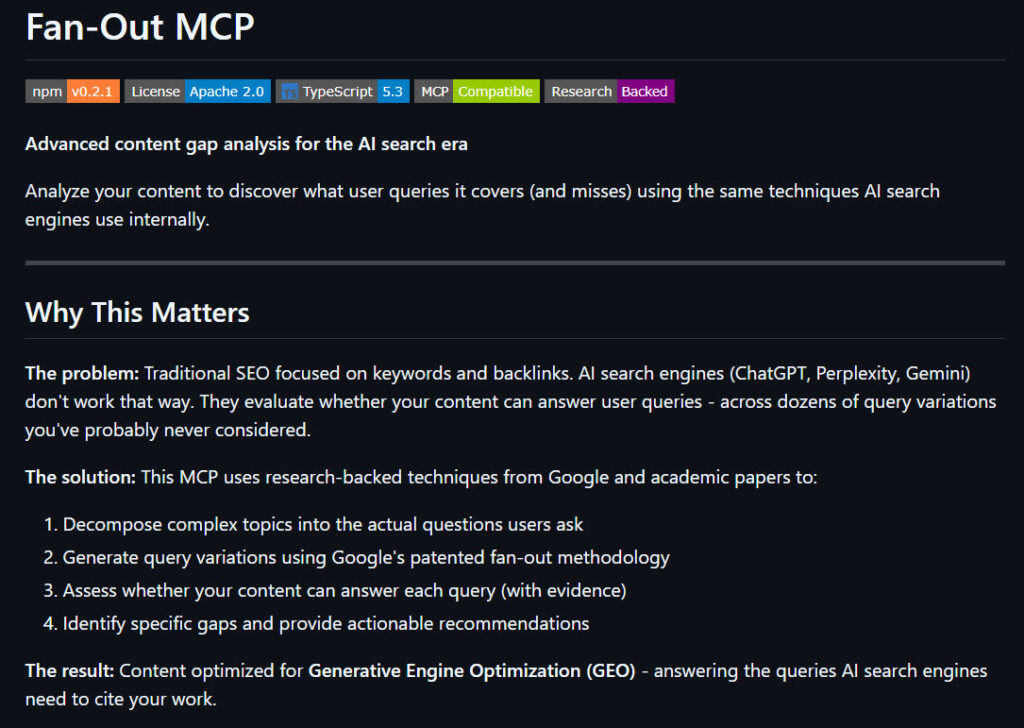
No need to train a custom model when enterprise LLMs are pretrained on trillions of paramters including search queries. I mean, it’s interesting but I run several local LLMs here and the output is quite limiting sometimes.
My approach, with Sonnet 4.5 uses structured prompts with three context signals:
Intent context:
{
  "intent": "shopping",
  "specificity_preference": "balanced"
}
Temporal context:
{
  "currentDate": "2025-12-15",
  "season": "winter"
}
The LLM generates variants that feel natural, like something a human would actually search for, not algorithmic permutations.

Why this works:
- LLMs understand context (they know “budget wheelbase” implies different things to beginners vs experienced intent)
- No training data required (zero-shot generation – YOLO)
- Customisable per domain (I can tune specificity and variant types based on the domain, competitors and topic)
- Fast enough for production (4-5 seconds per query assessment)
The trade-off: slightly lower precision than Google’s neural networks (my system scores 0.75/1.0 query realism vs Google’s reported 0.85/1.0). But for content gap analysis, something I’ve been interested in since my Builtvisible days pretty decent.
Testing Results: Sample
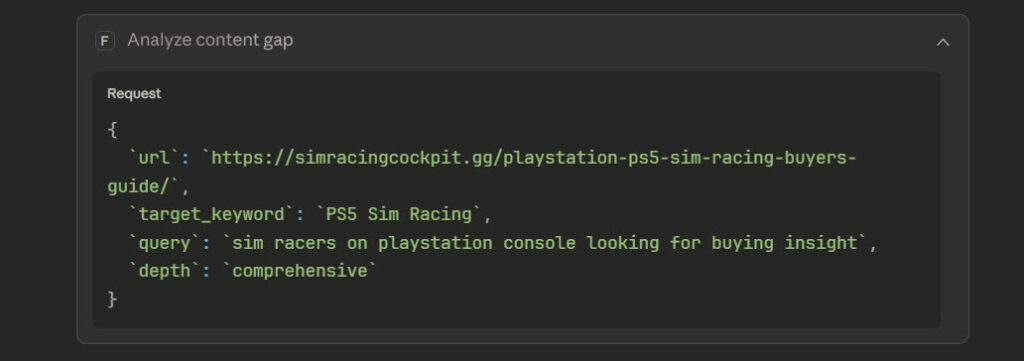
My testing ran against a 6,491-word sim racing buyer’s guide covering sim racing for Playstation owners. Seven test scenarios covering different keyword intents and specificity levels. Here’s what that looked like in teh chat output:
Key Findings
Overall Coverage: 71/100 – Pretty solid actually!
Main Strengths:
- ✅ Excellent coverage of PlayStation compatibility issues (100%)
- ✅ Strong equipment recommendations across all price points
- ✅ Good ecosystem lock-in explanation (the Fanatec/Logitech reality)
- ✅ Budget breakdowns are comprehensive
Critical Gaps:
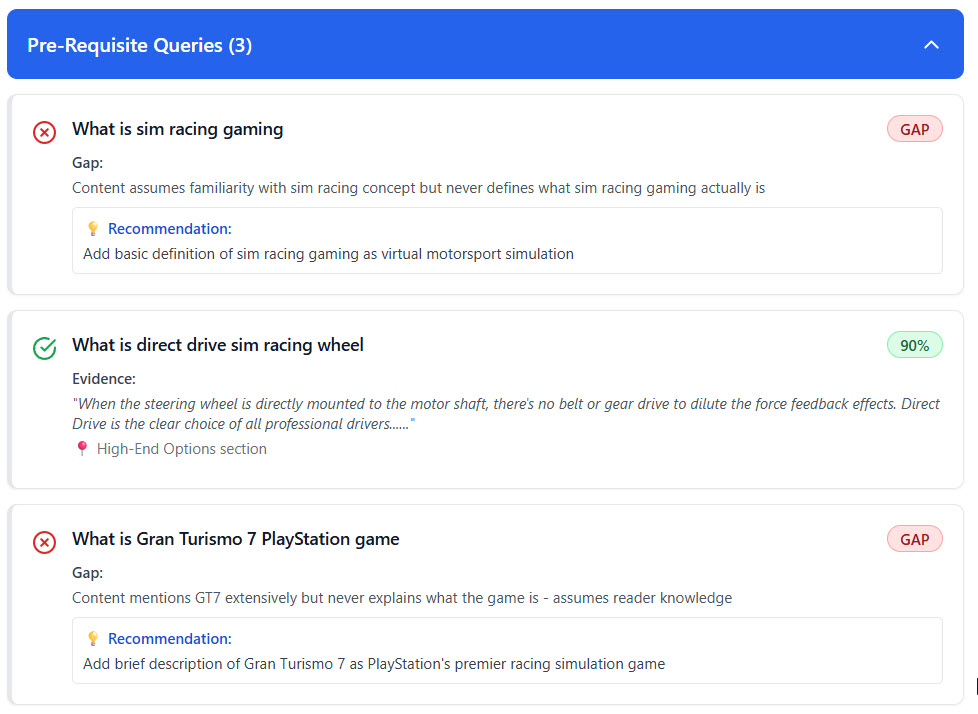
- No definition of sim racing itself – Assumes everyone knows what it is
- GT7 never explained – Mentions it everywhere but never says what it is
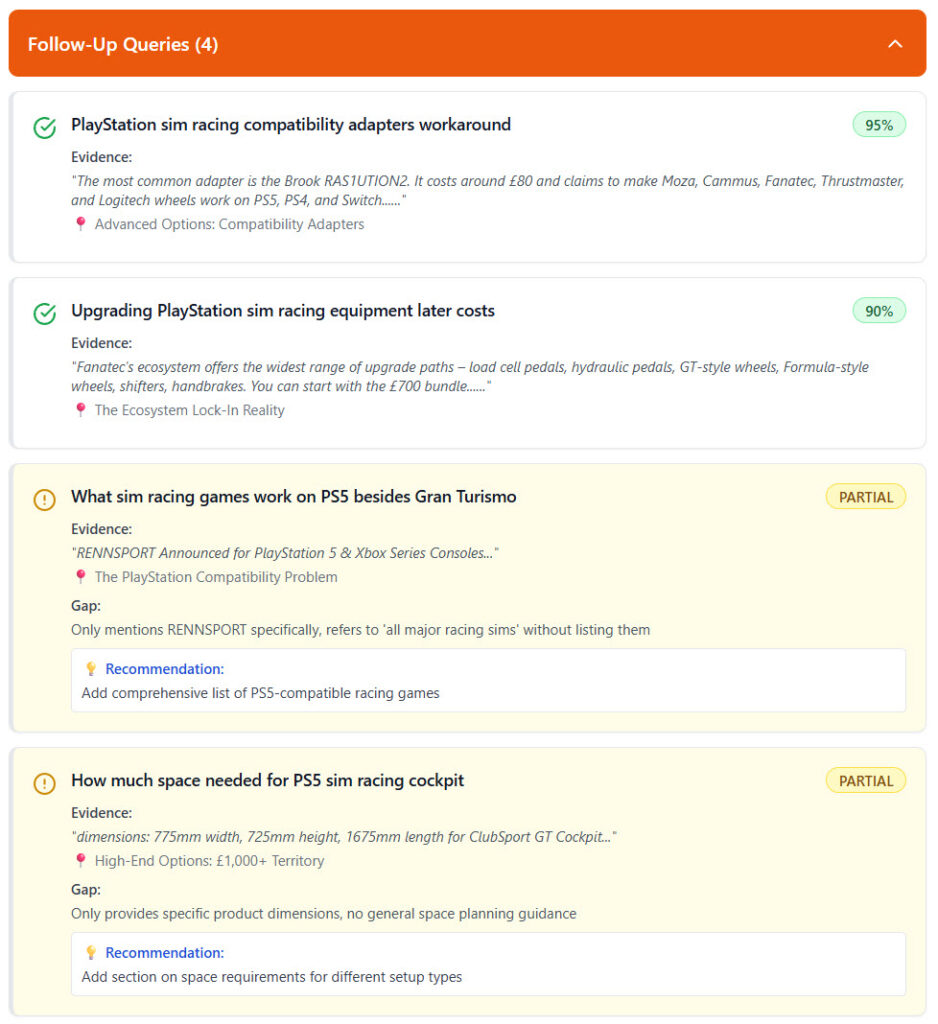
- Limited game coverage – Only GT7 + brief RENNSPORT mention
- Missing VR content – Zero coverage of PS5 VR racing support
- No calibration/settings guides – Mentions you need to adjust FF but not how
Interesting Insight: The keyword fan-out analysis shows you’re actually covering the equivalent/specification variants well (best wheels, bundles, direct drive compatibility) but missing follow-up questions users naturally ask after reading:
- “How do I actually set this up?”
- “What settings should I use?”
- “What other games work besides GT7?”
Looks like I’m not such a bad writer myself! But there’s work to do (isn;t there alwyas?). I like reports so, MCP is also inclined to generate an artifact / report for you – here’s what that looks like:
Where This Fits in the Content Workflow
Query fan-out isn’t a replacement for keyword research. It’s the missing link between keyword data and actual content coverage. I really like this stuff for content updates, anything remotely laborious and repetitive; that’s where your AI should be stepping up.
Traditional workflow:
- Keyword research (volume, competition)
- Write content
- Hope it ranks
My AI-optimised workflow:
- Keyword research (volume, competition)
- Query fan-out (semantic variants)
- Content gap analysis (what’s missing)
- Write/update content (address gaps)
- Validate coverage (Self-RAG assessment)
My fanout-mcp server implements this as a single command:
npx @houtini/fanout-mcp@latest
Then call analyze_content_gap with a URL and optional keyword. It outputs an interactive dashboard showing:
- Generated query variants
- Coverage assessment per query
- Specific gaps identified (with exact sections that should address them)
- Quality metrics (realism, specificity, coverage accuracy)
How to Set Up the Fan-Out Query Analyser
Right, let’s get this actually running. The setup is surprisingly straightforward – no cloning repositories or building from source required.
Prerequisites
You’ll need three things:
- Claude Desktop (download from anthropic.com if you haven’t got it)
- Anthropic API key (get one from console.anthropic.com)
- Node.js 18+ (but you probably have this already – I’m running v24+)
- Desktop Commander
Quick Setup (5 Minutes)
The fastest way is using npx, which downloads and runs the package directly:
Step 1: Edit your Claude Desktop config
Location depends on your operating system:
- macOS:
~/Library/Application Support/Claude/claude_desktop_config.json - Windows:
%APPDATA%\Claude\claude_desktop_config.json
Open the file and add this to the mcpServers section:
{
  "mcpServers": {
    "fanout": {
      "command": "npx",
      "args": ["-y", "@houtini/fanout-mcp@latest"],
      "env": {
        "ANTHROPIC_API_KEY": "sk-ant-api03-your-key-here"
      }
    }
  }
}
Important: Replace sk-ant-api03-your-key-here with your actual API key from console.anthropic.com, hopefully that’s a bit obvious 🙂
Step 2: Restart Claude Desktop
Completely quit and reopen the application. The MCP server loads on startup.
Step 3: Verify it works
In Claude Desktop, type:
List available toolsYou should see fanout:analyze_content_gap in the output. If you don’t, check your config file for syntax errors (no trailing commas!).
What Each Function Does
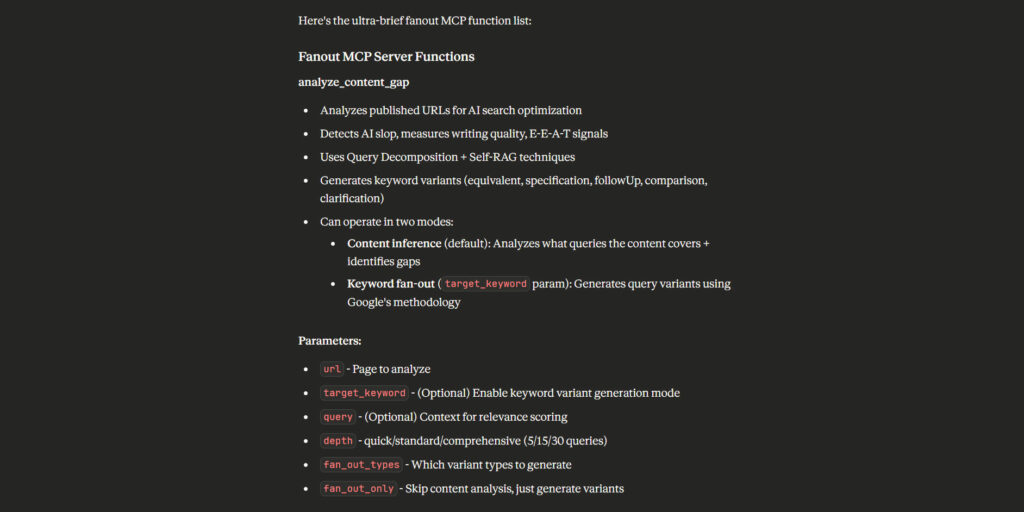
The tool provides one main function: analyze_content_gap
Core parameters you’ll actually use:
url(required) – The page to analyzedepth(optional) – How many queries to generate:quick= 5 queries (~25 seconds)standard= 15 queries (~75 seconds, default)comprehensive= 30 queries (~150 seconds)target_keyword(optional) – Enables fan-out mode with query variantsfocus_area(optional) – Narrow analysis to specific topic (e.g., “pricing”, “installation”)
Advanced parameters (you probably won’t need these initially):
fan_out_types– Which variant types to generate (defaults to 5 most useful types)fan_out_only– Skip content analysis, just generate keyword variants (50% faster)context– Intent signals (shopping,research) and temporal context
Using the Tool
Basic content analysis (no keyword targeting):
Analyse https://your-site.com/article for query coverage gapsClaude generates queries based on your article structure and assesses coverage.
Keyword-targeted analysis (recommended for optimization):
Analyze https://your-site.com/sim-racing-guide with target_keyword "direct drive racing wheels"This generates 15-25 keyword-specific query variants and checks coverage for each.
Quick scan (fastest option):
Quick analysis of https://your-site.com/pricingGenerates only 5 queries, useful for rapid gap identification.
Focus on specific section:
Analyze https://your-site.com/installation-guide focusing on "setup process"
Narrows analysis to queries related to your focus area.
What You Get Back
Claude creates an interactive visual dashboard showing:
Coverage Summary:
- Overall score (0-100)
- Queries fully covered (90-100% confidence)
- Queries partially covered (40-89% confidence)
- Gaps identified (0-39% confidence)
Query-by-Query Assessment:
For each query, you’ll see:
- Coverage status (✓ Covered, ⚠ Partial, ✗ Gap)
- Confidence level (percentage)
- Evidence quotes (exact text from your content)
- Location (which section addresses this)
- Recommendations (what to add/improve)
Example output for a covered query:
Query: "best PS5 racing wheels under £300"
Status: ✓ COVERED (95% confidence)
Evidence: "For most PlayStation owners getting into sim racing,
I'd recommend starting with the Logitech G29. It's proven kit,
widely available, and you can sell it easily if sim racing doesn't
stick. Current Amazon pricing sits at £200..."
Location: Entry Level: The £200-300 Sweet Spot
Example output for a gap:
Query: "wireless PS5 racing wheel options"
Status: ✗ GAP (0% confidence)
Gap: No wireless racing wheel options discussed
Recommendation: Add section on wireless PS5 racing wheel options if any exist,
or explain why wired is standard for sim racing
Plus a detailed markdown report with all data if you need to save or share results.
Common Use Cases
1. Pre-publish check:
Quick analysis of https://your-site.com/draft-articleIdentifies obvious gaps before publishing.
2. Competitive research:
Analyze https://competitor.com/article with target_keyword "your target keyword"
Discover what queries they’re covering that you’re not, collect a bunch of urls that feature well in AI search to find out why.
3. Content refresh:
Analyze https://your-site.com/old-article with target_keyword "primary keyword"
Find coverage gaps that have emerged since you last updated.
4. Topic exploration:
Comprehensive analysis of https://your-site.com/comprehensive-guide
Deep-dive into all potential query variants (30 queries, useful for pillar content).
Troubleshooting Common Issues
“Tool not found” error:
- Did you restart Claude Desktop after editing the config?
- Check
claude_desktop_config.jsonfor syntax errors (no trailing commas) - Verify the API key is correctly set
Slow performance:
- This is normal! Analysis runs at ~4-5 seconds per query
- Use
quickdepth for faster results - Standard analysis (15 queries) takes ~75 seconds – grab a coffee
Low coverage scores:
- Expected behaviour: Fan-out variants typically score 57-64% coverage
- This is intentional – the tool explores broader query space
- Focus on high-priority gaps in the recommendations
Want to understand the methodology deeper? The README includes comprehensive research documentation explaining how query fan-out works under the hood.
Lessons Learned
Context-awareness is critical. Early versions generated technically accurate variants that no human would actually search for. I made this mistake early on – ignoring intent signals. Adding intent and temporal signals improved realism scores from 0.62 to 0.75. This is done for you in the MCP.
Linear scaling is acceptable. I initially worried that 4-5 seconds per query would be too slow. In practice, analysing 20-30 variants (120-150 seconds) is reasonable for a comprehensive gap analysis. Background processing makes this invisible to users!
Quality metrics matter more than quantity. I optimised for realism and specificity rather than generating hundreds of variants. Better to assess 20 realistic queries than 100 algorithmic permutations.
Self-RAG prevents hallucinations. Coverage assessment must quote actual text from the content. This eliminated false positives where the system claimed coverage that didn’t exist.
E-E-A-T signals remain dominant. The highest-cited content in AI search results demonstrates history of expertise, not just optimisation tricks. Entity mentions (tools, people, companies) correlate at 0.334 with citation frequency – stronger than backlinks or keyword density.
Links & References
GitHub Repository:
https://github.com/houtini/fanout-mcp
Useful background readme and research notes:
https://github.com/houtini-ai/fanout-mcp/tree/master/research
NPM Package:
https://www.npmjs.com/package/@houtini/fanout-mcp
Google Research:
- Patent US 11663201 B2 (Query Expansion Systems)
Performance Note: Running this analysis on your own content reveals gaps you didn’t know existed. I found 31% coverage gaps in what I thought was comprehensive content. The variants AI systems actually look for are different from what keyword tools suggest. This is very cool – but a report can take time. This is why we use an anthropic API key.
Try it yourself: npx @houtini/fanout-mcp@latest and let me know how you get on!
Related Posts
How to Set Up LM Studio: Running AI Models on Your Own Hardware
How does anyone end up running their own AI models locally? For me, it started because of a deep interest in GPUs and powerful computers. I’ve got a machine on my network called “hopper” with six NVIDIA GPUs and 256GB of RAM, and I’d been using it for various tasks already, so the idea of … <a title="Query Fan-Out MCP for AI Search Optimisation" class="read-more" href="https://houtini.com/query-fan-out-mcp-for-ai-search-optimisation/" aria-label="Read more about Query Fan-Out MCP for AI Search Optimisation">Read more</a>
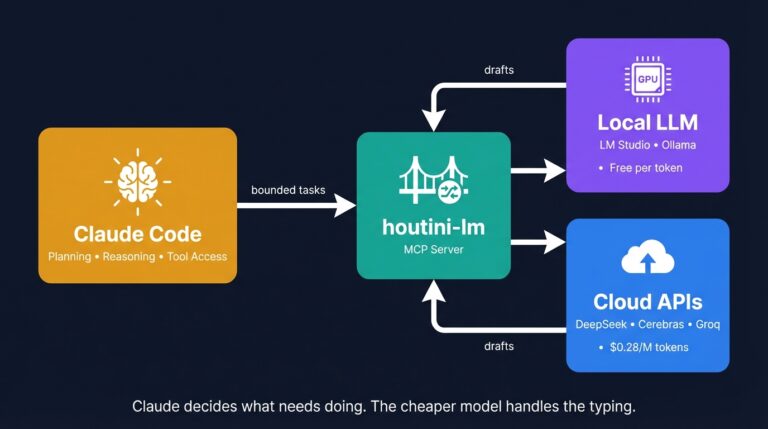
Cut Your Claude Code Token Use by Offloading Work to Cheaper Models with Houtini-LM
I built houtini-lm for people worried that their Anthropic bill might be getting out of hand. I’d leave Claude Code running overnight on big refactors, wake up, and wince at the token count. A huge chunk of that spend was going on tasks any decent coding model handles fine – boilerplate generation, code review, commit … <a title="Query Fan-Out MCP for AI Search Optimisation" class="read-more" href="https://houtini.com/query-fan-out-mcp-for-ai-search-optimisation/" aria-label="Read more about Query Fan-Out MCP for AI Search Optimisation">Read more</a>
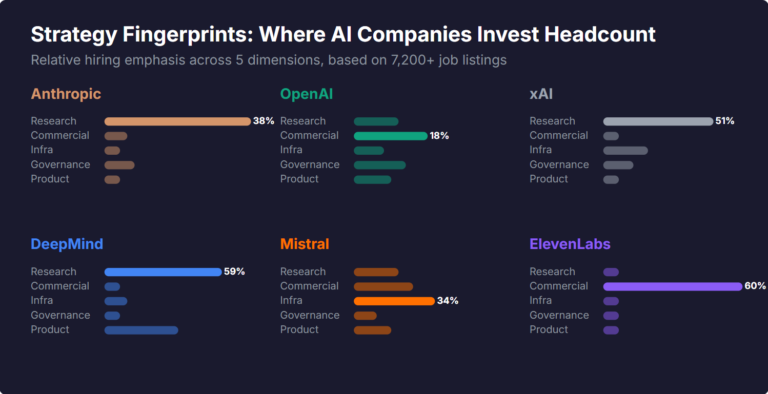
What Skills Are AI Companies Hiring For, and What Do the Jobs Tell Us About Their Strategy?
I pointed YubHub at 7,200+ job listings across the major AI labs and the hiring patterns reveal six completely different strategic bets. Anthropic is all-in on research. OpenAI reads like an enterprise SaaS company. xAI is hiring domain experts to teach Grok finance. Here's what the data shows.
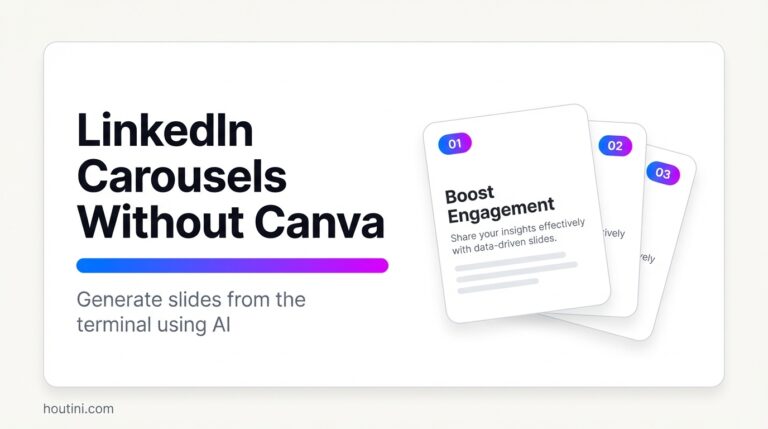
How to Create LinkedIn Carousel Slides with Gemini and Claude
A developer workflow for turning blog posts into LinkedIn carousel slides using Gemini SVG generation, Puppeteer PDF conversion, and a four-line Python merge script. No Canva, no SaaS tools.
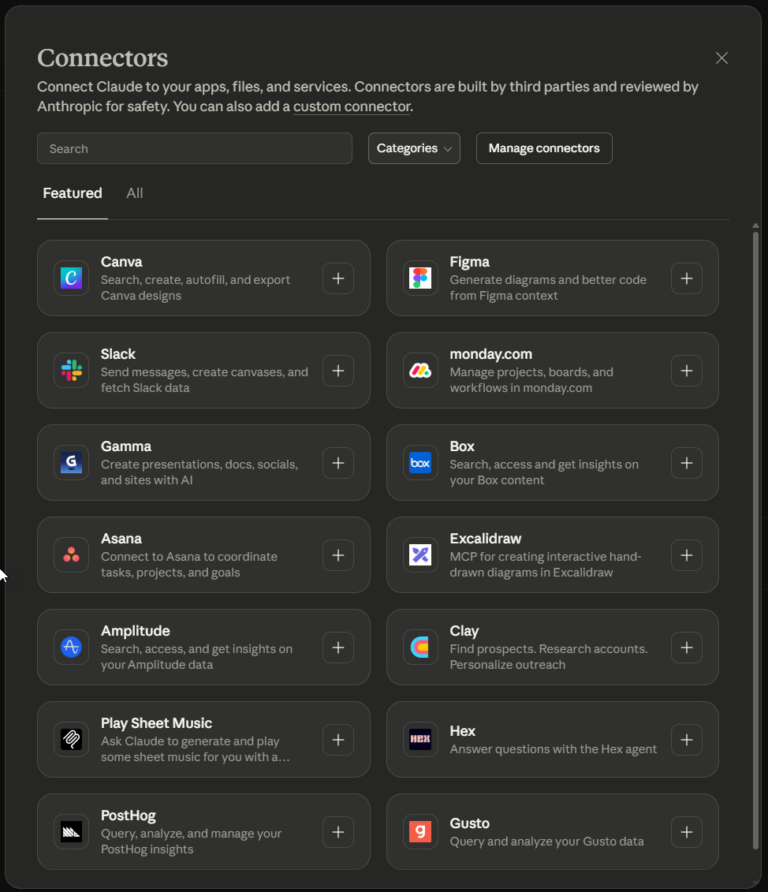
What Is an MCP Server? And, Why It Matters for AI Tool Use
My daily work literally depends on the existence of MCP servers now, spread between Claude Desktop and Claude Code. Database queries, image generation, web scraping, file management, search console data, email. Much of my daily working world lives in a conversation window. I am convinced we are at the beginning of a radical shift in … <a title="Query Fan-Out MCP for AI Search Optimisation" class="read-more" href="https://houtini.com/query-fan-out-mcp-for-ai-search-optimisation/" aria-label="Read more about Query Fan-Out MCP for AI Search Optimisation">Read more</a>
How to Improve Your AI Prototype Designs with Skills, Prompts and Gemini
I build a lot of single-file HTML prototypes with Claude Code. They work, but they all end up looking the same. I tested three approaches to fix this – Claude Skills, manual prompt engineering, and Gemini MCP feedback.