If you’ve been watching your analytics lately, you’ll have noticed something pretty cool. Traditional Google search traffic declined throughout 2024, whilst AI-referred sessions increased 527% between January and May 2025 (from 17,076 to 107,100 sessions across tracked GA4 properties, according to the Previsible AI Traffic Report). ChatGPT referrals alone jumped from 600 visits per month in early 2024 to over 22,000 per month by May 2025. The problem? You’ve no idea whether these AI engines are actually citing your content, and if they are, whether they’re representing it accurately.
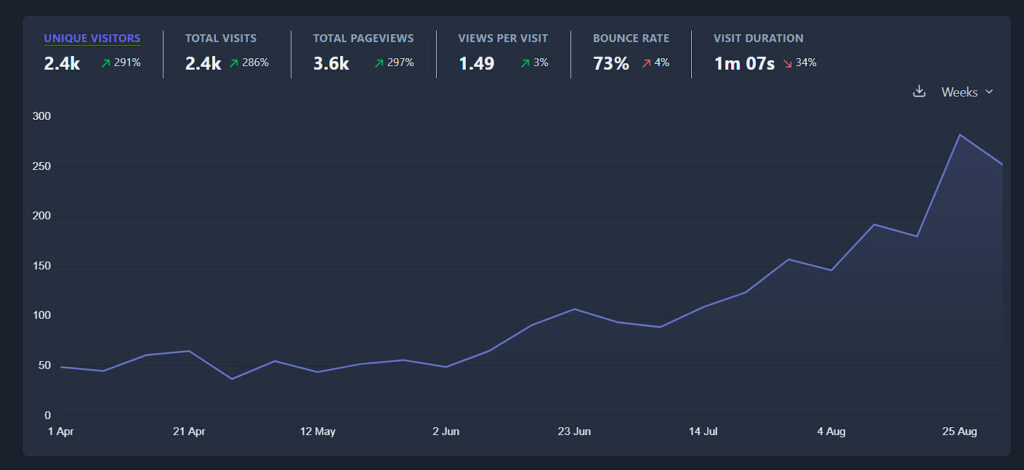
This matters, a lot.
Google’s global search market share fell below 90% in late 2024 for the first time since 2015, hovering around 89% through most of 2025. Meanwhile, 39% of marketers report declining clicks and web traffic from traditional search, specifically attributing traffic declines to Google’s AI Overviews launch in May 2024.
That’s where GEO Analyser comes in. It’s an open source, free, self-hosted tool that analyses your content specifically for AI search engine optimisation. The clever bit is that it runs entirely on Cloudflare’s infrastructure, which means your content analysis never leaves your control, and you can deploy the whole thing with almost one click.
I know what I’m doing – take me to the repo: https://github.com/houtini-ai/geo-analyzer
What is the GEO Analyser?
Before we get into what the tool does, it’s worth understanding what GEO actually is and why it’s fundamentally different from traditional SEO.
There’s a fascinating research paper from Princeton, Georgia Tech, Allen Institute, and IIT Delhi called “How is ChatGPT’s behavior changing over time?” that forms the foundation of understanding GEO. The researchers discovered something crucial: AI search engines don’t just find content like Google does – they need to extract specific, actionable information from it.
Traditional SEO is about making your content findable – getting it to rank in search results. GEO is about making your content extractable – ensuring AI systems can pull clear, accurate answers from your content to cite in their responses. The research shows that content optimised for extractability can see up to 40% better citation rates from AI search engines. In my opinion there are a set range of parameters you can work to that improves your findability in AI search, without screwing up the article and making it sound weird.
With GEO Analyser I took this research and turned it into something practical. It examines your content through the lens of extractability – can an AI system easily pull clear, accurate information from your page? It checks for the specific patterns and structures that AI search engines prioritise when deciding what to cite. Then, it gives you an opinion on what content can be improved on the page.
Why This Matters
I’ve been tracking the shift in how people search for information – to be perfectly frank I’m finding myself using legacy Google search less and less opting for deep research with Gemini (check out my MCP for Gemini with search grounding). I’m bullish on the AI workflow improving the fundamental way we work. ChatGPT, Gemini, Perplexity, and to an extent Claude are taking meaningful market share from traditional search engines. If you’re creating content professionally, ignoring this shift is like ignoring mobile optimisation was in 2012.
I’ve never heard of Mercury Holidays, maybe they’re huge – but something tells me this wouldn’t be a difficult SEO play to beat:

That 40% improvement in citation rates with GEO isn’t just a number, it’s a massive opportunity – it represents the difference between being invisible to AI search engines and your site becoming the primary source. When someone asks an AI assistant for information in your domain, you either get cited or you don’t. There’s no page two of results to fall back on. Not anymore.
What makes all of this particularly interesting is that AI search works fundamentally differently from traditional search. AI search engines are analysing whether they can extract clear, specific answers from your content. They’re looking for structured information, clear statements, and factual accuracy that can be verified (among many other although increasingly marginal things).
Content that ranks well in Google might perform terribly in AI search, and vice versa. I’ve seen blog posts with excellent traditional SEO that never get cited by AI engines because the information isn’t structured for extraction. Meanwhile, newer posts with weaker backlink profiles but clearer information architecture get cited consistently. The hidden gems effect.
How It Works (The Clever Bit)
GEO Analyser uses what I hope you’ll agree is a genuinely clever three-layer analysis system. Each layer catches different types of issues, and together they give you a comprehensive picture of how extractable your content is.
The first layer is pattern analysis. This executes in 0.3-0.8 seconds using regex checks looking for structural signals that indicate extractable content. Things like whether you’re using proper heading hierarchy, if you’ve got clear topic sentences, whether your paragraphs are scannable length. It’s not sophisticated, but it’s fast and catches obvious issues immediately.
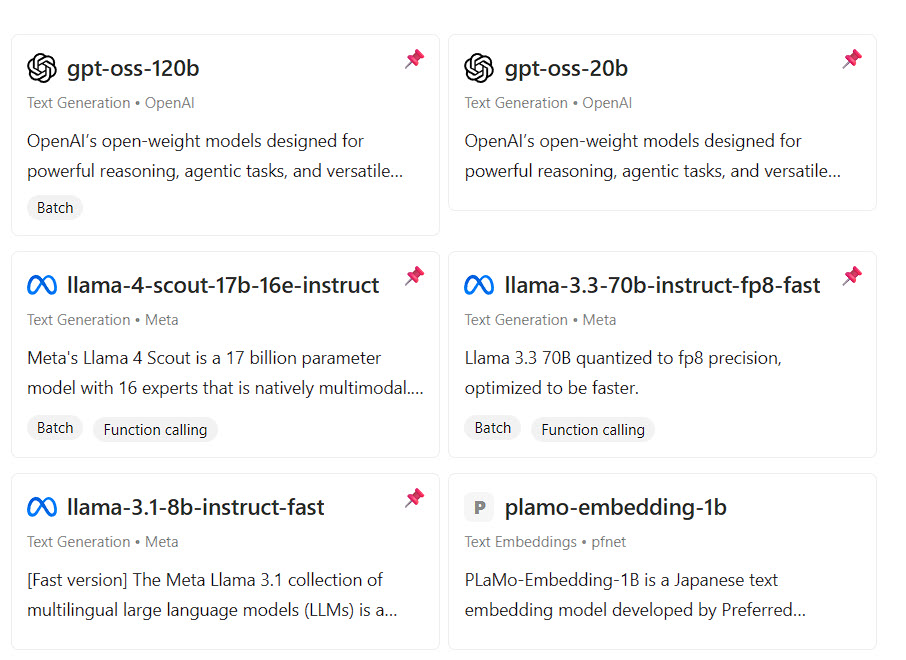
The second layer is where it gets interesting. This is semantic analysis using Cloudflare’s Workers AI with Llama 3.3 70B (or user-configurable alternatives), processing content at approximately 2-4 seconds per 1,000 words. Instead of just pattern matching, it’s actually understanding what your content means and whether that meaning is clear and extractable. It checks if your main points are stated explicitly rather than implied. It verifies that technical terms are explained. It looks for the kind of clarity that makes a sentence citation-worthy rather than just readable.
I think this semantic layer is what makes the tool powerful rather than just another content analyser. It’s not checking for keywords or reading level – it’s checking whether an AI system reading your content could confidently extract a specific fact or recommendation and cite you for it.
The third layer is competitive analysis, and this one’s optional but revealing. With your (required) Jina.ai API key, it can fetch competing content that’s currently ranking well for your target topic and show you how your extractability compares. This isn’t about copying what competitors do – it’s about understanding where you might be less clear or less structured than content that’s already getting cited.
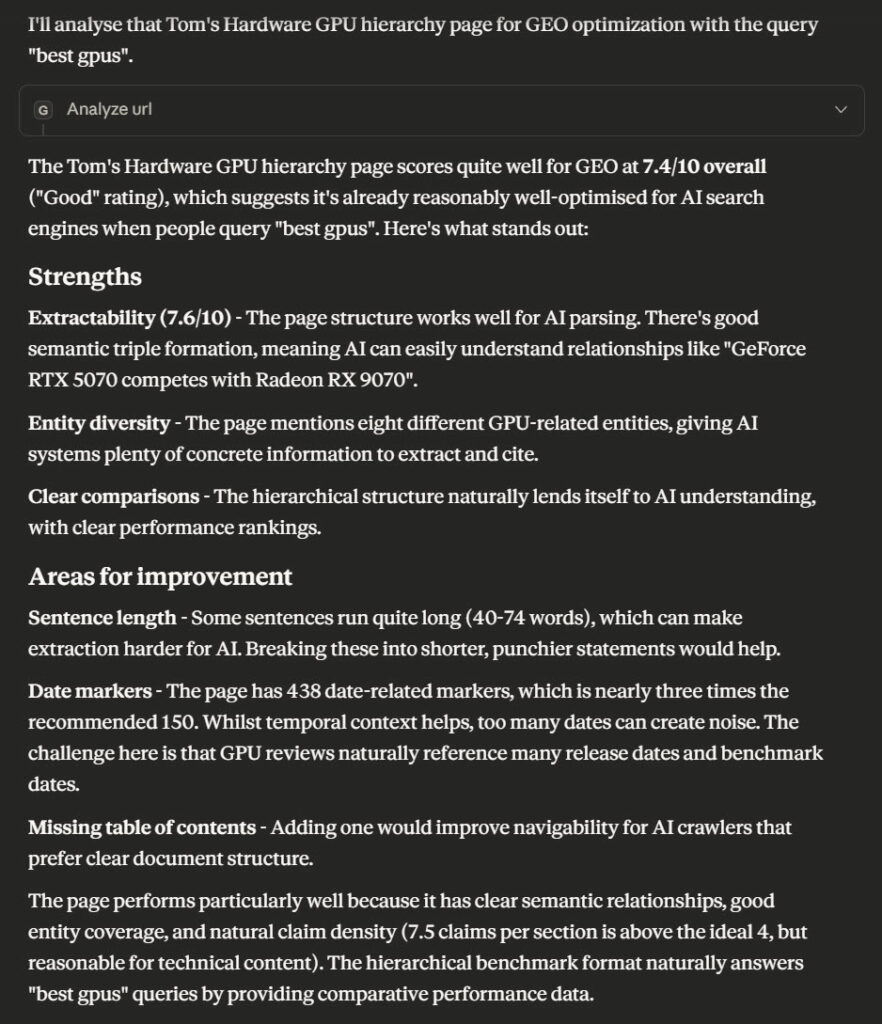
Here’s a real example of what each layer might catch. Let’s say you’ve written about choosing a graphics card. The pattern layer might flag that you’ve buried your main recommendation in the middle of a long paragraph. The semantic layer might notice that you’ve used “this one” as a pronoun reference when you meant “the RTX 4090” – perfectly clear to human readers, potentially confusing for extraction. The competitive layer might show you that the top-cited content includes specific price points and you’ve only mentioned price ranges.
Check this analysis out:
What You Need to Get Started
You’ll need three things, and all of them are free to get started:
First, a Cloudflare account. Cloudflare Workers provides 100,000 free requests daily, which translates to approximately 25,000-33,000 GEO analyses per day (at 3-4 requests per analysis). That’s plenty for most content teams. Even if you exceeded this, costs are just $0.50 per million requests. The reason we use Cloudflare Workers is that they’re fast, reliable, and the deployment process is genuinely one-click. You don’t need to understand serverless computing or worry about scaling – it just works.
Second, a Jina.ai API key. This is essential – the GEO Analyzer uses Jina’s Reader API to fetch and parse web content for analysis. Sign up at Jina.ai for a free account, and their free tier is generous enough for most use cases, covering plenty of analyses per day.
Third, Claude Desktop. GEO Analyser integrates via the Model Context Protocol (MCP), which means it works natively inside Claude. You don’t need to copy and paste URLs or switch between tools – you just ask Claude to analyse a page and it handles everything.
Could you geo-analyse this page https://www.tomshardware.com/reviews/gpu-hierarchy,4388.html for "best gpus"?
The complete setup process takes 8-12 minutes: 30 seconds for Cloudflare deployment, 2-3 minutes for Jina.ai API key retrieval, and 5-8 minutes for Claude Desktop MCP configuration.
Step-by-Step Setup
Let’s walk through the actual deployment process. I promised one-click deploy, and I meant it.
Part 1: Deploy to Cloudflare
Head to the GEO Analyser GitHub repository. Right at the top of the README, you’ll see a blue “Deploy to Cloudflare Workers” button.
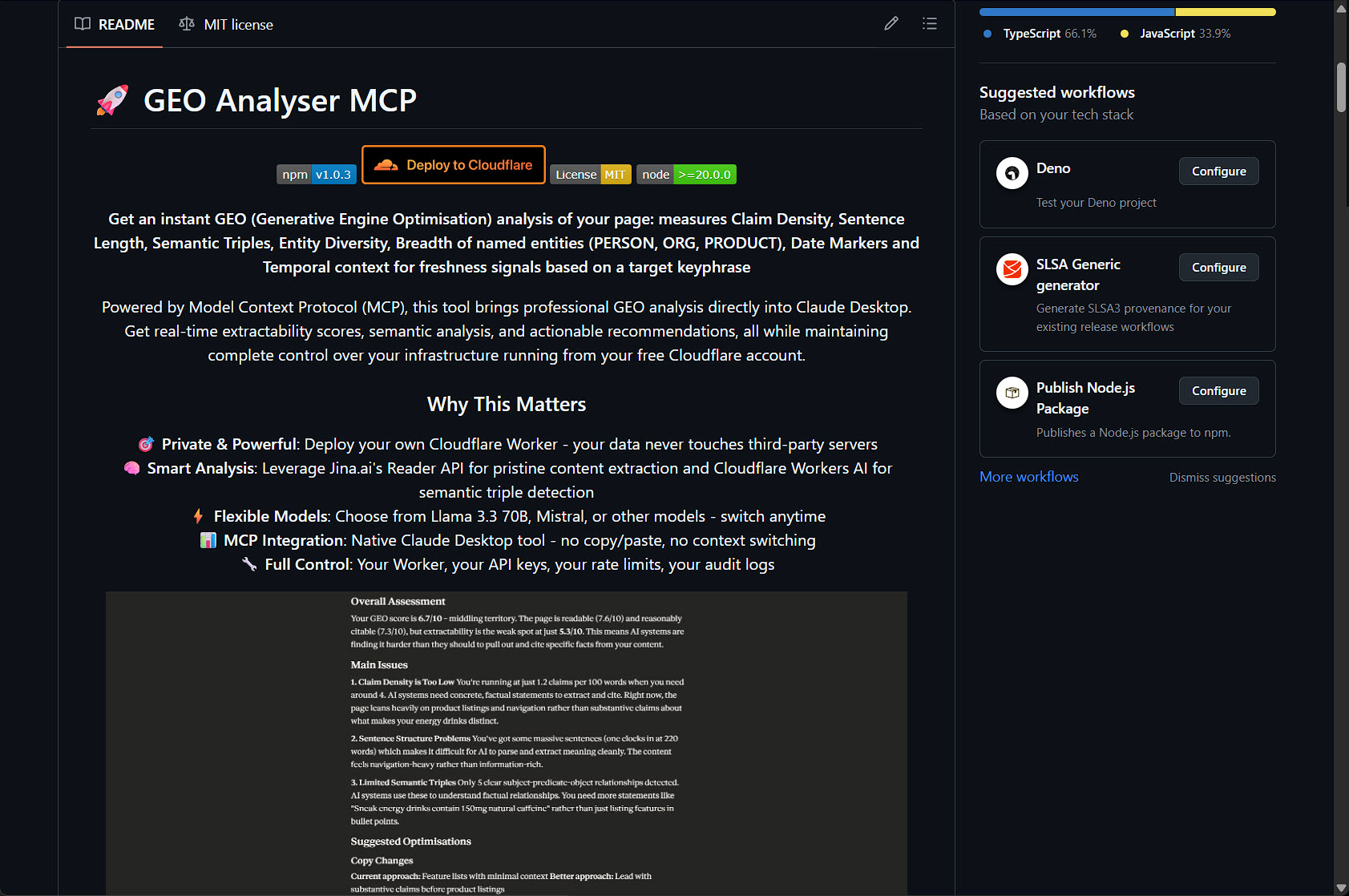
Click that button. You’ll be taken to Cloudflare’s deployment interface. If you’re not already logged in, you’ll be prompted to sign in or create an account.
The free tier is genuinely free – no credit card required to get started.
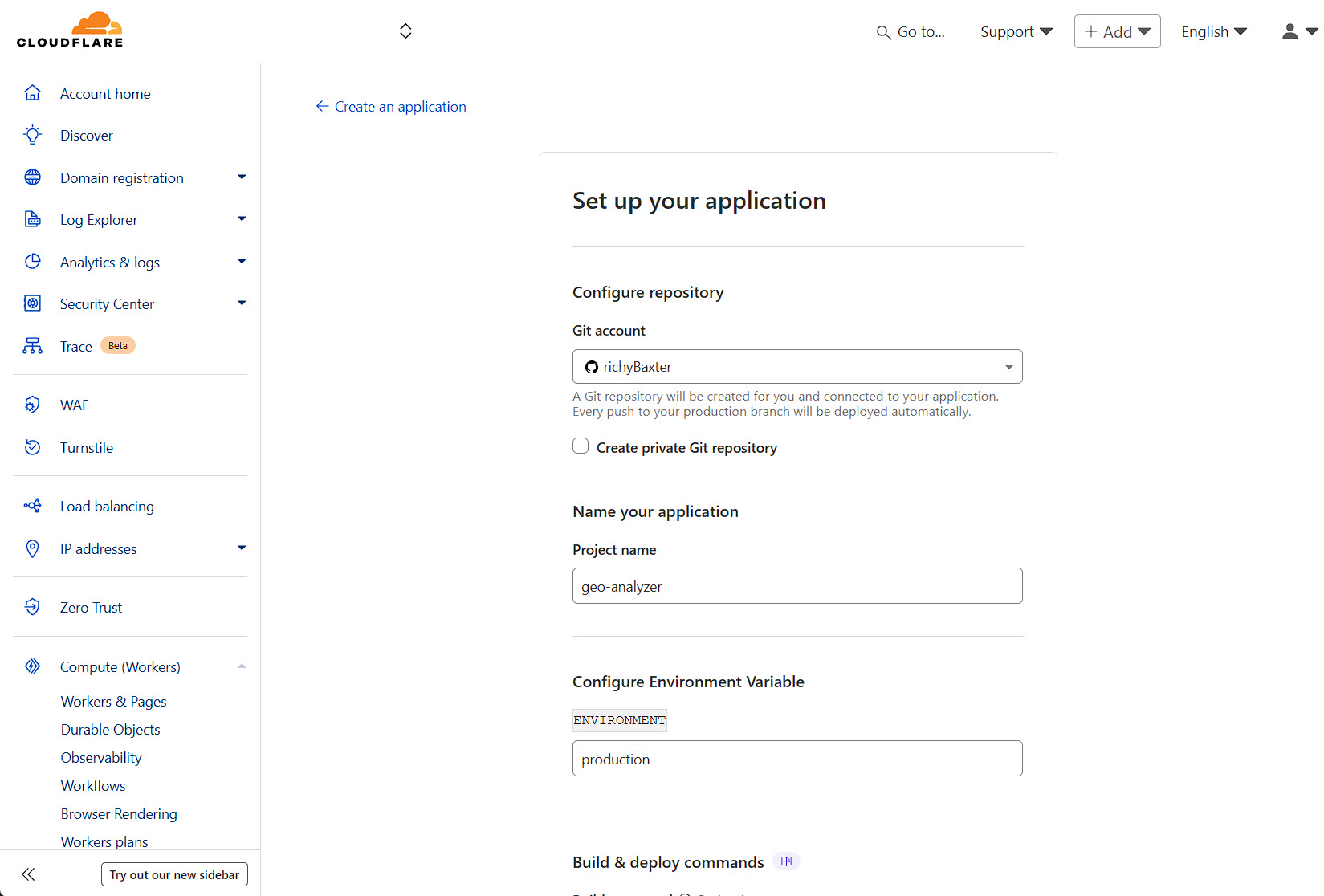
Once you’re authenticated, you’ll see the application setup screen. This is where Cloudflare is preparing to deploy the worker. You don’t need to change any of these settings for a basic deployment.
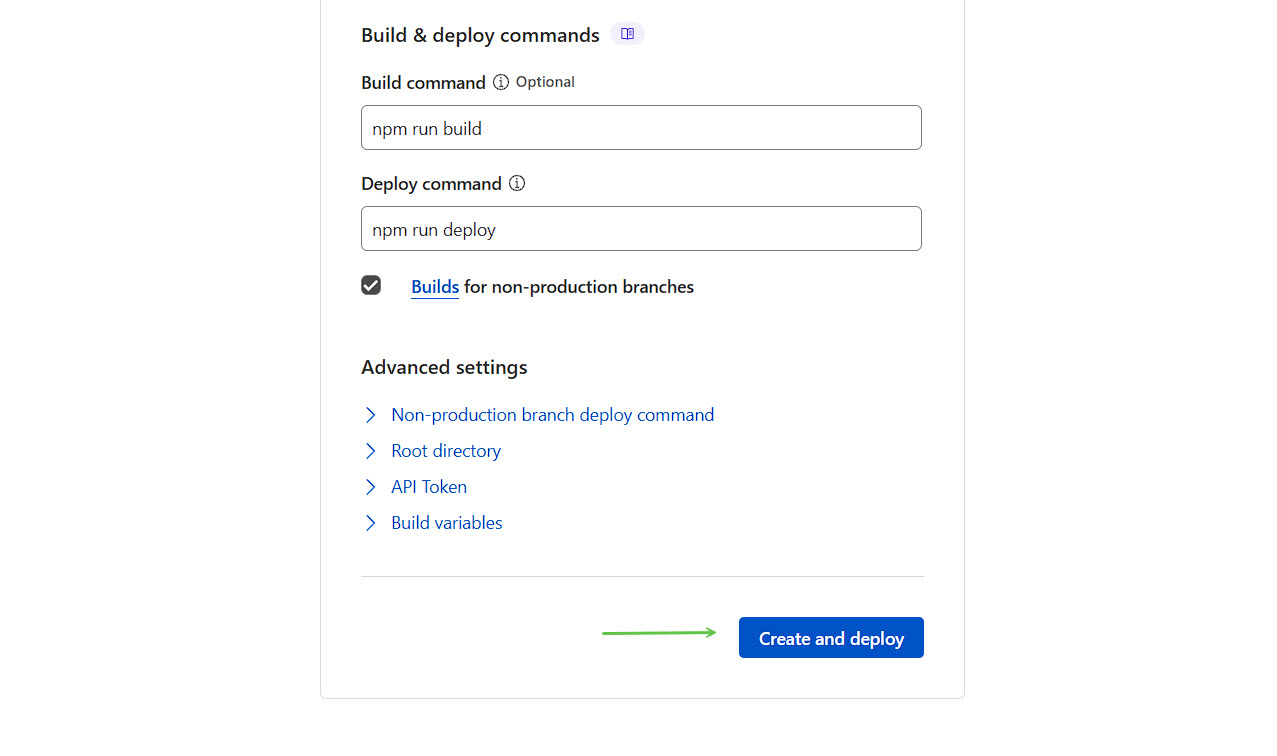
Scroll down and click “Create and Deploy”. That’s the button with the green arrow in this screenshot:
Now you wait. Cloudflare is building your worker, deploying it to their edge network, and setting everything up. This takes about 30 seconds. When it’s done, you’ll see a success screen:
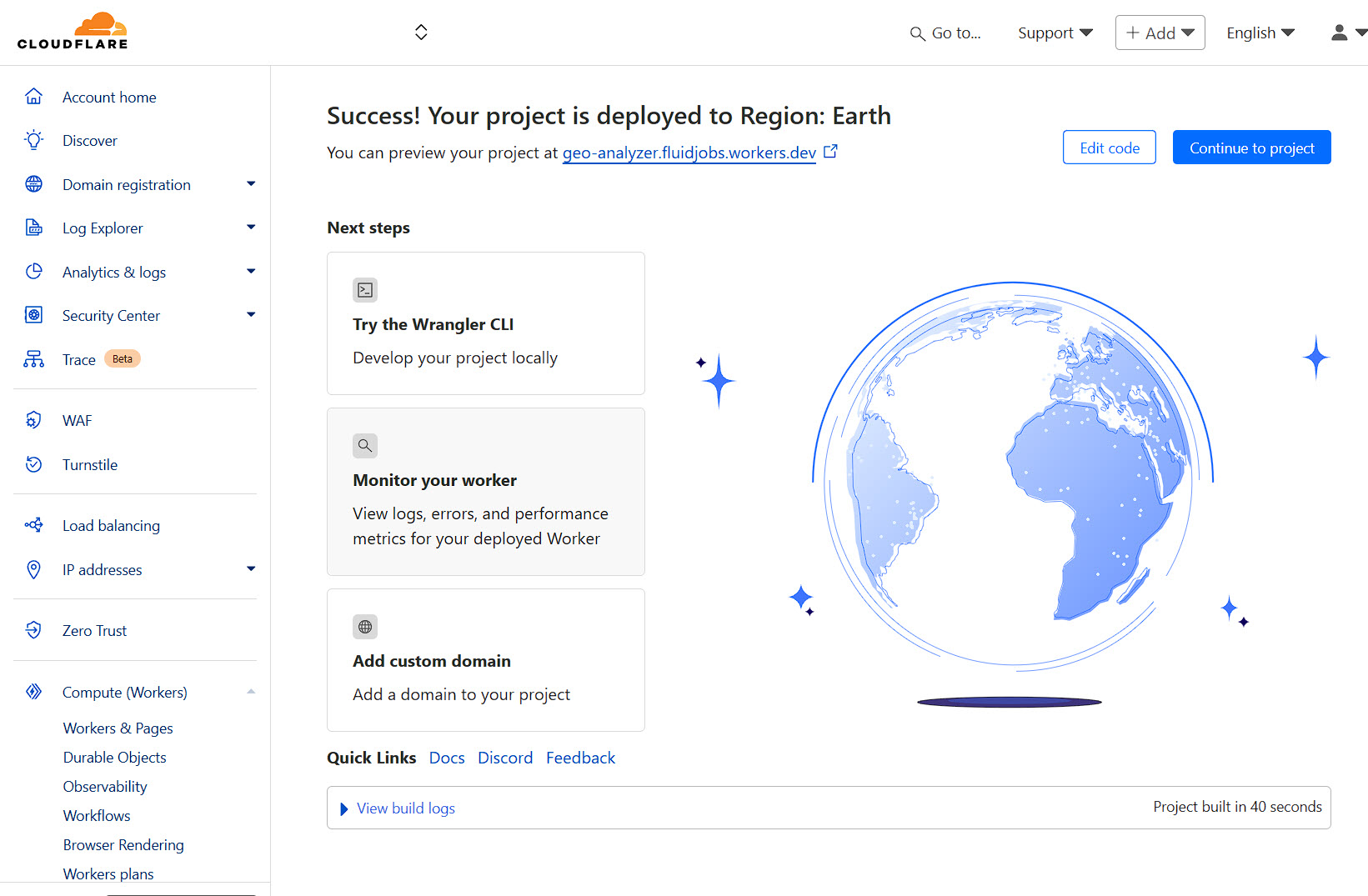
That’s it. Your GEO Analyser is now live on Cloudflare’s network. Make a note of the URL they give you – you’ll need this for the Claude Desktop configuration.
Part 2: Get Jina.ai API Key
Next head to Jina.ai and grab an API key – no signup. Incredible API endpoint. You can literally copy the free tier API key from the homepage.
Part 3: Configure Claude Desktop
This is where it all comes together. You need to tell Claude Desktop about your new MCP server so it can use it.
I’ve written a detailed guide on how to add an MCP server to Claude Desktop that covers this process step by step, but here’s the quick version:
Find your Claude Desktop configuration file (it’s usually in ~/Library/Application Support/Claude/ on Mac or %APPDATA%\Claude\ on Windows). Edit the config.json file and add your GEO Analyser as an MCP server:
{
    "mcpServers": {
      "geo-analyzer": {
        "command": "npx",
        "args": ["-y", "@houtini/geo-analyzer"],
        "env": {
          "GEO_WORKER_URL": "https://geo-analyzer.YOUR-SUBDOMAIN.workers.dev",
          "JINA_API_KEY": "your-jina-key-here"
        }
      }
    }
}
Restart Claude Desktop, and you should see the GEO Analyser listed in your MCP servers. If you open the MCP panel in Claude’s developer settings, you can verify it’s connected properly.
Verification Test
To check everything’s working, try this simple test. In Claude Desktop, type:
"Hey Claude, can you test the geo-analyzer connection?"
Claude should be able to reach your worker and confirm it’s responding. If you get an error, double-check your URL is correct and your worker is still running in Cloudflare’s dashboard.
Using It in Your Workflow
Once you’ve got everything set up, using GEO Analyser is refreshingly straightforward. You just ask Claude to analyse a page, and it handles everything else.
Here’s a basic example. Let’s say I want to analyze a page about GEO itself:
"Hey Claude, can you geo-analyze this page: https://searchengineland.com/what-is-generative-engine-optimization-geo-444418 for keyword "GEO" - go for detailed output and give me some ideas on how to optimize the copy"
Claude will fetch the page through the analyser, run all three layers of analysis, and give you back a comprehensive report. You’ll see pattern-level issues (heading structure, paragraph length), semantic issues (clarity, extractability), and if you’ve got Jina configured, competitive context.
The output is quite detailed, but it’s organized logically. You get a summary score at the top, then detailed findings for each layer, then specific recommendations. The recommendations are the useful bit – they’re actionable suggestions like “Move your main recommendation to the opening paragraph” or “Add specific metrics to your comparison section” rather than vague advice like “improve readability”.
What I find particularly useful is how it flags implied information. As writers, we often reference things without explicitly stating them because we assume context. Phrases like “this approach” or “these tools” are perfectly clear to human readers but harder for AI systems to extract and cite. The semantic analysis catches these and suggests making them explicit.
It also catches what I think of as “buried leads” – situations where your most citation-worthy information is hidden in the middle of a long paragraph or subordinate clause. AI search engines tend to prioritize clear, prominent statements, so if your key insight is tucked away, you’re less likely to get cited even if the information is accurate.
Who This Is For
I think there are three main groups who’ll find this genuinely useful.
If you’re a content creator who’s noticed traffic patterns changing and wants to optimize for AI search, this gives you a systematic way to audit and improve your content. Instead of guessing whether your articles are citation-worthy, you can check and make informed changes.
If you’re an SEO professional, this is your way into the GEO space without having to become an expert in AI behavior overnight. The tool handles the technical analysis, and you can focus on the strategic improvements.
If you’re a publisher seeing traffic shifts from traditional search to AI search, this helps you understand why some content gets cited and some doesn’t. You can start optimizing your content library systematically rather than just hoping the AI engines find your stuff.
The common thread is that you care about being cited by AI search engines, and you want a practical way to check and improve your content without hiring expensive consultants or manually testing everything.
Cost Reality Check
Let’s talk about what this actually costs, because free tools often have gotchas.
Cloudflare Workers’ free tier gives you 100,000 requests per day. A single analysis typically uses 3-4 requests (one to fetch the page, one per analysis layer). So you’re looking at roughly 25,000-30,000 analyses per day before you hit any costs. For most content teams, that’s effectively unlimited.
If you do exceed the free tier, Cloudflare’s pricing is $0.50 per million requests. That means even if you’re analyzing hundreds of pages daily, you’re looking at a few dollars per month at most.
Jina.ai’s free tier covers 1,000 requests per day. Since competitive analysis is optional and only used when you specifically request it, this goes a long way. Their paid plans start at $10/month if you need more.
Compare this to manual testing – having someone systematically check each page across multiple AI search engines for citation-worthiness or relying on more classic optimisation techniques. Nope. The time and cost savings are pretty substantial and I hope you find this a useful addition to your workflow.
The self-hosted nature means there are no per-analysis fees, no subscription costs, and no usage tracking beyond what you do yourself. Your content never goes through a third-party service – it’s analyzed directly on your own Cloudflare worker.
The GEO Analyser GitHub repository has full documentation, troubleshooting guides, and example workflows. The one-click deploy really does work as advertised – I’ve had several people test it, and the most common feedback is surprise at how straightforward it is.
If you’re creating content in 2025, understanding how AI search engines interpret and cite your work isn’t optional anymore. It’s just part of the landscape. This tool makes that understanding accessible without requiring you to become an expert in AI behavior or spend significant money on consultants.
Give it a try. Deploy it, analyse a few of your pages, see what it tells you. The insights tend to be quite revealing, and the recommendations are actionable enough that you can start improving your content’s extractability immediately.
If you run into issues or have questions, there’s a discussion section on the GitHub repository where the community helps each other out. And if you find it useful, we’d love to know what you’re using it for – this is very much an evolving tool, and feedback shapes where it goes next. Enjoy!