Best PCs for Local AI 2026: 21 Tested Builds, £200 to £8K
VRAM decides everything when running local AI. I've tested 21 PCs across six tiers - from a £200 RTX 3060 entry build to the £8,499 Mac Studio M3 Ultra - showing exactly which GPU runs which model size and at what tokens per second.
If you’ve never run a model locally and you’re wondering whether your hardware can handle it, the barrier to entry is lower than you’d think. A £200 RTX 3060 12GB runs Llama 3.1 8B at around 42 tokens per second on my own bench, fast enough that I forget I’m not hitting an API. Thousands of pounds? Not required. But you do need to know which single number on the spec sheet matters, because most of them don’t.
About eighteen months ago I bought a used RTX 3090, mostly because I was tired of paying API costs every time I wanted to experiment with a model. I’d pull a 13B model, chat with it, try a bigger one, hit the VRAM wall, and immediately start thinking about a second card. The 3090 turned into a Threadripper 5990x workstation with six NVIDIA Ada GPUs and 104GB of VRAM, sitting in my office, running all day. I’ve even built an MCP for Claude Code to work with my local LLM (running LM Studio ).
Below: the hardware mistakes and lucky finds, from a £200 GPU shoved into my work PC to mini PCs with 128GB of unified memory running 70B models from under a desk.
Quick Navigation
Jump directly to what you're looking for:
Skip to the PC Finder | VRAM & Quantisation | Hardware Secrets | Budget (Under £800) | RTX 3060 Benchmarks | Mini PCs for AI | Mid-Range (£800-£3,000) | Premium (£3,000+) | Does the CPU Matter? | Software Stack | Comparison Table
Just want a recommendation? Use the PC Finder {#pc-finder}
If you already know roughly what you want to do (run a 70B model, generate images, drive a local code agent) and how much you want to spend, scroll the picker below. It filters 17 hand-checked builds from Stormforce, Apple, Framework and NVIDIA across six tiers. Prices come from live merchant feeds and we re-check them every few weeks.
If you want to understand *why* a particular tier suits you, keep reading after the finder. The article is structured so you can stop at the recommendation that fits, or keep going for the full hardware reasoning.
Find an AI PC that fits your budget and your models
Filter by what you want to run, what you want to spend, and the form factor you have room for. Showing 21 of 21 hand-picked builds.
Filters
Disclosure Prices verified against merchant feeds on the date above. They drift weekly - check before you buy. Affiliate links earn Houtini a small commission at no cost to you and fund the next round of testing. Last verified 2026-05-19. Dual-currency display uses an approximate GBP/USD rate of ~1.27 (2026-05-19); real rate, shipping, and import duties not included.
-
 In stock
Stormforce
In stock
StormforceStormforce Obsidian Prime
Cheapest viable AI PC — if you only need 7B and 13B models
Price£1,500~$1,905GPU NVIDIA RTX 5070 VRAM 12GB CPU Intel Core i5 RAM 32GB SSD 1TB12GB VRAM is enough for Llama 3.1 8B at Q4 with usable context, plus SDXL at decent speed. Drop to Q3 and 13B fits too. Not enough headroom for 30B — if that matters, jump a tier.
via Stormforce View at Stormforce -
 In stock
Stormforce
In stock
StormforceStormforce Obsidian Elite
Same RTX 5070 with a stronger Ryzen CPU for prompt eval
Price£2,000~$2,540GPU NVIDIA RTX 5070 VRAM 12GB CPU AMD Ryzen 7 9700X RAM 32GB SSD 1TBThe Ryzen 9700X chews through prompt processing faster than the i5 — noticeable when you paste 4K of code into a local Code Llama. Still 12GB VRAM though, so same model ceiling.
via Stormforce View at Stormforce -
 In stock
Stormforce
In stock
StormforceStormforce Cyclone Pro
The sweet spot — 16GB VRAM under £2,500
Price£2,300~$2,921GPU NVIDIA RTX 5070 Ti VRAM 16GB CPU AMD Ryzen 7 7800X3D RAM 32GB SSD 1TB16GB VRAM is the inflection point. Mistral Small 3 24B fits at Q4 with room for a 16K context. Qwen 2.5 Coder 32B fits at Q3. SDXL and Flux Schnell both run comfortably. This is the build I recommend to most people.
via Stormforce View at Stormforce -
 In stock
Stormforce
In stock
StormforceStormforce Zenith Elite
Same compute as the Cyclone Pro in a different chassis
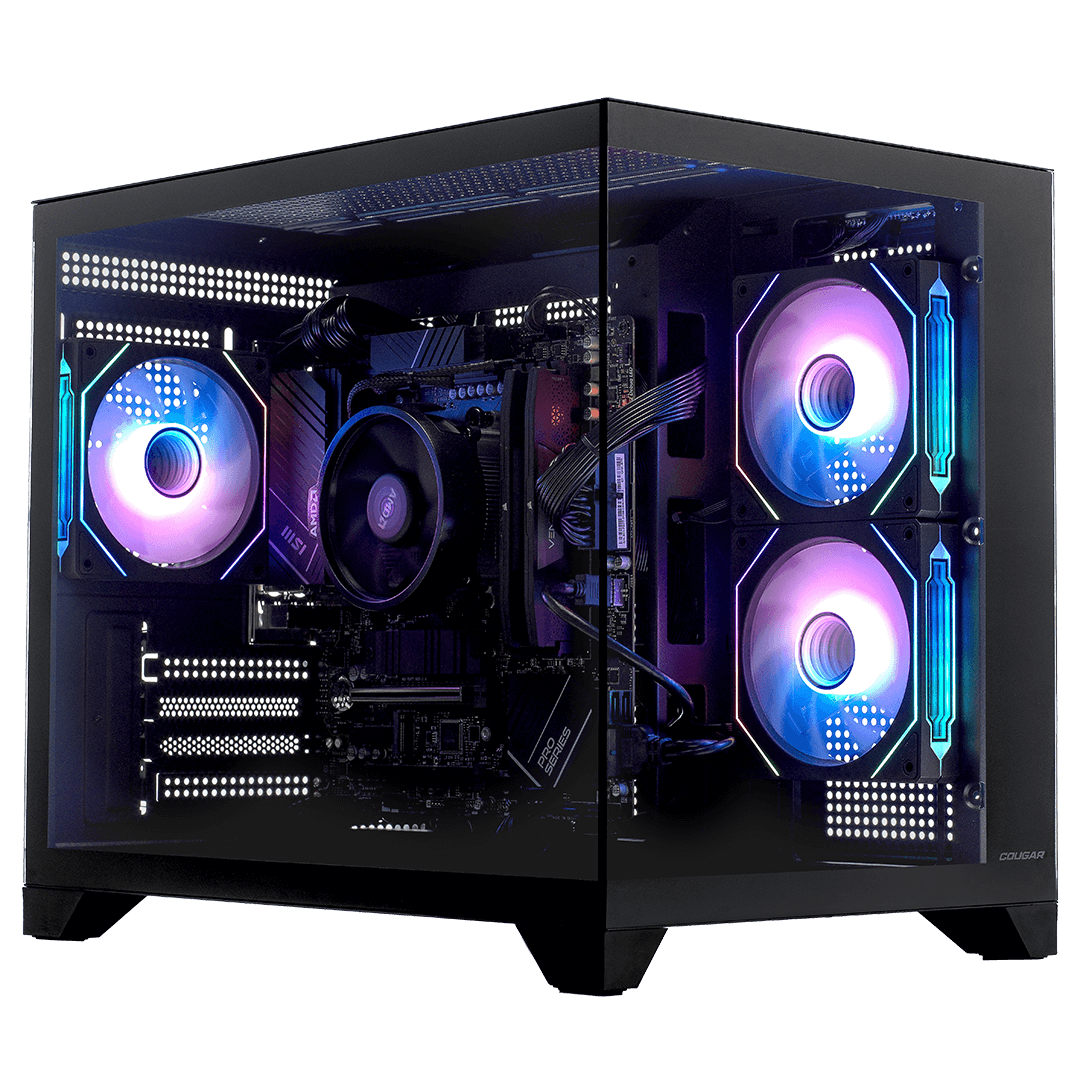
Price£2,400~$3,048GPU NVIDIA RTX 5070 Ti VRAM 16GB CPU AMD Ryzen 7 7800X3D RAM 32GB SSD 1TBSame silicon as the Cyclone in a different chassis. Prices have converged at £2,399.99 across both as of mid-May 2026, so pick on case preference — Cougar DuoFace here vs Cougar CFV235 on the Cyclone.
via Stormforce View at Stormforce -
 In stock
Stormforce
In stock
StormforceStormforce Titan Prime
Newer 9800X3D CPU with the same RTX 5070 Ti
Price£2,500~$3,175GPU NVIDIA RTX 5070 Ti VRAM 16GB CPU AMD Ryzen 7 9800X3D RAM 32GB SSD 1TBThe 9800X3D is the current AMD halo gaming CPU and it's noticeably faster at prompt processing than the 7800X3D. £100 premium over the Cyclone for measurable gains if you batch a lot of long prompts.
via Stormforce View at Stormforce -
 In stock
Stormforce
In stock
StormforceStormforce Midnight Max
Cheapest 5080-class build — 64GB RAM unlocks CPU offload
Price£3,000~$3,810GPU NVIDIA RTX 5080 VRAM 16GB CPU Intel Core Ultra 9 RAM 64GB SSD 2TB16GB VRAM with much faster compute than the 5070 Ti, plus 64GB system RAM. Mistral Small 24B and Qwen Coder 32B run comfortably with proper context. The Ultra 9 + 64GB combo also lets you offload to CPU for 70B at Q4 — slow but possible.
via Stormforce View at Stormforce -
 In stock
Stormforce
In stock
StormforceStormforce Velocity Flight
AMD 12-core X3D with RTX 5080 for hybrid CPU+GPU inference
Price£3,800~$4,826GPU NVIDIA RTX 5080 VRAM 16GB CPU AMD Ryzen 9 9900X3D RAM 64GB SSD 2TB12 X3D cores plus 5080 plus 64GB RAM is a serious hybrid inference setup. 70B Q4 via llama.cpp partial offload runs at usable (not fast) speeds. If you want 70B on a budget, this is the cheapest path that's not a Mac. Stormforce renamed this SKU from Velocity Xtreme to Velocity Flight in May 2026 — same machine.
via Stormforce View at Stormforce -
 In stock
Stormforce
In stock
StormforceStormforce Cyclone Xtreme
Cheapest RTX 5090 build on the UK market — 32GB VRAM under £4,200
Price£4,200~$5,334GPU NVIDIA RTX 5090 VRAM 32GB CPU Intel Core Ultra 7 265KF RAM 32GB SSD 2TB32GB VRAM is the magic number for serious local AI. Llama 3.3 70B fits at Q4 with comfortable context. Qwen 2.5 Coder 32B runs at Q8. Flux Dev at full precision. The Core Ultra 7 265KF won't keep up with an X3D chip on prompt eval, but if you're GPU-bottlenecked (which most local LLM work is) it doesn't matter.
via Stormforce View at Stormforce -
In stock
Stormforce
Stormforce Midnight Pulse
Latest X3D paired with RTX 5090 — best balance at this tier
Price£4,500~$5,715GPU NVIDIA RTX 5090 VRAM 32GB CPU AMD Ryzen 7 9850X3D RAM 64GB SSD 2TBIf I were buying today and the budget stretched £300 past the cheapest 5090, this would be it. 9850X3D is the current top single-CCD X3D part — fastest prompt processing of any AM5 build. Paired with 5090's 32GB it'll run 70B Q4 at 25–30 tokens/sec, and 64GB system RAM gives proper headroom for hybrid 100B+ inference.
via Stormforce View at Stormforce -
In stock
Stormforce
Stormforce Midnight Edge
12-core X3D + RTX 5090 — drops in price to under £5K mid-May 2026
Price£5,000~$6,350GPU NVIDIA RTX 5090 VRAM 32GB CPU AMD Ryzen 9 9900X3D RAM 64GB SSD 2TB12 cores + X3D cache + 5090 + 64GB RAM. Took a sharp £1,300 cut in May 2026 — now only £500 over the Midnight Pulse for four more X3D cores. If you're running parallel agents (multiple Claude Code sessions, agentic workflows, batch fine-tunes) those extra cores actually earn their keep.
via Stormforce View at Stormforce -
 In stock
Corsair
In stock
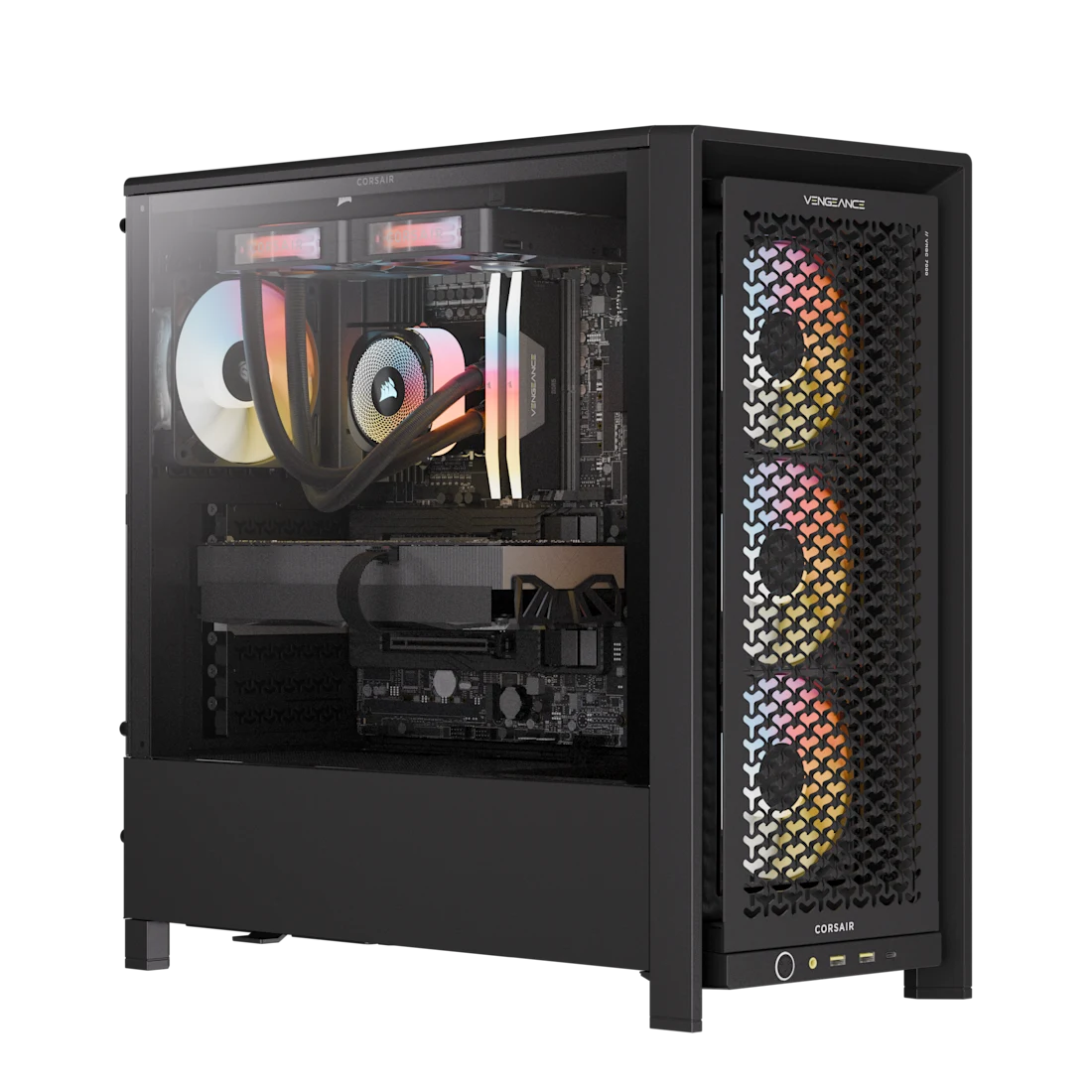
CorsairCorsair VENGEANCE a7500 AIR
Prebuilt flagship — RTX 5090 + 192GB DDR5 + 9950X3D in a Corsair chassis
Price (US listing)$7,000~£5,512GPU NVIDIA RTX 5090 VRAM 32GB CPU AMD Ryzen 9 9950X3D RAM 192GB SSD 6TB192GB of DDR5 system RAM is the killer feature here — that's enough headroom to run hybrid CPU+GPU inference on 200B+ models that won't fit on a single 5090 alone. Top-spec 9950X3D handles the prompt processing; 6TB of NVMe across three drives means you keep a real model library. Premium build quality, full Corsair component stack, and the price reflects all of it.
via Corsair View at Corsair -
 In stock
Empowered PC
In stock
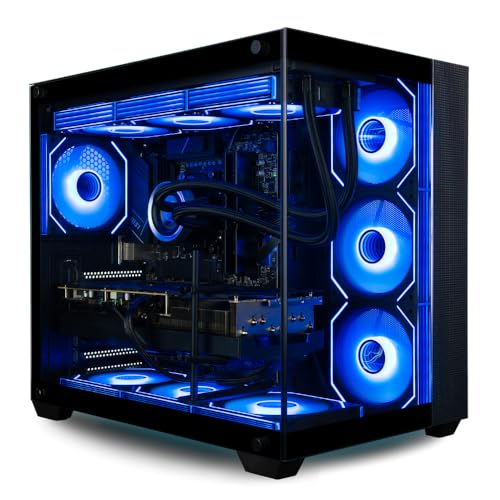
Empowered PCEmpowered PC Panorama XL
US Amazon-stocked flagship — 9950X3D + RTX 5090 + 128GB DDR5 in one box
Price (US listing)$7,699~£6,062GPU NVIDIA RTX 5090 VRAM 32GB CPU AMD Ryzen 9 9950X3D RAM 128GB SSD 10TBSticker is $7,699 on Amazon US. The GBP shown is a straight FX conversion — UK buyers add ~£1,200 for typical Amazon import duty + shipping on a desktop tower this size. 16-core X3D plus 32GB VRAM 5090 plus 128GB DDR5 is the most balanced flagship workstation I've seen on Amazon — the 128GB system RAM means CPU offload for 100B+ models is actually pleasant, not just possible.
via Amazon View at Amazon -
 In stock
Apple
In stock
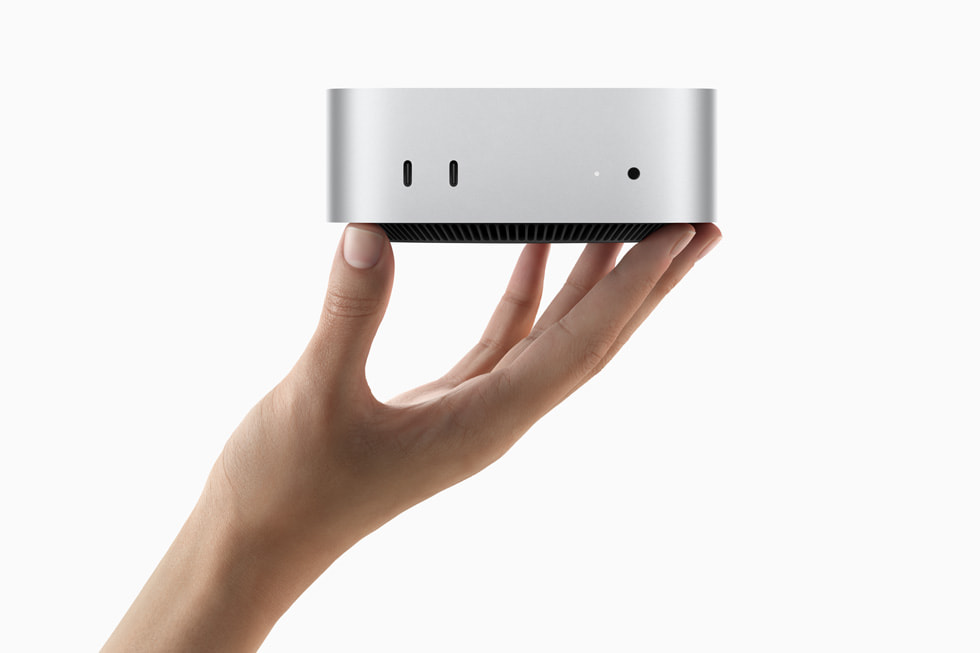
AppleApple Mac Mini M4 (16GB)
The cheapest way to dabble with on-device AI — not for serious LLM work
Price£599~$761GPU Apple M4 GPU (10-core) VRAM 16GB CPU Apple M4 (10-core) RAM 16GB SSD 0.3TBApple's unified memory means the 16GB is GPU-addressable. Llama 3.1 8B at Q4 runs at ~25 tokens/sec. Not enough for 30B, no headroom for context-heavy work. Tiny, silent, low power.
via Apple View at Apple -
In stock
Apple
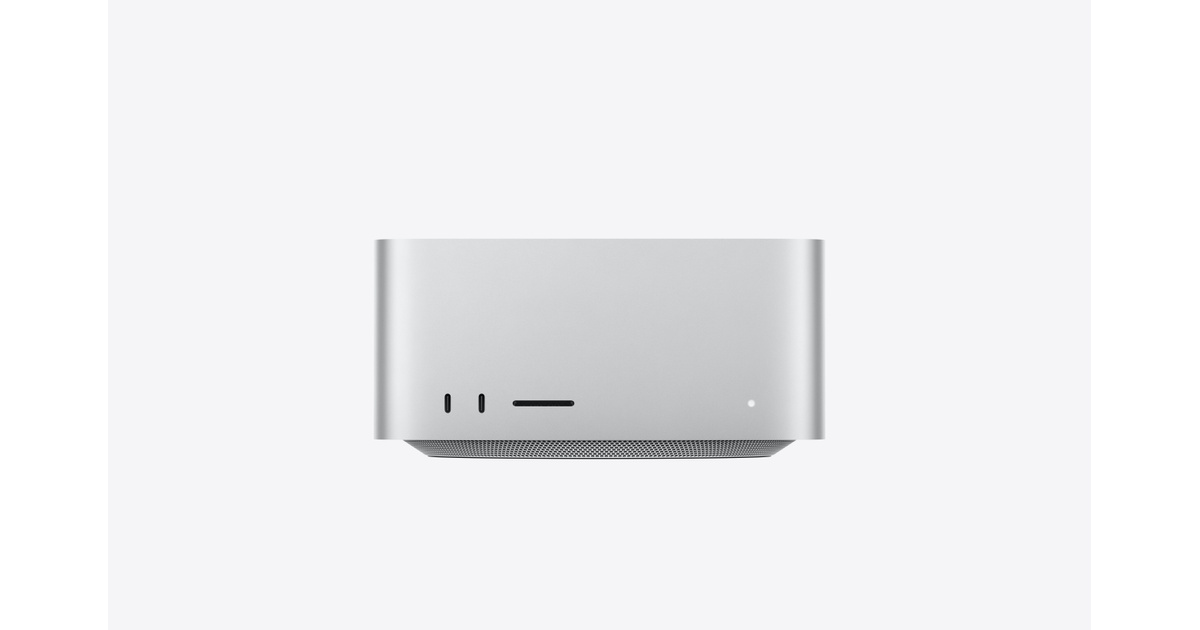
Apple Mac Mini M4 Pro (64GB)
Punches above its size — 30B models in a box smaller than a hardback book
Price£2,199~$2,793GPU Apple M4 Pro GPU (20-core) VRAM 64GB CPU Apple M4 Pro (14-core) RAM 64GB SSD 1TB64GB unified means Llama 3.3 70B runs at Q4 with 8K context, around 8–10 tokens/sec on MLX. Slower than a 5090 but in a fraction of the space at a fraction of the power draw. Best mini-PC option for local LLMs full stop.
via Apple View at Apple -
 In stock
Apple
In stock
AppleApple Mac Studio M4 Max (64GB)
Desktop Apple silicon with the GPU cores to match the unified memory
Price£3,499~$4,444GPU Apple M4 Max GPU (40-core) VRAM 64GB CPU Apple M4 Max (16-core) RAM 64GB SSD 1TB40 GPU cores means 70B Q4 runs noticeably faster than on the Mac Mini Pro — closer to 14 tokens/sec. The Studio is the right Apple form factor if you want sustained AI workloads without thermal throttling.
via Apple View at Apple -
In stock
Apple
Apple Mac Studio M4 Max (128GB)
128GB unified fits the big models entirely — 100B+ at Q4
Price£4,999~$6,349GPU Apple M4 Max GPU (40-core) VRAM 128GB CPU Apple M4 Max (16-core) RAM 128GB SSD 1TBLlama 3.1 405B fits at Q2 with 4K context. Qwen 2.5 72B at Q8. Mistral Large 123B at Q4. This is where Apple's unified memory model genuinely beats a 5090 — you trade speed for fitting models that just won't load on 32GB VRAM.
via Apple View at Apple -
In stock
Apple
Apple Mac Studio M3 Ultra (256GB)
The biggest unified memory box money buys — frontier-scale models locally
Price£8,499~$10,794GPU Apple M3 Ultra GPU (80-core) VRAM 256GB CPU Apple M3 Ultra (32-core) RAM 256GB SSD 1TBLlama 3.1 405B at Q4. DeepSeek V3 671B at Q3. The only consumer box that runs frontier-class models locally. Slower per-token than a 5090 but the 5090 can't load these at all. If you're trying to run what OpenAI and Anthropic ship, this is the desk-side option.
via Apple View at Apple -
 In stock
Corsair
In stock
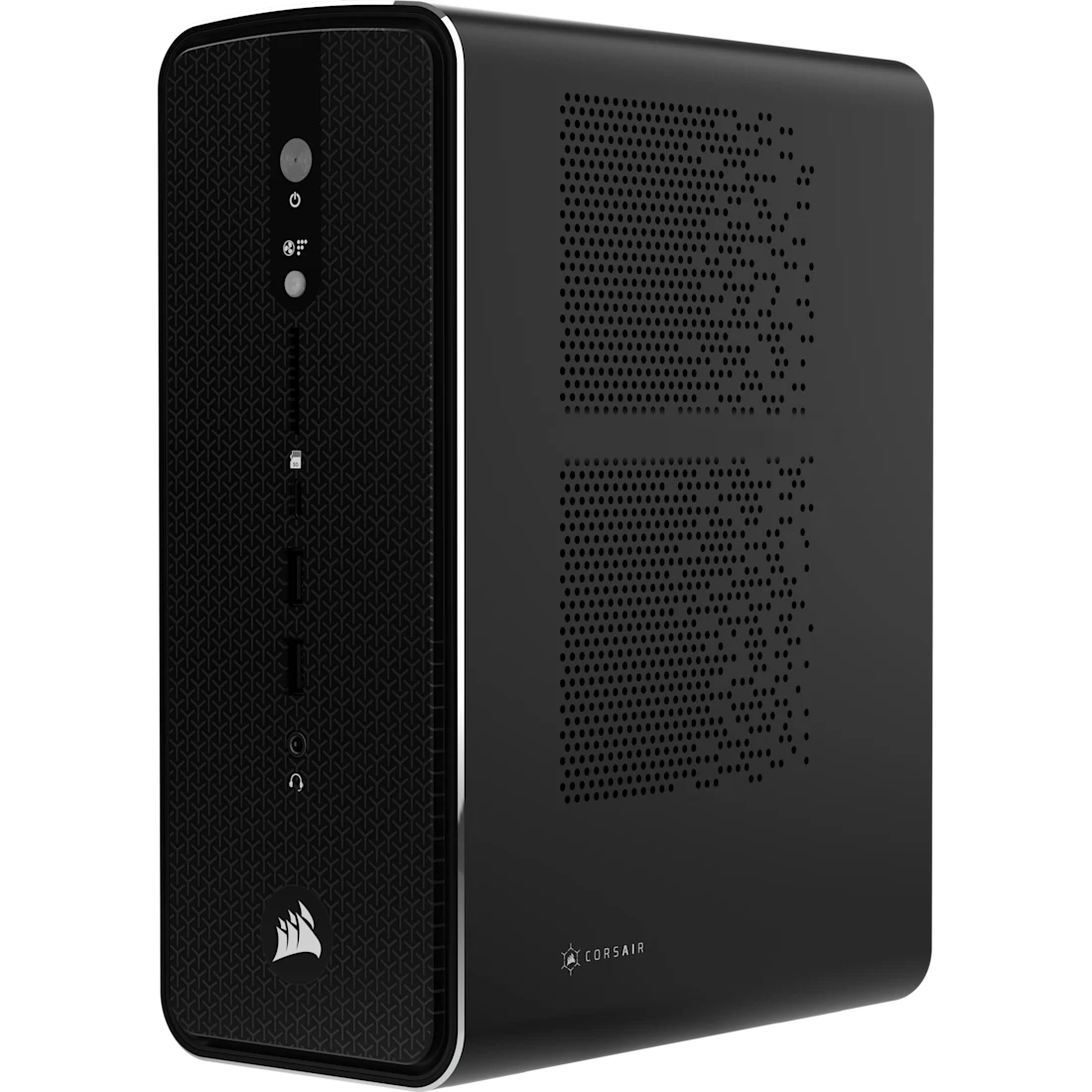
CorsairCorsair AI Workstation 300
Strix Halo in a 4.4-litre Corsair chassis — 70B in a quiet box
Price (US listing)$2,700~£2,126GPU Integrated Radeon 8060S (40 CU) VRAM 96GB CPU AMD Ryzen AI Max+ 395 RAM 128GB SSD 1TBSame Strix Halo silicon as the Framework Desktop in Corsair's own 4.4-litre chassis with a 300W Flex ATX PSU. 96GB of the 128GB unified pool is allocatable to the integrated GPU — enough to run Llama 3.3 70B at Q4 with comfortable context. Less modular than the Framework but the Corsair cooling is properly tuned for sustained inference loads.
via Corsair View at Corsair -
 In stock
GMKtec
In stock
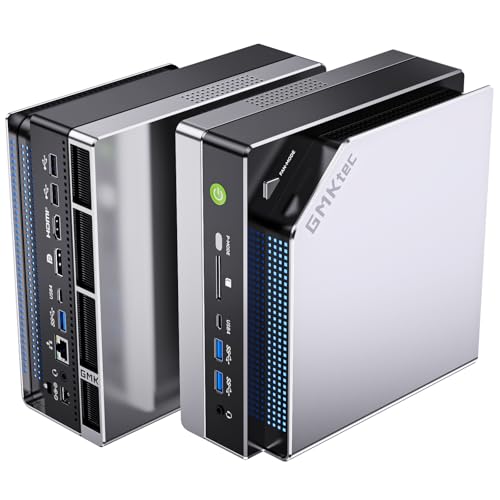
GMKtecGMKtec EVO-X2
First Strix Halo mini PC to market — Amazon UK direct, 128GB unified
Price£2,099~$2,666GPU Integrated Radeon 8060S (40 CU) VRAM 96GB CPU AMD Ryzen AI Max+ 395 RAM 128GB SSD 2TBThe surprise entry that opened up the Strix Halo mini PC category. Same chip and unified memory as the Framework and Corsair builds — gets to market via Amazon UK direct, which makes it the easiest path for UK buyers who don't want to deal with Framework's order queue or Corsair's US-to-UK shipping. 2TB NVMe at the entry tier vs 1TB on the Corsair is a small but real edge.
via Amazon View at Amazon -
 In stock
Framework
In stock
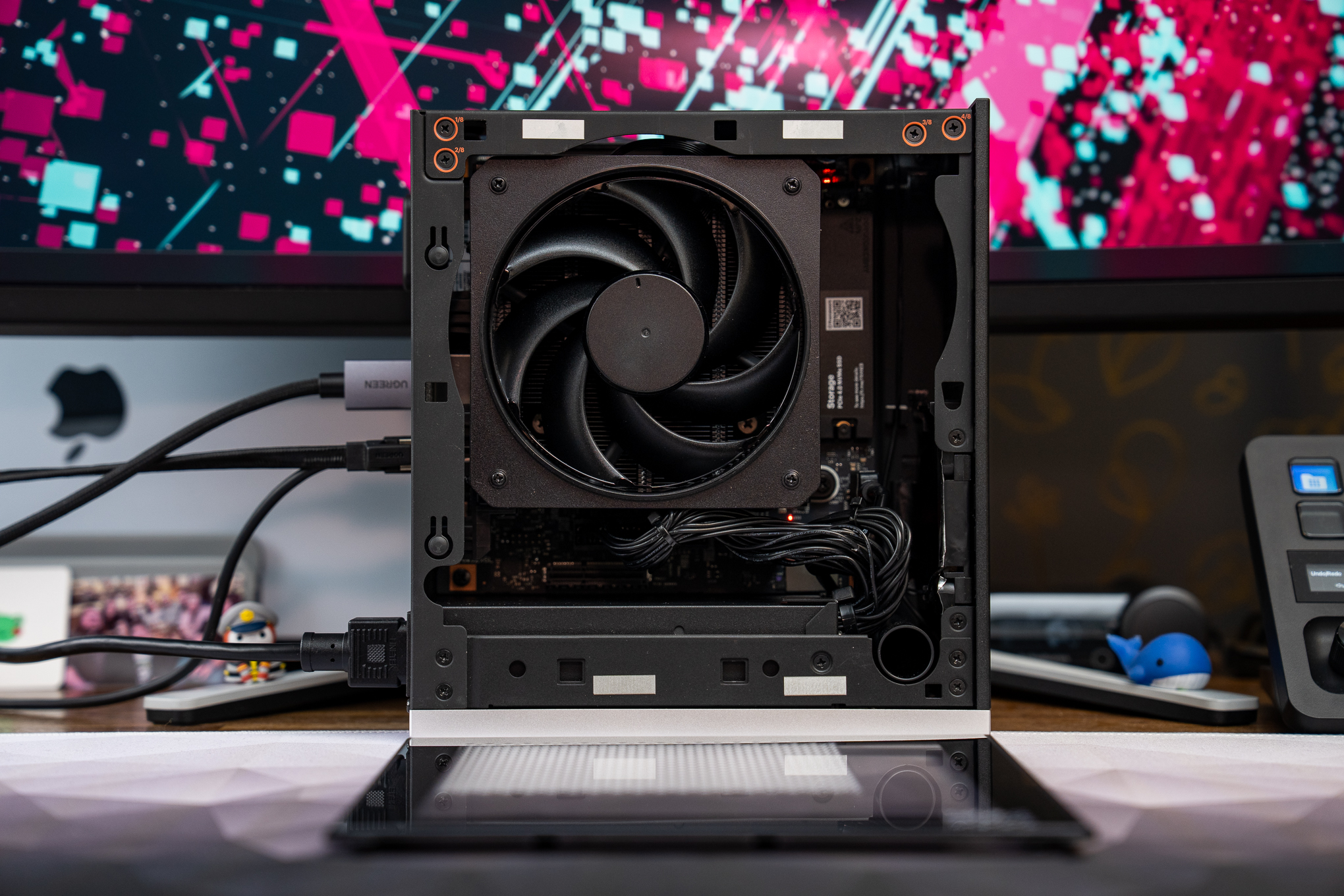
FrameworkFramework Desktop (Ryzen AI Max+ 395, 128GB)
Mini-ITX with 128GB unified-style memory — the AMD answer to a Mac Studio
Price£1,799~$2,285GPU Integrated Radeon 8060S (40 CU) VRAM 128GB CPU AMD Ryzen AI Max+ 395 (16-core) RAM 128GB SSD 1TBAMD's Strix Halo silicon shares system RAM with the integrated GPU — same trick Apple uses. 128GB is allocatable to the GPU. Inference speed is lower than discrete GPUs (~6–8 tokens/sec on 70B Q4) but you fit models that won't run on a 5090. Cheaper than Mac Studio 128GB.
via Framework View at Framework -
 Pre-order
NVIDIA
Pre-order
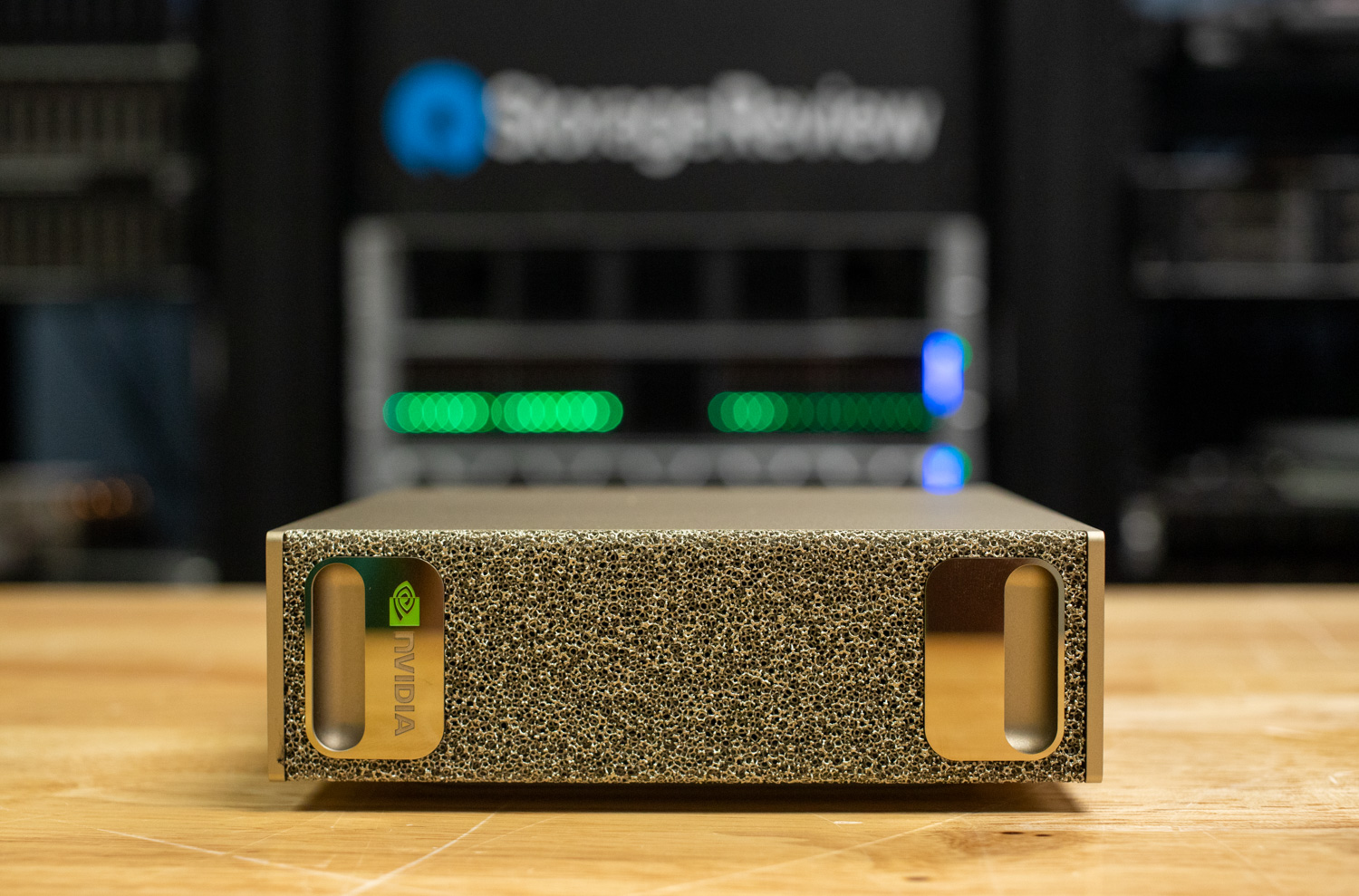
NVIDIANVIDIA DGX Spark
NVIDIA's first desktop AI workstation — 128GB unified GPU memory
Price£2,999~$3,809GPU NVIDIA Blackwell GPU VRAM 128GB CPU NVIDIA GB10 Grace ARM (20-core) RAM 128GB SSD 4TBAnnounced as the cheapest entry to NVIDIA's full CUDA + datacentre AI stack on the desktop. 128GB unified between Grace ARM CPU and Blackwell GPU. Runs 200B+ models at Q4. ARM Linux only — won't run Windows apps. Pre-order; availability slipping into late 2026.
via NVIDIA View at NVIDIA
Nothing matches every filter. Loosen one — most people drop the budget filter first.
The picks above are deliberately narrow. There are hundreds of PCs that could technically run a local model. These are the ones I’d buy or recommend to a friend at each tier, with the trade-offs called out in the notes on each card. The rest of this article explains why VRAM is the single number that matters and where each tier hits its ceiling.
The Number That Matters
Something I’ve learned building these rigs: when it comes to PC workstations, VRAM on the GPU decides everything. Not clock speed, not CUDA cores, not the number NVIDIA puts on the box. If a model fits in your GPU’s memory, it runs fast enough. If it doesn’t fit, you’re at two tokens per second because your machine will most likely attempt to fit the rest of the model in your main RAM – it still works but it’s slooow!
People overcomplicate this. Here’s the bare maths: every parameter in your model has to sit in memory somewhere – you can’t get around that. At full precision (FP16), one parameter costs you 2 bytes. A 70 billion parameter model at full precision is 140GB. No consumer GPU on the planet has that kind of VRAM, yet. Even 3 of those 48GB modified “4090D” cards you see on eBay would probably melt. (There are “4090 D’s” on eBay that have been reboarded to accommodate 48GB. I am so, so tempted – the boards come out of the same factories as the NVIDIA cards, they swap over the GPU chip and add better RAM. A lot less sketchy than you’d think.)
Quantisation fixes this. Compress those billions of parameters down to 4-bit (Q4KM is the format you’ll see everywhere) and each one drops to roughly half a byte. That 70B model goes from 140GB to about 40GB – two used RTX 3090s with room for context window overhead. I’ve been running Qwen 3 Coder Next at Q6 quantisation on my own rig for a couple of months now and can’t feel any quality difference from full precision on the tasks I throw at it. I wrote up the whole process in my LM Studio setup guide if you want to try the same thing on your own rig.
One thing that’s changed since I first wrote this article: Llama 4 Scout landed with 109B total parameters in a Mixture-of-Experts architecture. Only 17B parameters are active at any time, but MoE models need all parameters loaded in memory. That means ~55-70GB of VRAM just to load it at INT4. A single RTX 4090 can’t touch it. This is pushing people toward either high-RAM unified memory machines (the mini PCs below) or multi-GPU rigs. The VRAM arms race isn’t slowing down.
Quick VRAM Guide
So what sort of size model can run on your VRAM? Beware – 3080’s have 10GB versions so watch out if you’re buying second hand on eBay.
| Model Size | At Q4 (4-bit) | At Q8 (8-bit) | Good GPU Fit |
|---|---|---|---|
| 7B | 6-8 GB | 10-12 GB | RTX 3060 12GB, RX 9060 XT 16GB |
| 13-14B | 10-12 GB | 16-18 GB | RTX 3060 12GB, RX 9060 XT 16GB, 4060 Ti 16GB |
| 34B | 20-24 GB | 30+ GB | RTX 3090 or 4090 (24GB) |
| 70B | ~40 GB | ~75 GB | Dual 3090s, Mac Studio, RTX 5090, or 128GB mini PC |
| 109B MoE (Llama 4 Scout) | ~55-70 GB | ~110+ GB | 128GB unified memory (Framework/GMKtec/DGX Spark) |
| 100B+ dense | 60-70 GB | 100+ GB | Quad 3090s, M3 Ultra 192GB |
Don’t forget KV cache on top of this – it stores your conversation state and grows with context length. At 32k tokens, budget for another 2-4GB, which caught me out the first time I tried to squeeze a 34B onto a 24GB card.
Local LLM Hardware Secrets
Here are three bits of hardware wisdom I’ve had to learn the expensive way.
One Fast Card Beats Two Slow Ones
Tempting maths: two RTX 3060 12GB cards give you 24GB total. Same VRAM as a single 3090. Same capacity, completely different speed. This is a big mistake on my part – I bought an array of bargain Ada generation RTX 4000s and 4500s – the mixture of the cards and the volume of them was a mistake. It runs but I think I’m losing at least 20% of the performance because of all the PCI lanes in play.
Digital Spaceport did the numbers. A single 3090 hits 28 tokens per second on Gemma 3 27B at Q4. The dual 3060 setup? Six. On the exact same model. Splitting a model across GPUs over PCIe – sharding, they call it – kills throughput because the cards spend more time talking to each other than doing inference. I really, really wish I understood this before I sold my 3090’s from my GPU mining days.
So when does multi-GPU work? When the model needs both cards anyway. Two 3090s running a 70B model that requires 48GB of VRAM is fine – fifteen to twenty tok/s with NVLink. But don’t buy two cheap cards hoping they’ll match one expensive one. They won’t. Don’t mix generations of cards, don’t mix VRAM numbers – and most consumer “gaming” motherboards don’t support full 16-channel PCI on more than one of the PCI slots. Simple is the best approach.
NVLink for Multi-GPU Fine Tuning
Something I didn’t expect when I added my second GPU: the connection between the cards ends up mattering almost as much as the cards themselves in specific use cases. What NVLink does is give the GPUs their own private highway – 112.5 GB/s bidirectional. Compare that with regular PCIe 4.0 x8, which tops out around 16 GB/s. About seven times slower, and you notice it in practice.
The caveat: NVLink is better for fine tuning performance, not for inference (chat!) – oh well.
Apple Silicon: Capacity Over Speed
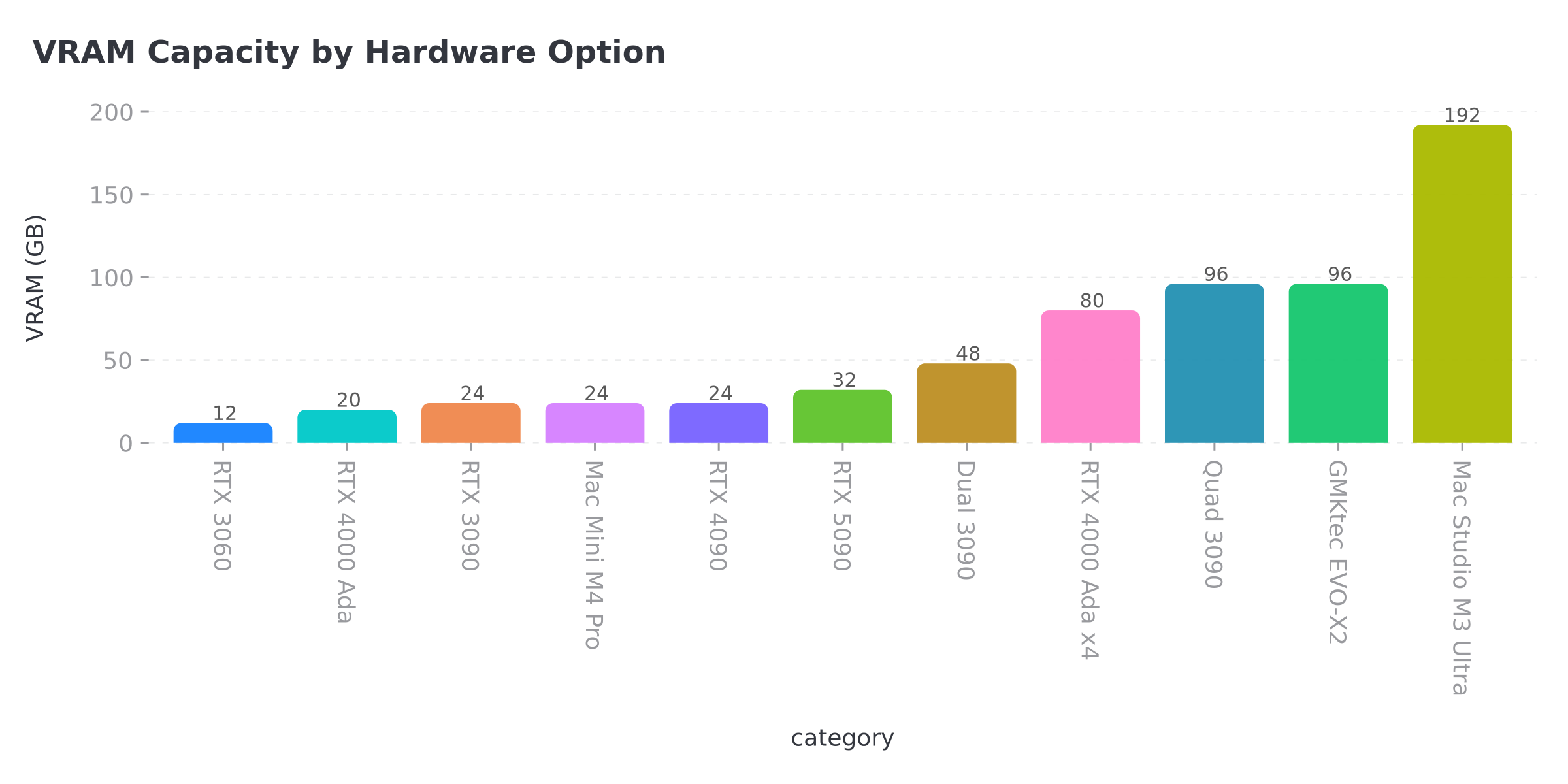
A Mac Studio M3 Ultra with 192GB of unified memory can load models that would need four discrete NVIDIA GPUs on a PC. All that RAM is GPU-accessible. No PCIe bottleneck, no sharding penalty. Near-silent, too, which matters if (like me) you’re working in the same room as the hardware.
Speed-wise, NVIDIA is quicker – about 2-3x on models that fit in its VRAM. A dual 3090 PC does 15-20 tok/s on 70B; the M3 Ultra manages 8-12 tok/s on the same model. Where the Mac pulls ahead is models above 100B parameters that the PC can’t touch without a quad-GPU build, and frankly, for research tasks where you’re running huge models rather than chatting interactively, it makes more sense than people give it credit for.
Unified Memory Changes Everything
So here’s what changed in 2026. Apple proved the concept with Apple Silicon years ago, but now AMD’s Strix Halo chips bring the same unified memory architecture to Windows PCs. The Framework Desktop, Corsair AI Workstation 300, and GMKtec EVO-X2 all pack 128GB of shared memory that the integrated GPU can access directly. No PCIe bus, no sharding. You load a 70B model into memory and the GPU just… uses it.
The trade-off is speed. These integrated GPUs are slower than a dedicated RTX card on models that fit in discrete VRAM. But for models that don’t fit – 70B, Llama 4 Scout, anything MoE – unified memory machines are the only option under £3,000 that doesn’t involve multiple GPUs and a wiring diagram. I got into all of this in my beginner’s guide to AI mini PCs and the DGX Spark – worth reading if the unified memory thing is new to you.
Budget: Under £800
RTX 3060 12GB
The cheapest way into serious local AI. Twelve gigabytes of VRAM at 170W TDP, running 7B models at Q8 or 13B models at Q4 – Llama 3, Mistral, Phi-3, all the capable smaller models that have come out this past year.
Why this over a newer RTX 4060? Because the 4060 only ships with 8GB of VRAM, and for AI work, 12GB from an older generation beats 8GB from a newer one, every time – pretty much consensus in the local LLM community at this point. Pick one up for about £200 on Amazon , pair it with a used HP Z440 workstation off eBay (about £100) and you’ve got a complete AI rig for under £350. System idles at around 65 watts.
RTX 3060 12GB: Actual Benchmarks
People keep searching for specific numbers on this card, so here they are. These are community benchmarks from Hardware Corner and Digital Spaceport, confirmed against my own testing where I could:
| Model | Quantisation | Tokens/sec | Context |
|---|---|---|---|
| Llama 3 8B | Q4_K_M | ~42-50 | 4k-16k |
| Mistral 7B | Q4_K_M | ~40-50 | 4k-16k |
| Qwen 2.5 14B | Q4_K_M | ~22-23 | 16k |
| Qwen 2.5 14B | 5-bit EXL2 | ~30-33 | 8k |
| Phi-3 14B | Q4_K_M | ~22-25 | 16k |
| Any 20B+ model | Q4 | ~9 | Limited |
The 14B sweet spot is the surprise. Thirty tokens per second on Qwen 2.5 14B at 5-bit EXL2 – at that speed I forget I’m running it locally rather than hitting an API. The hard ceiling hits around 20B parameters, and after that you’re spilling into system RAM and it drops to single digits. Still usable if you’re batching things overnight, but not for interactive chat.
If you’re running ExLlamaV2 (which you should be for GPU-only inference on NVIDIA), the 360 GB/s memory bandwidth on the 3060 outperforms the RTX 4060 on token generation. Newer architecture doesn’t matter when you don’t have enough VRAM.
NVIDIA RTX 3060 12GB
- VRAM 12GB GDDR6
- Best for 7-14B models, budget entry
AMD RX 9060 XT 16GB
- VRAM 16GB GDDR6
- Best for 7-14B models, future-proof budget
RX 9060 XT 16GB (AMD’s New Budget Option)
Worth knowing about if you’re buying new in 2026. Sixteen gigabytes of GDDR6 on AMD’s RDNA 4 architecture for about £300. Four extra gig over the RTX 3060 means 14B models at Q8 fit comfortably, and you can squeeze 24B models in at aggressive quantisation.
The catch is software. AMD’s ROCm stack for AI workloads has improved hard over the past year, but it’s still behind CUDA in terms of compatibility and community support. Most local LLM tools work – Ollama, llama.cpp, LM Studio all support AMD now – but you’ll hit more edge cases than you would on NVIDIA. If you’re comfortable troubleshooting, the extra VRAM is worth it. If you want everything to just work first time, the RTX 3060 is still the safer buy.
RTX 3090 24GB (Used/Renewed)
Yeah, it’s two generations old. The local AI community collectively shrugged at that ages ago and kept buying them.
Twenty-four gigabytes of GDDR6X handles 34B models at Q4 or 70B at tight quantisation. I ran one of these for about a year before the Threadripper build happened, and looking back I’m slightly embarrassed at how long I underestimated what a single 24GB card could handle. Community benchmarks from Digital Spaceport show 28-36 tok/s on 14B models, 28 tok/s on Gemma 3 27B Q4. Nothing under a grand comes close to that combination of capacity and speed – and it’s got NVLink support for when you inevitably want to add a second one.
Renewed cards run £650-800 on Amazon . Most sellers give you about 90 days of warranty. Bit of a gamble, but I’ve not heard of widespread failure rates from the AI community. If you’re planning multi-GPU later, look for blower-style cards – they exhaust heat out the back instead of dumping it onto the card above. The 350W TDP per card adds up fast when you’ve got two of them in the same case.
Mini PCs for AI
This is the section that didn’t exist when I first wrote this article, and it’s the biggest single change since the first version. The whole landscape shifted when AMD shipped Strix Halo – a laptop-class chip with 128GB of unified memory that the integrated GPU can access directly. Suddenly you can run 70B models from a box that fits on a shelf and draws 120W. No discrete GPU needed.
I covered the technology in depth in my beginner’s guide to AI mini PCs and the DGX Spark , but here’s the practical buying guide.
Framework Desktop (128GB)
Honestly? If I were starting from scratch today this is probably where my money would go. AMD Ryzen AI Max+ 395, 128GB LPDDR5X unified memory, crammed into a 4.5-litre case that Framework co-designed with Cooler Master and Noctua. And because it’s Framework, the whole thing is modular – you can swap the front panel tiles, the fans, even 3D print custom bits.
96GB of that 128GB is allocatable to the GPU. Runs 70B models. Llama 4 Scout fits (just). Near-silent under inference load.
The catch: LPDDR5X prices have gone through the roof. Framework originally priced the 128GB model at $1,999 but it’s now up to around $2,459 (~£1,970) due to memory supply constraints. Still the cheapest 128GB unified memory machine you can buy, and the modular design means you’re not throwing the whole thing away when the next generation of chip arrives.
Corsair AI Workstation 300
Corsair’s answer to the same question. Same Strix Halo chip, same 128GB of LPDDR5X, but in Corsair’s own compact 4.4-litre chassis with a 300W Flex ATX PSU. Shipping now at around $2,500 (~£2,000).
Less modular than Framework, but Corsair’s build quality and cooling are proven. If you already trust Corsair hardware (and half the PC gaming community does), this is the path of least resistance into unified memory AI.
GMKtec EVO-X2
The surprise entry that started this whole mini PC category. Same AMD Ryzen AI Max+ 395, same 128GB option, slightly different cooling approach. Around £2,000-2,500 on Amazon .
It was the first to market and the early reviews are solid. Speed won’t match a 3090, mind you – somewhere around 10-15 tok/s on 27B models from what I’ve seen. For an always-on inference box that handles 70B from under your desk without waking the house though, I haven’t found anything else in this bracket. Plus I expect to see gen 1 Strix Halo mini PCs on eBay for £500-600 in two years’ time once the next chip generation lands.
Framework Desktop
- 128GB unified memory
- AMD Strix Halo
- 4.5L case
“Modular, repairable”
Corsair AI Workstation 300
- 128GB unified memory
- AMD Strix Halo
- 4.4L case
“Shipping now”
GMKtec EVO-X2
- 128GB unified memory
- AMD Strix Halo
- Mini PC form factor
“96GB allocatable VRAM”
NVIDIA DGX Spark
- 128GB unified memory
- Grace Blackwell
- Desktop form factor
“1 petaFLOP FP4”
Mid-Range: £800 – £3,000
Mac Mini M4 Pro (24GB)
Apple’s cheapest route into unified memory for AI work. Twenty-four gig of unified memory, which handles 13-14B models nicely through MLX. Slower on raw tok/s than a 3090, but the software side is painless – Ollama runs natively, no CUDA drivers to wrestle with. £1,399 on Amazon .
Not going to touch 70B, not remotely. But for 7-14B work – coding assistants, summarisation, local chatbots – a lovely quiet machine that does exactly what you’d want. If you’re on macOS already and want to dip a toe into local inference, this is probably where I’d point you first.
RTX 4000 Ada (Workstation, 20GB)
I run these in my own rig and they’ve been brilliant. Single-slot form factor at 130W per card, twenty gig of VRAM each. Stick four of them in a standard workstation case and you’re sitting on 80GB total at 520W combined – more than enough for 70B models at Q5 with headroom left over for context windows.
I’ve got six in my Threadripper 5990x (mixed with RTX 4500 Adas) for 104GB total. Quiet enough to sit in my office all day, which was the main engineering constraint because I’m working next to it eight hours a day. The whole system pulls about 800W under full inference load – sounds like a lot until you compare it with a quad 3090 setup drawing 1,400W. Raw tok/s per card is lower than gaming GPUs, but the density and power efficiency are what sold me for a machine that runs continuously. About £1,150 each on Amazon .
Dual RTX 3090 Build
The prosumer sweet spot for people who want 70B models on NVIDIA hardware. Two 3090s together give you 48GB of total VRAM. Bridge them with NVLink and you’re looking at 15-20 tok/s on 70B Q4. Skip the bridge and it drops to 10-14 tok/s, which sounds bad until you try it – still plenty fast enough to hold a conversation with a model.
Build essentials: the pair of cards will set you back £1,300-1,500 used. The PSU situation gets interesting because each card wants 350W under load, so budget for a 1,200-1,600W unit. For the platform, Threadripper or HEDT gives you full x16/x16 PCIe bandwidth – consumer boards like Z790 or X670E split to x8/x8, which works but costs some throughput. An NVLink bridge runs about £40-60 used. Whole thing comes in at £1,800-2,200 depending on your platform choice, and no, nobody sells this as a pre-built – you’re getting your hands dirty.
Premium: £3,000+
RTX 5090 (32GB)
The biggest single card you can walk into a shop and buy. Thirty-two gigabytes of GDDR7, 512-bit bus, Blackwell architecture – and for the first time, a quantised 70B model fits on one card. No sharding, no NVLink, no dual-GPU headaches. One slot, done.
Bad news on pricing, though. The £1,799 MSRP is a fantasy at this point – GDDR7 supply constraints and AI demand have pushed real UK street prices to £2,899 for the cheapest models (Zotac Solid from Overclockers UK) and up to £3,500-4,400 for premium cards from ASUS and MSI. Used models are hovering around £2,700 on eBay. Budget £3,000 minimum and don’t expect it to improve before mid-2026.
The 575W TDP is substantial, too – make sure your PSU can handle it before you get excited and order one.
Interesting side note: Gigabyte launched the AORUS RTX 5090 AI Box – an external GPU enclosure with Thunderbolt 5 that’s specifically marketed for AI workloads. If you’ve got a laptop with Thunderbolt 5, you could run 70B models through an external box. Haven’t tested it myself, but for a laptop-tethered AI workstation the architecture makes sense – Thunderbolt 5 at 80 Gb/s is enough bandwidth to keep a single-card inference workload fed.
NVIDIA DGX Spark
NVIDIA’s “personal AI supercomputer” that I covered in detail in my beginner’s guide to AI mini PCs . The Grace Blackwell GB10 chip with 128GB of unified LPDDR5X and up to 1 petaFLOP of FP4 performance. This is the premium version of the same unified memory concept as the Strix Halo mini PCs above, but with NVIDIA’s own silicon and full CUDA stack.
Originally launched at $3,999, but NVIDIA hiked the price to $4,699 (~£3,800) in February 2026 due to memory supply constraints. Available on Amazon and direct from NVIDIA. If you want 128GB of unified memory with NVIDIA’s ecosystem rather than AMD’s, this is it – but you’re paying a significant premium over the Framework Desktop for that CUDA compatibility.
RTX 4090 (24GB)
Still the fastest card with 24GB of VRAM, and by a decent margin over the 3090 on raw tok/s. Same VRAM ceiling though, and that’s the catch – twenty-four gig is twenty-four gig regardless of what you paid. Buying new? Get this one. Buying used? The 3090 at roughly half the price gives you the same model capacity – which is the metric that matters for local AI. £1,600-2,000 on Amazon .
Mac Studio M4 Max / M3 Ultra
For running the biggest models money can buy in a desktop form factor. The M4 Max with 128GB (from £3,999) runs 70B models at high quantisation with room for long context windows. The M3 Ultra at 192GB (from £5,999) remains the capacity flagship. Apple cancelled the M4 Ultra entirely – they’re skipping straight to M5 Ultra, expected around June 2026 at WWDC. If you’re considering an Ultra, you might want to wait a couple of months.
A hundred and ninety-two gigabytes of unified memory loads 100B+ parameter models that would need a quad-GPU PC build to match. Both from apple.com only. Same trade-off as the Mac Mini: slower tok/s than NVIDIA on models that fit in NVIDIA VRAM, but a capacity ceiling nothing else touches in a quiet box.
Quad RTX 3090 Build (AM4/AM5)
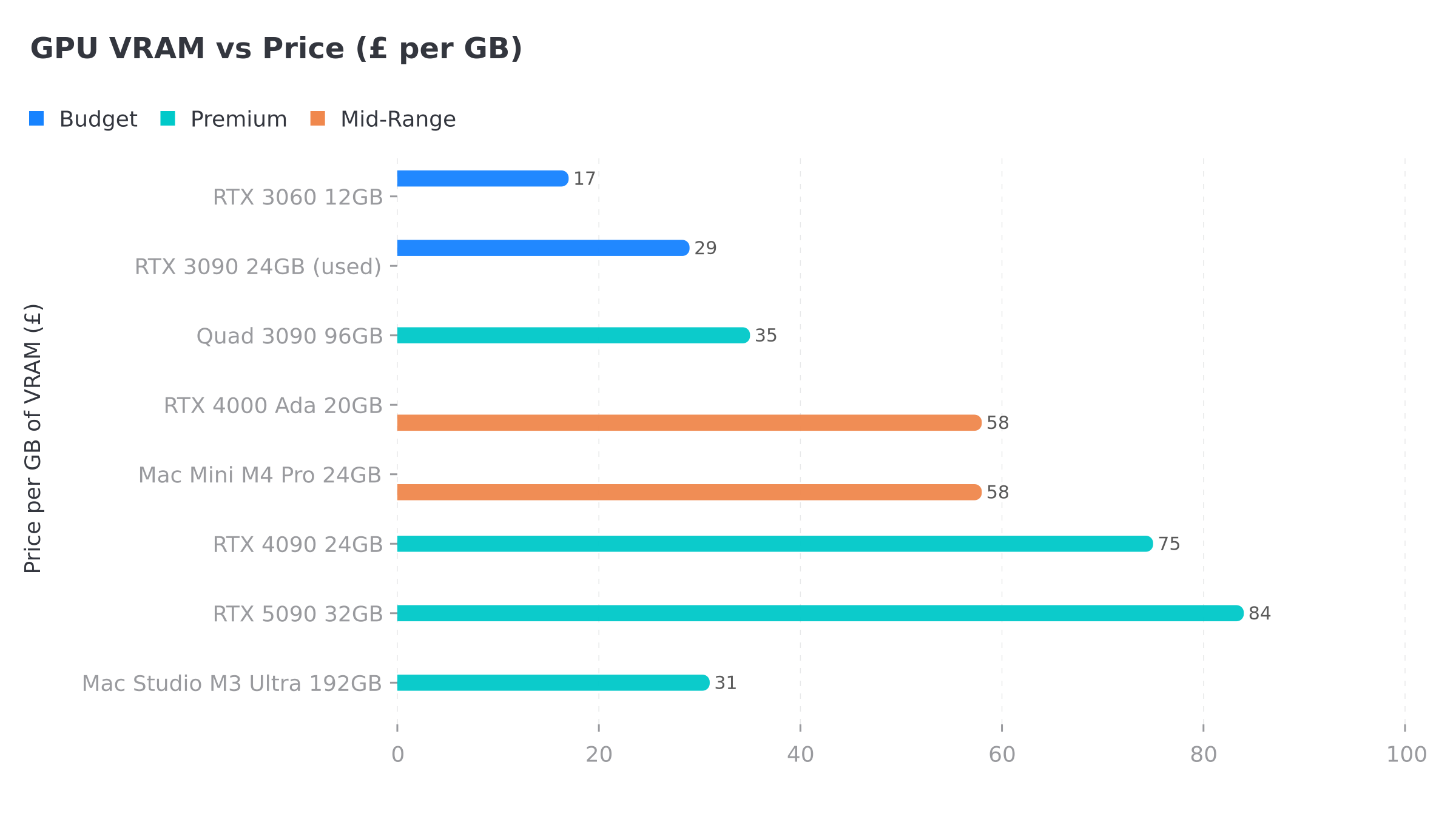
Digital Spaceport validated this build: four RTX 3090s on an AM4 B550 motherboard. Ninety-six gigabytes of VRAM. We’re talking 100-180 tok/s on 12-20B models, which is absurd throughput. Price per GB of VRAM works out to roughly £30/GB – the cheapest path to serious capacity if you don’t mind some noise.
The PSU needs to be a 2,000W unit minimum and you’ll want a case with serious airflow (or an open-air test bench, which is what most people building these seem to end up with). Fair warning: your partner will comment on the noise. You’ve basically built a small datacenter that happens to live under your desk. Budget: £3,000-3,500 for GPUs plus platform.
Does the CPU Matter?
Short answer: not much for inference, and I say this as someone running a Threadripper 5990x. The GPU does almost all the work during token generation. Where the CPU matters is prompt processing (the initial “thinking” phase before the model starts responding) and if you’re offloading layers to system RAM because your model doesn’t quite fit in VRAM.
For a dedicated inference machine, any modern 6-core CPU is fine. Don’t spend £500 on a CPU when that money could go toward more VRAM. The one exception is the unified memory machines (Framework Desktop, DGX Spark) where the CPU and GPU share memory bandwidth – there, the chip choice is the whole machine.
Software Stack
Buying the hardware is the easy bit – it’s the software stack where people tend to get stuck.
**Ollama** – installed it the day I got my first 3090, and it’s still the one I’d tell anyone to start with. The whole workflow is ollama pull llama3:70b and then you’re chatting. Quantisation handled for you, works on everything. Benchmarks I’ve looked at suggest you lose maybe 10-30% on raw throughput versus running llama.cpp bare – which sounds bad until you remember Ollama had you running models in five minutes flat while you’d still be reading llama.cpp compile flags.
**LM Studio** has the best GUI experience I’ve found for local models. Built-in model browser, chat-with-your-files (that’s RAG), no terminal needed. Perfect if terminals make you nervous. I use LM Studio on my inference rig alongside the houtini-lm MCP server I built for offloading work from Claude Code to cheaper models. I also wrote a full setup guide if you want to get started.
**llama.cpp** is the speed baseline that everything else gets measured against. More config, more control, faster output. Serious multi-GPU setups tend to run this directly rather than going through Ollama’s wrapper.
**text-generation-webui** – oobabooga’s project, and honestly the one that taught me most about how inference works. You pick between ExLlamaV2 (fastest GPU-only loader) or llama.cpp (flexible CPU offloading) depending on your hardware situation. Learning curve is real, took me a solid weekend to get comfortable, but once you’re past that you can tune everything and understand why your settings matter.
GGUF vs EXL2
Two model formats worth knowing about. GGUF runs everywhere – Macs, mixed CPU/GPU setups, systems where the model doesn’t quite fit in VRAM. Universal format. EXL2 is NVIDIA GPU-only but faster when the model fits entirely in VRAM.
On Apple Silicon: GGUF via MLX or llama.cpp. Got enough NVIDIA VRAM? EXL2 for best speed. Not sure which? GGUF. It always works.
Hardware Compared
| Hardware | VRAM | Price (GBP) | tok/s (14B) | tok/s (27B+) | Best For |
|---|---|---|---|---|---|
| RTX 3060 12GB | 12GB | ~200 | ~42 (8B) / ~23 (14B) | – | Budget entry, 7-14B models |
| RX 9060 XT 16GB | 16GB | ~300 | ~25 est | – | Budget AMD, 14B at Q8 |
| RTX 3090 (used) | 24GB | 650-800 | 28-36 | ~28 | Best value for serious work |
| Mac Mini M4 Pro | 24GB unified | 1,399 | ~15-20 est | – | Silent macOS, 13B models |
| Framework Desktop | 128GB unified | ~1,970 | ~15-20 est | ~10-15 est | 70B mini PC, modular |
| Corsair AI Workstation 300 | 128GB unified | ~2,000 | ~15-20 est | ~10-15 est | 70B mini PC, Corsair build |
| GMKtec EVO-X2 | 96GB alloc | ~2,000-2,500 | ~15-20 est | ~10-15 est | 70B mini PC, first to market |
| RTX 4000 Ada | 20GB | 1,150 | ~20-25 est | – | Multi-GPU builds, low power |
| Dual 3090 (NVLink) | 48GB | 1,800-2,200 | 30+ | 15-20 | 70B models, prosumer |
| RTX 4090 | 24GB | 1,600-2,000 | ~40-50 est | ~35 est | Fastest 24GB option |
| RTX 5090 | 32GB | 2,900-3,500 | ~50+ est | ~40 est | Single-GPU 70B, no sharding |
| DGX Spark | 128GB unified | ~3,800 | ~15-20 est | ~10-15 est | 128GB NVIDIA ecosystem |
| Mac Studio M3 Ultra | 192GB unified | 5,999+ | ~10-15 est | ~8-12 est | 100B+ models, nothing else can |
| Quad 3090 | 96GB | 3,000-3,500 | 100-180 | 26+ | Maximum VRAM on a budget |
Benchmarked figures from Digital Spaceport and Hardware Corner. Estimates marked ‘est’ from Gemini research and community reports. Mini PC tok/s varies significantly by model size and quantisation.
Corsair VENGEANCE a7500 AIR
- GPU RTX 5090 32GB
- RAM 192GB DDR5
- CPU Ryzen 9 9950X3D
- Storage 6TB NVMe
Corsair AI Workstation 300
- Memory Up to 128GB unified
- VRAM Up to 96GB allocatable
- Chip AMD Strix Halo
- Form factor 4.4L compact
What I’d Actually Buy
Had someone asked me this question two years ago I’d have said “whatever has the most VRAM under a grand.” My answer hasn’t really changed. Under £800, a used RTX 3090 is still the obvious play. Twenty-four gig of VRAM for under £800, NVLink ready for the inevitable second card, and enough capacity to run every model up to 34B at decent quantisation. Exactly where I started, and knowing what I know now, I’d make the same call.
If you’re on a tight budget and £800 is a stretch, the RTX 3060 12GB at £200 gets you further than you’d expect. Forty-two tok/s on Llama 3 8B. Thirty tok/s on Qwen 2.5 14B with the right quantisation. Pair it with a £100 used workstation and you’re running local AI for less than two months of ChatGPT Plus.
Between £800 and £3,000, things have shifted since I first wrote this article – and it’s the mini PCs that did it. If you want 70B from a box you can hide on a shelf, the Framework Desktop at ~£1,970 for 128GB of unified memory is where I’d look first – it’s modular, it’s repairable, and when the next generation of chip arrives you can upgrade without binning the whole machine. Already on macOS and working with smaller models? Mac Mini M4 Pro. Interested in going down the same rabbit hole I went down? RTX 4000 Ada cards in a Threadripper workstation – quiet, dense, and the power draw won’t terrify you.
Above £3,000, the RTX 5090 is the obvious pick if you can find one at a sane price (budget £3,000 minimum right now) – one card, one slot, 70B without any of the multi-GPU headaches. For NVIDIA’s take on unified memory, the DGX Spark at £3,800 gives you 128GB and the full CUDA stack. For maximum capacity on a budget, the quad 3090 build on AM4 gets you 96GB of VRAM at about £30 per gigabyte. Ugly, loud, and you’d struggle to find anything with that much VRAM for less money.
Buy the most VRAM you can afford. Pretty much everything else is secondary.
Related Posts
Continue reading.
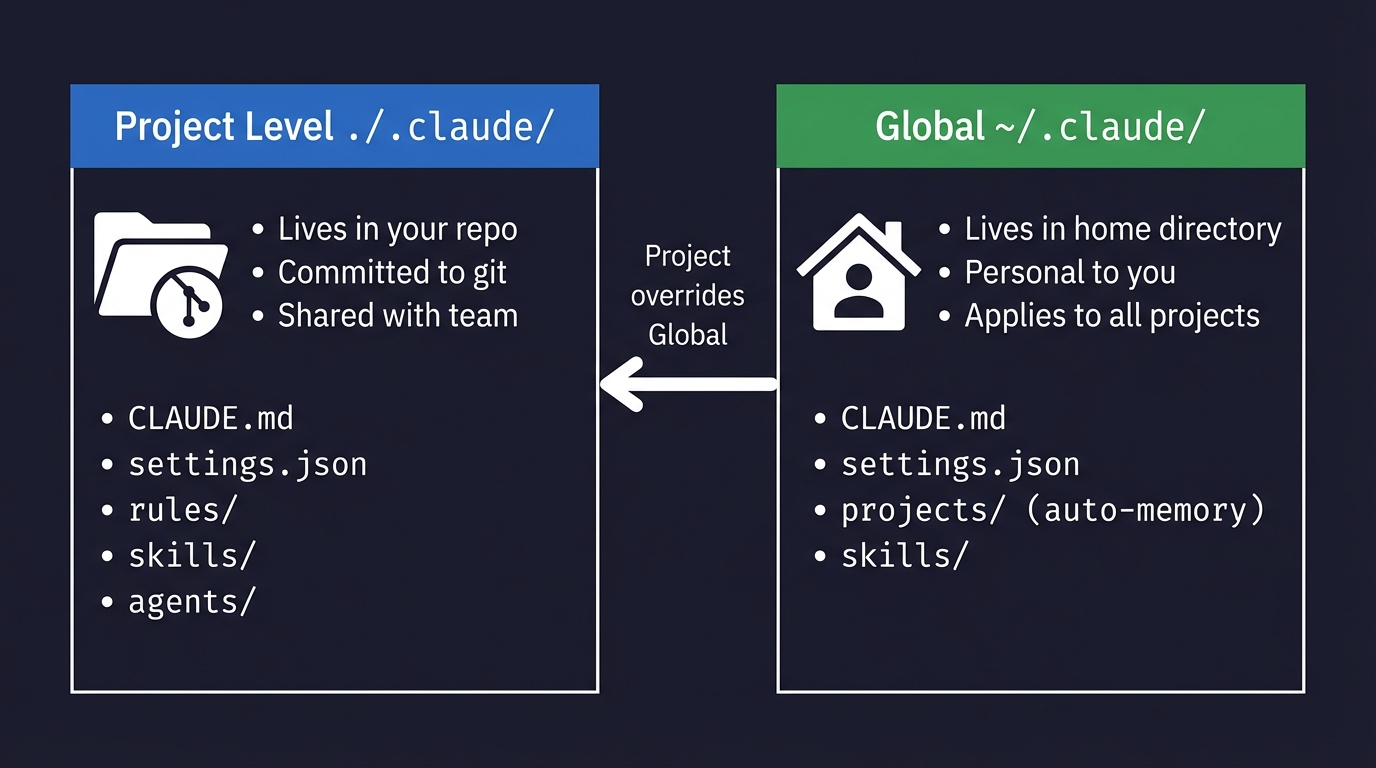
How to Set Up a Claude Code Project (And What Goes Where)
The .claude folder is the control centre for how Claude Code behaves in your project. Here's what goes in it, what each file does, and the step-by-step setup I use for every new project.
Claude Desktop System Requirements: Windows & macOS
Have you found yourself becoming a heavy AI user? For Claude Desktop, what hardware matters, what doesn't, and where do Anthropic's official specs look a bit optimistic? In this article: Official Requirements | Windows vs macOS |…
Claude Code: The Complete Beginner's Guide
I've been running Claude Code every day for the last few months. MCP servers, articles across three sites, Python scripts, content workflows that run from research straight through to WordPress upload. Nothing's changed how I work this…