

I’ve been keeping a close eye on the emerging subject of “agentic interoperability” across all my recent build projects. In layman’s terms, that’s the ability for AI agents to do things for you on your behalf – particularly inside SaaS apps via MCP servers, and increasingly via WebMCP, an emerging protocol that fills the gap between simple structured data markup and an agent being able to interact with a website properly.
In this post I’ll show you what I’ve wired into my own projects, and we’ll look at examples from two industries (car hire and travel) where the topic can’t really be avoided for much longer.
This isn’t an “AI SEO” post. It’s about what happens when your personal agents start completing tasks for you without you ever clicking a single link. That’s the future we’re heading towards – why search around when your agent can do it all for you?
Why this isn’t AI SEO
Most of the chatter about AI SEO right now is people trying to manipulate which sentences ChatGPT picks out when it summarises the web. It’s real problem to solve, sure. But it’s not the complete picture if you run a website that does anything other than publish.
The question I keep coming back to is what happens when the customer doesn’t visit you at all? Their personal agent just goes off and books the hire car, books the flight, signs them up for the trial. An agent, searching your inventory by API (or other means) for a good deal while the agent’s user in the kitchen making lunch.
That’s already happening in tiny pockets. Lastminute.com is the obvious example – they shipped an MCP server for their flight inventory in January 2026 and their CEO has been pretty open about it being a survival move. Stripe, Shopify, Cloudflare, Atlassian, Linear, Asana – all SaaS, all shipped MCPs, all betting on the same shift. Most serious Saas apps either have an MCP and some of them, like Salesforce, are going headless (a no UI saas!).
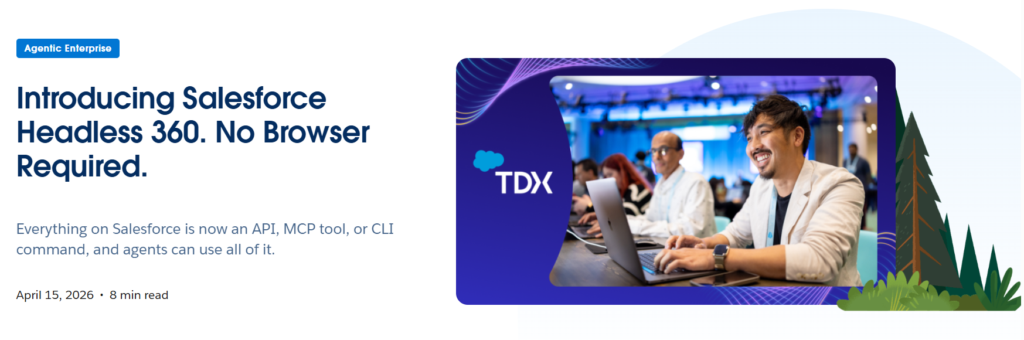
This is a penny that dropped for me in mid-2025. The right question for a site owner isn’t “how do I get cited by ChatGPT”. It’s: when an agent shows up at my door, what does it find, and can it do anything useful with my product?
For most of the websites I’ve poked at lately, the answer to that is: very little.
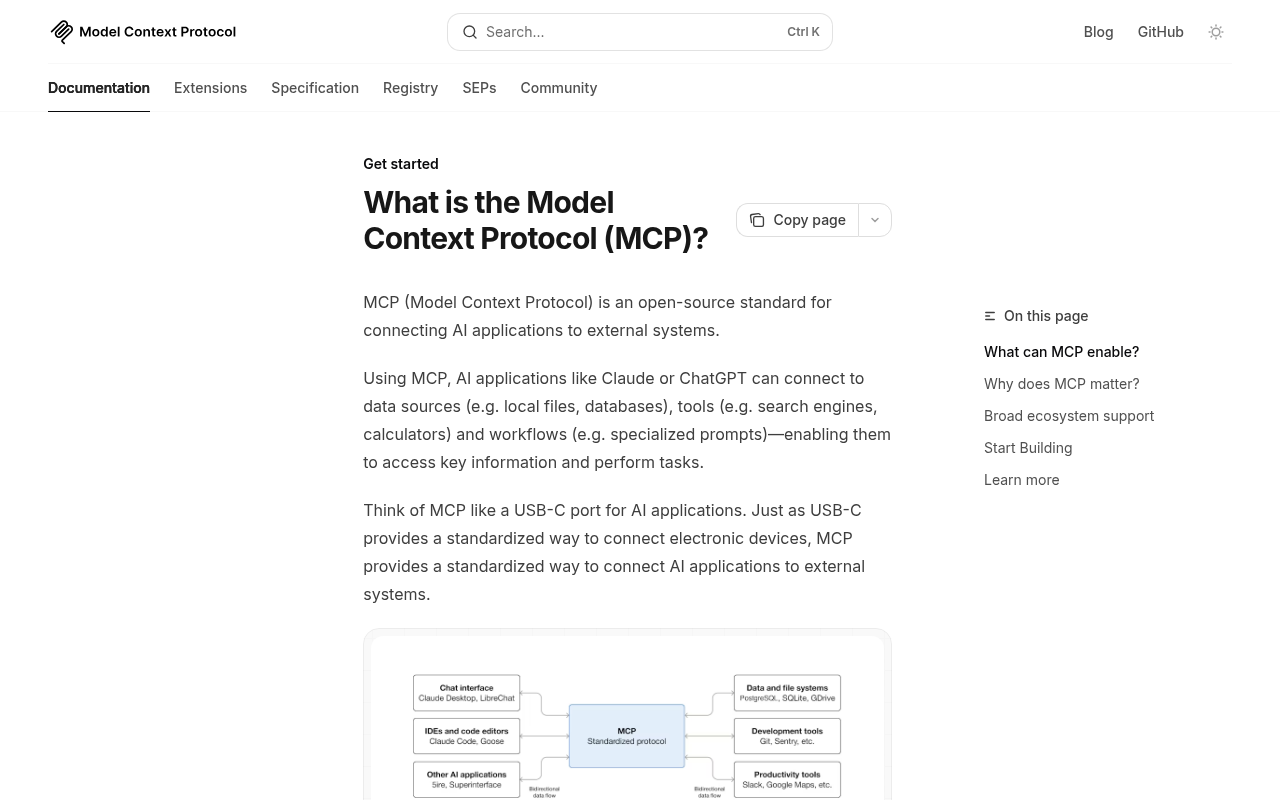
Having spent some time thinking about it, I’ve landed on the notion of AI UX – user experience for automated agents.
The menu of AI UX options
Agentic interoperability is more of a stack than a single thing, which is part of why so many teams freeze on it. Every layer you add makes you a bit more legible to agents. I think about it as eight rungs – and you can do one, you can do all of them, depending on how seriously you want to be in the running:
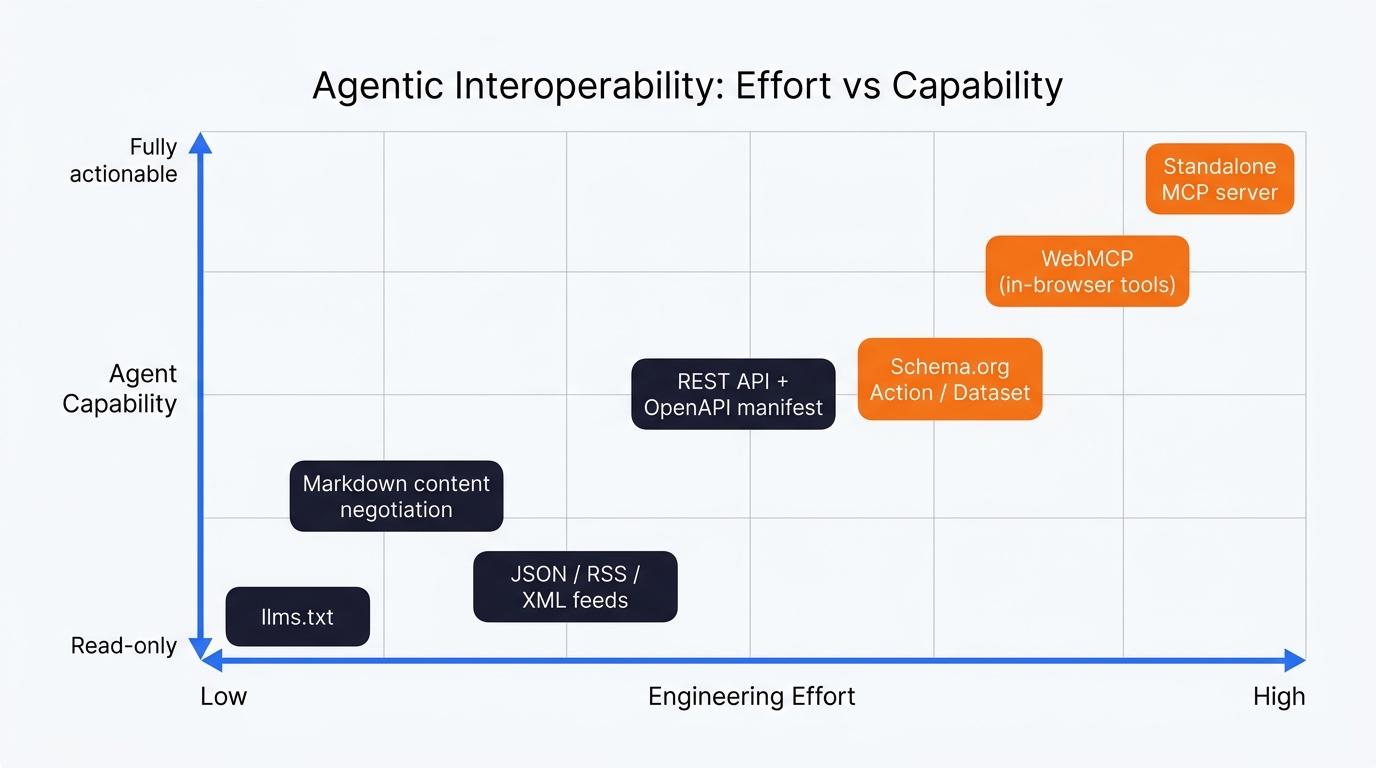
Naturally the key to all of this is understanding. It’s no good simply to implement the next thing, you need to think about the agentic use case. And yes, this is all incredibly future facing – but with AI, years have turned into months and months have turned into weeks. I wouldn’t sleep on this line of thinking, if I were you.
Want to implement some agent support on your ahead of the curve? Now is the time.
As at April 2026, there are eight options plotted by effort vs capability. Start bottom-left, work up.
- Governance: robots.txt and AI directives – decide which agents you’ll let in at all
- DOM optimisation: semantic HTML and ARIA labels for browser-driving agents
- Content negotiation: serve markdown when an agent asks for it
- Feeds: JSON, RSS, XML, Atom
- REST API + an OpenAPI manifest at a well-known URL
- Schema.org markup, including the executable bits like Action and Dataset
- WebMCP: in-browser tool registration the agent can call without a context switch
- A standalone MCP server: the SaaS-style answer, an npm install away
You don’t have to do them in this order. The higher you go, the more deterministic and reliable you become for the agent.
1. Governance: robots.txt and AI directives
The first interoperability decision a site owner makes isn’t about exposing data – it’s about deciding which agents you’ll let in at all. This is the rung you might be tempted to skip because it doesn’t feel like “AI work”, but it sets the tone for everything that follows.
Specifically: robots.txt entries for the agent user-agents you actually care about (GPTBot, ClaudeBot, PerplexityBot, Google-Extended, OAI-SearchBot and so on). Decide what each is allowed to crawl, what’s off-limits, and where you’d rather steer them. Cloudflare added a one-click in their UI to block AI crawlers in 2025 and a lot of sites are using it without knowing.
In short, for agents you want to support, the trick is to steer them away from the marketing pages and toward your API or your llms.txt. A line like Allow: /api/ next to a Disallow: /checkout/ communicates a lot – especially paired with rate-limiting at the edge so a single agent can’t drain your CPU budget on a Saturday morning (I pay a lot more attention to cache because of LLM training bots).
If you’re a transactional brand and you’ve already blanket-blocked AI crawlers, that’s worth revisiting. Block-everything is the same energy as a “no soliciting” sign on a shop door – it works until the customers stop coming.
2. DOM optimisation for browser-driving agents
This rung sits between governance and structured data, one that probably isn;t getting the attention it needs as an “agent” concern. But it matters more than you’d think.
A real chunk of agent traffic in 2026 is browser-driving. OpenAI Operator, Anthropic’s Computer Use, the various Chrome extension agents – all of them work by looking at the rendered page (often via the accessibility tree, sometimes via a screenshot) and deciding what to click. Anything you’d do for accessibility is also helping these agents. ARIA labels on buttons. Semantic HTML for headings and form controls. Stable data-testid or id attributes that don’t change between deploys. aria-label="Add to basket" instead of .
Most modern dev teams have an accessibility audit somewhere in their workflow. The trick is to start treating agent reliability as one of the outcomes that audit produces. A button that’s confusing for a screen reader is a button that’s confusing for an agent.
For now, this is a fallback layer – if you’ve got the higher rungs working (REST API, MCP server, WebMCP) the agent never has to drive the UI in the first place. But until those are universal, an agent landing on your site might still be visually clicking through the booking flow. So, make that flow accessible.
3. Content negotiation
My hosting bills have shot up – LLMs are consuming bandwidth like mad. Content negotiation is the sort of thing I hope proliferates becuase serving cached markdown or json as an alternative content type is a nice idea. It’s a bit odd to me that more sites haven’t done it.
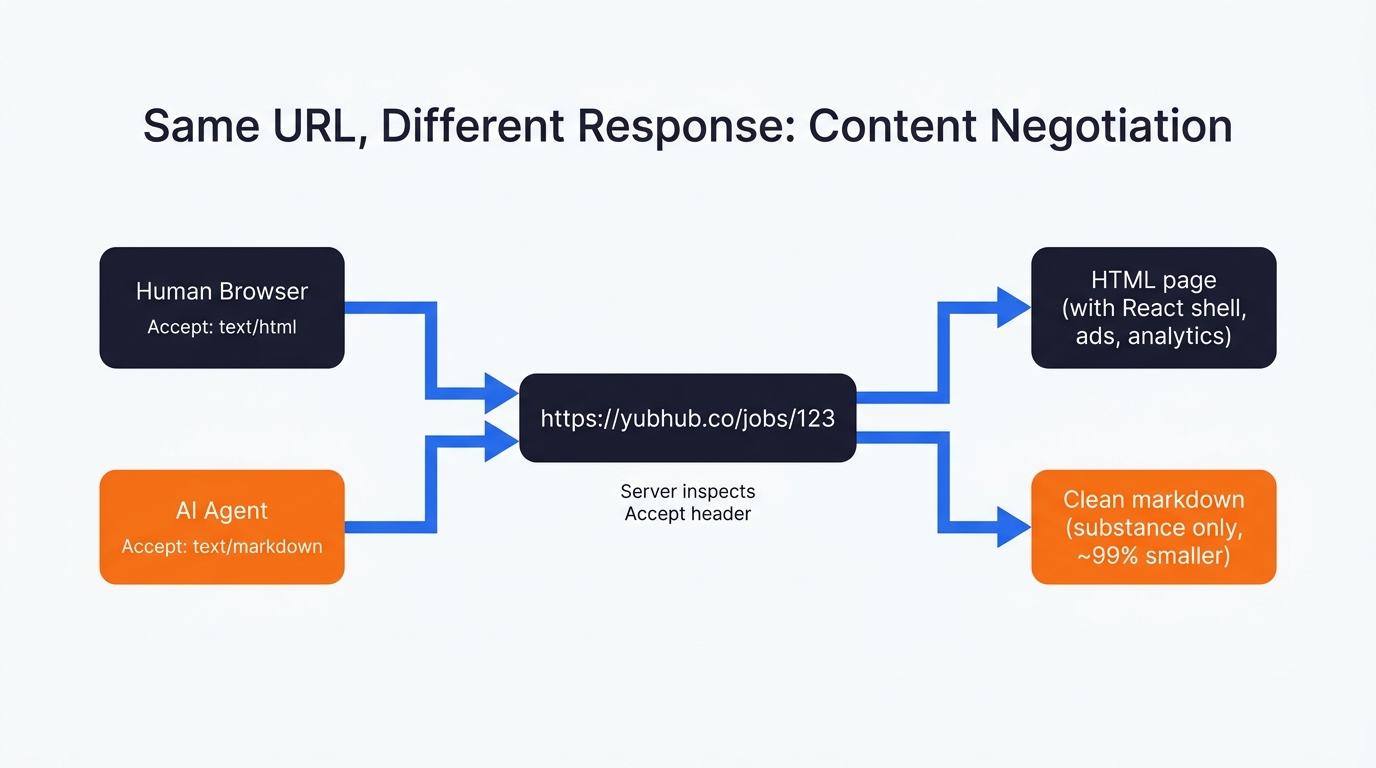
When a modern agent fetches your page, there’s a good chance it’s already sending Accept: text/markdown in the request headers. Cursor does. Claude Code does too – Anthropic confirmed it natively in late 2025. The list grows weekly. The right move on the server is to detect that header at the edge and serve a clean markdown version of the page back, instead of (deep breath) 600KB of React shell, ad pixels, cookie banners and analytics chunks. All of that junk is irrelevant to an LLM and if nothing else, serving HTML to an LLM training bot is like serving caviar to a child. It doesn’t make any sense!
In Yubhub, I wired this in at the route level. I have 2 routes, that serve the same content in different formats. Hit *.md directly and you get markdown. Hit /jobs/{id} with Accept: text/markdown and you also get markdown.
const r = await fetch('https://yubhub.co/jobs/' + id + '.md', {
  headers: { Accept: 'text/markdown' }
});
return { markdown: await r.text() };
Vercel and Cloudflare have shipped network-level versions of this that anyone can turn on. Read the Docs has done the same for documentation hosting. Cloudflare’s “Markdown for Agents” launched in February 2026 and isn’t a formal standard – but given the share of the web that sits behind Cloudflare’s edge, it’s effectively becoming one whether the IETF likes it or not. And anyway; it makes perfect sense that Cloudflare would do this as a bandwidth saving measure. I can’t imagine what this epoch of excessive LLM training traffic is doing to their servers!
If you do nothing else from this list, do this one.
4. Feeds (JSON, RSS, XML, Atom)
Feeds are unfashionably old. The reason they matter again now, in my opinion, is that they’re a deterministic way for an agent to grab a slice of your inventory without crawling 10,000 paginated JavaScript pages.
I built faceted feeds into yubhub for exactly that reason. Every category, every job title, every company, every skill has its own feed at feeds.yubhub.co/facet/{type}/{slug}.{json|xml}. So if an agent (or just a human RSS user – some still exist) wants “all live data engineering jobs in London with the term Snowflake”, they pull a feed URL and get JSON or XML back. No JavaScript rendering. No pagination dance. No client-side rehydration to wait through.
{
  "uri": "https://feeds.yubhub.co/",
  "name": "XML feed index",
  "description": "Per-feed XML endpoints for third-party job boards"
}
llms.txt belongs in this layer too. Drop a file at the root of your site listing your important markdown URLs, JSON endpoints and feeds. It’s worth being honest about the status: llms.txt isn’t a formal standard, and neither OpenAI nor Anthropic have officially confirmed that GPTBot or Claude-Web parse it during open-web crawls.
What’s happening is that coding agents (Cursor, Claude Code) and a growing tooling ecosystem use it during direct, user-prompted retrieval. It’s a soft signal at best for now – but again, scale is the thing. If Cloudflare’s edge starts surfacing llms.txt in their Markdown for Agents flow (which feels likely), it becomes closer to the standard overnight.
5. REST API and an OpenAPI manifest
This is the obvious option if you’re a SaaS, less obvious if you’re a content site or a high street retailer running a Shopify backend. The principle is the same either way: every data surface a user can see in your UI should be available as JSON via an HTTP endpoint, and you should describe that surface in an OpenAPI YAML file at /.well-known/openapi.yaml.
Why does the manifest matter? Because OpenAI Operator and similar visual agents will look for it before they start clicking around. If they find it, they drop into deterministic API calls and the booking actually completes. If they don’t, they’re forced to interpret your DOM. That’s the world where (in my testing, at least) something like a third of bookings end with the wrong date or the wrong currency. Which is no use to anyone.
In Yubhub I wrote the OpenAPI spec for thirty-something endpoints – stats, search, jobs, companies, the lot. It lives at the well-known location and gets referenced from the Schema.org Dataset block on the API page (more on that next).
6. Schema.org: the descriptive bit and the executable bit
The descriptive bit is what most search people already know well. JSON-LD blocks for Article, Product, Organization, Recipe, Event. By now it’s highly mature stuff, well-supported, parsed by everybody from Google down to a half-built side project.
The executable bit is where it gets interesting. Schema.org has had Action types for years – BuyAction, ReserveAction, SearchAction, OrderAction – but I don’t feel like many have used them seriously, because there was no real consumer of the data. Now there is. Agents are starting to read them. A BuyAction schema can tell an agent the exact POST payload required to add an item to a cart. A ReserveAction can describe the reservation endpoint, the required parameters, the auth method. The lot. A self-describing API embedded in your HTML.
A word of caution: machine-speed traffic without rate limiting will drain your CPU budget in an afternoon. Build the WAF rules first, then ship the schema.
The other schema I rate (and that I think is underused) is Dataset. On the Yubhub API page I publish a JSON-LD Dataset block listing every endpoint as a DataDownload distribution. That’s how I’ve made the API discoverable to anyone (or anything) parsing structured data, including search engines and agent systems that haven’t even shipped yet:
const datasetSchema = {
  '@context': 'https://schema.org',
  '@type': 'Dataset',
  name: 'YubHub Hiring Intelligence API',
  license: 'https://creativecommons.org/licenses/by/4.0/',
  distribution: [
    { contentUrl: 'https://api.yubhub.co/stats/overview',
      description: 'High-level statistics...' }
  ]
};
Costs nothing to ship. Machine-readable forever.
7. WebMCP
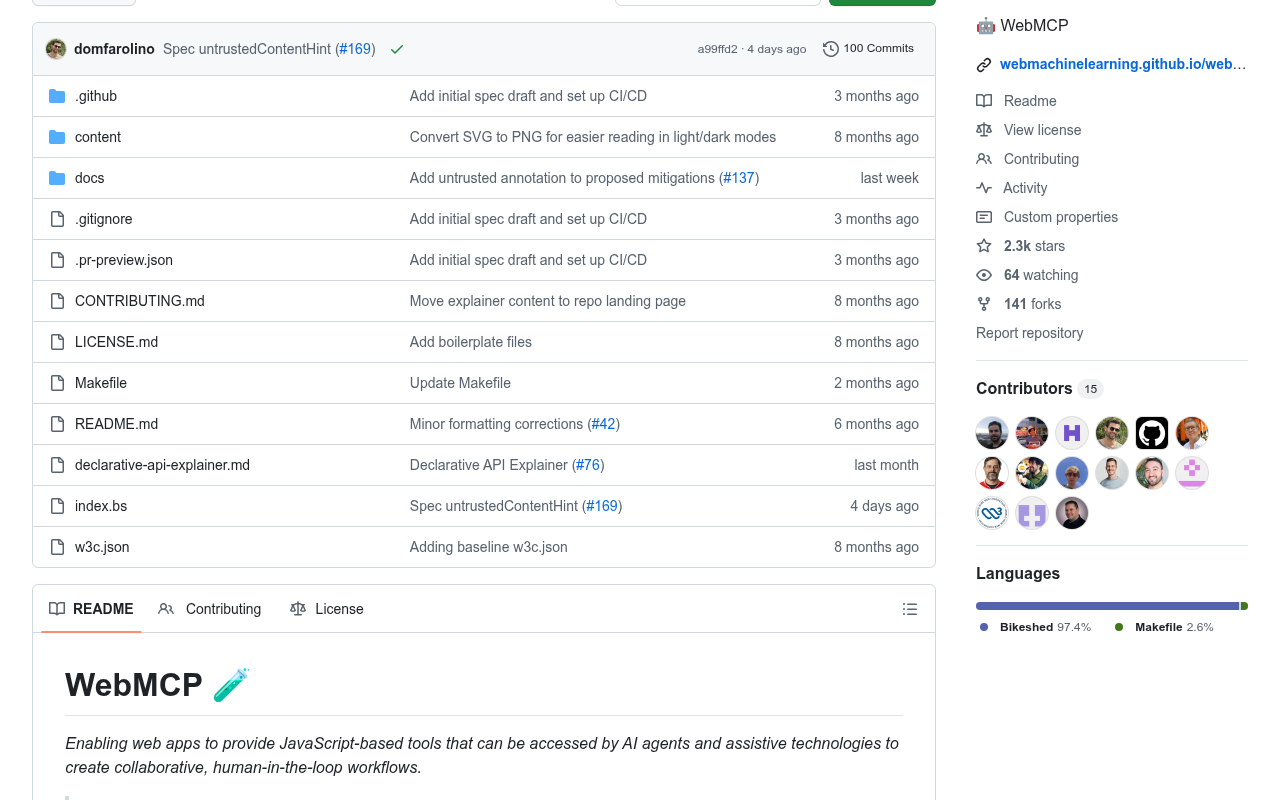
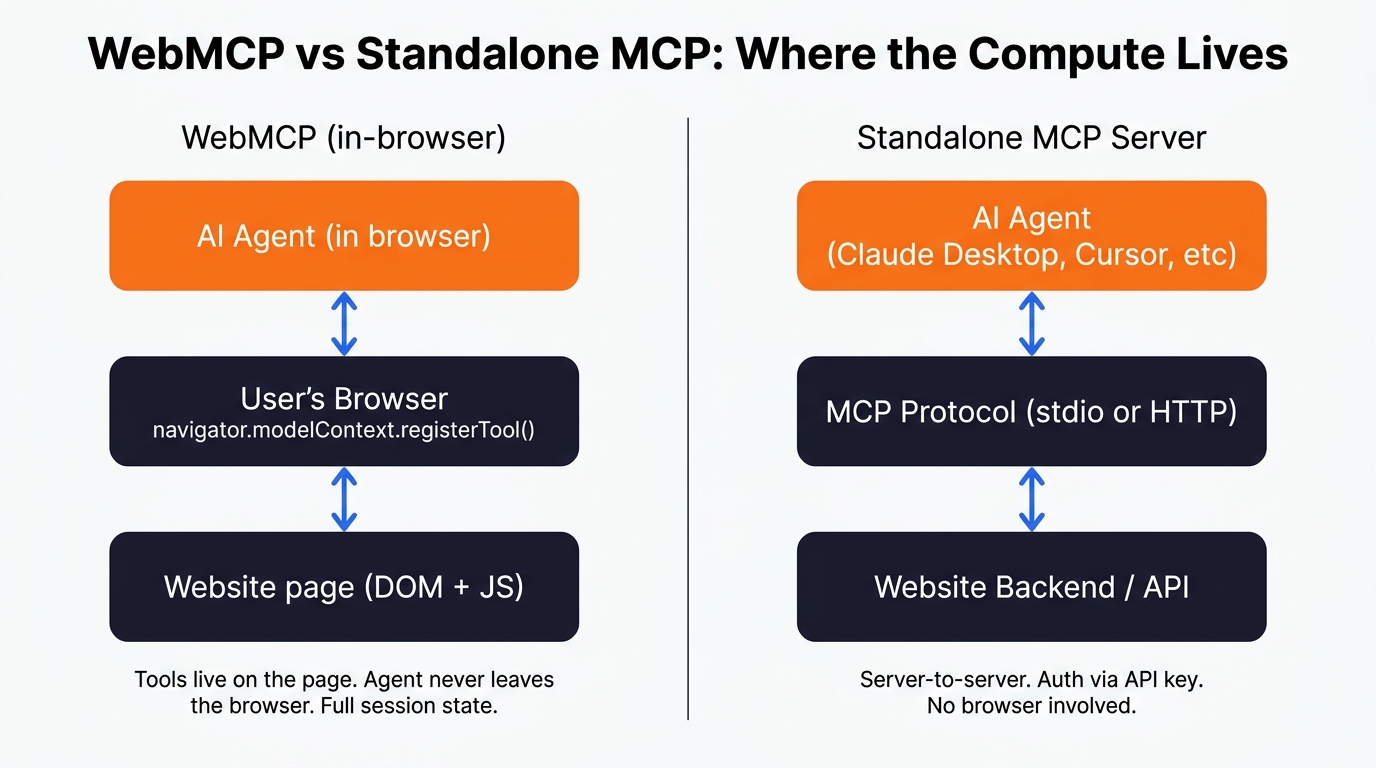
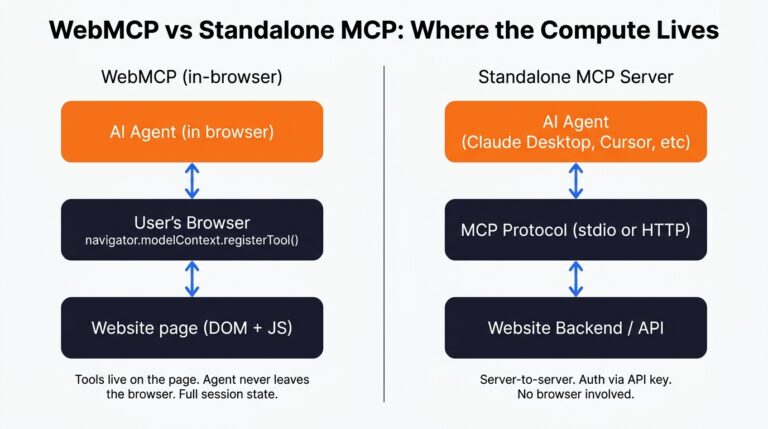
WebMCP is the one I’m most excited about, and I’ve written about it at more length elsewhere on this site, so I’ll keep it short here. WebMCP lets a webpage register tools directly with a browser-resident agent through navigator.modelContext.registerTool(). The agent reads the JSON schema of the tool, calls the function, and the GUI gets skipped entirely. No DOM scraping, no fragile clicks.
What that buys you in practice: WebMCP fills the gap between “structured data the agent can read” and “the agent can do something useful on this specific page inside the browser”. You’re handing the agent a button it can press, scoped to the URL it’s on, with full DOM access and full session state. For a logged-in user that’s a big deal.
The status of the spec, as I write this: W3C Community Group draft, backed by Microsoft and Google. It’s behind a flag in Chrome 146. We’re early – but this is happening. I can;t help but feel the closer to final WebMCP spec won’t require the user to insigate a request from inside teh browser, but I could be wrong – we shall see.
In Yubhub the WebMCP scaffold registers per-page tools. On a job page, the tool is yubhub_current_job and it returns the job in markdown. On the search page, the tool runs the search.
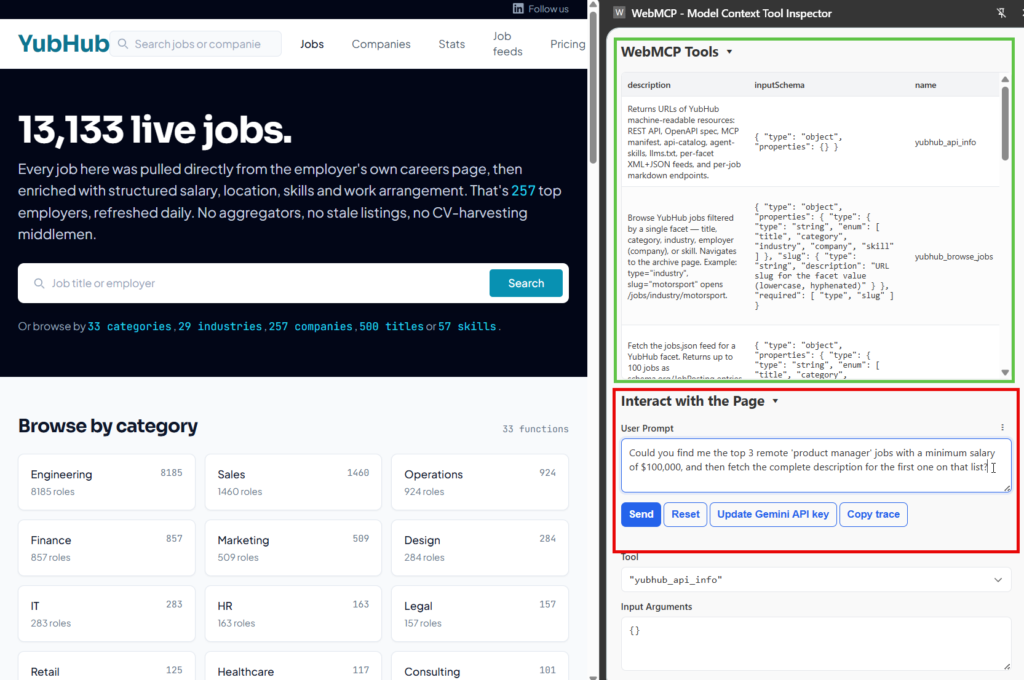
The agent doesn’t have to guess a URL pattern or scrape the DOM – it calls whatever tool the page itself has volunteered. This is much less brittle than visual driving.
8. The MCP server
The headline option, and the one most people mean when they say “we should do something for AI”. An MCP server is a long-running process that exposes a defined set of tools (functions, really) over a standard protocol. Claude Desktop, Cursor, ChatGPT and a growing list of other clients can all talk to it without any custom integration glue.
Yubhub’s MCP server ships as an npm package. To use it, a developer drops this into their Claude Desktop config:
"mcpServers": {
  "yubhub": {
    "command": "npx",
    "args": ["-y", "@houtini/yubhub"],
    "env": { "YUBHUB_API_KEY": "your-yh_-prefixed-api-key" }
  }
}
That’s it. After a restart, Claude can list feeds, get jobs, trigger feed runs, query stats – 22 tools wired up, with auth scoped to the user’s API key. No web scraping, no DOM interpretation, no headless browser nonsense. Same data the website serves, but a layer down, exposed in the most predictable way an agent can possibly consume it. This makes my project a UI-less SaaS – you don’t need to visit the website except than to register.
A growing list of brands have shipped these now. Stripe, Shopify and Cloudflare were early on it for their developer platforms. Atlassian, Linear and Asana followed for their SaaS products. The interesting case for retail, and the reason this whole article exists, is Lastminute.com.
A test case from two industries you and I both use
I wanted to see what the current state of play looks like outside the small handful of brands that have woken up. So I picked two pages on purpose – both ones I’d actually use if I was planning a trip: car hire and travel.
Two big brands, two industries (car hire and flights respectively) where personal agents are going to take over the booking flow within a couple of years, if not sooner. I went and downloaded the rendered HTML for both pages and had a proper look at what an agent would actually see on arrival.
Europcar London: helpful FAQ, useless for booking
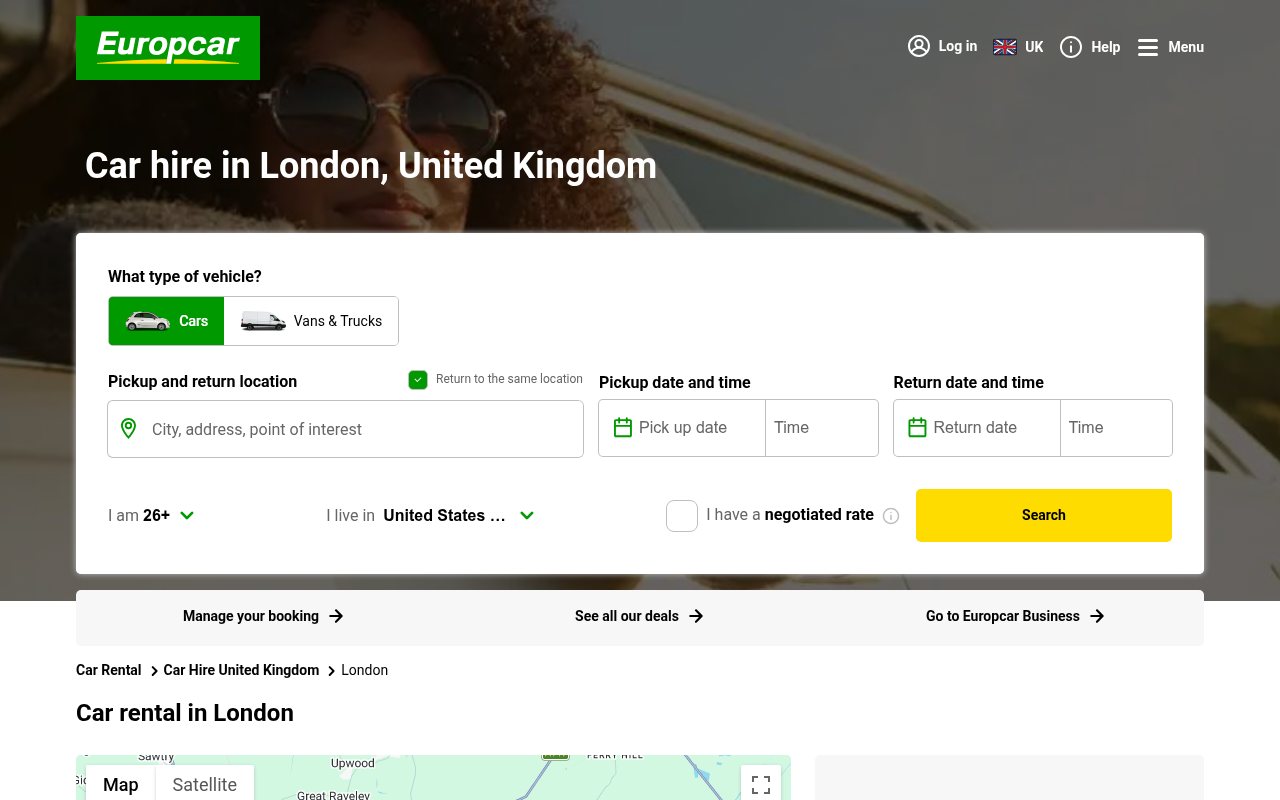
Europcar’s London page does have some structured data on it. There’s a BreadcrumbList. There’s an ItemList of London tourist attractions (Tower of London, British Museum, Buckingham Palace – a bizarre choice for a car hire page, but fine). And there’s a FAQPage with proper answers about driving licences, fuel policies, payment methods. That FAQ schema is genuinely useful for an agent answering “what documents do I need at the Europcar counter”.
But the booking layer is missing. No RentalCarReservation. No Vehicle. No Offer. No LocalBusiness for the actual depot. No ReserveAction. No prices, no availability, no vehicle classes. No llms.txt, no .well-known/ai-plugin.json. The robots.txt is one line of disallow rules and a single sitemap link.
So an agent landing here can answer questions about rental terms, but it can’t book a car. The booking lives behind a JavaScript widget that the agent has to drive visually instead. Visual driving of car hire flows is brittle as anything (location pickers, calendar widgets, dropdown chains feeding into more dropdown chains) – the kind of UI where the agent picks Heathrow when you said Gatwick, because the autocomplete fired weird.
Europcar aren’t behind because they’re stupid. They’re behind because their structured data was designed for Google Search rich results, not for agents booking cars. It’s a different goal, different output. What they need is Vehicle schema with availability, a ReserveAction pointing at a documented endpoint, and ideally an MCP server. The first car hire brand in the UK to do that lot properly becomes the default for every AI-planned trip in this country, and it isn’t even close.
Momondo flight search: nothing at all
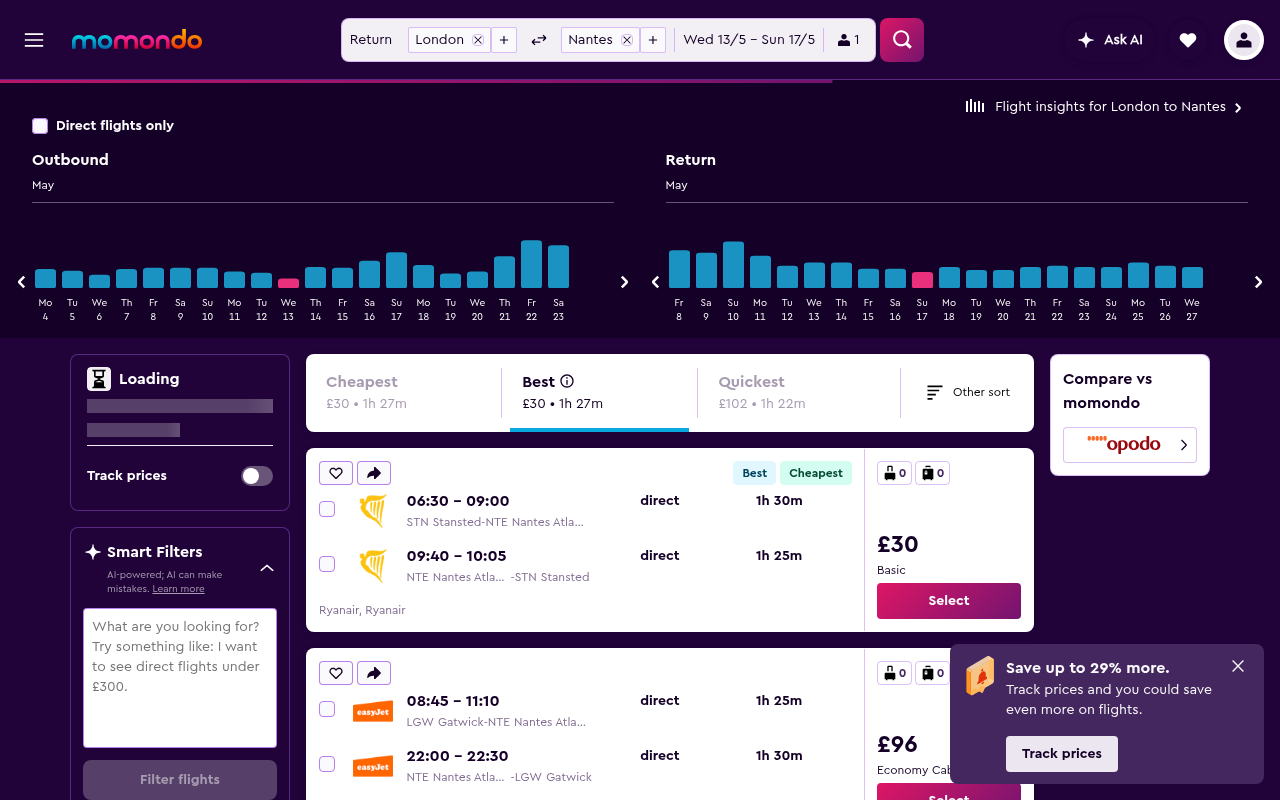
Momondo is worse, and I say that as someone who likes Momondo. The deep URL I tested (LON to NTE in May, with a sort order specified – all the things a real user would set) has zero JSON-LD on the page. None. The HTML is 375 lines, most of which is React bundle bootstrap. There’s a meta description, an Open Graph image, and that’s the lot.
If a personal agent lands on that URL it sees the title “LON to NTE, 13/5 – 17/5”, a generic description (“momondo searches hundreds of other travel sites”), and has to either render the JavaScript – slow, expensive, frequently blocked by Cloudflare bot challenges – or give up. The agent will struggle to list flight options. Can’t read prices: can’t book.
That’s the pattern across most SPA-driven travel sites at the moment. The page works beautifully for humans and is invisible to agents. Momondo’s parent (Kayak/Booking Holdings) has the engineering muscle to fix this overnight if they wanted. They haven’t, yet.
Lastminute: shipped, but did they understand why?
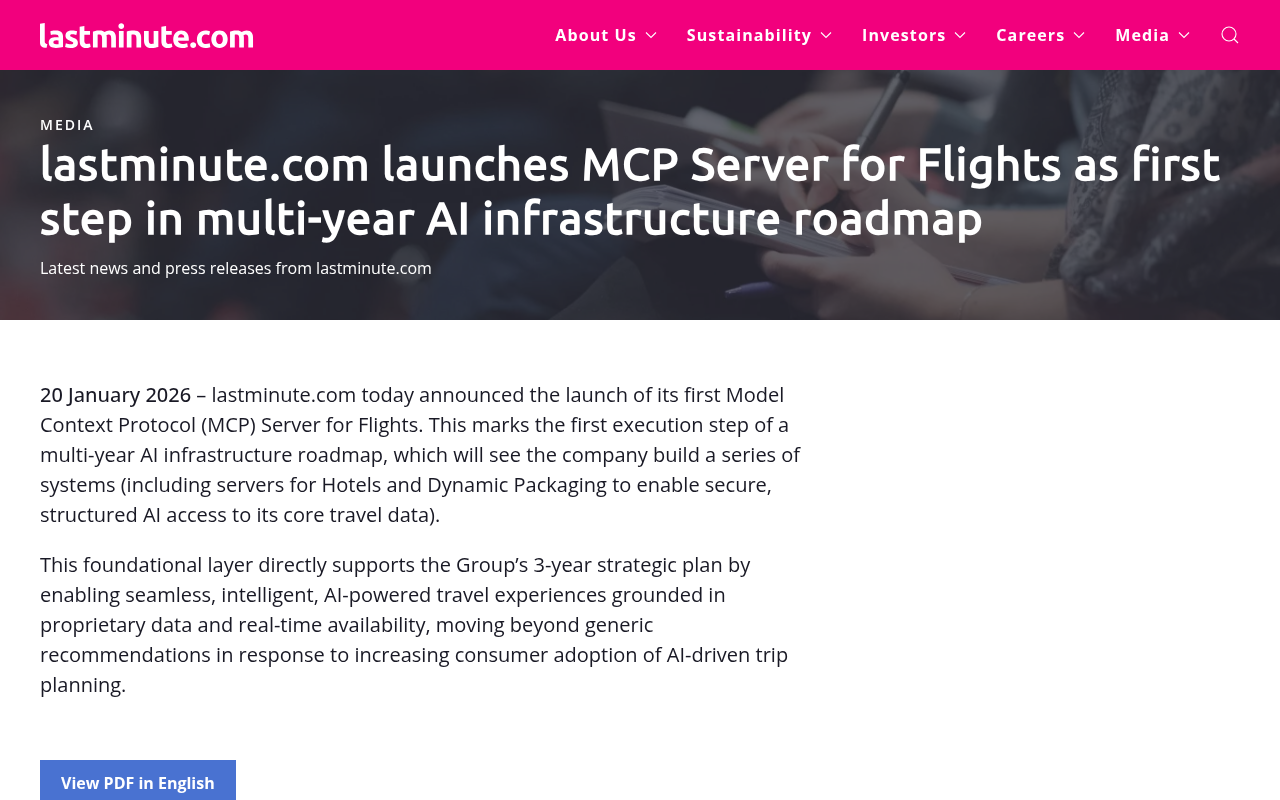
Lastminute.com is the bright spot. On 20 January 2026 they announced the launch of an MCP server for their flight inventory – the first major OTA to ship one. The press release frames it as “the first execution step of a multi-year AI infrastructure roadmap”, with hotels and dynamic packages still to follow. CEO Alessandro Petazzi has been blunt about it being a strategic survival play.
A small caveat, because I don’t have insider knowledge: I’m not entirely convinced they fully understand why they’ve done it. The press release leans on phrases like “AI-powered travel experiences” and “moving beyond generic recommendations”, which is a marketing frame, not really an engineering one.
The engineering frame would be: agents that find an MCP server bypass your visual UI entirely, so you become the default supplier for any agent planning a trip in a market where MCP coverage is sparse. That’s a gigantic and defensible commercial advantage. You only keep it if you keep building.
If they treat this as a press release moment and stop, the next OTA along will build a better MCP and eat them.
The lesson for the rest of us: don’t ship one MCP and call it done. Ship the MCP, the OpenAPI, the Action schema, the markdown content negotiation, the JSON feeds. Layered protection. Each layer covers a different agent’s preferences. Get in the habit of giving a crap about this stuff becuase it isn’t going away.
What Yubhub looks like with most of it on
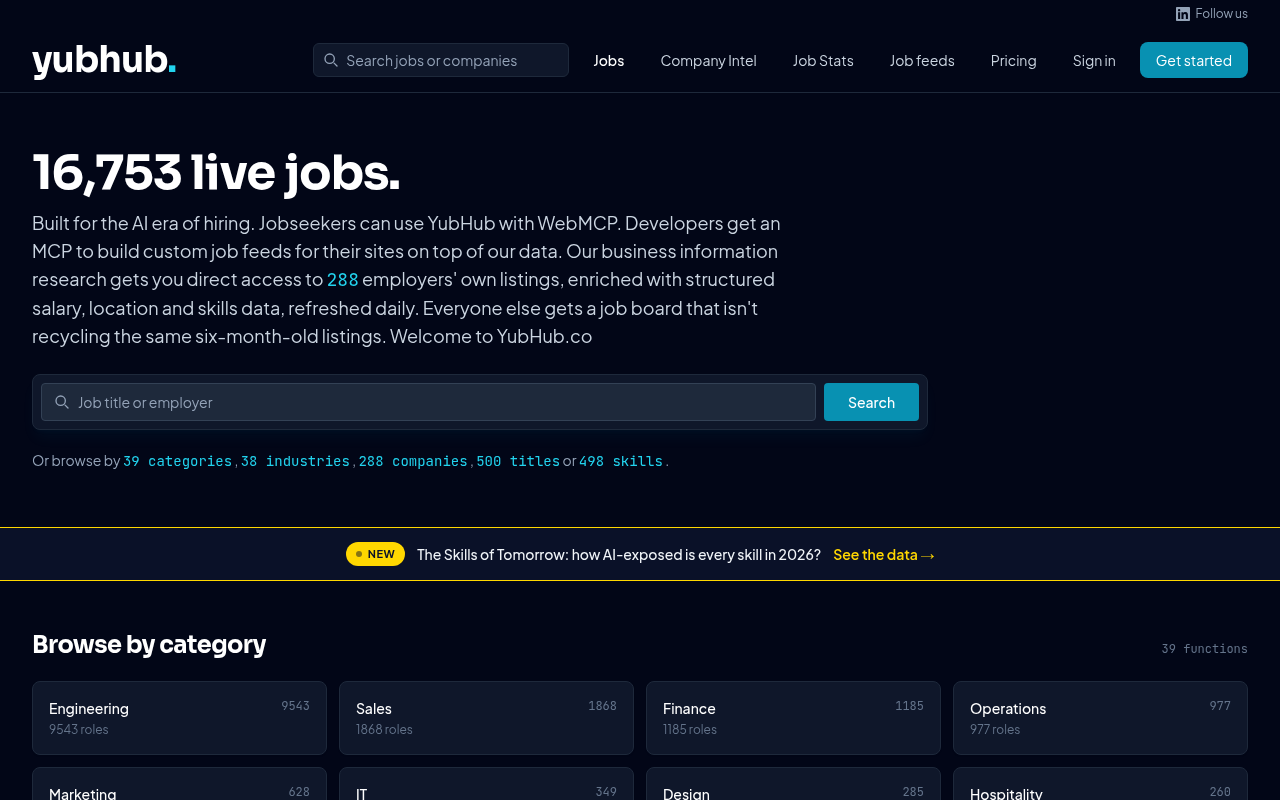
Yubhub isn’t a household name (yet) but it’s been my testbed for working through this whole stack hands-on. I built it API first with only an MCP to control it before any UI was even a consideration. The site has 16,753 live jobs at the moment, pulled from 288 employer career pages and re-enriched daily. Every one of those jobs is available six different ways:
- As an HTML page for humans
- As markdown via content negotiation
- As JSON via the REST API (
GET /jobs/{id}) - As JSON-LD
JobPostingembedded in the rendered page - As part of faceted feeds (JSON / XML / RSS) by company, location, skill, work arrangement
- As a tool exposed by the standalone MCP server (
get_job(id))
Obviously I don’t know which surface any given agent will use – it depends on the client, the prompt, the user’s habits – so I’d rather just be available on all of them than guess wrong and lose. The cost of doing this, once you’ve got the data layer right, is mostly just routing work. A couple of weeks of edge function and serialiser code, in my experience. Not a year-long roadmap project. It’s stuff like this that gives the startup the advantage – build for agents and users, not just users vs years of technical debt, priorities and meetings.
The minimum that’s worth doing
If you read all that and thought “yeah, but I don’t have time for any of it”, here’s a minimum-viable version of the stack:
- Drop an
llms.txtat your root listing your most important pages and feeds (remind your SEO team there are other consumers for this file, tell them to Google it.) - Add
Accept: text/markdowncontent negotiation if only for bandwidth reasons - Publish a JSON Feed of your most-updated content
- Add JSON-LD
Datasetto your API/data page if you have one, orActionschemas if you have a transactional flow
Half a day of work for an engineer who knows your stack, give or take. That gets you out of the bottom quartile and gives agents a fighting chance. Anything beyond it (OpenAPI manifest, MCP server, WebMCP) is where you start competing properly for default-agent-vendor status in your category.
The brands that win the next decade aren’t going to be the ones with the best SEO. They’ll be the ones whose products turn out to be easiest for software to buy on a customer’s behalf. This is a different discipline, in a different game, with different tooling, all motivated by different incentives – and the window to get good at it is open right now.
If you want a worked example of how the MCP piece slots in, I’ve written about building MCP servers for Claude Desktop elsewhere on this site. Read that next or get in touch. Have fun with this, I love it!
Related Articles
Agentic Interoperability for Website Owners: AI User Experience (AI UX)
I’ve been keeping a close eye on the emerging subject of “agentic interoperability” across all my recent build projects. In layman’s terms, that’s the ability for AI agents to do things for you on your behalf – particularly inside SaaS apps via MCP servers, and increasingly via WebMCP, an emerging protocol that fills the gap … <a title="Agentic Interoperability for Website Owners: AI User Experience (AI UX)" class="read-more" href="https://houtini.com/agentic-interoperability-website-owners/" aria-label="Read more about Agentic Interoperability for Website Owners: AI User Experience (AI UX)">Read more</a>

Content Marketing Ideas: What It Is, How I Built It, and Why I Use It Every Day
Content Marketing Ideas is the tool I’ve built to relcaim the massive amount of time I have to spend monitoring my sources for announcementsm ,ew products, release – whatever. The Problem with Content Research in 2026 Most front line content marketing workflow follows the same loop. You read a lot, you notice patterns, you get … <a title="Agentic Interoperability for Website Owners: AI User Experience (AI UX)" class="read-more" href="https://houtini.com/agentic-interoperability-website-owners/" aria-label="Read more about Agentic Interoperability for Website Owners: AI User Experience (AI UX)">Read more</a>

Are Claude Skills Just an Alternative to Reading a Book or is there more than that?
I’ve too long treating skills like magic incantations of a topic that really, I don’t fully understand. I strated out not really thinking about skills or embracing them. I still don’t, fully, becuase most of what I do is command line, terminal, etc etc – I’m on top of computer use! BUT – I have … <a title="Agentic Interoperability for Website Owners: AI User Experience (AI UX)" class="read-more" href="https://houtini.com/agentic-interoperability-website-owners/" aria-label="Read more about Agentic Interoperability for Website Owners: AI User Experience (AI UX)">Read more</a>
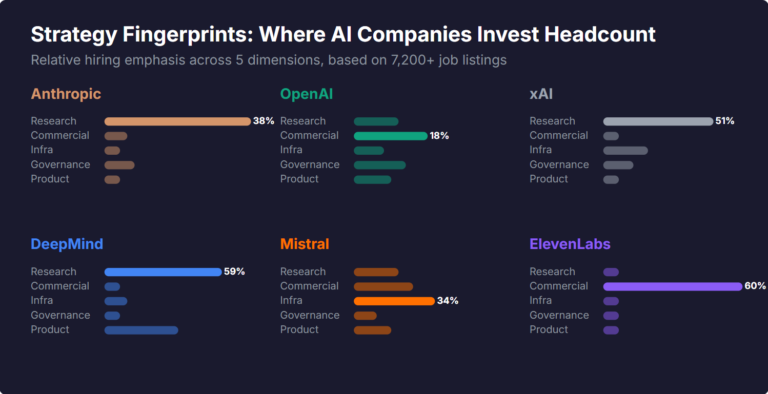
What Skills Are AI Companies Hiring For, and What Do the Jobs Tell Us About Their Strategy?
I pointed YubHub at 7,200+ job listings across the major AI labs and the hiring patterns reveal six completely different strategic bets. Anthropic is all-in on research. OpenAI reads like an enterprise SaaS company. xAI is hiring domain experts to teach Grok finance. Here's what the data shows.

How will AI Affect Content Marketing in 2026?
Not all that long ago, I found myself trying to find an answer to a question about the PSU I might need for a PC accessory. I was alarmed to see that my site wasn’t in the results for the query, because that information wasn’t featured in a review I’d done about a year before. … <a title="Agentic Interoperability for Website Owners: AI User Experience (AI UX)" class="read-more" href="https://houtini.com/agentic-interoperability-website-owners/" aria-label="Read more about Agentic Interoperability for Website Owners: AI User Experience (AI UX)">Read more</a>