

I’m very bullish on the importance of implementing AI tool use in the workplace, and it looks like Anthropic agrees.
Anthropic have announced their very own plugin for Excel and today, I’ve had the opportunity to test it on a real data audit to see how it works, if it’s any good, and to evaluate it to see if I can trust it in a live work flow.
Here’s how I got on.
Installation
To get started you’ll need to install the connector, which is available on the Microsoft AppSource Marketplace (here’s the search result ready for you). All you need to do is follow the installation link, which requires you to sign in with your Microsoft Account.
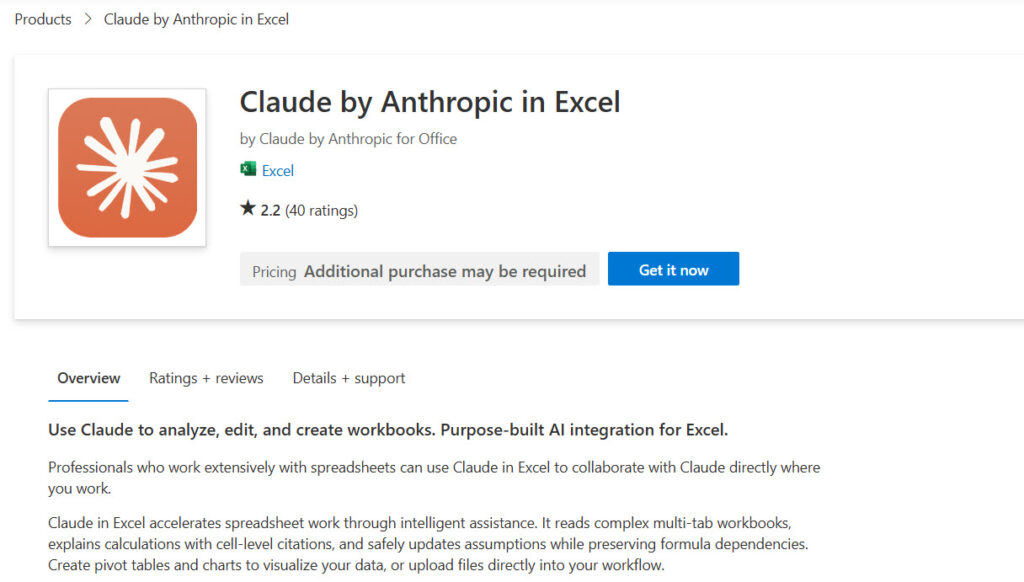
To get started, click Open in Excel. A pane opens automatically and you’ll need to connect to Anthropic from there. All straightforward enough.
If you open a new spreadsheet later, just hit the Claude button in the toolbar.
Putting It to Work
As I mentioned, I’m currently auditing a large PIM product data spreadsheet with a huge number of product attributes.
I’d already audited the file manually, so I was armed with a solid context to analyse how close and how accurate Claude’s approach to the data might be. I simply created a new, unaudited version to spot the difference.
Where It Was Good
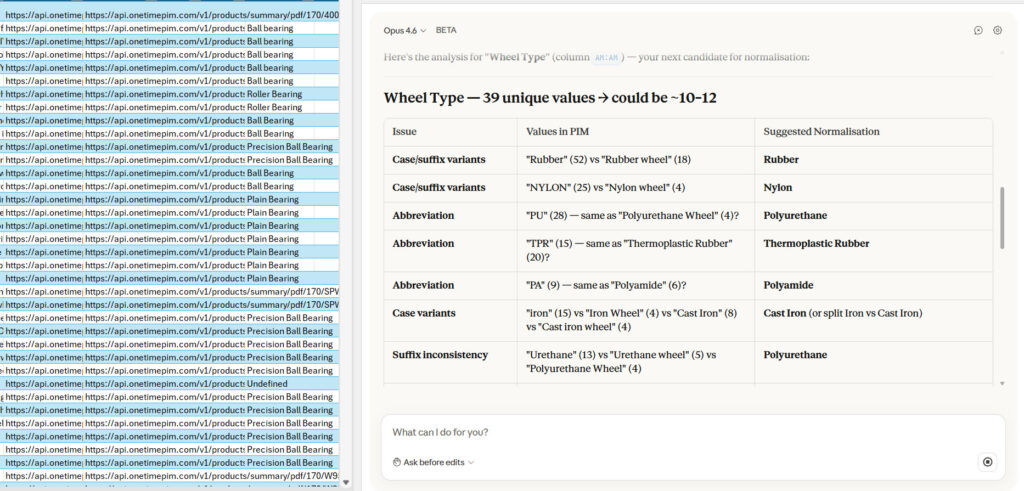
Claude correctly identified a group of columns with very inconsistent data naming. This is actuially the reason I was auditing the data in the first place, so we were off to a decent start.
It gave me a clear list of columns to investigate. Off I went to correct them.
One thing worth highlighting in teh workflow: when you ask Claude questions about specific cells or formulas, it will provide answers with cell references if that’s useful. The citations are clickable so you can head straight to the intended destnation. For a large workbook with multiple tabs that’s very helpful. You’re not left guessing or scrolling.
It handled my fairly large data set without any performance issues. No crashes, no timeouts which is pretty cool for a beta extension. Copilot in Excel has a bit of a reputation for struggling with longer spreadsheets and royally screwing your data up. So this is good so far!
Where It Was Less Good
Claude is just a little too keen to make changes directly, without asking permission first. When you’re working in Desktop or the GUI version of Claude Code, Sonnet or Opus will ask you if it’s ok to allow MCP access for a particular service.
Claude in Excel would benefit from the same kind of permission system.
Anthropic’s documentation describes an overwrite protection feature that warns before overwriting existing data, and this XDA review mentions an “Ask before edits” mode. My experience didn’t reflect this at all – I had to stop Claude from going ahead to make a change to my raw data without getting permission.
Whether this is a Beta thing or a settings issue I missed, I’m not all that sure. Either way, I’d much prefer it to default to asking permission just like the other Anthropic products do.
As an aside, and unlike Copilot in Excel, Claude doesn’t require you to enable auto-save (although mine is!). Your files don’t need to live in OneDrive (which means a huge amount of people can actually use.
The Chat History Problem
My chat history wasn’t saved between sessions. Close Excel or restart, and your conversation with Claude is gone – even if you’re mid-audit and haven’t finished the work. This might have been my mistake (did I close without saving?!) but I’m left feeling unsure.
Apparently Anthropic says they’re working on session persistence for future versions. In the meantime, there is a session logging option in settings that creates a “Claude Log” tab in your spreadsheet, tracking actions taken each turn. If that could be usefully applied to a sort of in-Excel commit with a roll back feature I’d feel far more confident letting it edit a spreadsheet.
Verdict (For Now)
Claude for Excel is very capable at spotting patterns and answering questions about your data – it’s nice to be able to talk to your data and, as I checked each answer, Claude got a 10/10 for accuracy throughout. It beats anything I’ve experienced with Copilot in MS products and Gemini in Google Sheets, which is a pretty upsetting experience.
While the extension is in Beta, proceed with caution. It’s very nice to have a second pair of eyes to help you navigate a large dataset, but I wouldn’t recommend letting it modify your source directly.
I did ask it to build a dashboard, which is promising in principle, but the output added no real utility to my particular use case.
A Useful Prompt for Data Audits
If you’re running a similar audit, this worked well for me:
Could you assess the data for issues like:
- Misspellings
- Cells in a column where the pattern deviates significantly – for example, entire descriptive sentences rather than short category labels
Where Could this Idea take Us?
When an extension like this moves into the production domain, aside from permissions-based editing, in my opnion a real win would be MCP support. Could it fetch the latest data from Data Commons via MCP? What about pulling in Gemini’s input for analysis with our Gemini MCP?
As an early prototype, it all makes sense and it’s a solid error checker. Beyond that, I’d hold off until it gets out of Beta.
Software companies have nothing to fear here, in any case. This integrates with Microsoft Excel. It doesn’t replace it.
One more thought: a similar plugin for Word would be just as useful, if not more so. Building tables and bringing in research to support a narrative feels like a natural use case.
Related Posts

How to Make SVGs with Claude and Gemini MCP
SVG is having a moment. Over 63% of websites use it, developers are obsessed with keeping files lean and human-readable, and the community has turned against bloated AI-generated “node soup” that looks fine but falls apart the moment you try to edit it. The @houtini/gemini-mcp generate_svg tool takes a different approach – Gemini writes the … <a title="Better Search Console: Analyse Your Google Search Console Data with Interactive Dashboards" class="read-more" href="https://houtini.com/better-search-console/" aria-label="Read more about Better Search Console: Analyse Your Google Search Console Data with Interactive Dashboards">Read more</a>

How to Make Images with Claude and (our) Gemini MCP
My latest version of @houtini/gemini-mcp (Gemini MCP) now generates images, video, SVG and html mockups in the Claude Desktop UI with the latest version of MCP apps. But – in case you missed, you can generate images, svgs and video from claude. Just with a Google AI studio API key. Here’s how: Quick Navigation Jump … <a title="Better Search Console: Analyse Your Google Search Console Data with Interactive Dashboards" class="read-more" href="https://houtini.com/better-search-console/" aria-label="Read more about Better Search Console: Analyse Your Google Search Console Data with Interactive Dashboards">Read more</a>

Yet Another Memory MCP? That’s Not the Memory You’re Looking For
I was considering building my own memory system for Claude Code after some early, failed affairs with memory MCPs. In therapy we’re encouraged to think about how we think. A discussion about metacognition in a completely unrelated world sparked an idea in my working one. The Claude Code ecosystem is flooded with memory solutions. Claude-Mem, … <a title="Better Search Console: Analyse Your Google Search Console Data with Interactive Dashboards" class="read-more" href="https://houtini.com/better-search-console/" aria-label="Read more about Better Search Console: Analyse Your Google Search Console Data with Interactive Dashboards">Read more</a>

The Best MCPs for Content Marketing (Research, Publish, Measure)
Most front line content marketing workflow follows the same loop. Find something worth writing about, dig into what’s already ranking on your site, update or write it, run it through SEO checks, shove it into WordPress, then wait to see if anyone reads it. Just six months ago that loop was tedious tab-switching and copy-pasting. … <a title="Better Search Console: Analyse Your Google Search Console Data with Interactive Dashboards" class="read-more" href="https://houtini.com/better-search-console/" aria-label="Read more about Better Search Console: Analyse Your Google Search Console Data with Interactive Dashboards">Read more</a>
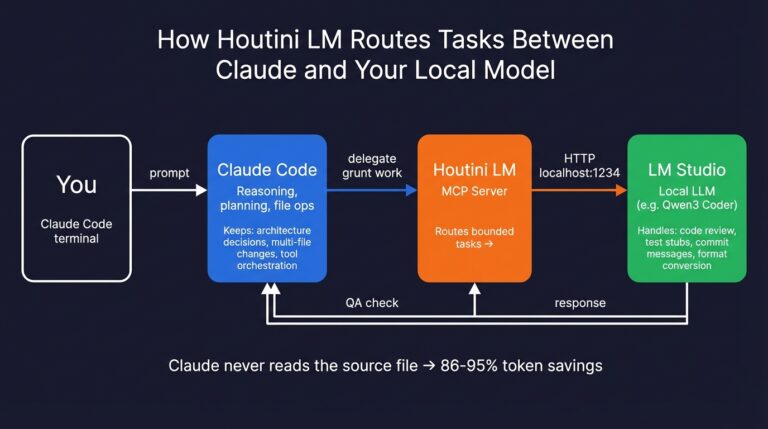
How to Set Up LM Studio: Running AI Models on Your Own Hardware
How does anyone end up running their own AI models locally? For me, it started because of a deep interest in GPUs and powerful computers. I’ve got a machine on my network called “hopper” with six NVIDIA GPUs and 256GB of RAM, and I’d been using it for various tasks already, so the idea of … <a title="Better Search Console: Analyse Your Google Search Console Data with Interactive Dashboards" class="read-more" href="https://houtini.com/better-search-console/" aria-label="Read more about Better Search Console: Analyse Your Google Search Console Data with Interactive Dashboards">Read more</a>
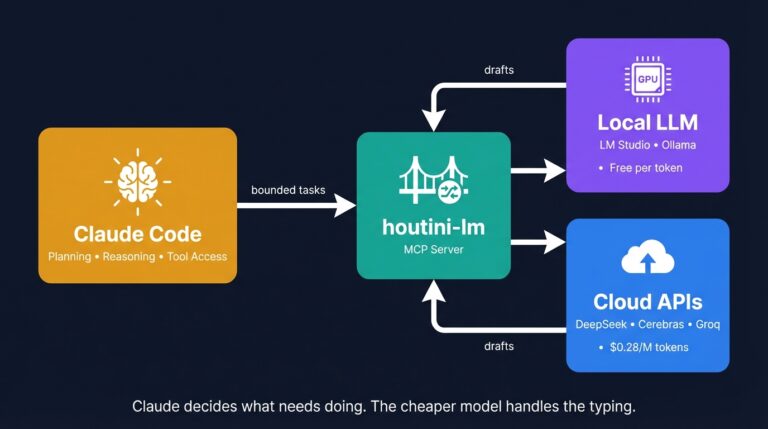
Cut Your Claude Code Token Use by Offloading Work to Cheaper Models with Houtini-LM
I built houtini-lm for people worried that their Anthropic bill might be getting out of hand. I’d leave Claude Code running overnight on big refactors, wake up, and wince at the token count. A huge chunk of that spend was going on tasks any decent coding model handles fine – boilerplate generation, code review, commit … <a title="Better Search Console: Analyse Your Google Search Console Data with Interactive Dashboards" class="read-more" href="https://houtini.com/better-search-console/" aria-label="Read more about Better Search Console: Analyse Your Google Search Console Data with Interactive Dashboards">Read more</a>