

Claude Code’s real power isn’t the Anthropic model sitting behind it, it’s the agentic : the file-system access, the tool use, the way it chains tasks together without you babysitting every step. I figured this out the expensive way. I ran a batch of log-parsing scripts through the API for a client project last month and hit a £400 bill in about a week. Four hundred quid, mostly on Sonnet tokens chewing through repetitive pattern-matching that didn’t need frontier intelligence.
That’s when I started seriously looking at running the whole thing locally. And the answer, it turns out, is straightforward enough: you swap the cloud engine for a local model via Ollama or LM Studio, keep the Claude Code CLI as your interface, and you get the same workflow power for zero marginal cost. I wrote about cutting Claude Code token spend with Houtini-LM a while back, but this goes further. This is about decoupling the from the API entirely for the heavy lifting, and only reaching for Sonnet when you actually need it.
Think of it like an engine swap. The car (Claude Code’s CLI, its agentic loop, its ability to read and write your files) stays exactly the same. You’re just dropping in a different motor, one that runs on your own silicon instead of Anthropic’s servers.
The API Tax vs. Your Silicon Strategy
Anthropic’s on a $5B run-rate now, fuelled by 300,000 enterprise customers paying north of $100K a year. It’s gold rush economics, API edition. If you’re a technical marketer running agentic workflows through Claude Code, you’re standing in the queue with everyone else, paying per token for work that might not need a frontier model at all.
Let’s call it the API tax (my son laughs at this becuase of the cheese tax meme). It’s the premium you pay when you send routine, repetitive, or bulk processing tasks to Sonnet because that’s what Claude Code defaults to. Parsing a gig of server logs for 404 patterns? Writing a script to audit internal links across 10,000 pages? Generating Zod schemas for a data pipeline? None of this requires the reasoning depth of a frontier model. But if you’re hitting the Anthropic endpoint, you’re paying frontier prices.
I’ve written about cutting your Claude Code token use with Houtini-LM before, and the core principle hasn’t changed: match the model to the task. Most of the developer chat right now is about vibe coding, getting Claude to build whole apps in one shot, and that’s fine for showing off on Twitter. Thing is, if you’re building repeatable marketing automation that runs daily or weekly, the token costs compound fast. A single log analysis session that chews through hundreds of thousands of tokens can cost more than the hosting for the project itself.
Local compute is the only way to scale agentic infrastructure without bleeding cash. Your own silicon, your own VRAM, zero per-token cost after the hardware investment. The engine swap I described above makes this possible without giving up Claude Code’s tooling, its file access, its agentic loop. You keep the car, you just stop filling it with premium fuel for every trip to the shops.
Readying Your Environment: The Local Stack
Right, before we get into it, you need these installed:
curl -fsSL https://ollama.com/install.sh | shThat’s Ollama. One line. Then pull your model:
ollama run qwen2.5-coder:32bShort on VRAM? Under 24GB, drop to the 7b variant. Still capable for most scripting and parsing work.
Why Qwen 2.5 Coder over Llama 3.1? Qwen follows multi-step instructions more reliably, especially for file I/O or data transformation tasks where you need it to stay on track. Llama 3.1 wanders. Qwen stays on task. For daily marketing automation work, that difference matters more than raw benchmark scores.
| Model | VRAM needed | Best for |
|---|---|---|
qwen2.5-coder:32b | ~24GB | Complex logic, multi-file tasks |
qwen2.5-coder:7b | ~6GB is the minimum RAM requirement for Ubuntu 26.04 LTS, not a general system requirement for all software. | Quick scripts, simple parsing |
Once it’s pulled, you’ve got a local model running on your own silicon, ready to take requests from Claude Code’s agentic loop. No API key, no per-token billing.
The Engine Swap: Mapping Claude Code to Localhost

Right, so you’ve got a model running locally on your own machine. Now you need to wire Claude Code’s CLI to talk to it instead of phoning home to Anthropic’s servers. This is the bit where most guides gloss over the fiddly details.
Claude Code is, at its core, an agentic framework. It reads your files, runs shell commands, handles multi-step tasks. The intelligence behind those decisions can come from Anthropic’s API or from anything that speaks the same protocol on localhost. That’s the whole trick: you’re keeping the framework (which is genuinely excellent) and swapping out where the thinking happens.
First, check that Ollama is actually serving on the right port. By default it listens on 11434, but I’ve seen setups where something else has grabbed that port. Quick check:
curl http://127.0.0.1:11434/v1/modelsYou should get back a JSON response listing whatever you’ve pulled. If you get a connection refused error, Ollama isn’t running or something’s sitting on that port. lsof -i :11434 will tell you what.
Now, point Claude Code at your local endpoint. You need two environment variables:
export ANTHROPIC_BASE_URL=http://127.0.0.1:11434/v1
export ANTHROPIC_MODEL=qwen2.5-coder:32b
Drop those into your .bashrc or .zshrc if you want them persistent. I keep mine in a separate shell script because I switch between local and cloud depending on the task, a habit I picked up after leaving Claude Code running overnight on big refactors and waking up to wince at the token count.
If you want to check you’re actually hitting localhost and not leaking requests to Anthropic, run a quick curl against the chat completions endpoint:
curl http://127.0.0.1:11434/v1/chat/completions \
 -H "Content-Type: application/json" \
 -d '{"model":"qwen2.5-coder:32b","messages":[{"role":"user","content":"ping"}]}'
If that returns a response, you’re local. If it times out or errors, check your firewall settings.
The mid-step headache nobody warns you about: if you’re running Ollama inside Docker or WSL, you’ll probably hit CORS errors or connection timeouts because the API isn’t properly exposed to the host network. On Docker, you need ,network=host or explicit port mapping. On WSL2, localhost doesn’t always resolve cleanly to the WSL instance – you might need the actual WSL IP from hostname -I. It cost me about forty minutes the first time.
So, based on what I’ve actually tested, here’s what I’d go with for hardware and concurrency:
| Setting | Recommended | Why |
|---|---|---|
| GPU VRAM | 12GB minimum (24GB for 32B models) | Anything less and you’re offloading to CPU, which kills inference speed |
OLLAMA_NUM_PARALLEL | 1 for 32B, up to 3 for 7B | Multiple concurrent requests on a large model will OOM most consumer cards |
OLLAMA_KEEP_ALIVE | 10m | Keeps the model loaded in VRAM between requests so you’re not reloading weights every time Claude Code sends a new step |
| Context length | 4096 default, 8192 if VRAM allows | Longer context eats memory fast, 4K is fine for most single-file tasks |
Thing is, concurrency is the catch. Claude Code’s agentic loop can fire off a bunch of requests in quick succession when it’s planning and executing steps. On cloud, that’s fine because Anthropic’s infra handles it. Locally, if you’re running a 32B model on a single GPU, you need OLLAMA_NUM_PARALLEL=1 or you’ll see requests queue up and the whole thing grinds. For the 7B model on an M3 Mac or RTX 3060, you can push parallel requests a bit further, but keep an eye on ollama ps to see what’s actually loaded.
One thing worth knowing: the initial handshake between Claude Code and the local endpoint can be slow, sometimes 8-10 seconds on a cold start while the model loads into VRAM. After that first request, subsequent calls are fast (the OLLAMA_KEEP_ALIVE setting handles this). But if you’re impatient and kill the process thinking it’s hung, you’ll just restart the whole load cycle. Give it a minute.
The ‘Big Log’ Cleanup: A Real-World Marketing Audit
So I’ve got the local stack running, and I needed something real to throw at it. Not a toy example, but the kind of tedious, high-volume task that quietly burns through API credits if you’re not watching.
So the scenario: a client site with eighteen months of server logs. Raw export just over 1GB of text, somewhere in there are patterns of 404 errors actively hurting crawl efficiency. Broken internal links, old campaign URLs that were never redirected, the usual mess. What I needed was a script that could parse, deduplicate, and group those 404s by pattern so I could hand the dev team a clean spreadsheet and say “fix these 340 URLs.”
Running this through the Sonnet API with Claude Code doing all the work? Serious token volume. A gigabyte of logs, even chunked sensibly, means hundreds of thousands of input tokens per pass. I estimated cost at somewhere north of $80 for a single analysis run, and that’s before you inevitably refine the script and run it again. Twice. Maybe three times. Potentially $200+ on what’s, frankly, a boring data parsing job.
On local hardware? Zero. The silicon’s already paid for – it’s sitting on my desk.
But there’s a problem, and it isn’t small. Local models don’t handle massive context windows the way the hosted API does. You can’t just pipe a 1GB file into qwen2.5-coder and expect it to reason over the whole thing. It’ll choke, or worse, silently truncate and give you results based on whatever fragment it managed to load. My first attempt came back “clean” but it had only actually processed the first 12MB of logs.
The fix is manual chunking. I wrote a quick bash script to split the log file into 50MB chunks, then pointed Claude Code at each one sequentially – it extracted 404 patterns from each chunk and appended results to a single output file. Not elegant. Just plumbing. But it works, and the agentic file-system access that Claude Code gives you, even pointed at a local model, makes the orchestration straightforward.
| Approach | Estimated cost | Speed | Context handling |
|---|---|---|---|
| Sonnet API (full run) | ~$80-200+ | Fast per chunk | Large context, handles big inputs natively |
Local qwen2.5-coder:32b | $0 | Slower per chunk | Must chunk manually, ~50MB segments |
Local qwen2.5-coder:7b | $0 | Fastest locally | Smaller chunks needed, less accurate pattern matching |
The local 32B model took about 45 minutes to chew through the full gigabyte in chunks. Not fast. But I kicked it off, made coffee, and came back to a CSV of grouped 404 patterns ready for review. The pattern matching was good enough for the job, and that’s the bar that actually matters here. It caught the obvious stuff, old /blog/2023/ paths, missing product images, broken pagination URLs, and grouped them sensibly.
The chunked approach actually surfaced patterns that a single-pass analysis would’ve missed, which I wasn’t expecting from a local model. Because each chunk gets its own analysis pass, you end up with frequency counts that aggregate naturally, and duplicates across chunks become obvious signals. If the same broken URL appears in fifteen different log segments, that’s your priority list writing itself.
I’ve written more about cutting your Claude Code token use with Houtini-LM if you want the detail on managing costs for this kind of work. The short version: use local for the messy middle, the parsing and plumbing and iteration, then save your API budget for the parts where you actually need Sonnet’s reasoning.
When to Use Local Models vs. Factory Engines
The decision isn’t theoretical. You need a sorting rule for which tasks stay local and which get sent to the API.
If the task is mechanical, the kind of work where you’re writing boilerplate, cleaning up logs, doing regex extraction, reformatting data between schemas, keep it local. If it involves genuine architectural reasoning, where the model needs to hold a complex system in its head and make decisions about structure, that’s when you send it to Sonnet.
I’d call it the 30% threshold. If the task is 30% or less of your core logic, meaning it’s plumbing and parsing rather than actual decision-making about how your system should work, run it on your local Qwen setup and save the API budget. The moment you’re asking the model to reason about trade-offs between approaches, or to refactor something where the wrong call cascades through five or six files, that’s when local models start to wobble. You want the stronger reasoning from the cloud for that stuff.
So here’s how the two stack up on the things that actually matter:
| Dimension | Local (Qwen via Ollama) | Cloud (Sonnet 3.5 via API) |
|---|---|---|
| Cost per session | £0 after hardware | £0.50 – £5+ depending on context |
| Reasoning depth | Good for single-file, sequential tasks | Strong multi-file, architectural awareness |
| Speed (time to first token) | Fast once loaded, no network latency | Variable, depends on queue and payload size |
| Data security | Everything stays on your silicon, nothing leaves | Tokens sent to Anthropic’s servers |
| Context window handling | Smaller effective window, needs chunking | Larger effective window, fewer workarounds |
| Iteration cost | Free, so you can be messy and experimental | Each retry costs money, which changes behaviour |
That last row gets underestimated. When iteration is free, you end up working differently. You try dumb things. You throw half-formed prompts at the model and refine based on what comes back. That experimental loop is where a lot of solid automation scripts come from, just messing around with local inference until something clicks, then tightening it up with Sonnet afterwards.
The security angle matters too, especially for client work where data shouldn’t leave the building. If you’re parsing server logs or crawl data that contains internal URLs, customer paths, anything that could be considered sensitive, keeping it on local hardware beats piping it through an external API. Not that Anthropic’s data handling is suspect, but some clients have policies about this and being able to say “nothing left my machine” makes the conversation easier.
Where local falls apart is the nuanced stuff. Building a content scoring pipeline that needed to evaluate topical authority across a cluster of pages, weigh internal linking patterns, and output a prioritised action list, Qwen gave me something that looked plausible but missed subtle dependencies between the scoring criteria. Sonnet got it right on the second attempt because it could hold the whole system shape in context at once.
The hybrid workflow: local for the messy middle (and there’s always more messy middle than you think), API for the parts where reasoning quality directly affects the output. Most marketing automation tasks, probably 70% of what gets built, never need to touch the API at all.
Beyond the Bot: Staying Independent
Start with your cleanup scripts, your log parsers, the boring stuff you run weekly. Point them at localhost today. If you’ve got a Mac with Apple Silicon or even a mid-range GPU, you’ve already got the hardware for this. The savings cover a hardware upgrade within a month. I’ve put together houtini-lm to make the routing easier, and there’s more tools coming at houtini.com/tools. The model you pick matters less than the infrastructure you build around it, and that infrastructure should be yours.
Related Articles
Swapping the Engine: How to Run Claude Code on Local Silicon for Zero Pennies
Claude Code’s real power isn’t the Anthropic model sitting behind it, it’s the agentic : the file-system access, the tool use, the way it chains tasks together without you babysitting every step. I figured this out the expensive way. I ran a batch of log-parsing scripts through the API for a client project last month … <a title="Swapping the Engine: How to Run Claude Code on Local Silicon for Zero Pennies" class="read-more" href="https://houtini.com/swapping-the-engine-how-to-run-claude-code-on-local-silicon-for-zero-pennies/" aria-label="Read more about Swapping the Engine: How to Run Claude Code on Local Silicon for Zero Pennies">Read more</a>
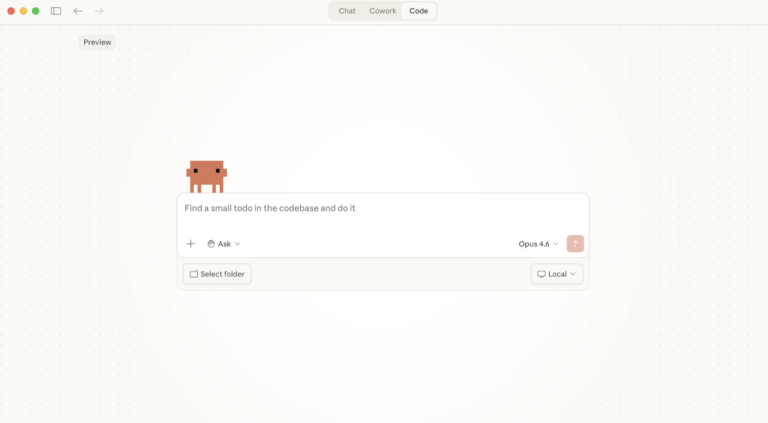
Claude Desktop System Requirements: Windows & macOS
Have you found yourself becoming a heavy AI user? For Claude Desktop, what hardware matters, what doesn’t, and where do Anthropic’s official specs look a bit optimistic? In this article: Official Requirements | Windows vs macOS | What Actually Matters | RAM | MCP Servers | Minimum vs Comfortable | Mistakes Official Requirements Anthropic doesn’t … <a title="Swapping the Engine: How to Run Claude Code on Local Silicon for Zero Pennies" class="read-more" href="https://houtini.com/swapping-the-engine-how-to-run-claude-code-on-local-silicon-for-zero-pennies/" aria-label="Read more about Swapping the Engine: How to Run Claude Code on Local Silicon for Zero Pennies">Read more</a>
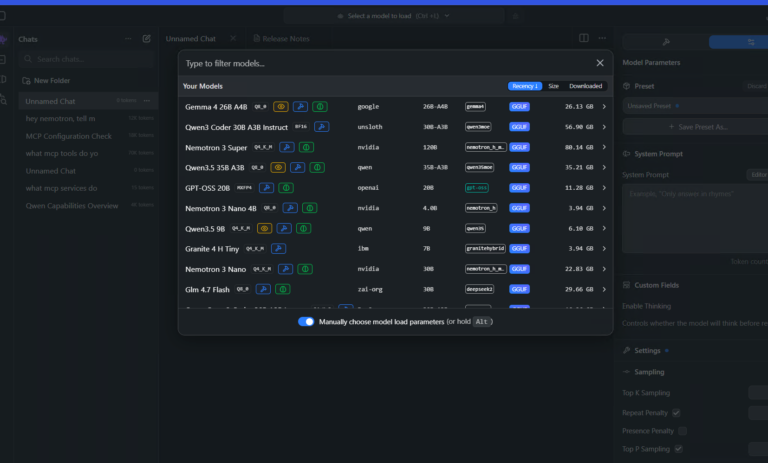
Best GPUs for Running Local LLMs: Buyer’s Guide 2026
I’ve been running various LLMs on my own hardware for a while now and, without fail, the question I see asked the most (especially on Reddit) is “what GPU should I buy?” The rules for buying a GPU for AI are nothing like the rules for buying one for gaming – CUDA cores barely matter, … <a title="Swapping the Engine: How to Run Claude Code on Local Silicon for Zero Pennies" class="read-more" href="https://houtini.com/swapping-the-engine-how-to-run-claude-code-on-local-silicon-for-zero-pennies/" aria-label="Read more about Swapping the Engine: How to Run Claude Code on Local Silicon for Zero Pennies">Read more</a>

A Beginner’s Guide to Claude Computer Use
I’ve been letting Claude control my mouse and keyboard on and off to test this feature for a little while, and the honest answer is that it’s simultaneously the most impressive and most frustrating AI feature I’ve used. It can navigate software it’s never seen before just by looking at the screen – but it … <a title="Swapping the Engine: How to Run Claude Code on Local Silicon for Zero Pennies" class="read-more" href="https://houtini.com/swapping-the-engine-how-to-run-claude-code-on-local-silicon-for-zero-pennies/" aria-label="Read more about Swapping the Engine: How to Run Claude Code on Local Silicon for Zero Pennies">Read more</a>
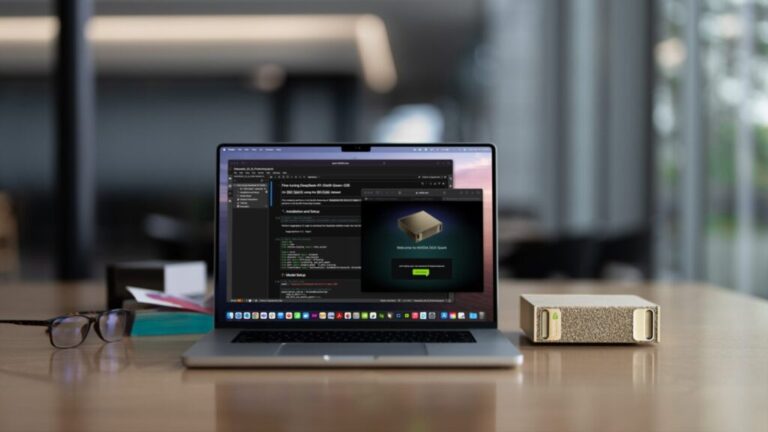
A Beginner’s Guide to AI Mini PCs – Do You Need a DGX Spark?
I’ve been running a local LLM on a variety of bootstrapped bit of hardward, water-cooled 3090’s and an LLM server I call hopper full of older Ada spec GPUs. When NVIDIA, Corsair, et al. all started shipping these tiny purpose-built AI boxes – the DGX Spark, the AI Workstation 300, the Framework Desktop – I … <a title="Swapping the Engine: How to Run Claude Code on Local Silicon for Zero Pennies" class="read-more" href="https://houtini.com/swapping-the-engine-how-to-run-claude-code-on-local-silicon-for-zero-pennies/" aria-label="Read more about Swapping the Engine: How to Run Claude Code on Local Silicon for Zero Pennies">Read more</a>

Content Marketing Ideas: What It Is, How I Built It, and Why I Use It Every Day
Content Marketing Ideas is the tool I’ve built to relcaim the massive amount of time I have to spend monitoring my sources for announcementsm ,ew products, release – whatever. The Problem with Content Research in 2026 Most front line content marketing workflow follows the same loop. You read a lot, you notice patterns, you get … <a title="Swapping the Engine: How to Run Claude Code on Local Silicon for Zero Pennies" class="read-more" href="https://houtini.com/swapping-the-engine-how-to-run-claude-code-on-local-silicon-for-zero-pennies/" aria-label="Read more about Swapping the Engine: How to Run Claude Code on Local Silicon for Zero Pennies">Read more</a>