
I recently had the challenge of facilitating regularly scraped data into an XML feed. In the past, I’ve devised all sorts of ways to scrape, and prepare data, for example, for retailer and affiliate feeds.
So, if you need to be able to convert frequently updated data in CSV or spreadsheet form into an external XML feed, I’ve produced a step by step guide on how to make that happen with free tools. All you’ll need is some data, Google Sheets and the Apps Script I’ve created below.
Step 1: Prepare Your Google Sheet
First, create or open a Google Sheet containing the data you want to convert to XML.
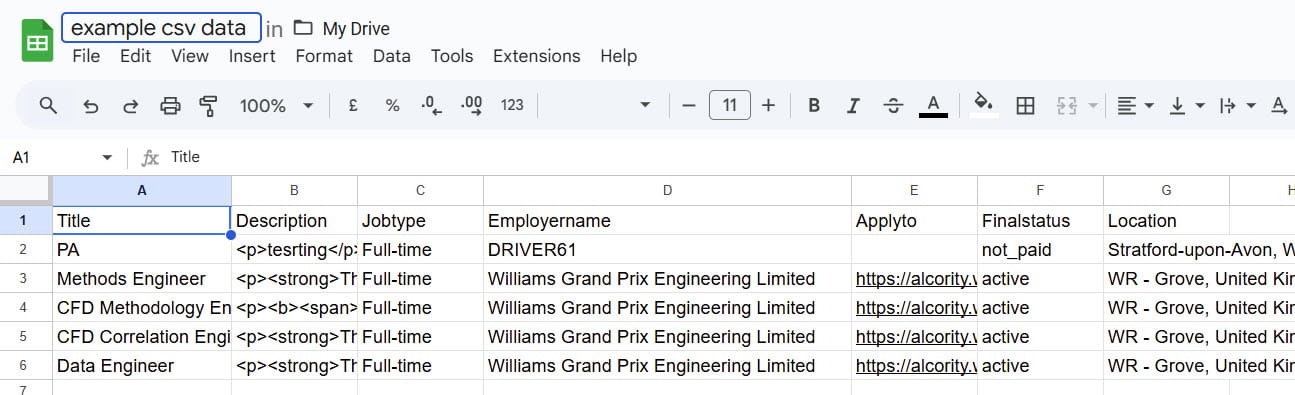
The first row should always contain your column headers – these will become your XML tags, so be careful to mimic the naming convention for your target app XML schema requirements.
Step 2: Create the Apps Script
- Open your Google Sheet
- Click on “Extensions” in the top menu
- Select “Apps Script”
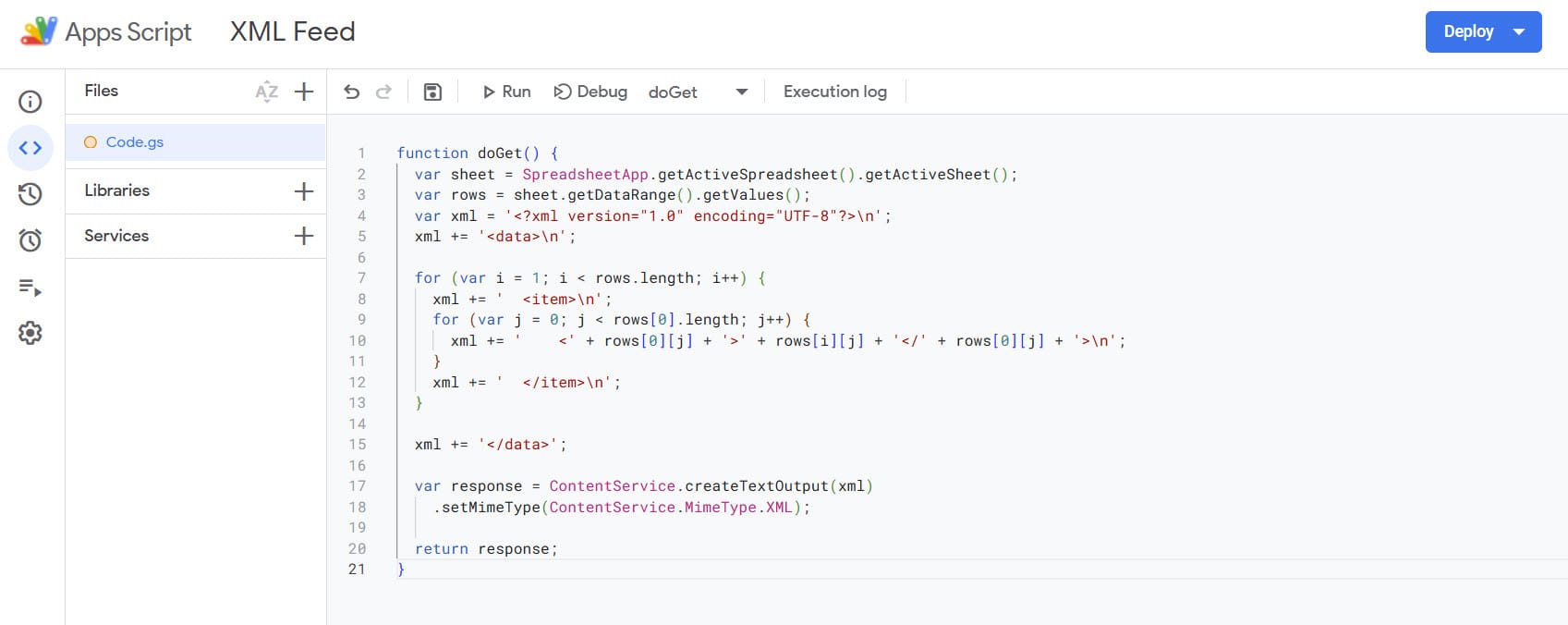
- In the Apps Script editor, paste the following code:
function doGet() {
  var sheet = SpreadsheetApp.getActiveSpreadsheet().getActiveSheet();
  var rows = sheet.getDataRange().getValues();
  var xml = '<?xml version="1.0" encoding="UTF-8"?>\n';
  xml += '<data>\n';

  for (var i = 1; i < rows.length; i++) {
    xml += '  <item>\n';
    for (var j = 0; j < rows[0].length; j++) {
      xml += '    <' + rows[0][j] + '>' + rows[i][j] + '</' + rows[0][j] + '>\n';
    }
    xml += '  </item>\n';
  }

  xml += '</data>';

  var response = ContentService.createTextOutput(xml)
    .setMimeType(ContentService.MimeType.XML);

  return response;
}
This handy little script gets the job done – here’s how it works:
- Reads all the data from your active sheet
- Creates an XML structure where each row becomes an
- Uses your column headers as XML tags
- Wraps everything in a
root element - Sets the Mime type to XML
Step 3: Deploy the Web App
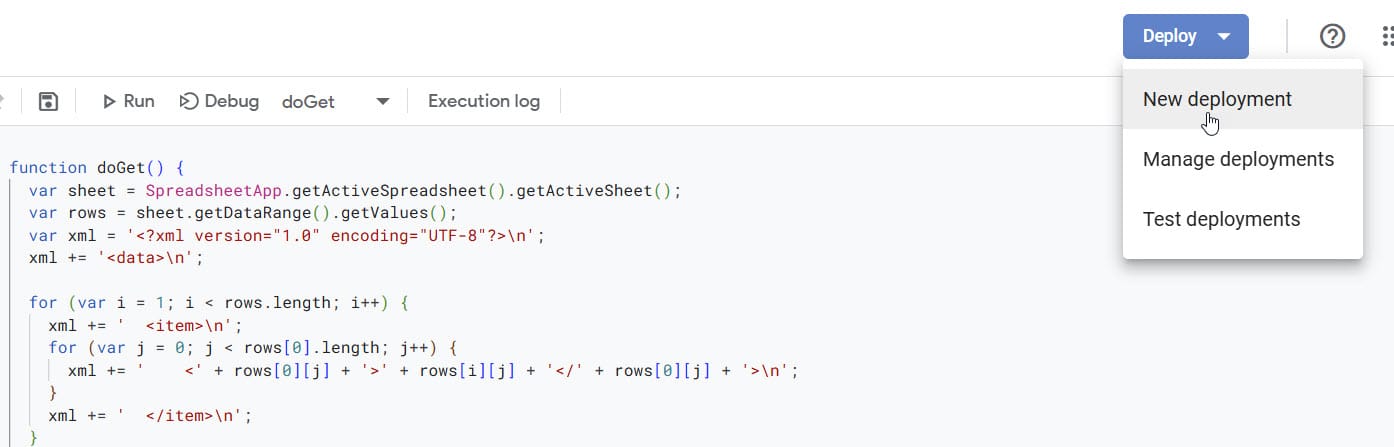
- Click the “Deploy” button in the top right corner
- Select “New deployment”
- Click “Select type” and choose “Web app”
- Configure the deployment settings:
- Description: Enter a description for your deployment (optional)
- Execute as: Choose “Me”
- Who has access: Select “Anyone” to make it publicly accessible
- Click “Deploy”
- When prompted, review and authorize the permissions
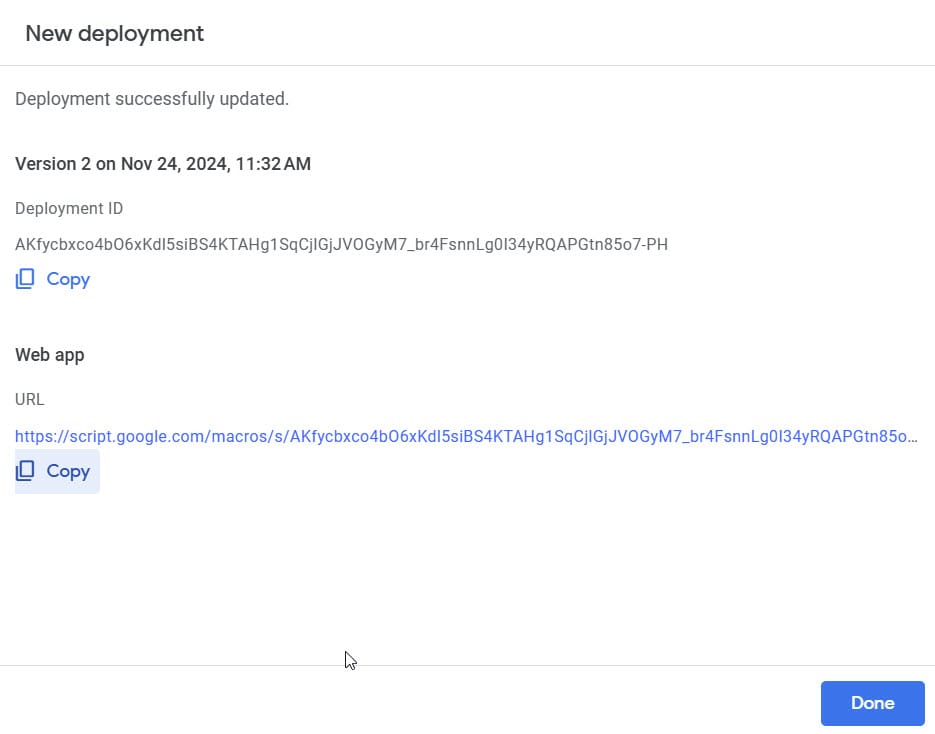
- Copy the Web App URL provided after deployment
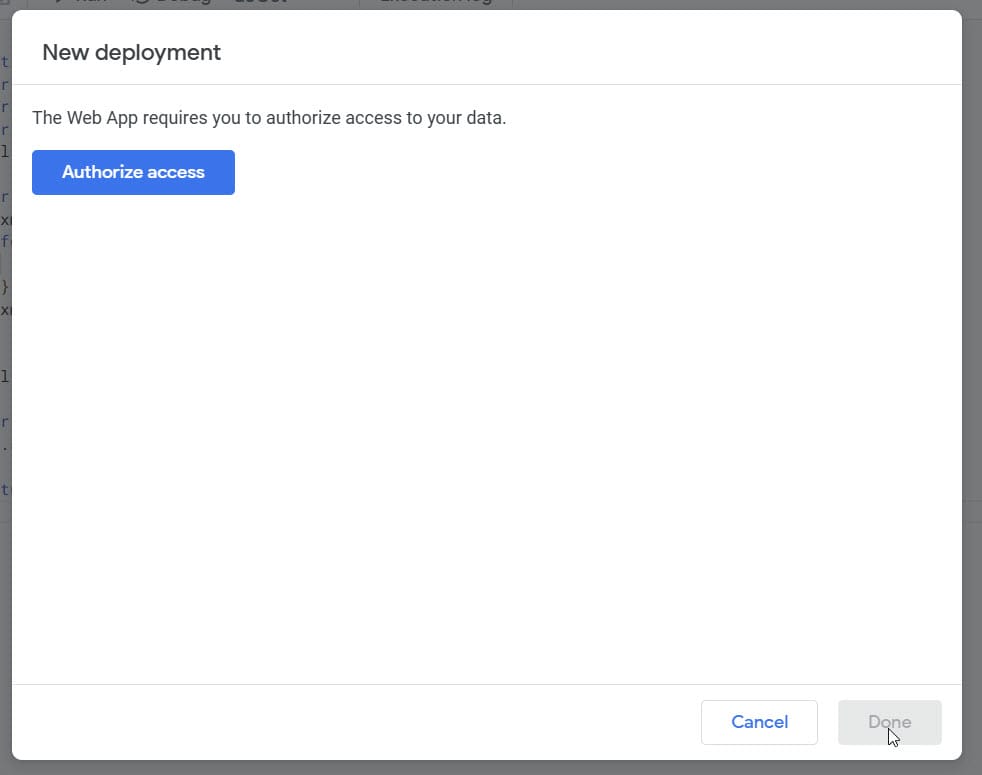
There are a series of authorisation hoops to jump through. They will all feel very familiar as you’re essentially granting app permissions on your Google user account. You’ll likely get this unauthorized app warning, which is nothing to be concerned about:
Here’s the step you just need to pay attention to:
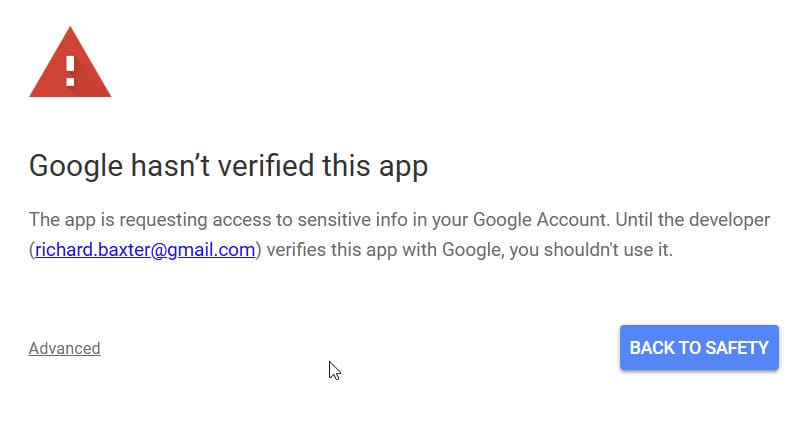
When you click advanced, you can proceed to grant permission. You’ll end up with the XML feed URL, which will be accessible externally, anywhere:
Step 4: Using Your XML Feed
The Web App URL you received is now your XML feed endpoint. You can:
- Access it directly in a web browser
- Use it in feed readers
- Consume it in other applications
Here’s the powermove: Your XML feed will automatically update whenever your Google Sheet data changes.
This means that (for example) you could hire an Upworker to regularly update your data. In affiliate marketing this is Gold, as you can explore custom pricing feeds from retailers at a tiny fraction of the cost of SAAS scraping services. And that’s just one example – there are many more ways to use this so, enjoy!
Related Articles
Swapping the Engine: How to Run Claude Code on Local Silicon for Zero Pennies
Claude Code’s real power isn’t the Anthropic model sitting behind it, it’s the agentic : the file-system access, the tool use, the way it chains tasks together without you babysitting every step. I figured this out the expensive way. I ran a batch of log-parsing scripts through the API for a client project last month … <a title="Create an XML Feed with Google Sheets" class="read-more" href="https://houtini.com/create-an-xml-feed-with-google-sheets/" aria-label="Read more about Create an XML Feed with Google Sheets">Read more</a>
Claude Desktop System Requirements: Windows & macOS
Have you found yourself becoming a heavy AI user? For Claude Desktop, what hardware matters, what doesn’t, and where do Anthropic’s official specs look a bit optimistic? In this article: Official Requirements | Windows vs macOS | What Actually Matters | RAM | MCP Servers | Minimum vs Comfortable | Mistakes Official Requirements Anthropic doesn’t … <a title="Create an XML Feed with Google Sheets" class="read-more" href="https://houtini.com/create-an-xml-feed-with-google-sheets/" aria-label="Read more about Create an XML Feed with Google Sheets">Read more</a>
Best GPUs for Running Local LLMs: Buyer’s Guide 2026
I’ve been running various LLMs on my own hardware for a while now and, without fail, the question I see asked the most (especially on Reddit) is “what GPU should I buy?” The rules for buying a GPU for AI are nothing like the rules for buying one for gaming – CUDA cores barely matter, … <a title="Create an XML Feed with Google Sheets" class="read-more" href="https://houtini.com/create-an-xml-feed-with-google-sheets/" aria-label="Read more about Create an XML Feed with Google Sheets">Read more</a>

A Beginner’s Guide to Claude Computer Use
I’ve been letting Claude control my mouse and keyboard on and off to test this feature for a little while, and the honest answer is that it’s simultaneously the most impressive and most frustrating AI feature I’ve used. It can navigate software it’s never seen before just by looking at the screen – but it … <a title="Create an XML Feed with Google Sheets" class="read-more" href="https://houtini.com/create-an-xml-feed-with-google-sheets/" aria-label="Read more about Create an XML Feed with Google Sheets">Read more</a>

A Beginner’s Guide to AI Mini PCs – Do You Need a DGX Spark?
I’ve been running a local LLM on a variety of bootstrapped bit of hardward, water-cooled 3090’s and an LLM server I call hopper full of older Ada spec GPUs. When NVIDIA, Corsair, et al. all started shipping these tiny purpose-built AI boxes – the DGX Spark, the AI Workstation 300, the Framework Desktop – I … <a title="Create an XML Feed with Google Sheets" class="read-more" href="https://houtini.com/create-an-xml-feed-with-google-sheets/" aria-label="Read more about Create an XML Feed with Google Sheets">Read more</a>

Content Marketing Ideas: What It Is, How I Built It, and Why I Use It Every Day
Content Marketing Ideas is the tool I’ve built to relcaim the massive amount of time I have to spend monitoring my sources for announcementsm ,ew products, release – whatever. The Problem with Content Research in 2026 Most front line content marketing workflow follows the same loop. You read a lot, you notice patterns, you get … <a title="Create an XML Feed with Google Sheets" class="read-more" href="https://houtini.com/create-an-xml-feed-with-google-sheets/" aria-label="Read more about Create an XML Feed with Google Sheets">Read more</a>