

I’ve been running various LLMs on my own hardware for a while now and, without fail, the question I see asked the most (especially on Reddit) is “what GPU should I buy?” The rules for buying a GPU for AI are nothing like the rules for buying one for gaming – CUDA cores barely matter, frankly. VRAM is everything – here’s everything I’ve learned so far.
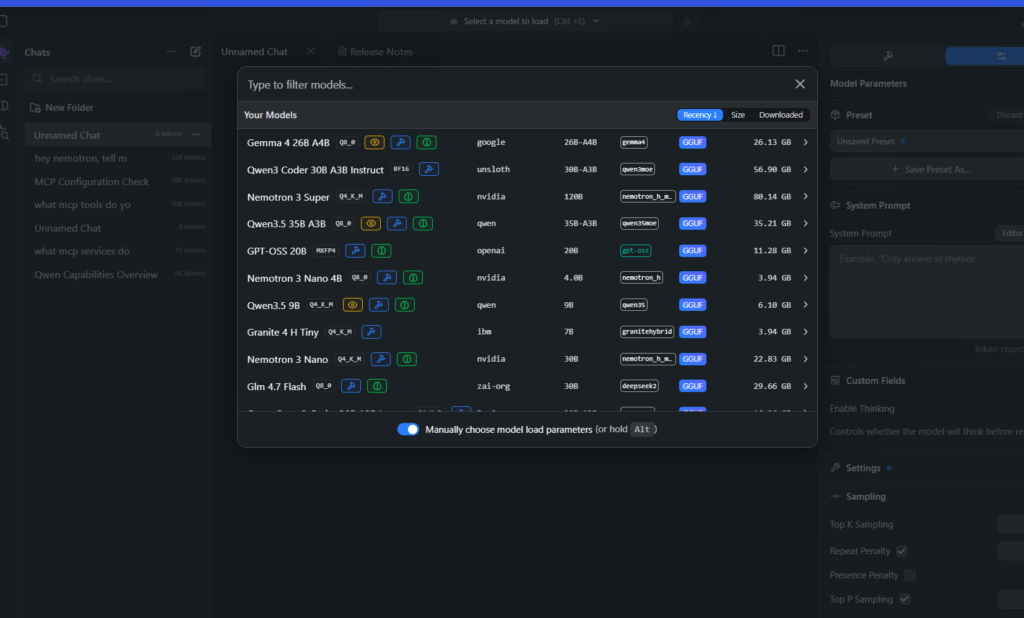
I run a multi-GPU server at home (I call it hopper) with Qwen Coder Next amongst other models running on a 120k context window, and I’ve tested enough hardware configurations to know that, like me, while you’re learning, you should consider where your money needs to go. Really consider. There’s something genuinely compelling about building your own inference rig – no API rate limits, no subscriptions, no “Claude is at capacity” at 2am when you actually need it. Cloud-independent AI, running on your own hardware, in your own house.
That dream isn;y completely here for me yet but I edge closer every day. And while my journey unfolds, here’s what I wish someone had told me when I started.
Quick Navigation
Jump directly to what you’re looking for:
VRAM: The Only Spec |
The Bandwidth Formula |
The GPU Picks |
Budget Tier |
Mid-Range Tier |
High-End Tier |
The Grey Market |
Multi-GPU Setups |
Inference Engines |
What to Actually Buy
VRAM – The Number That Matters
I know this sounds reductive, but forget clock speeds and (reluctantly) forget CUDA core counts. For LLM inference there are exactly two things you care about: how much VRAM the card has, and how fast that VRAM can feed data to the GPU. The first one sets what models you can run. The second sets how quickly they spit out text.
When you run a large language model locally, the entire model needs to sit in your GPU’s video memory. If it doesn’t fit, the overflow spills into system RAM, and your generation speed slows to a crawl.
How Much VRAM Do You Need?
There are two things that matter here: the model’s parameter count and the quantisation level you choose. Q4 quantisation (4-bit) is where most people should be – you get roughly 95% of the full model’s quality and it uses a fraction of the memory. Q8 is better for coding tasks but doubles the VRAM requirement. FP16 (full precision) is wasteful for inference and almost nobody runs it locally.
| Model Size | Q4 (4-bit) | Q8 (8-bit) | FP16 |
|---|---|---|---|
| 7B/8B | ~5.5 GB | ~8.5 GB | ~15.5 GB |
| 14B | ~9.5 GB | ~15.5 GB | ~29.5 GB |
| 27B | ~17.5 GB | ~28.5 GB | ~55.5 GB |
| 32B | ~20.5 GB | ~33.5 GB | ~65.5 GB |
| 70B | ~43.5 GB | ~71.5 GB | ~141.5 GB |
I’ve included roughly 1.5 GB for the KV cache at a 4K context window in these numbers, which covers most conversations. Be cautious: Setting your context to maximum on a model like Qwen 3.5 can eat 5 GB of VRAM just for the KV cache before you’ve generated a single token.
The practical outcome looks a bit like: 12 GB gets you 14B models at Q4 comfortably. 16 GB squeezes in 27B MoE models (like Qwen 3.5 27B) but only barely, and you’ll need to keep context short. 24 GB is where it gets interesting – 32B models at Q4 with room to breathe, and that’s the point where local models genuinely start to compete with cloud APIs. And 48 GB (two 24 GB cards) opens up 70B models, which is where things get very impressive (and slower).
The Bandwidth Formula
So, once the model fits in VRAM, the next question is speed – and speed comes down to memory bandwidth. Every time the GPU generates a single token, it has to read the entire model out of the GPU VRAM. All of it. Every time. Which means your theoretical maximum speed is:
Tokens per second = GPU memory bandwidth (GB/s) / model size in VRAM (GB)
In practice, you’ll hit maybe 60-80% of this theoretical ceiling, but the ratio between cards stays the same. Here’s what that looks like for a 14B model at Q4 (roughly 8.5 GB in VRAM):
| GPU | Memory Bandwidth | Theoretical Max | Real-World Estimate |
|---|---|---|---|
| RTX 3060 12GB | 360 GB/s | 42 tok/s | 25-34 tok/s |
| RTX 4060 Ti 16GB | 288 GB/s | 34 tok/s | 20-27 tok/s |
| RTX 3090 24GB | 936 GB/s | 110 tok/s | 66-88 tok/s |
| RTX 4090 24GB | 1,008 GB/s | 119 tok/s | 71-95 tok/s |
| RTX 5090 32GB | ~1,792 GB/s | 211 tok/s | 127-169 tok/s |
So the RTX 3090 – a card from 2020 that you can pick up used for under a grand – will generate text three times faster than the brand new RTX 4060 Ti on the same model. That’s entirely down to the 3090’s 384-bit memory bus versus the 4060 Ti’s 128-bit bus. Architecture doesn’t matter here – the wider pipe wins.
And this is exactly why CUDA cores are irrelevant for inference. The bottleneck isn’t compute, it’s how fast you can shuttle model weights from memory to the compute units. Fewer cores with faster memory beats more cores with slower memory. Always has, probably always will.
The GPU Picks
Right, let’s get into the actual recommendations. I’ve split these by budget, and I’m ranking purely on LLM inference value – not gaming performance, not training capability, not image generation.
Budget Tier: Under $500
RTX 3060 12GB – The People’s GPU (~$250 used)
If I had to recommend one card to someone just getting started with local LLMs, it’s this one. 12 GB of VRAM runs 14B parameter models at Q4 without breaking a sweat, and those models are genuinely good in 2026 – Qwen 3 14B, for instance, handles coding and reasoning tasks surprisingly well.
The memory bandwidth is modest at 360 GB/s, so you’re looking at around 25-30 tokens per second on a 14B model. That’s fast enough to read comfortably but you’ll notice the wait on longer outputs. The real appeal is the price: at $250 on eBay, this is roughly $21 per gigabyte of VRAM. I can’t think of anything that comes close for the money.
If you just want to dip your toes in and see whether local AI is actually worth the hassle, this is the card.
Check RTX 3060 12GB prices on Amazon
RX 7600 XT 16GB – The AMD Wildcard (~$330 new)
This is the cheapest brand-new 16 GB card on the market right now, and AMD’s ROCm software stack has come far enough that LM Studio and llama.cpp both work without drama. I’ve spoken to a few people running these as daily coding assistants and the consensus is it’s fine.
The catch is that some specialist tools (certain ComfyUI custom nodes, some fine-tuning frameworks) still expect CUDA. If you’re exclusively running LLMs for text generation and coding, the RX 7600 XT is a legitimate option at $330. But if you think you’ll branch into image generation or training, stick with NVIDIA.
A solid pick if you want 16 GB for under £300 and don’t mind the occasional AMD software headache.
Check RX 7600 XT prices on Amazon
RTX 4060 Ti 16GB – The Safe Choice (~$400 new)
You get the same 16 GB VRAM as the RX 7600 XT but with full CUDA support and everything just works out of the box. The bandwidth is identical at 288 GB/s so generation speeds are basically the same – you’re paying a $70 premium for the NVIDIA ecosystem, which to be fair is probably worth it for most people.
This card runs 14B models at Q4 without issues and can squeeze in 27B MoE models (like Qwen 3.5 27B) if you keep context lengths conservative. That’s a meaningful capability bump over the 12 GB cards.
Boring. Reliable. Does what it says on the tin.
Check RTX 4060 Ti 16GB prices on Amazon
Mid-Range Tier: $500-$1,500
RTX 5060 Ti 16GB (~$500 new)
Newest Blackwell architecture, 16 GB of VRAM. It’s a bit faster than the 4060 Ti for inference thanks to improved memory bandwidth, but – and this is the crucial thing – the model compatibility is identical because the VRAM ceiling is the same. Worth the extra $100 over the 4060 Ti if you want the newest hardware and a warranty, but don’t expect it to run models the 4060 Ti can’t.
Check RTX 5060 Ti prices on Amazon
RTX 3090 24GB – The Used Market King (~$700-$975 used)
I’ve recommended this card more times than I can count. Six years after launch and the RTX 3090 is still, somehow, the best deal in local AI hardware. 24 GB of VRAM, 936 GB/s of memory bandwidth. It runs 32B parameter models at Q4 with room to spare, and at 66-88 tokens per second on a 14B model, it’s fast enough that generation feels instant.
Used prices have settled around $700-975 on eBay which works out at roughly $30-40 per gigabyte of VRAM – enterprise-tier capacity at consumer prices. And here’s the thing: grab two of these ($1,400-1,950 total) and you’ve got 48 GB of VRAM, enough for 70B models at Q4. That’s the point where local starts to genuinely threaten your Claude subscription.
The downsides are real: they run hot (up to 350W under load), they’re physically enormous (triple-slot coolers on most models), and buying used always carries risk. But the performance-per-pound equation is unbeatable. If you’re serious about running 27B-32B models and you’ve got a desktop with decent airflow, this is the card.
Check RTX 3090 prices on Amazon
RTX 4090 24GB (~$2,200-2,500 used)
Bandwidth is a touch faster than the 3090 (1,008 GB/s vs 936 GB/s) and it runs much cooler, but you’re still stuck at the same 24 GB VRAM ceiling. At $2,200-2,500 used, it’s nearly three times the price of a 3090 for maybe 8% more speed on inference workloads. The 4090 makes more sense if you also game or do creative work, because Ada Lovelace is genuinely better at those tasks. But if LLMs are all you care about? Save yourself over a grand and get the 3090.
Check RTX 4090 prices on Amazon
High-End Tier: $1,500+
RTX 5090 32GB (~$2,000 MSRP, $2,800+ street)
The first consumer card with 32 GB that isn’t a waste of money for LLMs (the 5080’s 16 GB at $1,000+ definitely is – more on that below). 32 GB fits a 32B model at Q8, which is a noticeable quality step up from Q4 for coding and complex reasoning. The bandwidth is exceptional at roughly 1,792 GB/s. Fair warning though – good luck finding one at MSRP. Street prices are still hovering around $2,800-3,500 on eBay as of April 2026.
But here’s the thing – two used RTX 3090s for $1,600 give you 48 GB of VRAM and will run models the 5090 physically cannot fit. If raw speed on a single card matters to you, the 5090 wins. If total capability matters, dual 3090s win. Personally I’d take the 3090s every time.
Check RTX 5090 prices on Amazon
RTX PRO 6000 96GB (~$7,000-$10,000)
This is the nuclear option and I won’t pretend I haven’t thought about it. 96 GB of VRAM on a single card – you can run unquantised 32B models, or 70B at Q8, without any multi-GPU complexity. One card, one PCIe slot, done.
At $7,000-10,000, this is strictly for professionals or people with deep pockets. But if you compare it to cloud API costs – a heavy Claude or GPT user might spend $200-500 per month – the card pays for itself in one to three years. Two of these gives you 192 GB, which is enough for practically any open-weight model at high precision. If you’ve got the budget and want the simplest possible setup, honestly, this is it.
The 16 GB Trap
The RTX 5080 costs around $1,000-1,500 and has 16 GB of VRAM. The RTX 5060 Ti costs $500 and also has 16 GB of VRAM. They can run exactly the same models.
Yes, the 5080 generates tokens faster thanks to higher bandwidth. But spending double for speed on the same model tier is poor value when that extra $500-1,000 could buy you a used RTX 3090 with 24 GB – giving you access to an entirely different tier of models. Speed is nice. Running smarter models is better.
Don’t buy an RTX 5080 for LLMs. Either save money with a 5060 Ti or spend it properly on a 3090.
The Grey Market
So, there are these modified cards coming out of Shenzhen and I’ve got to admit, some of them are genuinely interesting if you’re comfortable with the risk.
Modified RTX 3080 20GB (~$500): Workers take standard RTX 3080 10 GB boards and solder on 20 GB of VRAM. Same Ampere architecture, 760 GB/s bandwidth, but with double the memory. The blower-style cooler runs hot and loud, there’s no warranty, and reliability is a genuine gamble. But $500 for 20 GB with that kind of bandwidth? If you’re the sort of person who doesn’t mind rolling the dice, it’s hard to argue with the maths.
Modified dual-die RTX 4080 Super 32GB (~$1,300): Two 4080 dies on a single board, giving you 32 GB of VRAM per card. Eight of these would give you 256 GB – more than most professional setups. I’ve heard from people who’ve run them successfully for months, but equally I’ve heard from people whose cards died within weeks. Not for the risk-averse, but the capacity is genuinely impressive for the price.
Reboarded 4090 D with 48GB (~varies, $1,500-2,500): There are modified NVIDIA 4090 D cards on eBay where the GPU chip gets swapped onto a new board with 48 GB of VRAM instead of the stock 24 GB. The boards come out of the same factories as the genuine NVIDIA cards – they replace the GPU die and fit better memory. I am so tempted by these it’s not even funny. A single card with 48 GB of fast GDDR6X memory would run 70B models at Q4 without needing a multi-GPU setup at all. That’s the kind of independence from cloud APIs that appeals to me on a philosophical level, frankly. The cards are a lot less sketchy than you’d think, but “less sketchy than you’d think” is still not the same as “comes with a warranty.” Plus I expect to see gen 1 DGX Sparks on eBay for $500 in two years, which might make the whole grey market moot.
Server GPUs: Tempting but Tricky
Tesla P40 24GB (~$150-200): Twenty-four gigabytes for the price of a curry. Sounds brilliant, right? But then you find out it’s ancient Pascal architecture with no FP16 support, it has no onboard cooling fan (you’ll be 3D-printing a fan duct or bodging one together), it needs a server-grade power supply, and it manages maybe 8-10 tokens per second on a good day. I know a couple of people who’ve built P40 rigs and they all say the same thing: great fun to set up, wouldn’t rely on it.
Multi-GPU Setups
I run two GPUs on hopper and, honestly, getting multi-GPU inference working was far less painful than I expected. The main inference engines handle it natively and it’s often the smartest way to get more VRAM without dropping thousands on a single card.
How it works: Llama.cpp splits model layers across GPUs. GPU 1 processes its assigned layers, then sends a small activation payload over PCIe to GPU 2. The PCIe overhead is minimal because activations are tiny compared to the model itself. You don’t need NVLink, and you don’t even need matching GPUs – a 3090 paired with a 3060 works fine, though the slower card becomes the bottleneck.
When it’s worth it: Pretty much always. Two RTX 3090s ($1,600 total, 48 GB VRAM) will absolutely destroy a single RTX 5090 ($2,000, 32 GB VRAM) because they can run 70B models that the 5090 simply can’t fit. The only caveat is you need the physical space for it – two or three triple-slot coolers take up a lot of room, and you’ll need a motherboard with at least two x16 or x8 PCIe slots.
A word on tensor parallelism vs layer splitting: Tensor parallelism (used by vLLM and ExLlamaV2) distributes individual matrix operations across GPUs simultaneously, which is faster but needs matching GPUs. Layer splitting (llama.cpp’s default) works with any mix of cards. For a home setup with potentially mismatched hardware, layer splitting is the pragmatic choice.
I run a multi-GPU setup at home on hopper, serving Qwen Coder Next on a 120k context window. It works. No magic, no special configuration. If you’ve got the PCIe slots, buy two cheaper cards instead of one expensive one.
Inference Engines
The software you run the model on matters almost as much as the hardware you run it on, and there are three engines worth knowing about in 2026.
Llama.cpp (GGUF format): This is the one most people should start with. Runs on NVIDIA, AMD, Intel, and Apple Silicon. Its killer feature is graceful VRAM overflow – if your model is 18 GB and you only have 16 GB of VRAM, llama.cpp will offload the excess to system RAM. Slower, but it works. Start here.
ExLlamaV2 (EXL2 format): If you want pure speed and you’re on NVIDIA, this is the fastest option for single-user inference. Pure GPU execution, no CPU fallback. The catch is that the entire model must fit in VRAM – if it’s even slightly too large, it crashes rather than degrading gracefully. Use this when you’ve got VRAM to spare and want every last token per second.
vLLM: This is a server engine built for serving lots of concurrent users via PagedAttention. If you’re running an API that several people or applications hit at the same time, vLLM is excellent. Overkill for a single user sitting at a terminal though, because the server overhead eats into your available VRAM. (This is what we use on hopper when I want other tools to query the local model via OpenAI-compatible API.)
For most home setups, start with llama.cpp via LM Studio or Ollama. If you’ve confirmed the model fits entirely in your VRAM and want more speed, try ExLlamaV2 via TabbyAPI or text-generation-webui.
What to Buy
| Budget | Buy This | VRAM | Can Run |
|---|---|---|---|
| $250 | Used RTX 3060 12GB | 12 GB | 14B at Q4 |
| $330-400 | RX 7600 XT or RTX 4060 Ti 16GB | 16 GB | 14B at Q8, 27B MoE at Q4 |
| $700-975 | Used RTX 3090 24GB | 24 GB | 32B at Q4, 27B at Q8 |
| $1,400-1,950 | Two used RTX 3090s | 48 GB | 70B at Q4 |
| $2,000 | RTX 5090 32GB | 32 GB | 32B at Q8 |
| $7,000+ | RTX PRO 6000 96GB | 96 GB | 70B at Q8, 32B unquantised |
If you’re brand new to all of this, grab a used RTX 3060 12GB for $250 and run some 14B models for a week. You’ll know pretty quickly whether local AI is something you want to invest more in, or whether you’d rather just keep paying Anthropic.
If you already know you’re in, get a used RTX 3090. Not the newest card, not the most efficient, but 24 GB of fast VRAM for under a grand is the sweet spot where local models go from “interesting toy” to something you actually rely on.
And if you’re the sort of person who’s already pricing up dual 3090 builds and reading about tensor parallelism – you don’t need my advice. You need a bigger power supply and a patient spouse (which as a side note isn’t the golden LLM solution you think it is – my wife thinks I’m mad and she’s probably right).
But here’s the real reason I think all of this is worth the effort. It’s not speed and it’s not savings. It’s independence. Your data stays on your machine, your workflow doesn’t break when an API provider changes their pricing or hits capacity, and the open-weight models are getting good enough that the gap between local and cloud shrinks every month. Build the rig. Jerry-rig the thing. It’s worth it.